Barcode Technology

Barcode History

Barcode Label Paper

Barcode Printer

Barcode Application

Inventory Management

AI Barcode QRCode

Barcode Scanner

Barcode Software

Barcode Software B

Barcode Software C

Barcode Software D

Barcode Software E

New Technology A

New Technology B

Robot Technology

Barcode Types

Barcode Types B

Barcode Types C

Barcode Types D

Barcode Types E

Barcode Types F

Electronic Technology

Psychology at Work

Barcode Technology and Barcode Software Related   <<< Back to Directory <<<

Application examples of Messenger Codes for Facebook

Technology Detail and Application Examples of Messenger Codes for Facebook

Introduction to Messenger Codes

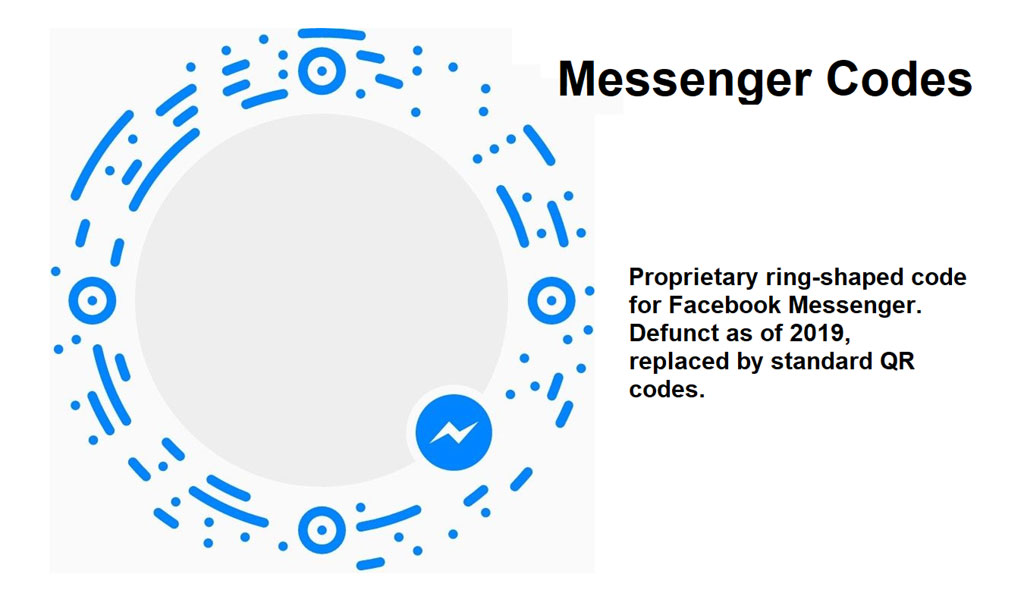
Messenger Codes were a proprietary form of visual identification introduced by Facebook exclusively for use within Facebook Messenger. They were designed to streamline the process of connecting with others on the platform by providing a quick and seamless way to add contacts or start conversations through a unique graphical code. Initially distinctive for their ring-shaped format, Messenger Codes aimed to enhance networking and communication within the Facebook ecosystem.

Evolution and Phasing Out

Introduced by Facebook, Messenger Codes served their purpose for a period but were eventually phased out. By 2019, Facebook decided to transition away from Messenger Codes in favor of adopting standard QR (Quick Response) codes. This shift aligned with broader industry standards and user expectations for interoperability across different platforms and devices.

Technology Overview of Messenger Codes

Messenger Codes operated on the basis of a visual recognition system embedded within Facebook Messenger. Here's an overview of their technological aspects:

1.Visual Identification: Messenger Codes consisted of a unique, circular graphical code embedded with visual patterns that were recognizable by the Messenger app.

2.Scanning Mechanism: Users could scan these codes using the built-in camera functionality of Facebook Messenger. Upon scanning, the app would recognize the code and prompt the user with actions such as adding a contact or initiating a conversation.

3.Linkage to Profiles: Each Messenger Code was linked to a specific Facebook Messenger profile, enabling direct interaction between users without the need for manual input of contact information.

4.Privacy and Security: Messenger Codes were designed with built-in privacy measures, ensuring that only intended actions (like adding as a contact or messaging) could be initiated by scanning, without exposing sensitive personal information unnecessarily.

Application Examples of Messenger Codes

Messenger Codes found various applications within the Facebook Messenger platform, enhancing user engagement and connectivity in several ways:

1.Personal Networking:

Adding Contacts: Users could quickly add new contacts by scanning their Messenger Code, eliminating the need for manual searching or sharing of contact details.

Friend Requests: Initiating friend requests became easier at events or gatherings where users could exchange their Messenger Codes for instant connections.

2.Business and Brand Interactions:

Customer Service: Businesses integrated Messenger Codes into their customer service operations. Customers could scan codes to initiate direct conversations with support teams or representatives.

Marketing Campaigns: Brands leveraged Messenger Codes in marketing campaigns. For instance, codes placed on advertisements or product packaging allowed customers to interact directly with brands for inquiries or purchases.

3.Events and Gatherings:

Event Promotion: Organizers used Messenger Codes to promote events. Attendees could scan codes on event invitations or promotional materials to RSVP or get event updates directly via Messenger.

Networking: At conferences or networking events, professionals exchanged Messenger Codes to connect instantly and follow up on discussions or collaborations.

4.Educational Institutions:

Student Engagement: Educational institutions utilized Messenger Codes for student engagement. Codes on course materials or campus posters allowed students to connect with professors or peers for discussions or study groups.

5.Community and Social Groups:

Local Groups: Community groups used Messenger Codes to facilitate local connections. Codes on community boards or flyers enabled residents to join neighborhood groups or initiatives directly via Messenger.

Benefits and Limitations

Benefits:

Convenience: Simplified adding of contacts and initiating conversations.

Direct Interaction: Enabled direct communication without sharing contact details.

Integration: Seamlessly integrated within Facebook Messenger's interface.

Limitations:

Platform Restriction: Limited to interactions within the Facebook Messenger platform.

Transition to QR Codes: Eventually phased out in favor of QR codes for broader compatibility.

Conclusion

Messenger Codes served as a specialized tool within Facebook Messenger, enhancing user connectivity and interaction through visual identification. While they provided a streamlined method for adding contacts and initiating conversations, their eventual replacement by standard QR codes reflected a shift towards industry norms and enhanced interoperability across platforms. This evolution underscores the dynamic nature of digital communication tools, adapting to meet user expectations and technological advancements in the digital era.


EasierSoft Barcode Label Design & Bulk Printing Software

---- Use Excel Data to Batch Print Barcodes on Label Sheets or Roll Labels  

---- How to use this barcode software

Download:  Free Barcode Software + Barcode Label Designer

Download Free Barcode Software at Softonic

     Download at CNET

Once you obtain a GS1/UPC/EAN barcode, or other barcode type and QR code, you can use our free software to batch print barcode labels onto Roll label paper using a professional label printer, or to batch print barcodes onto Avery 5160 label sheets using a regular laser or inkjet printer. Our software has free and paid versions.

The free version fully meets your needs for batch printing GS1/UPC/EAN barcodes. The paid version can import data from Excel and databases to batch print barcode labels with different values.

How to Start

Input Data

Import Excel Data

Print Barcode

Barcode Format

Label Designer

All Screen Shot

Export Barcode Image

Save Template

Output Word Excel

How to Use & FAQ:

Predefined label templates

Printing setup

Save settings

Serial number generator

The supported barcode types

Load Excel data (pro)

Manually copy data from Excel files

Filter some data for printing

Edit imported barcode data

Input data (Pro)

Label Designer

Edit data in Label designer

Label Designer - Add new label

Label Designer - Printing

Set the barcode label format to be printed

Other Barcode Label Format Settings

Barcode types supported by this program

Barcode Label Font Settings

Configuring the Barcode Print Rotation

Text Alignment for Barcode Labels

Automatically Adjusting Barcode Width

Text Beneath the Barcode

Configuring Barcode Size

Auto Calculate the Barcode Size

Export Barcode images

Export Barcode Image Format

File Names for Exported Barcode

Resolution of Exported Barcode Images

Fixed Folder for Exporting Barcode

Default Barcode Image Export Format

Print bulk barcodes quickly

Print barcodes to Avery 5160 label

How to bulk Barcode Printing

Sample - Avery 5162 (2x7) Label Sheet

Example: Print barcodes to 5*3cm roll

Example: Print barcodes to 5161 label

Example: Print barcodes to 5162 label

Example: Print barcodes to 5163 label

Example: Print barcodes to 5164 label

Example: Print portrait orientation 5164

Example: Print barcodes to 5167 label

Example: Print barcodes to 5168 label

Example: Print portrait orientation 5168

Example: Print barcodes to 5169 label

Example: Print barcodes to 5660 label

Example: Print barcodes to 5661 label

Example: Print barcodes to 5662 label

Example: Print barcodes to 5663 label

Example: Print barcodes to 5664 label

Example: Print portrait orientation 5664

Highlights

Excel integration: Import data directly from Excel to generate and print barcodes in bulk.

Label designer: Create complex labels with multiple barcodes, text, logos, and shapes.

Batch printing: Print thousands of barcodes at once using standard inkjet/laser printers or professional barcode printers.


Flexible editions:

Standard Edition: Simple batch printing with Excel data.

Professional Edition: Adds command-line automation for workflow integration.

Label Designer Edition: Advanced design features for complex labels.


Why Choose Our Barcode Solutions?

Cost-effective: Free online generator and permanent free desktop version available.

Easy to use: No technical expertise required—just input data and print.

Versatile: Supports nearly all 1D and 2D barcode types, including QR codes.

Trusted: Recommended by CNET and widely downloaded by users worldwide.


Suitable Use Cases

Small businesses and startups needing quick barcode labels for products.

Retailers and online sellers managing inventory with batch barcode printing.

Manufacturers requiring sequential or custom barcode labels for packaging.

Educational and testing environments where barcodes are used for tracking.


CONTACT

cs@easiersoft.com

If you have any question, please feel free to email us.


https://free-barcode.com


<<< Back to Directory <<<     Barcode Generator     Barcode Freeware     Privacy Policy