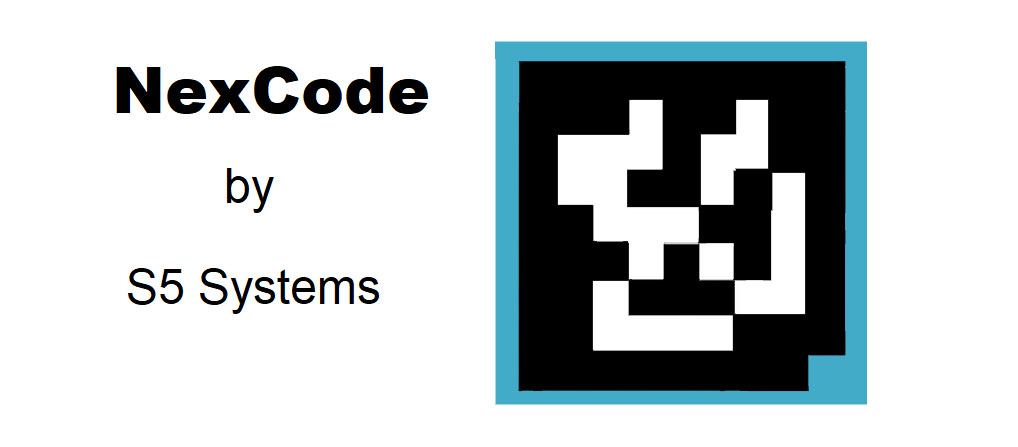
NexCode, developed by S5 Systems, is an innovative barcode technology designed to address various challenges in the digital identification and authentication space. This advanced barcode system leverages cutting-edge encryption techniques and robust data handling capabilities to enable secure and versatile applications across different industries. Below is a detailed exploration of NexCode, its technology, and diverse application examples. |
|
Introduction to NexCode |
NexCode represents a significant advancement in barcode technology, aiming to enhance security, reliability, and versatility compared to traditional barcode systems. Developed by S5 Systems, a company known for its expertise in digital security and authentication solutions, NexCode combines sophisticated encryption algorithms with barcode functionality to create a secure and scalable identification platform. |

|
Technology Overview |
1. Encryption and Security Features |
NexCode integrates powerful encryption mechanisms to safeguard data integrity and prevent unauthorized access. It employs advanced cryptographic algorithms to encode information within the barcode, ensuring that only authorized parties can decode and access the embedded data. This security feature makes NexCode suitable for applications requiring stringent data protection, such as financial transactions, secure access control, and sensitive document management. |
2. Data Capacity and Flexibility |
Unlike traditional barcodes limited by data capacity, NexCode offers expanded storage capabilities. It can encode a wide range of information, including alphanumeric characters, binary data, and multimedia content. This flexibility allows NexCode to support diverse applications, from inventory management and product tracking to multimedia-rich advertising and interactive consumer engagement. |
3. Integration with Digital Platforms |
NexCode is designed to seamlessly integrate with digital platforms and mobile devices. It supports QR code scanning capabilities, enabling instant access to encoded information via smartphones and tablets equipped with barcode scanning apps. This integration facilitates real-time data retrieval and interaction, enhancing user convenience and operational efficiency across various sectors. |

|
Application Examples of NexCode |
1. Secure Document Authentication |
One of the primary applications of NexCode is secure document authentication. Organizations can use NexCode-enabled barcodes to embed encrypted information within sensitive documents, such as contracts, certificates, and identification cards. This ensures document integrity and authenticity, mitigating the risk of forgery and unauthorized alterations. Government agencies, educational institutions, and legal firms utilize NexCode to enhance document security and streamline verification processes. |
2. Product Traceability and Anti-Counterfeiting |
In industries prone to counterfeit products, such as pharmaceuticals, luxury goods, and electronics, NexCode serves as a robust solution for product traceability and anti-counterfeiting measures. Manufacturers integrate NexCode barcodes into product packaging to encode unique identifiers, batch numbers, and manufacturing details. Consumers can verify product authenticity by scanning the barcode with a smartphone, accessing real-time verification data, and ensuring they receive genuine products. |

|
3. Mobile Payments and Digital Wallets |
NexCode facilitates secure mobile payments and digital wallet transactions by embedding encrypted payment information within QR codes. Retailers and service providers deploy NexCode-enabled payment solutions to enable quick and secure transactions using smartphones and mobile devices. This technology enhances payment security, reduces transaction times, and expands the adoption of mobile payment systems in retail, hospitality, and e-commerce sectors. |
4. Interactive Marketing and Consumer Engagement |
Marketers utilize NexCode to create interactive marketing campaigns and enhance consumer engagement. By embedding multimedia content, such as videos, images, and promotional offers, within NexCode barcodes, brands can deliver immersive and personalized experiences to consumers. Interactive advertisements, product catalogs, and event promotions leverage NexCode to drive customer interaction, boost brand awareness, and measure campaign effectiveness through barcode scanning analytics. |

|
5. Access Control and Event Management |
NexCode enhances access control and event management systems by encoding encrypted access credentials and event tickets within barcodes. Event organizers, venue managers, and security personnel utilize NexCode-enabled badges and tickets to streamline attendee registration, verify access permissions, and monitor guest attendance in real-time. This technology ensures secure and efficient event operations while enhancing attendee experience through seamless check-in processes. |
6. Health Care and Patient Identification |
In the healthcare sector, NexCode supports secure patient identification and medical data management. Healthcare providers integrate NexCode-enabled patient wristbands and medical records to encode patient information, medical histories, and treatment protocols within barcodes. This facilitates accurate patient identification, enhances clinical workflow efficiency, and improves patient safety through secure access to critical healthcare information. |

|
7. Supply Chain Management and Logistics |
NexCode plays a crucial role in optimizing supply chain management and logistics operations. Logistics companies and manufacturers leverage NexCode barcodes to encode shipping details, inventory statuses, and delivery schedules within packaging labels and shipping containers. Supply chain stakeholders scan NexCode barcodes to track shipment progress, monitor inventory levels, and streamline warehouse operations, improving supply chain visibility and operational efficiency. |

|
Conclusion |
NexCode, developed by S5 Systems, represents a pioneering advancement in barcode technology, offering enhanced security, expanded data capacity, and versatile integration capabilities across various industries. From secure document authentication and product traceability to mobile payments and interactive marketing, NexCode enables innovative applications that streamline operations, enhance security, and enrich user experiences. As technology continues to evolve, NexCode remains at the forefront of digital identification and authentication solutions, driving efficiency, security, and innovation in the global marketplace. |
 cs@easiersoft.com