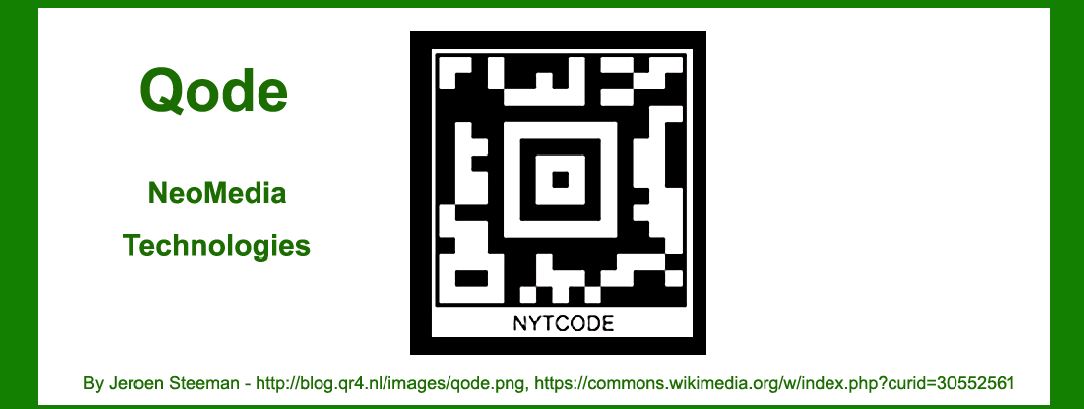
Qode, developed by NeoMedia Technologies, is a 2D barcode technology designed to encode data in a compact and versatile format, enabling various applications across industries. In this detailed exploration, we'll delve into the technology, its encoding principles, decoding methods, and a comprehensive range of application examples where Qode has made an impact. |
|
Introduction to Qode |
Qode, also known as NeoMedia's Qode, is a type of 2D barcode developed to store and retrieve information efficiently using a matrix of black and white squares. These barcodes are capable of encoding large amounts of data compared to traditional 1D barcodes, making them suitable for diverse applications ranging from marketing and advertising to logistics and inventory management. |

|
Technology Details |
Encoding Structure |
Qode barcodes are characterized by their square matrix structure, where data is encoded in the form of black and white modules arranged in a grid pattern. The encoding process involves converting alphanumeric or binary data into a series of modules, which are then positioned within the barcode to represent the stored information. |
Error Correction |
To enhance reliability, Qode incorporates error correction techniques. These techniques allow the barcode to remain readable even if part of it is obscured or damaged. Error correction algorithms ensure that the encoded data can be accurately retrieved, providing robustness in challenging environments. |
Decoding Methods |
Decoding Qode barcodes typically involves using specialized software or mobile applications capable of interpreting the matrix pattern. Mobile devices equipped with cameras can capture images of Qode barcodes, which are then processed using image recognition algorithms to extract the encoded information. |

|
Application Examples |
Qode's versatility has led to its adoption across various industries and applications. Below are detailed examples showcasing how Qode barcodes are utilized: |
Marketing and Advertising |
1.Print Media Campaigns: Qode barcodes are integrated into print advertisements, enabling users to scan the code with their smartphones to access additional content such as product information, promotional offers, or multimedia content. 2.Retail Product Packaging: Retailers use Qode barcodes on product packaging to provide consumers with instant access to detailed product descriptions, reviews, and purchasing options online. 3.Event Promotions: Event organizers leverage Qode barcodes on posters, tickets, and flyers to allow attendees to quickly access event schedules, maps, and ticket purchasing links. |
Supply Chain and Logistics |
1.Inventory Management: Qode barcodes are applied to inventory items, allowing businesses to track stock levels, monitor shipments, and streamline order fulfillment processes. 2.Asset Tracking: Qode barcodes are used to label equipment, vehicles, and other assets, enabling organizations to monitor their location and usage history efficiently. 3.Shipping and Delivery: Logistics companies utilize Qode barcodes on shipping labels to facilitate package tracking, delivery confirmation, and real-time shipment status updates. |

|
Healthcare and Pharmaceuticals |
1.Medication Management: Qode barcodes are employed on medication packaging to provide healthcare professionals and patients with access to dosage instructions, side effects, and drug interaction warnings. 2.Patient Records: Hospitals and healthcare facilities use Qode barcodes on patient wristbands and medical records to ensure accurate identification and secure access to health information. |
Mobile Commerce and Payments |
1.Mobile Payments: Qode barcodes serve as a secure method for processing mobile payments, allowing users to scan barcodes to initiate transactions and authenticate purchases securely. 2.Digital Coupons and Loyalty Programs: Retailers utilize Qode barcodes to distribute digital coupons and manage customer loyalty programs, providing shoppers with discounts and rewards directly on their mobile devices. |
Security and Access Control |
1.Identification and Authentication: Qode barcodes are integrated into access control systems, enabling secure entry to buildings, restricted areas, and digital networks based on authorized barcode scans. 2.Ticketing and Authentication: Qode barcodes are used in electronic ticketing systems for events, transportation, and entertainment venues to validate ticket authenticity and manage attendee access. |

|
Future Trends and Innovations |
Looking ahead, Qode technology continues to evolve with advancements in data encoding efficiency, enhanced error correction capabilities, and improved scanning reliability. Future innovations may focus on integrating Qode barcodes with emerging technologies such as augmented reality (AR) and Internet of Things (IoT) devices to further enhance user interaction and data accessibility. |

|
Conclusion |
Qode, developed by NeoMedia Technologies, represents a significant advancement in barcode technology, offering robust data encoding capabilities and versatile applications across multiple industries. From marketing and logistics to healthcare and mobile commerce, Qode barcodes play a crucial role in facilitating information retrieval, enhancing operational efficiency, and improving user engagement in the digital age. As technology continues to evolve, Qode remains at the forefront of innovation, driving new possibilities for data integration, consumer interaction, and business optimization. |
This comprehensive overview highlights the technical intricacies and practical applications of Qode barcodes, illustrating their transformative impact on modern business practices and consumer experiences. |
 cs@easiersoft.com