Snapcodes, also referred to as Boo-R codes, are an integral part of Snapchat's interactive and user engagement features. These unique 2D barcodes serve multiple purposes within the Snapchat ecosystem, ranging from adding friends and unlocking special features to promoting brands and events. Understanding Snapcodes involves delving into their technology, applications, and the impact they have had on digital and social media interactions. |
|
Technology Overview of Snapcodes |
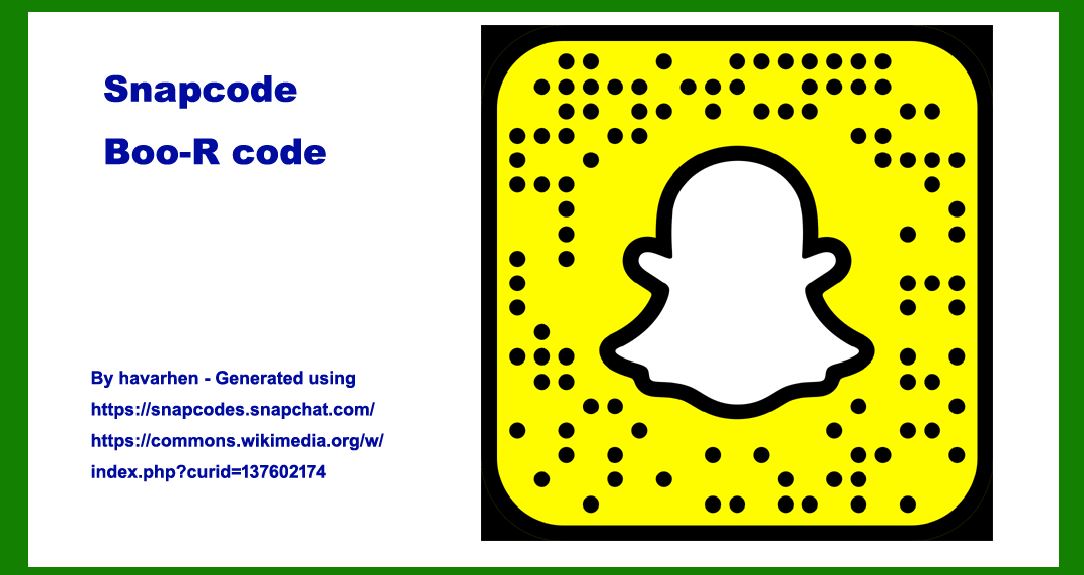
Snapcodes are essentially QR (Quick Response) codes customized and optimized for Snapchat's platform. They consist of a grid of black squares arranged on a white background, often incorporating Snapchat's ghost logo in the center. This distinctive design helps differentiate Snapcodes from traditional QR codes and enhances brand recognition among users. |

|
Structure and Encoding |
1.Visual Design: Snapcodes are visually distinct, typically featuring Snapchat's ghost icon in the center surrounded by a series of dots and lines that encode user-specific information or actions. 2.Encoding Scheme: Like QR codes, Snapcodes use a structured encoding scheme to embed data. This data can include a user's profile URL, a specific action trigger (like adding a friend), or a link to a particular piece of content within Snapchat. 3.Customization: Users and brands can customize Snapcodes with different colors, patterns, and logos to align with their branding or campaign aesthetics while ensuring functionality and recognition. |

|
Functionality and Interaction |
Snapcodes serve several key functions within Snapchat's ecosystem, enhancing user engagement and facilitating brand interaction: |
1.Adding Friends: One of the primary uses of Snapcodes is to add friends on Snapchat quickly. Users can scan another user's Snapcode with their phone's camera, automatically adding that user to their friend list without needing to search manually. 2.Unlocking Lenses and Filters: Snapcodes often link to exclusive lenses or filters within Snapchat. By scanning a Snapcode, users can unlock special visual effects or augmented reality (AR) experiences, which are often tied to promotional campaigns or events. 3.Promotional Campaigns: Brands leverage Snapcodes as part of their marketing strategies to engage users directly on Snapchat. By distributing Snapcodes across social media, advertisements, or physical products, brands can drive traffic to their Snapchat profiles or promote specific content. 4.Event Promotion: Event organizers use Snapcodes on invitations, posters, or tickets to provide attendees with additional information or exclusive content related to the event. This could include event schedules, maps, or behind-the-scenes footage accessible via Snapchat. |

|
Application Examples of Snapcodes |
Snapcodes have been adopted across various industries and contexts, demonstrating their versatility and effectiveness in digital marketing, social media engagement, and interactive user experiences. Below are notable application examples of Snapcodes: |
1. Brand Marketing and Advertising |
Adidas: Adidas has used Snapcodes in their marketing campaigns to promote new products and engage with their audience through exclusive content and AR experiences. For example, scanning a Snapcode might unlock a branded AR filter featuring new sneakers. Movie Releases: Film studios utilize Snapcodes to create buzz around movie releases by offering fans access to exclusive trailers, behind-the-scenes footage, or interactive AR experiences related to the movie's themes. |
2. Retail and E-commerce |
Product Promotions: Retailers integrate Snapcodes into their packaging or promotional materials to provide customers with additional product information, special offers, or links to purchase directly through Snapchat. Fashion Brands: Fashion brands like Burberry have used Snapcodes to launch interactive campaigns where users can virtually try on clothing items or accessories using AR technology before making a purchase. |
3. Events and Entertainment |
Concerts and Festivals: Event organizers distribute Snapcodes on tickets or promotional materials to enhance attendee experiences. Scanning a Snapcode might unlock event schedules, artist interviews, or interactive maps of the venue. Live Streams: Media companies use Snapcodes to drive viewership to live streams of events such as award shows or sports games, offering behind-the-scenes content or interviews with participants accessible via Snapchat. |
4. Educational and Non-Profit Initiatives |
Educational Institutions: Universities and schools utilize Snapcodes in recruitment efforts by providing prospective students with virtual campus tours, student testimonials, or information about academic programs. Non-Profit Organizations: Non-profits use Snapcodes to raise awareness about social causes or fundraising campaigns, offering supporters a direct link to donation pages, volunteer opportunities, or impactful stories shared via Snapchat. |

|
Impact and Future Trends |
Snapcodes have significantly influenced digital marketing strategies and user engagement tactics by bridging the gap between offline and online interactions. Their ability to integrate seamlessly with Snapchat's multimedia platform enhances brand visibility and fosters direct communication with target audiences. Looking ahead, future trends in Snapcode technology may include: |
Enhanced AR Experiences: Continued advancements in AR technology will likely enable more sophisticated and immersive experiences unlocked via Snapcodes, further blurring the lines between virtual and physical interactions. Data Analytics Integration: Brands may increasingly leverage Snapcodes to gather real-time analytics on user engagement, allowing for more targeted and personalized marketing campaigns based on user interactions with scanned Snapcodes. Global Adoption: As Snapchat continues to expand its user base globally, Snapcodes are expected to play a pivotal role in facilitating cross-cultural communication and brand localization efforts through customized content and localized marketing campaigns. |

|
In conclusion, Snapcodes represent a convergence of digital innovation and interactive marketing strategies within the realm of social media platforms. By offering users a seamless way to connect, engage, and interact with brands and content, Snapcodes have become a valuable tool for marketers seeking to enhance brand visibility, drive user engagement, and create memorable experiences in the digital age. As technology evolves and consumer behaviors shift, Snapcodes are poised to remain a prominent feature of Snapchat's ecosystem and a cornerstone of interactive digital marketing campaigns worldwide. |
 cs@easiersoft.com