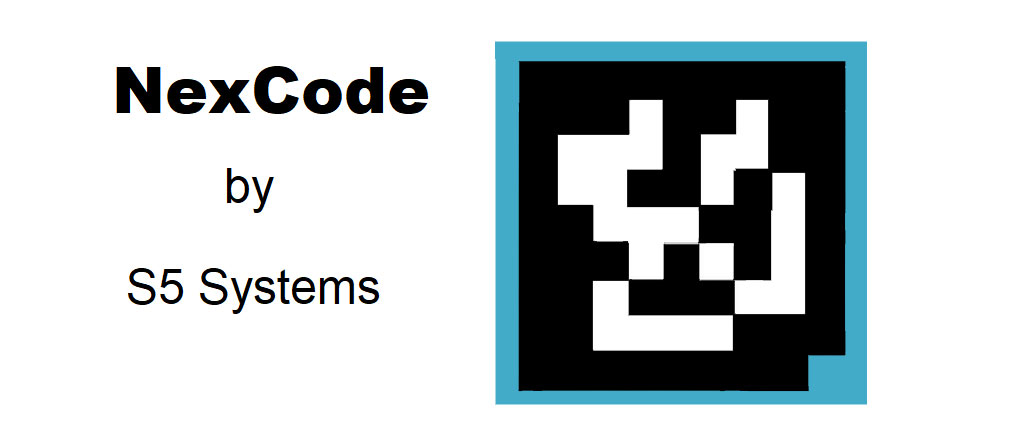
The NexCode barcode, developed by S5 Systems, utilizes a unique encoding method designed for high-density data storage and retrieval. This encoding scheme is crucial for understanding how NexCode efficiently encodes data into a compact visual representation. Let's delve into the detailed encoding principles of NexCode, with examples to illustrate its functionality. |
|
NexCode Encoding Overview |
NexCode employs a combination of geometric patterns and data placement strategies to encode information. Unlike traditional linear or 2D barcodes, NexCode utilizes a grid-based approach, where data is stored within a defined grid structure. This grid structure allows for flexible scaling and embedding of additional information layers, making NexCode suitable for various applications requiring robust data capacity and error correction. |

|
Key Encoding Features |
1.Grid-Based Data Placement: NexCode divides the encoding area into a grid of cells. Each cell can store a certain amount of data, depending on the encoding mode and density settings. 2.Data Modules: Within each cell, data is represented by modules or marks that can be either present or absent. These modules encode binary information (0s and 1s), which collectively form the data payload. 3.Error Correction: NexCode incorporates error correction techniques to ensure data integrity and reliability. This includes redundancy in data representation and the ability to reconstruct information even if parts of the barcode are damaged or obscured. 4.Symbol Layout: The overall layout of NexCode symbols can vary based on the application requirements. Common layouts include square or rectangular formats, with a designated quiet zone to prevent interference with surrounding elements. |

|
Detailed Encoding Process |
1. Data Division and Segmentation |
Before encoding begins, the data to be represented by NexCode is segmented into manageable chunks. Each chunk corresponds to a segment of the NexCode grid, ensuring that data can be efficiently stored and retrieved. |
Example: Suppose we need to encode the alphanumeric string 'NEX123CODE' into NexCode. This string is segmented into individual characters or groups of characters, depending on the encoding mode and character set used. |
2. Binary Representation |
Once segmented, each character or group undergoes binary conversion. Alphanumeric characters are converted into their binary equivalents according to predefined encoding tables or algorithms. |
Example: The character 'N' might be represented in binary as 01001110. |
3. Grid Allocation and Module Placement |
The NexCode grid is then allocated to accommodate the binary representation of each segment. Each grid cell can host multiple modules, each representing a bit of binary data. |
Example: The binary representation of 'N' (01001110) would be mapped onto a specific portion of the NexCode grid, ensuring efficient use of space while maintaining readability. |
4. Error Correction Coding |
To enhance robustness, NexCode employs error correction coding techniques. This involves adding redundant information to the encoded data, enabling the barcode reader to correct errors or missing modules during decoding. |
Example: Error correction coding might involve duplicating certain modules or adding parity bits that enable the reader to reconstruct the original data even if parts of the barcode are damaged. |
5. Quiet Zone and Formatting |
Once encoding is complete, NexCode symbols are formatted according to predefined standards. A quiet zone is established around the barcode to ensure accurate scanning and to prevent interference from other visual elements. |
Example: The NexCode symbol, now fully encoded and formatted, is ready for printing or display. It adheres to spacing guidelines and ensures clarity in scanning environments. |

|
Example Scenario |
Let's apply these encoding principles to a practical example: |
Scenario: Encoding a URL into NexCode for mobile marketing purposes. |
Data: 'https://www.example.com/product?id=12345' |
Steps: |
Segment the URL into manageable chunks, considering the NexCode grid size and data capacity. Convert each character into its binary form based on a predefined encoding scheme. Allocate grid cells for each binary segment, ensuring efficient use of space and error correction capability. Apply error correction coding to enhance reliability, especially for mobile scanning environments. Format the NexCode symbol with a quiet zone and ensure compliance with printing standards. |
Encoded NexCode Symbol |

|
Conclusion |
NexCode's encoding methodology leverages grid-based data placement, binary representation, error correction, and formatting to create compact yet information-rich symbols. This approach enables NexCode to excel in applications requiring high data capacity, reliability, and adaptability to various scanning environments. By understanding these encoding principles and their application through examples, one can appreciate how NexCode meets the demands of modern data encoding and retrieval needs. |

|
 cs@easiersoft.com