1. Introduction to Error Correction in Messenger Codes |
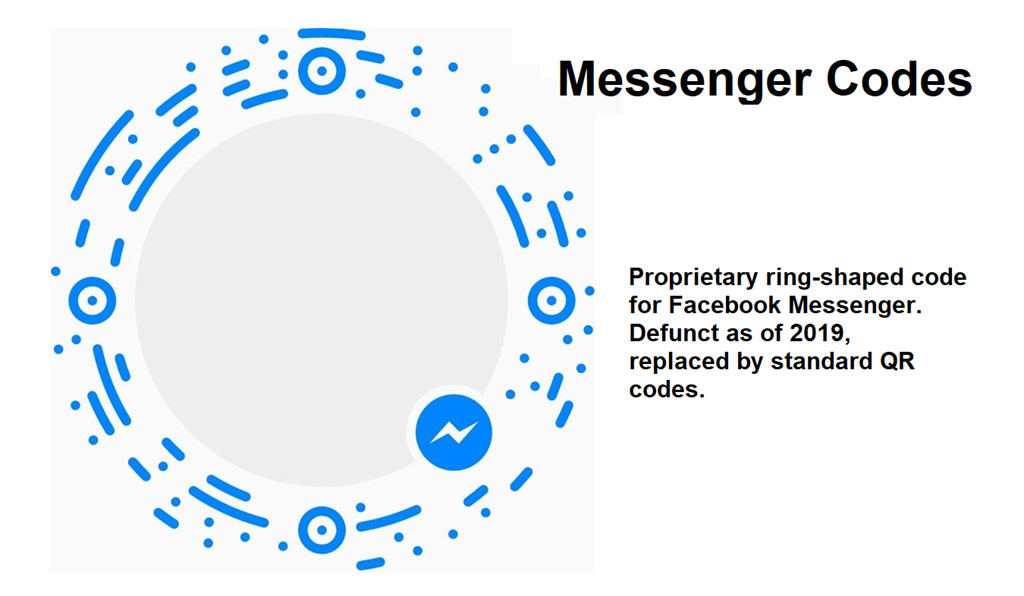
1.1. Overview Messenger Codes, introduced by Facebook, are a type of 2D barcode designed to facilitate quick and easy connections within the Messenger app. These codes incorporate error correction mechanisms to ensure reliable scanning and decoding, even if the code is partially damaged or obscured. The robustness of Messenger Codes largely depends on the principles of error correction that allow the code to function effectively despite various potential distortions. |
1.2. Error Correction Fundamentals Error correction in barcodes involves the use of mathematical algorithms to detect and correct errors within the scanned data. For Messenger Codes, this process is essential for maintaining data integrity and ensuring successful decoding under less-than-ideal conditions. Error correction is typically achieved through the implementation of redundancy and the addition of error correction codes (ECC). |
|
2. Reed-Solomon Error Correction |
2.1. Reed-Solomon Codes Messenger Codes likely utilize Reed-Solomon (RS) codes, a widely-used method for error correction in digital communication and storage. RS codes are non-binary cyclic error-correcting codes that operate over finite fields. They are particularly effective for correcting burst errors, which are common in barcode scanning scenarios. |
2.2. Encoding Process In the encoding process, the original data message is divided into blocks, and redundant information (parity symbols) is added. The number of parity symbols determines the code's error correction capability. For instance, a Reed-Solomon code denoted as RS(n, k) can correct up to (n-k)/2 symbol errors in a block of n symbols, where k is the number of original data symbols. |
2.3. Example of Encoding Consider a Messenger Code with a message size of k=223 symbols and a block size of n=255 symbols. The difference (n-k=32) represents the number of parity symbols. This configuration allows the code to correct up to 16 symbol errors. If the original data is represented as a polynomial of degree k-1, the encoder generates a codeword by appending a polynomial of degree n-k to the message polynomial. |

|
3. Error Detection and Correction |
3.1. Scanning and Detection During the scanning process, the captured image of the Messenger Code is analyzed to extract the codeword. Distortions and errors introduced by physical damage, poor lighting, or camera imperfections can affect the scanned data. The extracted codeword may contain both correct and erroneous symbols. |
3.2. Syndrome Calculation To detect and locate errors, the decoder calculates a set of values known as syndromes from the received codeword. If all syndromes are zero, no errors are detected. Non-zero syndromes indicate the presence of errors. The syndrome values are computed using the received polynomial and the generator polynomial of the RS code. |
3.3. Example of Syndrome Calculation Suppose the received codeword is r(x) = r0 + r1x + r2x^2 + ... + r(n-1)x^(n-1). The syndromes S1, S2, ..., S2t are calculated using the equation Si = r(α^i) for i=1, 2, ..., 2t, where α is a primitive element of the finite field, and t is the maximum number of correctable symbol errors. |

|
4. Error Location and Correction |
4.1. Error Locator Polynomial Once syndromes are calculated, the next step involves determining the positions of errors. This is achieved by constructing an error locator polynomial σ(x). The coefficients of σ(x) correspond to the locations of errors within the codeword. The Berlekamp-Massey algorithm is commonly used to derive the error locator polynomial. |
4.2. Example of Error Locator Polynomial Assume the syndromes calculated indicate the presence of two errors. The error locator polynomial σ(x) = 1 + σ1x + σ2x^2 is derived using the Berlekamp-Massey algorithm. The roots of σ(x) provide the error locations, which are then evaluated to identify the positions of erroneous symbols. |
4.3. Error Correction After identifying error locations, the error values themselves are determined using the Forney algorithm. This involves calculating the error magnitude polynomial and solving for the error values at the identified positions. The erroneous symbols in the received codeword are then corrected by subtracting the calculated error values. |
4.4. Example of Error Correction If the error locator polynomial indicates errors at positions 5 and 12, the Forney algorithm is used to compute the error values at these positions. Suppose the error values are e5 and e12, the corrected codeword is obtained by adjusting the symbols at positions 5 and 12 accordingly. |

|
5. Practical Considerations |
5.1. Error Correction Capacity The choice of RS code parameters (n and k) determines the error correction capacity of Messenger Codes. Increasing the number of parity symbols enhances error correction capability but also increases the code size. A balance is maintained to ensure robust error correction without compromising the code's scannability and data density. |
5.2. Environmental Factors Various environmental factors, such as lighting conditions, physical damage, and print quality, can affect the performance of error correction in Messenger Codes. The error correction mechanism must be robust enough to handle these variations to ensure reliable decoding in real-world scenarios. |
5.3. Scanner Quality The quality of the scanning device plays a crucial role in the effectiveness of error correction. High-resolution cameras and advanced image processing algorithms enhance the accuracy of codeword extraction and subsequent error correction, leading to improved decoding success rates. |

|
6. Enhancements and Optimization |
6.1. Adaptive Error Correction Adaptive error correction techniques can be implemented to dynamically adjust the error correction capability based on the observed error patterns. This involves real-time analysis of the scanned data and adjusting the decoding strategy to maximize error correction performance. |
6.2. Hybrid Error Correction Combining Reed-Solomon codes with other error correction methods, such as low-density parity-check (LDPC) codes, can enhance the overall error correction capability. Hybrid approaches leverage the strengths of different algorithms to handle a wider range of error types and improve decoding reliability. |
6.3. Machine Learning Integration Integrating machine learning algorithms into the error correction process can provide adaptive and intelligent error correction capabilities. Machine learning models can be trained to recognize common error patterns and optimize the decoding process accordingly, improving the robustness of Messenger Codes under various conditions. |

|
7. Conclusion |
7.1. Summary Error correction in Messenger Codes is a critical component that ensures reliable scanning and decoding, even in the presence of distortions and errors. The use of Reed-Solomon codes provides a robust mechanism for detecting and correcting errors, leveraging polynomial arithmetic over finite fields. Practical considerations, such as environmental factors and scanner quality, play a significant role in the effectiveness of error correction. |
7.2. Future Directions Enhancements and optimization techniques, including adaptive error correction, hybrid methods, and machine learning integration, hold promise for further improving the error correction performance of Messenger Codes. Continued research and development in these areas will contribute to the robustness and reliability of Messenger Codes in diverse applications. |

|
 cs@easiersoft.com