Error Correction in NeoMedia Qode Barcodes |
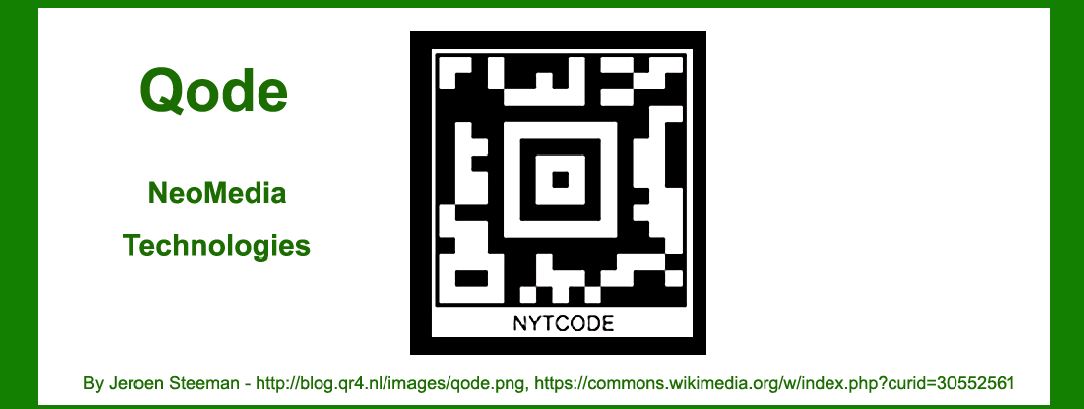
NeoMedia Qode, a type of 2D matrix barcode, employs advanced error correction mechanisms to ensure data integrity and reliability during scanning and decoding. This section provides a detailed exploration of the error correction techniques used in Qode barcodes, including a breakdown of the methodologies, examples, and their implications. |
|
1. Overview of NeoMedia Qode Error Correction |
NeoMedia Qode barcodes are designed to be resilient against data corruption and damage through the use of error correction codes. The Qode system integrates error correction at multiple levels to enhance data recovery and ensure that the encoded information remains accessible even when parts of the barcode are damaged or obscured. |
1.1. Purpose of Error Correction |
The primary goal of error correction in Qode barcodes is to maintain the integrity of the encoded data. This is crucial in real-world applications where barcodes may be subjected to wear, tear, or partial obscuration. Error correction allows for the reliable retrieval of information from a damaged or imperfectly printed barcode. |
1.2. Error Correction Techniques Employed |
Qode barcodes use a combination of error detection and correction techniques. The main techniques include Reed-Solomon error correction and error detection codes. These methods work together to ensure that even if some parts of the barcode are unreadable or corrupted, the original data can still be reconstructed accurately. |

|
2. Reed-Solomon Error Correction |
Reed-Solomon error correction is a widely used technique in various digital communication and storage systems, including Qode barcodes. It provides robust error correction capabilities, allowing for the recovery of data even when a significant portion of the barcode is damaged. |
2.1. Basics of Reed-Solomon Error Correction |
Reed-Solomon codes are a type of non-binary cyclic error-correcting code. They are particularly effective in correcting burst errors, which are errors that affect contiguous blocks of data. Reed-Solomon codes work by encoding data into a longer codeword with added redundancy. This redundancy allows the decoder to detect and correct errors. |
2.2. Application in Qode Barcodes |
In Qode barcodes, Reed-Solomon error correction is applied to the data segments of the barcode. The data is first encoded into a polynomial representation, and then redundant data symbols are added based on Reed-Solomon encoding rules. During decoding, the Reed-Solomon algorithm checks the received data for errors and attempts to correct them using the redundant symbols. |
Example |
Consider a Qode barcode that encodes the data '12345678'. Suppose the barcode is damaged, resulting in the loss of some data symbols. Reed-Solomon error correction can help recover the original data by analyzing the remaining symbols and using the redundant information to reconstruct the missing or corrupted parts. |

|
3. Error Detection Codes |
In addition to Reed-Solomon error correction, Qode barcodes incorporate error detection codes to identify errors in the data. Error detection codes are used to verify the integrity of the data and ensure that it has not been altered or corrupted. |
3.1. Types of Error Detection Codes |
Qode barcodes typically use checksum and cyclic redundancy check (CRC) codes as part of their error detection mechanisms. These codes work by calculating a value based on the data and appending it to the barcode. During decoding, the calculated value is compared to the appended value to check for discrepancies. |
3.2. Integration with Reed-Solomon Error Correction |
Error detection codes complement Reed-Solomon error correction by providing an additional layer of data integrity verification. While Reed-Solomon handles error correction, error detection codes help identify whether errors have occurred and if the error correction process has been successful. |
Example |
In a Qode barcode, a checksum might be used to verify that the decoded data matches the expected value. If the checksum does not match, it indicates that an error has occurred, prompting the system to attempt further error correction or request a new scan. |

|
4. Error Correction Process |
The error correction process in Qode barcodes involves several stages, from encoding to decoding. Each stage contributes to the overall reliability of the barcode system. |
4.1. Encoding Stage |
During encoding, data is first formatted and divided into blocks. Reed-Solomon encoding is applied to these blocks, generating redundant symbols that are added to the original data. Error detection codes are also calculated and appended to the encoded data. The resulting data is then structured into the Qode matrix. |
4.2. Decoding Stage |
During decoding, the Qode scanner reads the barcode and extracts the data blocks. Error detection codes are used to check for discrepancies, and Reed-Solomon error correction is applied to correct any errors identified. The corrected data is then reassembled and verified against the error detection codes to ensure accuracy. |
4.3. Handling Uncorrectable Errors |
In cases where the errors exceed the correction capabilities of the Reed-Solomon code, or if the error detection codes indicate significant corruption, the system may request a re-scan or prompt the user to correct the issue. This ensures that the data retrieved from the barcode is as accurate as possible. |
Example |
If a Qode barcode is scanned and the Reed-Solomon error correction can only partially correct the errors, the system will use the error detection codes to determine if the corrected data is valid. If the data is still questionable, the system may prompt the user to scan a different barcode or try a different approach. |

|
5. Practical Implications and Performance |
The error correction mechanisms in Qode barcodes have significant implications for their performance and reliability in various applications. |
5.1. Real-World Performance |
Qode barcodes with effective error correction can withstand a high level of damage and still provide accurate data. This is particularly valuable in environments where barcodes are exposed to harsh conditions or frequent handling. The combination of Reed-Solomon and error detection codes ensures that the barcodes remain functional even under adverse conditions. |
5.2. Applications and Use Cases |
Qode barcodes are used in various industries, including retail, logistics, and healthcare. Their robust error correction capabilities make them suitable for applications where data integrity is critical, such as inventory management, patient identification, and package tracking. |
5.3. Comparison with Other Barcodes |
Compared to other barcode types, Qode's use of Reed-Solomon error correction provides a higher level of reliability and data recovery. This makes Qode barcodes a preferred choice in situations where high data integrity is required, and where barcodes may be subjected to potential damage. |

|
6. Summary |
Error correction in NeoMedia Qode barcodes is achieved through a combination of Reed-Solomon codes and error detection codes. Reed-Solomon provides robust error correction capabilities, while error detection codes ensure data integrity and validate the correctness of the decoded information. The error correction process involves encoding, decoding, and handling uncorrectable errors to maintain the reliability of the barcode system. These techniques enable Qode barcodes to perform well in real-world applications, ensuring accurate data retrieval even in challenging conditions. |

|
 cs@easiersoft.com