Error Correction of Codabar Barcode |
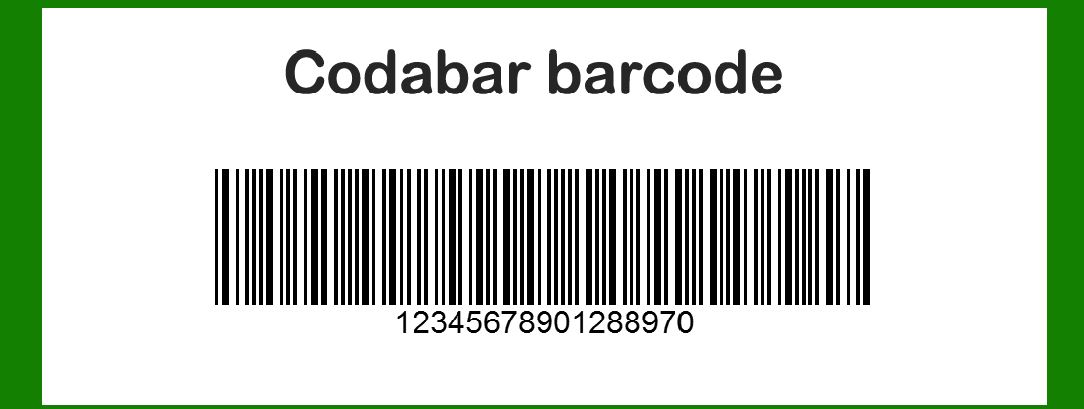
Codabar is a linear barcode symbology that primarily encodes numeric digits and a limited set of special characters. Unlike many other barcode types, Codabar does not have a built-in error correction mechanism. Here's an in-depth look into the error correction aspect of Codabar: |
|
1. Introduction to Codabar Barcode |
1.1 Overview Codabar is a barcode format that was developed in the early 1970s and is known for its simplicity and efficiency in encoding numerical data and a few special characters. It is often used in libraries, blood banks, and other applications where the primary requirement is to represent a small set of data. |
1.2 Structure Codabar encodes data using a combination of seven bars and spaces, each of which can be narrow or wide. Each character is represented by a unique pattern of bars and spaces, allowing for a straightforward encoding scheme. |

|
2. Error Correction in Codabar |
2.1 Error Detection Capabilities Codabar does not include inherent error detection or correction capabilities. The basic design of Codabar does not provide mechanisms to detect or correct errors that may occur due to damage, misalignment, or scanning issues. This limitation implies that if a Codabar barcode is damaged or if there are scanning errors, the encoded data might be misread without any built-in way to correct it. |

|
2.2 Manual Error Checking Given the absence of built-in error correction, users often employ manual methods to verify and ensure the accuracy of Codabar barcodes. These methods include: |
2.2.1 Check Digits Codabar can use a check digit system as a form of error detection. This is not a built-in feature but rather an optional addition that users can implement. A check digit is an additional character added to the end of the barcode data to help verify the accuracy of the scanned data. For example, a check digit can be calculated using modulo arithmetic, where the check digit ensures that the sum of the digits modulo a specified number equals zero. |
Example: Consider a Codabar barcode with the data '12345'. A check digit could be calculated using modulo 10 arithmetic, where the sum of the digits (1 + 2 + 3 + 4 + 5 = 15) is taken modulo 10, resulting in a check digit of 5. The final barcode would then be '123455'. |
2.2.2 Data Verification Procedures In applications where Codabar is used, data verification procedures might be implemented to manually check the accuracy of scanned data. This can include comparing scanned data with a known reference or manually inspecting the barcode to ensure it is correctly printed and aligned. |
Example: In a library system using Codabar for book identification, after scanning the barcode, the system might cross-check the scanned data against a database to ensure it matches the expected entry. If there is a discrepancy, the system might prompt for manual verification. |

|
2.3 Impact of Damage or Misalignment When a Codabar barcode is damaged or misaligned, the lack of error correction means that errors in scanning can result in incorrect data being read. Examples of issues include: |
2.3.1 Print Quality Issues If the barcode is poorly printed, with misaligned bars or spaces, scanners may misinterpret the data. For example, a smudged barcode might result in a character being misread as another, leading to errors in the decoded information. |
2.3.2 Physical Damage Physical damage to the barcode, such as scratches or tears, can disrupt the readability of the barcode. Without error correction, any damage that affects the pattern of bars and spaces can lead to scanning errors. |
Example: A Codabar barcode on a label that has been scratched might result in incorrect data being read by the scanner. If the damage affects a critical part of the barcode pattern, the scanner might misinterpret the data, leading to inaccuracies. |

|
2.4 Improving Reliability in Absence of Error Correction |
2.4.1 Barcode Quality Standards To mitigate the issues associated with the lack of error correction, it is essential to maintain high-quality printing and ensure that barcodes are not damaged. Following barcode quality standards, such as those defined by the ISO/IEC, can help improve reliability. |
2.4.2 Redundancy Techniques In some applications, redundancy techniques might be used to increase reliability. This can include printing multiple copies of the barcode or using additional encoding methods to provide alternative data representations. |
Example: In critical applications like blood banks, where Codabar is used to track blood samples, additional redundant barcodes or other identification methods might be employed to ensure data accuracy and reliability. |

|
3. Summary |
Codabar is a straightforward barcode symbology that lacks built-in error correction capabilities. Its design does not include mechanisms for detecting or correcting errors, making it reliant on manual methods for error detection and verification. Techniques such as using check digits, adhering to printing quality standards, and employing redundancy measures are common practices to address the limitations of Codabar's error correction. Despite its simplicity, careful implementation and maintenance are crucial to ensure accurate data representation and minimize the impact of errors. |

|
 cs@easiersoft.com