Error Correction of Code 32 (Pharmacode) |
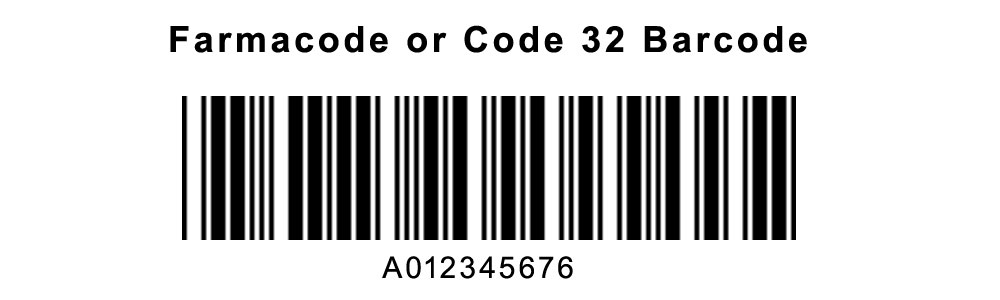
Code 32, also known as Pharmacode, is a barcode symbology designed primarily for the pharmaceutical industry to encode a unique identifier for medication packages. Its primary advantage is the compact size of the encoded data, which is crucial for small package labels. Understanding its error correction mechanism is essential for ensuring data accuracy and reliability. This document will describe the error correction of Code 32 in detail. |
|
1. Overview of Error Correction in Code 32 |
Code 32 incorporates error correction to enhance its robustness and ensure data integrity even if the barcode is partially damaged or misprinted. The error correction mechanism of Code 32 is designed to handle specific types of errors and maintain data reliability. |

|
2. Error Correction Structure |
2.1. Basic Principles |
The error correction in Code 32 is achieved through a combination of redundancy and error-detection algorithms. Unlike some other barcodes, Code 32's error correction is inherently part of the encoding process, which helps in detecting and correcting errors without requiring additional algorithms. |
2.2. Redundancy and Data Encoding |
Code 32 utilizes a fixed-length encoding scheme. Each character in the Pharmacode is represented by a 32-bit code. This fixed length allows for a straightforward approach to error correction by providing a sufficient number of bits to detect and correct errors. |

|
3. Error Detection |
3.1. Single-Error Detection |
Code 32 can detect single-bit errors through its inherent redundancy. Each bit in the encoded data contributes to a checksum that helps in identifying if a bit has been altered. If a bit error occurs, the checksum will not match the expected value, thus indicating an error. |
3.2. Multiple Error Detection |
For detecting multiple errors, Code 32's fixed-length encoding ensures that the likelihood of errors being detected increases. While Code 32 does not have advanced multi-error correction capabilities, its structure allows for a basic detection of multiple errors through checksum comparisons. |

|
4. Error Correction Techniques |
4.1. Basic Error Correction Mechanism |
Code 32 employs a simple form of error correction by using redundant bits within its encoding structure. Each encoded character is surrounded by additional bits that help in identifying and correcting errors. This technique does not involve complex algorithms but relies on the inherent redundancy of the encoding scheme. |
4.2. Error Correction Example |
Consider a Code 32 barcode that encodes the number '123456'. In its 32-bit representation, the barcode might be encoded as follows: |
Encoded Data: 1010110101010111010101010111010101010101 |
If a single bit error occurs, such as: |
1010110101010111011101010111010101010101 |
The mismatch in the checksum will signal an error. Although this simple example illustrates error detection, real-world implementations rely on more sophisticated hardware and software for accurate correction. |

|
5. Error Correction in Real-World Applications |
5.1. Practical Considerations |
In practical applications, Code 32 barcodes are printed with high quality to minimize errors. The fixed-length encoding and error correction mechanisms are sufficient for most scenarios, ensuring that the barcode remains readable even if minor damage occurs. |
5.2. Example of Error Handling |
In a pharmaceutical packaging line, if a Code 32 barcode is partially damaged but still contains enough intact data, the error detection mechanisms will signal discrepancies. The system can then request a reprint or rescan to ensure data integrity. |

|
6. Limitations and Improvements |
6.1. Limitations of Current Error Correction |
The primary limitation of Code 32's error correction is its inability to handle extensive errors or significant damage. Its fixed-length encoding and basic redundancy provide limited error correction capabilities compared to more advanced symbologies. |
6.2. Potential Improvements |
To enhance error correction, future improvements could involve incorporating more sophisticated algorithms or increasing redundancy. This could provide better handling of multiple errors and improve the reliability of Code 32 in more challenging environments. |

|
7. Conclusion |
The error correction mechanism of Code 32 (Pharmacode) relies on a fixed-length encoding scheme with inherent redundancy to detect and correct errors. While it provides basic error correction and detection capabilities, its simplicity limits its ability to handle extensive damage. Understanding its error correction structure is crucial for ensuring accurate data encoding and decoding in pharmaceutical applications. |

|
 cs@easiersoft.com