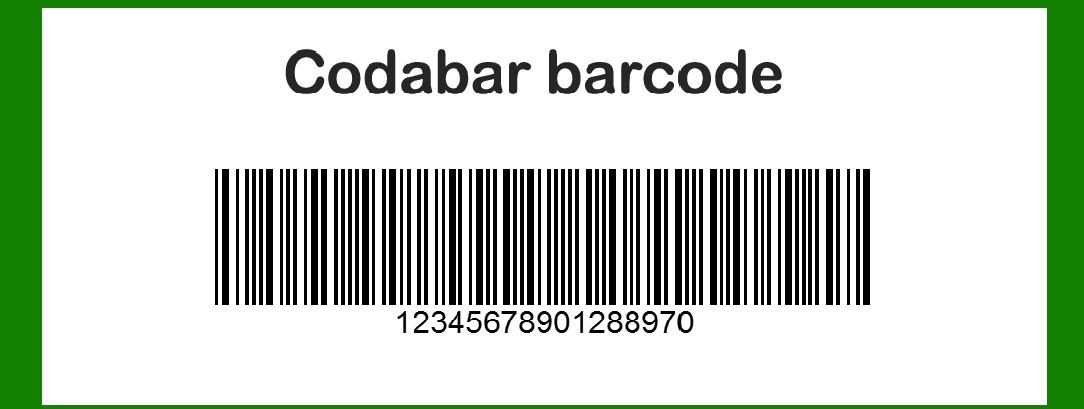
Codabar is a linear barcode symbology, also known as USD-4, NW-7, or Code 2 of 7. It was developed in 1972 by Pitney Bowes, Inc. and is primarily used in libraries, blood banks, and some industries including transportation and logistics. Codabar is a self-checking barcode, meaning each character is protected by a start and stop character. It supports a limited set of characters: numeric digits (0-9), plus symbols (-, $, :, /, ., +, and space). |
|
Components and Structures of Codabar Barcode |
1. Basic Structure |
Codabar is a linear barcode, meaning it consists of a series of bars and spaces arranged in a specific pattern. The bars represent data by their presence or absence, while the spaces separate the bars and provide timing information for decoding. |
2. Character Set |
Codabar encodes a limited set of characters: |
Numeric digits: 0, 1, 2, 3, 4, 5, 6, 7, 8, 9 Special characters: -, $, :, /, ., +, and space |
Each character in Codabar is represented by a unique combination of bars and spaces. |
3. Start and Stop Characters |
Codabar uses special start and stop characters to indicate the beginning and end of the barcode data. These characters vary depending on the specific implementation of Codabar but typically include characters like A, B, C, or D. |
Start Character: Indicates the beginning of the barcode and helps scanners identify the start of the data. Stop Character: Marks the end of the barcode and signals scanners to stop reading further. |

|
4. Encoding Scheme |
Codabar uses a unique encoding scheme where each character is represented by a specific sequence of bars and spaces. This sequence varies depending on the character being encoded. |
Bar Representation: The bars in Codabar can vary in width (narrow and wide) and placement to represent different characters. Space Representation: Spaces separate the bars and provide timing information for decoding. |
5. Character Mapping |
Each character in Codabar has a predefined pattern of bars and spaces. For example: |
The character '0' might be represented by the pattern '1010100'. The character '1' might be represented by the pattern '1001001'. |
These patterns ensure that each character is uniquely identifiable within the barcode. |
6. Modulo 16 Check Digit |
Codabar can optionally include a modulo 16 check digit for error detection. This check digit is calculated based on the sum of the values of the characters in the barcode. It helps ensure data integrity by verifying that the barcode was scanned correctly. |

|
7. Applications |
Codabar is commonly used in applications where a limited character set is sufficient, such as: |
Libraries: Used to label books and other media for easy identification and tracking. Healthcare: Used in blood banks and medical labs to track samples and specimens. Retail: Used for inventory management and pricing purposes, especially in settings where the products have limited text information. |

|
8. Advantages |
Compact Size: Codabar barcodes can be relatively compact compared to other barcode types, making them suitable for labeling small items. Self-Checking: The start and stop characters in Codabar provide built-in error detection, reducing the chance of scanning errors. Readable in Poor Conditions: Codabar barcodes are designed to be readable even if they are printed poorly or in less-than-ideal conditions. |
9. Limitations |
Limited Character Set: Codabar can only encode a limited set of characters, which may be insufficient for applications requiring more complex data encoding. Lower Density: Compared to some newer barcode types, Codabar may not encode data as densely, meaning it may take up more space on a label. |

|
10. Usage Guidelines |
When implementing Codabar barcodes, it's important to follow specific guidelines: |
Character Set: Ensure that only supported characters are used in the barcode. Start and Stop Characters: Use the correct start and stop characters to ensure scanners can correctly identify the beginning and end of the barcode data. Printing Quality: Maintain good printing quality to ensure that bars and spaces are distinct and easily readable by scanners. |

|
11. Comparison with Other Barcode Types |
Codabar differs from other barcode types in several ways: |
Character Set: Codabar supports a smaller character set compared to barcode types like Code 128 or QR codes. Structure: Codabar uses start and stop characters differently from some other barcode types, which may affect how the barcode is decoded and interpreted. |

|
12. Future Trends |
While Codabar remains in use for specific applications, newer barcode types like QR codes and DataMatrix codes are becoming more prevalent due to their ability to store more data and be scanned by mobile devices. However, Codabar continues to be used where its specific advantages, such as self-checking and simplicity, are beneficial. |

|
Conclusion |
Codabar barcodes are a specific type of linear barcode used primarily in applications requiring a simple, self-checking barcode format. Understanding the components and structure of Codabar, including its character set, encoding scheme, and usage guidelines, is essential for effectively implementing and using Codabar in various applications such as libraries, healthcare, and retail. Despite its limitations compared to newer barcode types, Codabar remains relevant in contexts where its specific features meet the requirements of the application. |
 cs@easiersoft.com