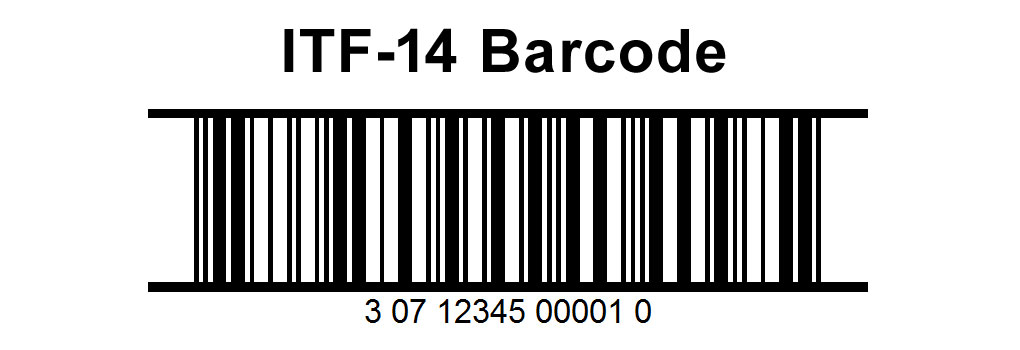
The ITF-14 barcode, also known as the Interleaved 2 of 5, is a linear barcode commonly used for packaging and shipping applications. It encodes numeric-only data and is primarily used for labeling cartons and pallets that contain products destined for retail distribution. Here, I'll delve into the components and structures of the ITF-14 barcode, detailing its format, encoding rules, and practical applications. |
|
Introduction to ITF-14 Barcode |
The ITF-14 barcode is derived from the Interleaved 2 of 5 barcode symbology, which encodes data using bars and spaces of varying widths. It is designed to encode a 14-digit Global Trade Item Number (GTIN) along with a check digit for validation. GTIN-14 uniquely identifies trade items and is often used for outer packaging levels like cartons or pallets. |
|
Components of ITF-14 Barcode |
1.Quiet Zones: Like other barcodes, the ITF-14 barcode requires quiet zones on either side of the barcode to ensure reliable scanning. These are blank areas that precede the start and follow the end of the barcode. |
2.Start Code: The ITF-14 barcode begins with a unique start character, typically represented by two narrow bars and two narrow spaces. |
3.Data Characters: The data characters consist of groups of bars and spaces representing the encoded digits. Each pair of digits is encoded with five elements (two bars and three spaces), where the bars and spaces have different widths. |
4.Interleaving: The name 'Interleaved 2 of 5' indicates that the encoding alternates between encoding bars and spaces for pairs of digits. This interleaving mechanism helps in compactly encoding numeric data. |
5.Check Digit: A check digit is appended to the end of the encoded data to verify the accuracy of the barcode during scanning. It is calculated based on a specific algorithm applied to the preceding digits. |
6.Stop Code: The barcode ends with a unique stop character, which signals the conclusion of the barcode reading sequence. It is typically represented by a narrow space followed by a narrow bar. |
|
Structure of ITF-14 Barcode |
The structure of an ITF-14 barcode can be broken down into specific components that define its format and appearance: Barcode Dimensions: The overall width and height of the ITF-14 barcode can vary based on requirements, but it adheres to standards to ensure compatibility with scanning equipment. |
Bar and Space Widths: ITF-14 barcodes have specific ratios and widths for bars and spaces, which are critical for accurate scanning. These widths are defined by international standards to ensure interoperability. |
Human-Readable Interpretation: Beneath the barcode itself, the GTIN-14 number is typically printed in human-readable numbers. This allows for manual entry or verification of the encoded data. |

|
Encoding Rules |
The encoding of ITF-14 barcodes follows specific rules to ensure consistency and readability across different scanning devices and environments: |
Numeric Data Only: ITF-14 encodes numeric digits (0-9) exclusively. Letters or other characters cannot be encoded in an ITF-14 barcode. |
Fixed Length: The ITF-14 barcode encodes a fixed-length 14-digit number, comprising the GTIN-14 number and the check digit. |
Interleaving Scheme: As part of the Interleaved 2 of 5 encoding scheme, every two digits are encoded together, interleaving bars and spaces to compactly represent numeric data. |
Check Digit Calculation: The check digit is calculated based on a specific formula applied to the preceding 13 digits of the GTIN-14 number. This digit helps to detect errors during scanning or data entry. |

|
Practical Applications |
ITF-14 barcodes find widespread use in various industries, primarily for packaging and logistics purposes: |
Retail Packaging: ITF-14 barcodes are commonly used on outer packaging such as cartons or boxes containing multiple units of products. They facilitate automated inventory management and supply chain operations. |
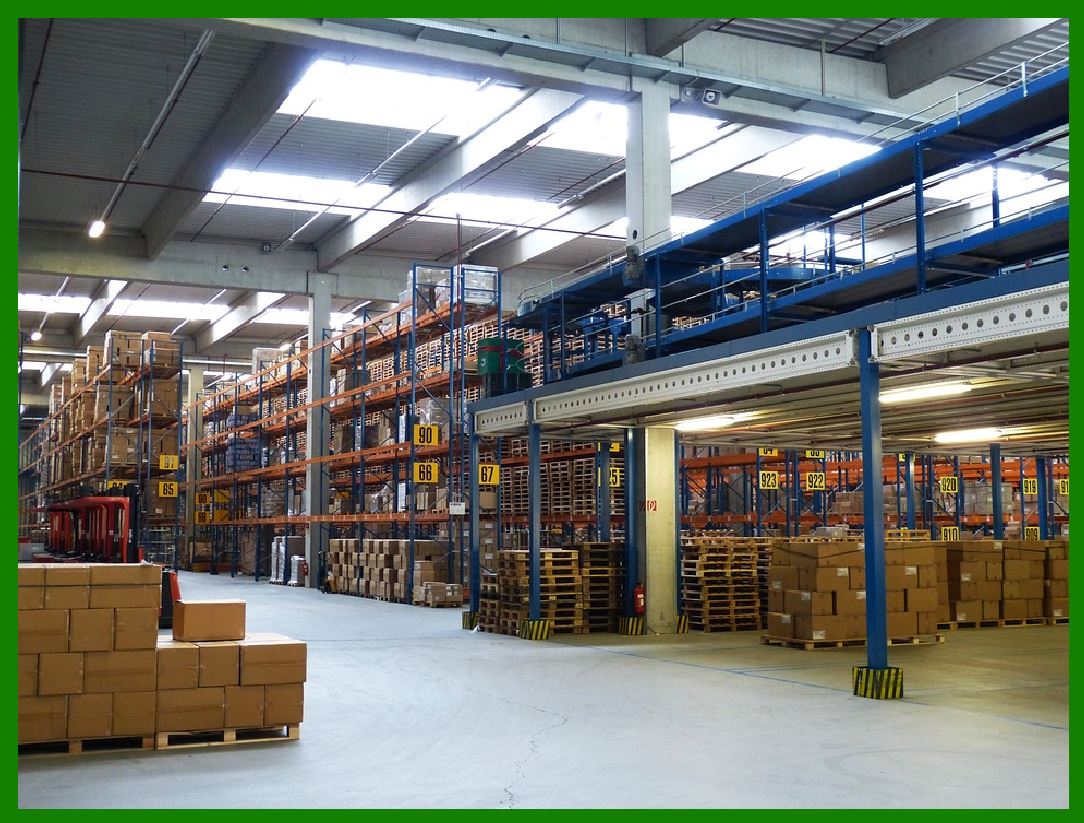
Pallet Labeling: Pallets used for shipping large quantities of goods often have ITF-14 barcodes applied to identify the contents and facilitate tracking throughout the distribution process. |
Global Trade: Due to its association with GTIN-14, ITF-14 barcodes are integral to global trade, ensuring products are correctly identified and managed across international borders. |
Supply Chain Efficiency: By enabling rapid scanning and data capture, ITF-14 barcodes enhance supply chain efficiency, reducing errors in inventory management and shipment tracking. |
|
Standards and Compliance |
ITF-14 barcodes adhere to specific standards set by organizations such as GS1, ensuring compatibility with global trade requirements: |
GS1 Compliance: GS1 establishes standards for barcode symbologies, including ITF-14, to promote consistency and interoperability across different systems and industries. |
Regulatory Requirements: Industries may have specific regulations regarding barcode labeling, including ITF-14, to ensure product traceability and compliance with safety and quality standards. |
|
Advantages of ITF-14 Barcodes |
The use of ITF-14 barcodes offers several advantages over other barcode types, particularly in logistics and retail environments: |
High Density: ITF-14 barcodes can encode a significant amount of data in a relatively compact space, ideal for labeling large packages and pallets. |
Readability: The interleaved structure of ITF-14 barcodes enhances scanning reliability, even in challenging environments such as warehouses or distribution centers. |
Cost-Effective: Implementing ITF-14 barcodes is cost-effective due to their simplicity and widespread acceptance, reducing operational expenses associated with logistics and inventory management. |

|
Conclusion |
In conclusion, the ITF-14 barcode is a robust solution for encoding GTIN-14 numbers on packaging and pallets in retail and logistics settings. Its structured format, encoding rules, and adherence to international standards ensure reliability and interoperability across supply chains globally. Understanding its components, structure, encoding rules, and practical applications is essential for leveraging ITF-14 barcodes effectively in modern commerce and logistics operations. |
 cs@easiersoft.com