1. Introduction to RM4SCC Barcode |
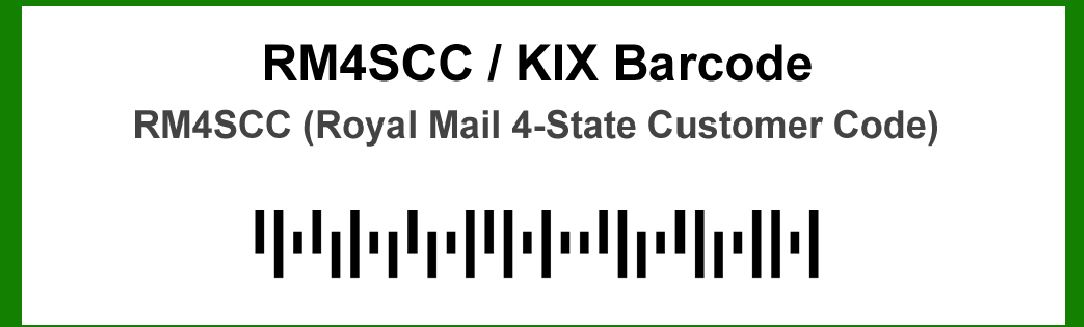
The RM4SCC (Royal Mail 4-State Customer Code) barcode is a type of 4-state barcode specifically designed for use in the United Kingdom's postal system. It was developed by Royal Mail to improve the efficiency and accuracy of mail sorting and delivery. This barcode encodes delivery address information and is primarily used for automated mail processing. |
|
2. Application Example 1: Automated Mail Sorting Systems |
2.1 Overview |
In Royal Mail's automated mail sorting systems, RM4SCC barcodes play a critical role in streamlining the sorting process. Automated mail sorting machines use optical readers to scan these barcodes, which contain encoded information about the destination of each item. |
2.2 Process |
1.Barcode Scanning: As letters and parcels pass through the sorting machine, the RM4SCC barcode is scanned by an optical reader. 2.Data Decoding: The scanned barcode is decoded by the system to extract the encoded delivery address and other relevant information. 3.Sorting: Based on the decoded information, the mail is sorted into bins or trays designated for different geographical regions or delivery routes. 4.Destination Routing: The sorted mail is then routed to the appropriate delivery centers or postal facilities for final delivery. |
2.3 Example |
For instance, during peak periods such as holiday seasons, automated sorting systems handle millions of pieces of mail daily. The RM4SCC barcode ensures that each piece is accurately sorted to its intended destination, minimizing delays and errors. |

|
3. Application Example 2: International Mail Handling |
3.1 Overview |
The RM4SCC barcode system is also used for handling international mail that enters the UK postal network. It ensures that mail originating from abroad is efficiently processed and routed to its destination within the UK. |
3.2 Process |
1.Barcode Application: When international mail arrives in the UK, RM4SCC barcodes are applied to each item to integrate them into the Royal Mail system. 2.Initial Sorting: The mail is first sorted at an international mail center using automated systems equipped to read RM4SCC barcodes. 3.Integration with UK System: The decoded information is integrated with the Royal Mail's domestic sorting system. 4.Final Delivery: The mail is then routed through the domestic network to ensure timely delivery to the recipient. |
3.3 Example |
An example includes mail arriving from the United States with RM4SCC barcodes. Upon arrival at a UK international mail center, the barcodes are scanned and decoded, allowing for swift sorting and forwarding to local delivery centers. |

|
4. Application Example 3: Direct Mail Campaigns |
4.1 Overview |
RM4SCC barcodes are extensively used in direct mail campaigns to facilitate the efficient handling of promotional materials and advertisements. These barcodes ensure that direct mail is sorted according to the campaign requirements and delivered accurately. |
4.2 Process |
1.Campaign Preparation: Direct mail pieces are pre-printed with RM4SCC barcodes containing the destination addresses and campaign information. 2.Sorting: During sorting, the barcodes are scanned to categorize mail based on campaign criteria, such as geographic location or target audience. 3.Distribution: The sorted mail is then distributed according to the campaign plan, ensuring that all intended recipients receive their promotional materials. |
4.3 Example |
For a national promotional campaign by a retail company, RM4SCC barcodes on each mail piece might encode specific customer demographics and delivery routes. This allows for precise targeting and efficient delivery of promotional offers. |

|
5. Application Example 4: Returns and Address Corrections |
5.1 Overview |
The RM4SCC barcode system also plays a role in handling mail returns and address corrections. If a piece of mail cannot be delivered due to an incorrect address or recipient absence, the barcode system helps in processing returns and updating address information. |
5.2 Process |
1.Return Handling: Mail that cannot be delivered is returned to the Royal Mail's returns processing facility. 2.Barcode Scanning: The RM4SCC barcode on the returned mail is scanned to retrieve the original delivery information. 3.Address Verification: The system checks the barcode information against updated address databases to verify or correct the address. 4.Re-sorting or Disposal: Corrected mail is either re-sorted for redelivery or returned to the sender, depending on the outcome. |
5.3 Example |
In cases where an address is incorrect or outdated, the RM4SCC barcode allows the Royal Mail to update the recipient's address or return the mail to the sender for further action. |

|
6. Application Example 5: Special Mail Services |
6.1 Overview |
RM4SCC barcodes are used in special mail services such as tracked delivery and registered mail. These services provide additional handling and security features for high-value or time-sensitive mail. |
6.2 Process |
1.Barcode Assignment: Special mail items are assigned RM4SCC barcodes that include tracking information. 2.Tracking: As the mail moves through the postal network, the barcode is scanned at various points to update the tracking status. 3.Delivery Confirmation: Upon delivery, the barcode is scanned again to confirm receipt and complete the tracking process. |
6.3 Example |
For a registered letter containing important documents, the RM4SCC barcode allows the sender and recipient to track the letter's progress through the Royal Mail network and confirm its delivery. |

|
7. Application Example 6: Efficiency in Large Volume Mail Processing |
7.1 Overview |
In environments where large volumes of mail are processed, such as business mail centers or large-scale mailing houses, RM4SCC barcodes are essential for maintaining efficiency and accuracy. |
7.2 Process |
1.Barcode Printing: Large volumes of mail are pre-printed with RM4SCC barcodes that include sorting and delivery information. 2.Automated Sorting: High-capacity sorting machines scan and decode the barcodes to efficiently sort mail into the correct bins or trays. 3.Final Distribution: Sorted mail is distributed to various postal routes or delivery centers for final processing. |
7.3 Example |
For a large corporation sending out monthly statements to thousands of customers, RM4SCC barcodes on each envelope enable efficient sorting and handling by automated systems, ensuring timely and accurate delivery. |

|
8. Application Example 7: Integration with Other Postal Systems |
8.1 Overview |
The RM4SCC barcode system integrates with other postal systems and services to facilitate international mail flow and cooperation between postal operators. |
8.2 Process |
1.Cross-Border Mail: When mail enters or leaves the UK, RM4SCC barcodes are used to manage the flow and ensure compatibility with international postal systems. 2.Data Exchange: The barcode information is shared with other postal operators to coordinate sorting and delivery processes. 3.International Sorting: Integrated systems ensure that RM4SCC barcodes are recognized and processed accurately by international sorting facilities. |
8.3 Example |
For mail sent from the UK to a European country, RM4SCC barcodes help ensure that the mail is processed smoothly through both the UK and European postal systems, minimizing delays and errors. |

|
9. Application Example 8: Tracking and Reporting |
9.1 Overview |
RM4SCC barcodes provide valuable data for tracking and reporting on mail handling performance. This data helps Royal Mail and other stakeholders analyze and improve mail processing operations. |
9.2 Process |
1.Data Collection: Scanning RM4SCC barcodes at various points generates data on mail movement and processing times. 2.Reporting: The collected data is analyzed to produce reports on sorting efficiency, delivery performance, and operational metrics. 3.Improvement: Insights from the data are used to make adjustments and improvements to the mail processing systems and procedures. |
9.3 Example |
Reports generated from RM4SCC barcode data can reveal trends such as peak processing times or bottlenecks in the sorting process, allowing for targeted improvements in operations. |

|
10. Conclusion |
The RM4SCC (Royal Mail 4-State Customer Code) barcode system plays a crucial role in enhancing the efficiency and accuracy of mail sorting and delivery. Its applications span various aspects of mail processing, from automated sorting and international handling to direct mail campaigns and special services. By enabling precise sorting, tracking, and reporting, RM4SCC barcodes contribute significantly to the streamlined operation of postal systems. |
 cs@easiersoft.com