Application Examples of the PostBar Barcode in Canadian Post Office |
1.Introduction to PostBar Barcode Applications |
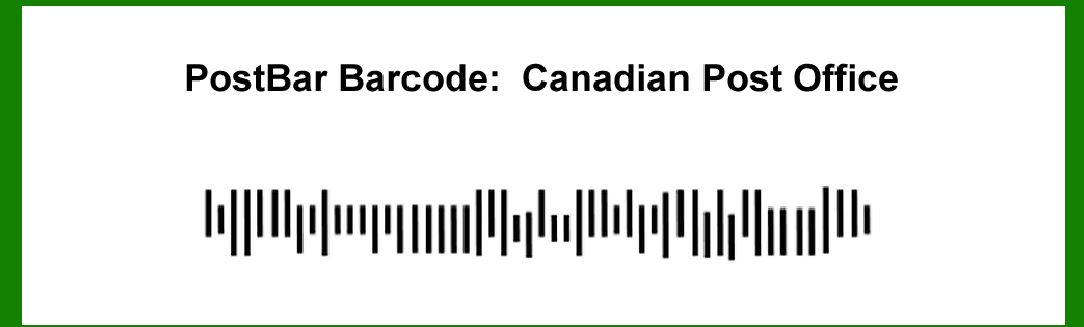
The PostBar barcode, used by the Canadian Post office, plays a crucial role in the management and tracking of mail and parcels. Its application in various aspects of postal operations enhances efficiency and accuracy. The following detailed examples illustrate how the PostBar barcode is employed in the Canadian postal system. |
|
2.Sorting and Routing of Mail |
The PostBar barcode is extensively used for sorting and routing mail within the Canadian postal system. At sorting facilities, mail items are scanned using PostBar barcodes to automate the sorting process. For instance, when a letter or package arrives at a regional sorting facility, the PostBar barcode on its label is scanned to identify the destination. This scanning process enables the system to sort mail items according to their delivery routes, reducing the need for manual handling and minimizing sorting errors. |
Example: A letter addressed to Toronto from Vancouver will be scanned at a sorting facility in Vancouver. The PostBar barcode will provide the sorting machine with information about the letter's destination, ensuring it is routed through the appropriate channels to reach its final destination efficiently. |

|
3.Tracking and Tracing of Parcels |
The PostBar barcode is integral to the tracking and tracing of parcels within the Canadian postal system. Each parcel is assigned a unique PostBar barcode, which is scanned at various points throughout its journey. This allows both the postal service and customers to monitor the parcel's status in real-time. |
Example: A customer sends a package from Montreal to Halifax. The package's PostBar barcode is scanned at each processing center it passes through, including those in Montreal, Ottawa, and Halifax. This scanning data is used to update the parcel's status on the postal service's tracking system, providing the sender and recipient with real-time updates on the package's location and estimated delivery time. |

|
4.Delivery Confirmation |
The PostBar barcode is used to confirm the delivery of mail and parcels. Upon delivery, the postal worker scans the PostBar barcode on the item and records the recipient's signature, if required. This process ensures that the item has been delivered to the correct address and provides a record of delivery. |
Example: When a package is delivered to a customer in Calgary, the postal worker scans the PostBar barcode on the package and collects the recipient's signature. This information is recorded in the delivery system, which is then updated to reflect that the package has been successfully delivered. |

|
5.Return and Redelivery Services |
PostBar barcodes also facilitate the handling of returned or undelivered items. When a parcel cannot be delivered, it is returned to the sender or redirected to an alternate address. The PostBar barcode is scanned during these processes to update the item's status and ensure it is handled correctly. |
Example: A package sent to a customer in Ottawa is returned to the postal facility due to an incorrect address. The PostBar barcode on the returned package is scanned to update its status in the system. The package is then processed for redelivery to the correct address or returned to the sender, depending on the instructions provided. |

|
6.Bulk Mail Processing |
The PostBar barcode is used in the processing of bulk mail, such as promotional materials or business correspondence. By using PostBar barcodes, the Canadian Post office can manage and sort large volumes of mail efficiently, ensuring timely delivery and reducing errors. |
Example: A company sends out a large number of promotional mailers to various addresses across Canada. Each mailer is labeled with a PostBar barcode that includes sorting and routing information. The bulk mail is processed at a central facility, where the barcodes are scanned to sort and route the mail efficiently to its intended recipients. |

|
7.Customer Service and Inquiries |
The PostBar barcode is also utilized in customer service scenarios. When customers inquire about their mail or parcels, postal employees can scan the PostBar barcode to quickly access information about the item's status and history, providing accurate and timely responses to customer inquiries. |
Example: A customer contacts the Canadian Post office regarding the status of a package. The postal employee scans the PostBar barcode associated with the package to retrieve detailed information about its current location and delivery status. This information is then communicated to the customer, helping resolve any concerns they may have. |

|
8.Integration with Postal Software Systems |
The PostBar barcode is integrated into the Canadian Post office's software systems for various operational functions. These systems use the information encoded in the PostBar barcode to perform tasks such as inventory management, route optimization, and performance monitoring. |
Example: The Canadian Post office uses software systems that interface with PostBar barcodes to optimize delivery routes based on current traffic conditions and parcel volumes. This integration helps streamline operations and improve delivery efficiency. |

|
9.Quality Control and Auditing |
PostBar barcodes are used in quality control and auditing processes to ensure the accuracy and efficiency of postal operations. Scanning the PostBar barcode allows for the verification of mail and parcel handling procedures, helping to identify and address any discrepancies. |
Example: During a quality control audit, a sample of mail items is randomly selected for inspection. The PostBar barcode on each item is scanned to verify that it has been processed correctly and routed to the appropriate destination. Any issues identified during this process are addressed to improve overall service quality. |

|
10.Customs and International Mail Processing |
For international mail, the PostBar barcode aids in the processing of customs documentation and compliance with international regulations. The barcode provides essential information that helps facilitate the smooth processing of international shipments. |
Example: A parcel being sent from Canada to the United States includes a PostBar barcode that contains information about the package's contents and value. This information is used by customs officials to expedite the processing of the parcel and ensure it meets all regulatory requirements before crossing the border. |

|
11.Handling of Special Services |
The PostBar barcode is used in the management of special postal services, such as registered mail or express delivery. These services often require additional handling and tracking, which is facilitated by the information encoded in the PostBar barcode. |
Example: A customer requests express delivery for a parcel. The parcel is assigned a PostBar barcode that indicates its special handling requirements. This barcode is scanned at each stage of the delivery process to ensure that the parcel is handled with the appropriate priority and reaches its destination on time. |

|
12.Mailroom Management |
In mailrooms, such as those in large organizations or government offices, the PostBar barcode is used to streamline the distribution and management of incoming and outgoing mail. This application ensures that mail is accurately routed and handled within the organization. |
Example: A government office receives a large volume of incoming mail each day. Each piece of mail is labeled with a PostBar barcode that includes sorting and routing information. The mailroom staff scans the barcodes to quickly sort and distribute the mail to the appropriate departments or recipients within the office. |

|
13.Post Office Retail Operations |
The PostBar barcode is also employed in retail operations at post office branches. It facilitates the processing of transactions such as mailing, shipping, and purchasing postal products. |
Example: A customer purchases a shipping label at a post office branch. The label includes a PostBar barcode that encodes information about the package and the shipping service selected. The barcode is scanned during the transaction to process payment and update the system with the details of the shipment. |

|
14.Postal Logistics and Supply Chain Management |
The PostBar barcode plays a role in postal logistics and supply chain management by providing visibility into the movement of postal supplies and equipment. This helps manage inventory and track the distribution of postal resources. |
Example: Postal supplies such as sorting bins and delivery vehicles are labeled with PostBar barcodes for tracking purposes. Scanning these barcodes allows the postal service to monitor the location and usage of these resources, ensuring they are efficiently managed and available when needed. |

|
15.Training and Operational Efficiency |
The use of PostBar barcodes also contributes to the training of postal employees and the overall efficiency of postal operations. Employees are trained to use barcode scanning equipment and interpret the information encoded in PostBar barcodes to perform their duties effectively. |
Example: New postal employees undergo training on how to use barcode scanners and understand the data provided by PostBar barcodes. This training helps them become proficient in handling mail and parcels, contributing to improved operational efficiency and accuracy. |

|
16.Future Developments and Innovations |
As technology evolves, the PostBar barcode system may see further developments and innovations to enhance its functionality and applications. Future advancements could include improved barcode technologies or integration with emerging digital tools to further streamline postal operations. |
Example: The Canadian Post office may explore integrating PostBar barcodes with advanced tracking systems or mobile applications to provide even more detailed and accessible information to customers. Such innovations could enhance the overall user experience and operational capabilities of the postal service. |
These examples illustrate the diverse applications of the PostBar barcode within the Canadian postal system. From sorting and tracking to customer service and logistics, the PostBar barcode plays a vital role in ensuring the efficiency and accuracy of postal operations. |
 cs@easiersoft.com