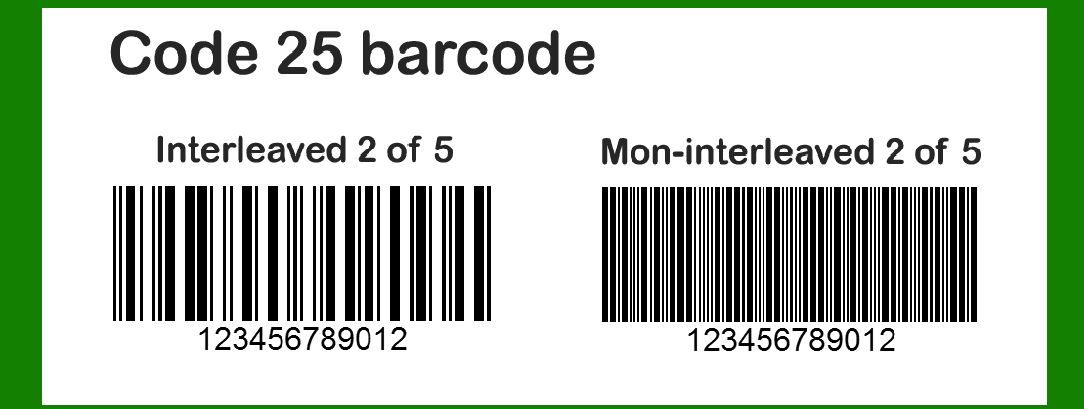
To effectively cover the technology of Code 25 (also known as Code 2 of 5), Non-interleaved 2 of 5 (also known as Code 25 Industrial), and Interleaved 2 of 5 barcodes, let's delve into each of these barcode types in detail. |
These barcodes are widely used in various industries for encoding numeric data and are essential components in inventory management, shipping, and other applications requiring compact, numeric-only encoding. |
|
Code 25 Barcode |
Overview |
Code 25 is a discrete, numeric-only barcode symbology. It is sometimes referred to as Code 2 of 5 because it uses five bars, two of which are wide (hence '2 of 5'). This barcode type is known for its simplicity and efficiency in encoding numeric data. |
Structure and Encoding |
Encoding Scheme: Code 25 encodes data by varying the widths of bars and spaces. Each character is represented by five elements (two wide bars and three narrow bars or spaces). Numeric Data: It can encode numeric digits (0-9). Start/Stop Patterns: Typically, Code 25 uses start and stop patterns to denote the beginning and end of the barcode. No Checksum: Unlike some other barcode types, Code 25 typically does not include a checksum digit. |
Applications |
Inventory Management: Used for tracking inventory items and managing stock levels. Industrial Applications: Common in manufacturing and logistics due to its numeric-only encoding. Library Systems: Used for cataloging books and other media where numeric identifiers are sufficient. |
Limitations |
Numeric-Only: Limited to encoding numeric digits, which restricts its use compared to alphanumeric barcodes. Low Density: Can encode fewer characters per unit length compared to more compact barcode types. |
|
Non-Interleaved 2 of 5 Barcode |
Overview |
Non-Interleaved 2 of 5 (also known as Code 25 Industrial) is a variation of Code 25 optimized for industrial applications where high density and numeric-only encoding are required. |
Structure and Encoding |
Element Structure: Similar to Code 25, it uses five elements per character (two wide and three narrow). Numeric Data: Encodes numeric digits (0-9) efficiently. No Checksum: Typically does not include a checksum digit. |
Applications |
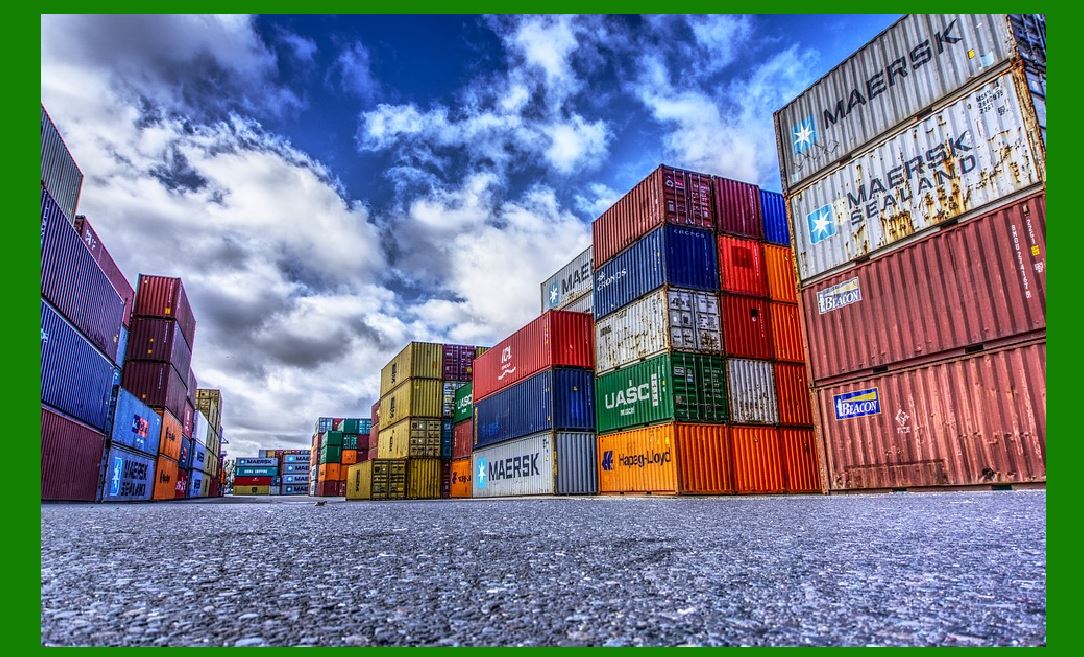
Industrial Use: Common in warehouse management, where numeric tracking of goods and parts is essential. Shipping and Logistics: Used for container labeling and tracking of shipments. Automotive Industry: Used for part identification and tracking in manufacturing processes. |
Limitations Numeric-Only Encoding: Like Code 25, it cannot encode alphanumeric characters. Limited Data Density: Similar limitations in data density compared to more advanced barcode types like Code 128 or QR codes. |
|
Interleaved 2 of 5 Barcode |
Overview |
Interleaved 2 of 5 is another variant of the 2 of 5 barcode family. It differs from Non-Interleaved 2 of 5 in its interleaved encoding scheme, which allows it to encode pairs of digits more efficiently. |
Structure and Encoding |
Interleaved Pairs: Encodes pairs of digits (0-9) in an interleaved pattern, where bars and spaces for two digits are encoded in a single width. Start/Stop Patterns: Includes start and stop patterns similar to other 2 of 5 variants. Checksum Option: Can include a modulo 10 checksum digit for error detection. |
Applications |
Retail: Used for item labeling and inventory management due to its ability to encode numeric data efficiently. Healthcare: Common in pharmaceutical labeling and inventory control. Ticketing: Used in transport and event ticketing systems where numeric ticket IDs are used. |
Limitations |
Numeric-Only: Cannot encode alphanumeric characters. Limited Data Density: Compared to more modern barcode types, it has limitations in terms of data capacity per unit length. |

|
Comparison and Usage |
Code 25 vs. Non-Interleaved 2 of 5: Code 25 is more general-purpose, while Non-Interleaved 2 of 5 (Code 25 Industrial) is specialized for industrial applications. Non-Interleaved 2 of 5 vs. Interleaved 2 of 5: Interleaved 2 of 5 offers higher data density by encoding pairs of digits more efficiently. |
|
Conclusion |
Code 25, Non-Interleaved 2 of 5, and Interleaved 2 of 5 are foundational barcode types in numeric data encoding. They are essential in industries where numeric identification and tracking are critical, such as manufacturing, logistics, and healthcare. While these barcodes are effective for numeric data, their limitations in data density and inability to encode alphanumeric characters have led to the development and adoption of more versatile barcode types like Code 128 and QR codes in modern applications. |
These barcodes continue to play a vital role in specific industries where their simplicity and reliability meet operational requirements. As technology advances, their usage evolves alongside more advanced encoding methods and symbologies. |
 cs@easiersoft.com