Detailed Description of Error Correction in Code 16K Barcode |
1. Introduction to Error Correction in Code 16K |
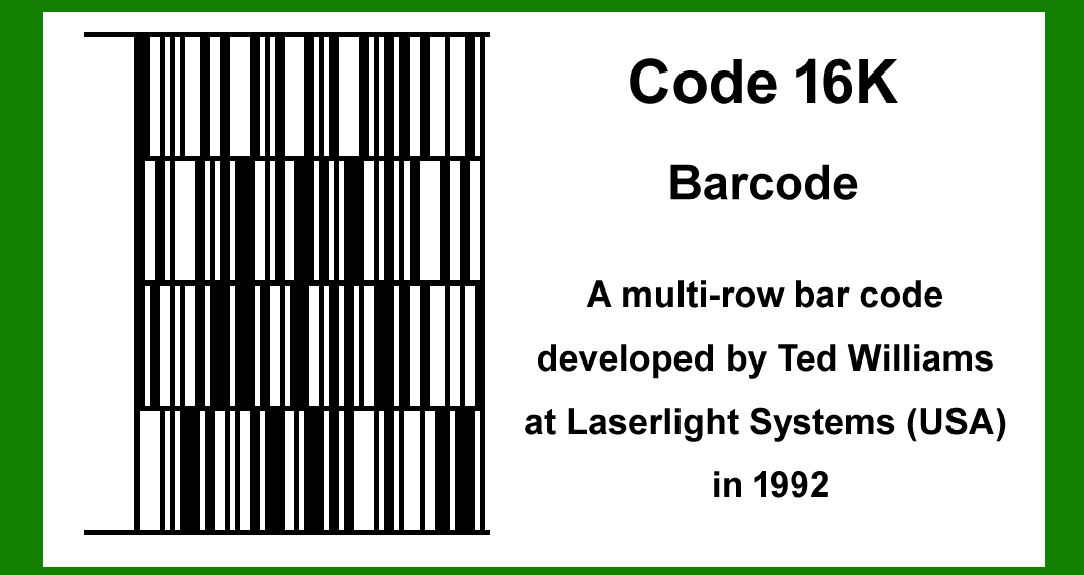
Error correction is a crucial aspect of barcode technology, ensuring that data encoded in the barcode can be accurately read even if parts of the barcode are damaged or obscured. Code 16K is a stacked linear barcode symbology that includes robust error correction mechanisms. The primary goal of error correction in Code 16K is to detect and correct errors that may occur during the printing or scanning process. |
|
2. Reed-Solomon Error Correction |
The error correction method used in Code 16K is based on Reed-Solomon error correction codes. Reed-Solomon codes are a group of error-correcting codes that are widely used in digital communications and storage. They are particularly effective in correcting burst errors, which are common in barcode applications. |

|
3. Structure of Code 16K |
Before delving into the specifics of error correction, it's important to understand the structure of Code 16K. A Code 16K symbol is composed of multiple rows, each of which is essentially a linear barcode. These rows are stacked vertically. Each row consists of a sequence of symbols (modules), and error correction codes are interspersed among the data symbols within these rows. |

|
4. Error Correction Capacity |
The error correction capacity of Code 16K depends on the number of Reed-Solomon codewords included. A codeword is a block of data that includes both the original data symbols and the error correction symbols. The more error correction symbols included, the higher the error correction capacity, but this also reduces the amount of data that can be encoded. |

|
5. Generation of Reed-Solomon Codewords |
To generate Reed-Solomon codewords for a Code 16K symbol, the following steps are typically followed: Data Encoding: The data to be encoded is divided into blocks. Each block will be combined with error correction symbols to form a codeword. Polynomial Representation: Each block of data is represented as a polynomial. The coefficients of this polynomial are the data symbols. Error Correction Polynomial: An error correction polynomial is generated using a predetermined generator polynomial. The generator polynomial is specific to the Reed-Solomon code used and defines the error correction capability. Division: The data polynomial is divided by the generator polynomial to obtain a remainder, which forms the error correction symbols. Codeword Formation: The codeword is formed by appending the error correction symbols to the original data symbols. |

|
6. Example of Reed-Solomon Codeword Generation |
Consider a simple example where we have a generator polynomial g(x) and a data polynomial d(x). If the generator polynomial is g(x) = x^3 + 1 and the data polynomial is d(x) = x^2 + 2x + 3, the steps are as follows: Data Polynomial: d(x) = 3x^0 + 2x^1 + 1x^2 Multiplication by x^3: This shifts the data polynomial to make room for the error correction symbols. We get 3x^3 + 2x^4 + 1x^5. Division: Divide 3x^3 + 2x^4 + 1x^5 by g(x) = x^3 + 1. The remainder from this division is the error correction polynomial. |
Let's assume the remainder is r(x) = 1x^2 + 1x + 1. The final codeword is: Codeword: c(x) = d(x) * x^3 + r(x) Final Codeword: c(x) = 3x^3 + 2x^4 + 1x^5 + 1x^2 + 1x + 1 |

|
7. Error Detection and Correction |
When a Code 16K barcode is scanned, the process involves detecting and correcting errors using the Reed-Solomon error correction codewords: Scanning: The barcode scanner reads the symbol and converts it into a sequence of symbols, including data and error correction symbols. Polynomial Representation: The scanned symbols are represented as a polynomial. Syndrome Calculation: Syndromes are calculated by evaluating the polynomial at specific points. If all syndromes are zero, no error has occurred. If any syndromes are non-zero, errors are present. Error Locator Polynomial: Using the syndromes, an error locator polynomial is generated. This polynomial indicates the positions of the errors. Error Magnitudes: The error magnitudes (the values of the errors) are calculated. Correction: The errors are corrected by subtracting the error magnitudes from the corresponding positions in the scanned polynomial. |

|
8. Example of Error Detection and Correction |
Let's consider a scenario where a codeword c(x) = 3x^3 + 2x^4 + 1x^5 + 1x^2 + 1x + 1 has been scanned, and errors have occurred. The scanned polynomial is represented as: Scanned Polynomial: s(x) = 3x^3 + 2x^4 + 0x^5 + 1x^2 + 1x + 1 |
Here, an error has occurred at the x^5 term. The steps to correct this error are: Syndrome Calculation: Evaluate the scanned polynomial at the roots of the generator polynomial. Assume we evaluate at points alpha and alpha^2. The syndromes might be S1 and S2. Error Locator Polynomial: Use the syndromes to generate the error locator polynomial. Let's assume the error locator polynomial is L(x) = x - alpha. Error Magnitude: Calculate the error magnitude. Suppose the error magnitude is E = 1. Correction: Correct the scanned polynomial by adding the error magnitude to the x^5 term. The corrected polynomial is: |
Corrected Polynomial: s'(x) = 3x^3 + 2x^4 + 1x^5 + 1x^2 + 1x + 1 |

|
9. Error Correction Limitations |
While Reed-Solomon codes are powerful, they have limitations: Error Correction Capacity: The capacity to correct errors depends on the number of error correction symbols. Increasing error correction symbols reduces data capacity. Complexity: The process of error detection and correction can be computationally intensive, especially for large symbols with many data and error correction symbols. Burst Errors: While Reed-Solomon codes are good at correcting burst errors, very large or dense burst errors can exceed the correction capacity. |

|
10. Practical Applications |
In practical applications, the implementation of error correction in Code 16K ensures high reliability. For example, in environments where barcodes might be partially damaged or obscured, such as in manufacturing or logistics, error correction ensures that the data can still be accurately retrieved. Manufacturing: Code 16K can be used on assembly lines where barcodes might be exposed to harsh conditions. Logistics: In logistics, packages can be damaged during transit. Code 16K with error correction ensures that tracking information remains intact. |

|
11. Advanced Error Correction Techniques |
Some advanced techniques might be employed to enhance error correction capabilities: Interleaving: Data and error correction symbols can be interleaved to spread out potential burst errors across multiple codewords. Multiple Error Correction Layers: Combining multiple layers of error correction can enhance robustness. For example, combining Reed-Solomon with other error correction methods like convolutional codes. |

|
12. Conclusion |
Error correction in Code 16K is a sophisticated process based on Reed-Solomon codes. By understanding the structure of Code 16K and the principles of Reed-Solomon error correction, we can appreciate how this barcode symbology ensures data integrity in various applications. The error correction capability is a critical feature that enhances the reliability and robustness of Code 16K, making it suitable for demanding environments where data accuracy is paramount. |
 cs@easiersoft.com