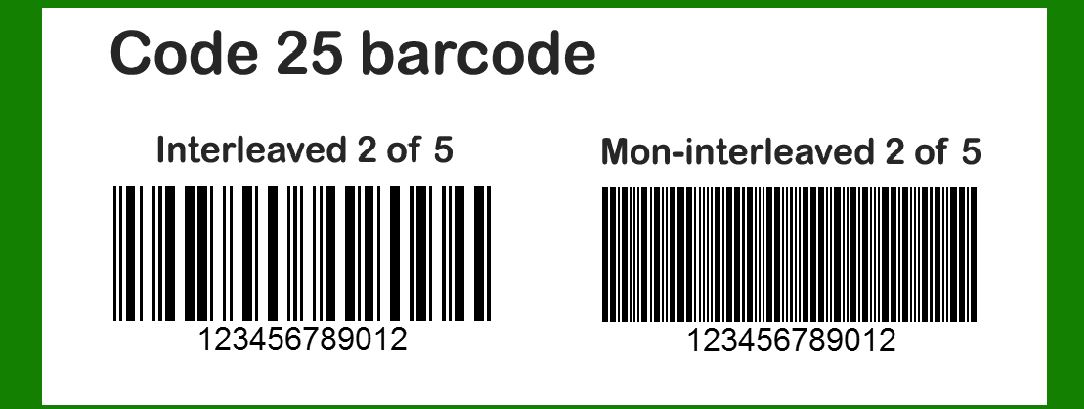
Error correction is a critical feature in barcode systems, ensuring data integrity and reliability, especially in environments where the barcode is prone to physical damage, printing errors, or other forms of degradation. Code 25, also known as Interleaved 2 of 5, is a two-width, continuous, self-checking, numeric-only barcode symbology used extensively in industrial and commercial applications. This detailed analysis will explore the error correction mechanisms of Code 25, providing insights into its implementation and examples to illustrate its effectiveness. |
|
1. Introduction to Code 25 |
Code 25, designed in 1968 by Identicon Corporation, encodes numeric data using an interleaved structure where pairs of digits are represented using five bars and five spaces. Each digit is encoded with two wide elements (either bars or spaces) and three narrow elements. The interleaving nature of Code 25 makes it compact and efficient for numeric data representation. However, like other barcode symbologies, it is susceptible to errors, necessitating robust error detection and correction mechanisms. |

|
2. Error Detection in Code 25 |
Before diving into error correction, it is essential to understand error detection, the preliminary step in ensuring data accuracy. Code 25 incorporates several intrinsic error detection features: |
2.1. Start and Stop Characters |
Start Characters: The start character in Code 25 is represented by a sequence of bars and spaces that indicate the beginning of the barcode. It consists of a narrow bar, narrow space, narrow bar, narrow space, and a wide bar. Stop Characters: Similarly, the stop character signals the end of the barcode, consisting of a wide bar, narrow space, narrow bar, narrow space, and a narrow bar. |
These unique start and stop sequences help in identifying the boundaries of the barcode and assist in detecting misreads. |
2.2. Check Digit |
Mod 10 Check Digit: Code 25 can include an optional check digit for error detection. The check digit is calculated using the Mod 10 algorithm, which involves summing the odd and even-positioned digits separately, multiplying the sum of the odd positions by three, adding the sum of the even positions, and then taking the modulus 10 of the result. This check digit helps in identifying single-digit errors and some transposition errors. |
2.3. Character Structure |
Self-Checking Properties: Each character in Code 25 is self-checking due to its unique pattern of bars and spaces. Misreads can be detected if a scanned character does not conform to the expected pattern of two wide and three narrow elements. |

|
3. Error Correction Mechanisms in Code 25 |
Error correction in barcodes involves mechanisms that not only detect but also correct errors. While Code 25's standard implementation primarily focuses on error detection, various techniques can be employed to enhance its error correction capabilities. |
3.1. Redundant Encoding |
Duplicate Scanning: One of the simplest forms of error correction involves redundant encoding, where the same data is encoded multiple times within the barcode. This technique is useful in environments prone to partial damage, as a partially damaged barcode can still be accurately read by combining information from multiple redundant scans. |
3.2. Checksum-Based Error Correction |
Extended Check Digit Algorithms: Beyond the standard Mod 10 check digit, more complex checksum algorithms can be implemented. For instance, using a double-modulus approach, where two check digits are calculated using different modulus values (e.g., Mod 10 and Mod 11), enhances error correction by providing multiple layers of verification. |
3.3. Error Correction Codes (ECC) |
Reed-Solomon Codes: Advanced error correction codes like Reed-Solomon can be applied to Code 25 for robust error correction. Reed-Solomon codes are capable of correcting multiple symbol errors within a block of data. When implemented, the data is divided into blocks, and parity symbols are added to each block. During decoding, the Reed-Solomon algorithm can identify and correct errors based on the parity information. |
3.4. Interleaving and Concatenation |
Interleaved Error Correction: The interleaved nature of Code 25 can be leveraged for error correction. By interleaving data from multiple barcodes or concatenating several short barcodes into a single long barcode, the system can cross-check and correct errors by comparing overlapping segments. |
3.5. Error Correction Through Data Redundancy |
Redundant Data Fields: Including redundant fields within the barcode that store critical data can aid in error correction. For example, critical information like product ID or batch number can be encoded multiple times within the barcode. If one instance is unreadable due to damage, the redundant field can provide the necessary information. |

|
4. Practical Examples of Error Correction in Code 25 |
To illustrate the effectiveness of error correction in Code 25, consider the following practical examples: |
4.1. Example 1: Simple Redundant Encoding |
Imagine a scenario where a barcode encodes the numeric string '1234567890'. To implement redundant encoding, the data is encoded twice in succession within the same barcode: Barcode Data: 12345678901234567890 In this case, even if part of the barcode is damaged, as long as at least one instance of each digit is readable, the data can be reconstructed. |
4.2. Example 2: Checksum-Based Error Correction |
Using a double-modulus approach, let's encode the same numeric string '1234567890' with additional check digits: |
Calculate Mod 10 check digit: Sum of odd-positioned digits: 1 + 3 + 5 + 7 + 9 = 25 Sum of even-positioned digits: 2 + 4 + 6 + 8 + 0 = 20 Multiply sum of odd positions by 3: 25 * 3 = 75 Add sum of even positions: 75 + 20 = 95 Mod 10 result: 95 % 10 = 5 (Check Digit 1) |
Calculate Mod 11 check digit: Sum of digits with positional multipliers: 110 + 29 + 38 + 47 + 56 + 65 + 74 + 83 + 92 + 01 = 10 + 18 + 24 + 28 + 30 + 30 + 28 + 24 + 18 + 0 = 210 Mod 11 result: 210 % 11 = 1 (Check Digit 2) The final encoded string with check digits is '123456789051'. |
4.3. Example 3: Reed-Solomon Error Correction |
Consider a more complex implementation using Reed-Solomon codes. The barcode data '1234567890' is divided into two blocks, with parity symbols added for error correction: |
Data Blocks: '12345', '67890' Parity Symbols (calculated using Reed-Solomon algorithm): 'AB', 'CD' |
The final encoded barcode data, including parity symbols, is '12345AB67890CD'. During decoding, if errors are detected in any block, the Reed-Solomon algorithm uses the parity symbols to correct them. |
4.4. Example 4: Interleaved Error Correction |
In an application where critical product information is encoded, the data is split and interleaved across multiple barcodes. For instance, the product ID '123456' and batch number '7890' are encoded in two interleaved barcodes: |
Barcode 1: '1234' Barcode 2: '567890' |
If one barcode is damaged, the overlapping segments from the other barcode can be used to reconstruct the data. |
4.5. Example 5: Redundant Data Fields |
To enhance error correction through data redundancy, consider encoding the product ID '1234' twice within the same barcode: Barcode Data: 12341234 Even if part of the barcode is damaged, as long as one instance of the product ID is readable, the data can be accurately reconstructed. |

|
5. Implementing Error Correction in Code 25 |
Implementing error correction in Code 25 requires careful consideration of the specific application and environment. Here are key steps for integrating error correction mechanisms: |
5.1. Assessing Error Sources |
Environmental Factors: Identify potential sources of errors, such as physical damage, printing inconsistencies, or scanner misreads. Data Sensitivity: Determine the criticality of the data being encoded and the acceptable error rate. |
5.2. Selecting Error Correction Techniques |
Redundancy: Decide on the level of redundant encoding required based on the environment and application. Checksum Algorithms: Choose appropriate checksum algorithms, such as Mod 10 or Mod 11, to enhance error detection and correction. ECC Implementation: Consider implementing advanced error correction codes like Reed-Solomon if high data integrity is required. |
5.3. Designing Redundant Fields |
Critical Data Duplication: Identify critical data fields and encode them multiple times within the barcode. Interleaving: Leverage interleaving techniques to distribute data across multiple barcodes for enhanced error correction. |
5.4. Testing and Validation |
Simulate Errors: Conduct rigorous testing by simulating common error scenarios to evaluate the effectiveness of the error correction mechanisms. Performance Metrics: Measure performance metrics such as error detection rate, error correction rate, and overall data integrity. |
5.5. Continuous Monitoring and Improvement |
Feedback Loop: Establish a feedback loop to continuously monitor the performance of the error correction mechanisms and make necessary adjustments. Technological Advancements: Stay updated with advancements in barcode technology and error correction techniques to incorporate new and improved methods. |

|
6. Conclusion |
Error correction in Code 25 barcodes is essential for ensuring data integrity and reliability in various industrial and commercial applications. By incorporating robust error detection and correction mechanisms, such as redundant encoding, advanced checksum algorithms, and error correction codes like Reed-Solomon, the resilience of Code 25 barcodes can be significantly enhanced. Practical examples illustrate the effectiveness of these techniques in mitigating errors and maintaining data accuracy. Implementing error correction in Code 25 requires a strategic approach, including assessing error sources, selecting appropriate techniques, designing redundant fields, and continuous monitoring. Through these measures, the reliability of Code 25 barcodes can be assured, even in challenging environments. |

|
 cs@easiersoft.com