Error Correction of the KIX (Klant index / Customer index) Barcode |
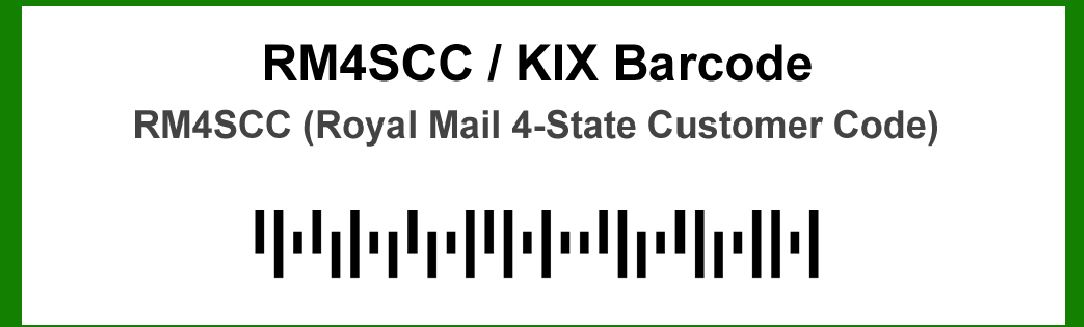
The KIX (Klant index / Customer index) barcode is a postal code format used in the Netherlands for improving mail sorting efficiency. It is designed to enhance the accuracy of mail processing by encoding specific information about the recipient's address. The error correction mechanism within the KIX barcode ensures that the encoded information remains reliable even if the barcode is partially damaged or misprinted. This section provides a detailed description of the error correction capabilities of the KIX barcode, focusing on the following key aspects: |
1.Introduction to Error Correction in KIX Barcodes 1.1 Importance of Error Correction 1.2 Error Correction Mechanism Overview 2.Error Correction Structure 2.1 Basic Principles of Error Correction 2.2 Error Correction Algorithm Used 3.Error Correction Process 3.1 Encoding Process 3.2 Error Detection and Correction 4.Practical Examples of Error Correction 4.1 Example with Single-Character Error 4.2 Example with Multiple Errors 5.Challenges and Limitations 5.1 Potential Issues in Error Correction 5.2 Limitations of the Error Correction Mechanism |
|
1. Introduction to Error Correction in KIX Barcodes |
1.1 Importance of Error Correction |
Error correction in barcodes is crucial for maintaining data integrity during scanning and processing. For KIX barcodes used in postal systems, accurate reading of the encoded data is essential to ensure that mail is sorted and delivered to the correct address. Errors can occur due to various factors, such as printing defects, smudging, or physical damage to the barcode. Implementing a robust error correction mechanism helps mitigate these issues and enhances the reliability of the postal sorting system. |
1.2 Error Correction Mechanism Overview |
The KIX barcode incorporates an error correction system that allows it to tolerate and correct errors that may occur due to physical damage or distortion. This system is designed to ensure that even if the barcode is partially unreadable, the essential information can still be retrieved accurately. The error correction mechanism in KIX barcodes is based on mathematical algorithms that enable the detection and correction of errors. |

|
2. Error Correction Structure |
2.1 Basic Principles of Error Correction |
The error correction in KIX barcodes follows principles similar to other barcode standards, involving redundancy and mathematical calculations. The barcode contains extra data (error correction codes) in addition to the actual information. These error correction codes are used to identify and correct errors that occur during scanning. |
Key principles include: Redundancy: Extra information is added to the barcode to help detect and correct errors. Error Detection: The system can identify when errors have occurred. Error Correction: The system can correct errors using the redundant information. |
2.2 Error Correction Algorithm Used |
KIX barcodes typically use Reed-Solomon error correction algorithms. Reed-Solomon codes are a class of error-correcting codes that are well-suited for correcting errors in barcodes. The Reed-Solomon algorithm is based on polynomial mathematics and can correct a limited number of errors by using redundancy in the encoded data. Reed-Solomon Codes: These codes add redundant data to the original information, which helps in detecting and correcting errors. Error Correction Capability: The Reed-Solomon algorithm used in KIX barcodes can correct multiple errors, depending on the level of redundancy added. |

|
3. Error Correction Process |
3.1 Encoding Process |
During the encoding of a KIX barcode, the data is first transformed into a format suitable for the Reed-Solomon error correction. The following steps are involved: |
1.Data Conversion: The information to be encoded is converted into a series of symbols. 2.Error Correction Coding: Reed-Solomon codes are applied to these symbols to generate additional data for error correction. 3.Barcode Generation: The data, along with the error correction codes, is converted into the final barcode format. |
For example, if the original data to be encoded is '123456', Reed-Solomon codes will generate additional symbols to create a complete barcode that includes both the original data and the error correction codes. |
3.2 Error Detection and Correction |
When a KIX barcode is scanned, the following process occurs: |
1.Scanning: The barcode is read by a scanner, which converts the visual information into digital data. 2.Error Detection: The Reed-Solomon algorithm checks the scanned data against the error correction codes to detect any discrepancies. 3.Error Correction: If errors are detected, the algorithm uses the redundant information to correct the errors and retrieve the original data. |
For instance, if a single character in the barcode is misread due to damage, the Reed-Solomon algorithm can identify and correct this error using the redundant data. |

|
4. Practical Examples of Error Correction |
4.1 Example with Single-Character Error |
Consider a KIX barcode encoding the data '987654': Original Data: 987654 Scanned Data with Error: 987654 (assuming a scanning error occurred but did not affect this data) In this scenario, the Reed-Solomon algorithm will detect if any part of the data is inconsistent with the error correction codes. If an error is found, such as a single character being misread, the algorithm uses the redundancy to correct the error and ensure that the data '987654' is accurately retrieved. |
4.2 Example with Multiple Errors |
Consider a KIX barcode encoding the data '543210': Original Data: 543210 Scanned Data with Errors: 5432X0 (where 'X' is a misread character) If multiple characters are affected, the Reed-Solomon algorithm can still correct these errors. For example, if 'X' represents a misread character, the algorithm will use the redundant error correction codes to identify that the correct data is '543210' and correct the misread character. |

|
5. Challenges and Limitations |
5.1 Potential Issues in Error Correction |
Despite the robustness of Reed-Solomon error correction, some challenges may arise: Severe Damage: If the barcode is extensively damaged or corrupted, the error correction capability may be insufficient to fully recover the data. Complex Errors: Complex or multiple overlapping errors might exceed the correction capability of the algorithm, leading to potential data loss. |
5.2 Limitations of the Error Correction Mechanism |
The KIX barcode's error correction system, while effective, has limitations: Error Correction Capacity: The amount of error correction provided is finite and designed to handle typical levels of damage, not extreme cases. Dependence on Barcode Quality: The effectiveness of error correction is dependent on the quality of the printed barcode. Poor print quality can reduce the accuracy of both the error detection and correction processes. |

|
In summary, the error correction of the KIX barcode relies on the Reed-Solomon algorithm to enhance data reliability by detecting and correcting errors that may occur during scanning. This error correction mechanism ensures that even with minor damage or misprints, the encoded information remains accurate and reliable for postal sorting and delivery. |

|
 cs@easiersoft.com