1. Introduction to PostBar Barcode Error Correction |
The PostBar barcode, utilized by the Canadian Post office, is a critical component in ensuring the accurate and efficient sorting and delivery of mail. Error correction in PostBar barcodes is essential for maintaining data integrity, especially given the potential for barcode damage or printing errors. This section delves into the error correction mechanisms employed in PostBar barcodes, explaining their significance and providing detailed examples to illustrate their function. |
|
2. Error Correction Mechanisms |
2.1. Reed-Solomon Error Correction |
The primary method of error correction used in PostBar barcodes is Reed-Solomon error correction. Reed-Solomon codes are highly effective in correcting errors that occur in clusters, which is common in barcodes due to smudges or printer malfunctions. |
2.1.1. Basics of Reed-Solomon Codes Reed-Solomon codes work by adding redundant data to the original message. This redundancy allows the system to detect and correct errors without needing to retransmit the data. In the context of PostBar barcodes, the barcode data is encoded into symbols, and additional parity symbols are generated and appended to the data. |
2.1.2. Error Detection and Correction When a PostBar barcode is scanned, the scanner reads both the data symbols and the parity symbols. The Reed-Solomon algorithm then checks for consistency between these symbols. If discrepancies are found, the algorithm uses the parity symbols to identify and correct the errors. |
2.1.3. Example of Reed-Solomon Error Correction Imagine a PostBar barcode that encodes the data 'CANADA POST.' During printing, a smudge affects three symbols, corrupting the data. The Reed-Solomon code might be configured to detect and correct up to four errors. The scanner reads the corrupted data and, using the parity symbols, identifies the locations of the errors. The algorithm then corrects these errors, restoring the original message 'CANADA POST.' |

|
2.2. Error Correction Levels |
PostBar barcodes can be encoded with different levels of error correction, depending on the application's requirements. Higher levels of error correction add more redundancy, improving the ability to correct errors but also increasing the size of the barcode. |
2.2.1. Low Error Correction Level A low error correction level might be used in environments with high-quality printing and handling, where the likelihood of errors is minimal. This level balances redundancy and efficiency, maintaining a smaller barcode size. |
2.2.2. High Error Correction Level A high error correction level is suitable for environments where barcodes are more likely to be damaged or degraded. This level adds more redundancy, increasing the barcode size but significantly enhancing the error correction capability. |
2.2.3. Example of Error Correction Levels Consider two PostBar barcodes: one with a low error correction level and one with a high error correction level. Both encode the same data, 'CANADA POST.' The low-level barcode might be smaller and adequate for a clean, controlled environment. However, if the barcode is damaged in transit, the low error correction level may fail to recover the data. In contrast, the high-level barcode, despite being larger, would likely still be able to correct the errors and retrieve the original data. |

|
3. Implementation in PostBar Barcodes |
The implementation of error correction in PostBar barcodes involves several steps, from data encoding to error detection and correction during scanning. |
3.1. Data Encoding |
The first step in implementing error correction is encoding the original data into a format suitable for Reed-Solomon coding. This involves converting the data into symbols and generating the necessary parity symbols. |
3.1.1. Symbol Generation Each character in the data is converted into a fixed-length symbol. For example, the string 'CANADA POST' might be converted into a series of 8-bit symbols. |
3.1.2. Parity Symbol Generation Using the Reed-Solomon algorithm, parity symbols are generated based on the original data symbols. These parity symbols are appended to the end of the data, creating a longer, redundant codeword. |
3.1.3. Example of Data Encoding Consider the data 'CANADA POST,' which is converted into 10 symbols. If the error correction level requires 4 parity symbols, the final encoded message would include the 10 data symbols followed by the 4 parity symbols. |

|
3.2. Barcode Printing |
Once the data is encoded with error correction, the next step is printing the barcode. The encoded symbols are translated into a series of bars and spaces, following the PostBar barcode specifications. |
3.2.1. Barcode Structure The barcode includes start and stop patterns, data symbols, and parity symbols. Each component is crucial for proper scanning and error correction. |
3.2.2. Printing Considerations High-quality printing is essential to minimize initial errors. However, even with the best printing technology, some errors are inevitable, which is why robust error correction is necessary. |
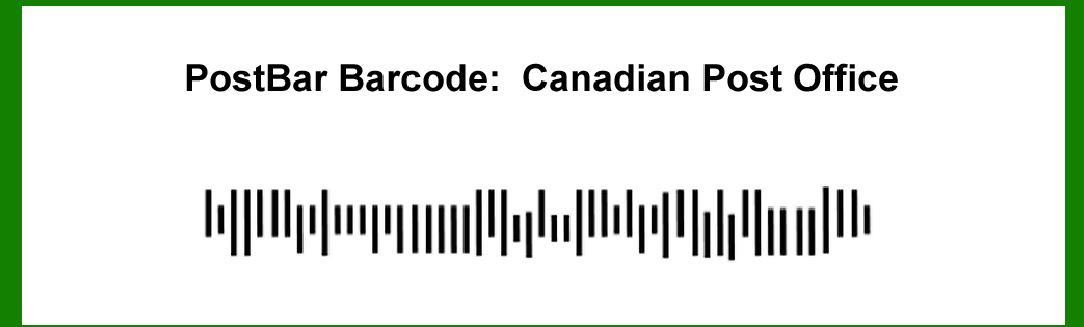
3.2.3. Example of Barcode Printing A printed PostBar barcode for 'CANADA POST' might look like a series of bars of varying widths and spaces, with start and stop patterns framing the encoded data and parity symbols. |

|
4. Error Detection and Correction Process |
During scanning, the barcode reader detects and corrects errors using the Reed-Solomon algorithm. This process involves several stages, from scanning to final data output. |
4.1. Scanning the Barcode |
The first step is scanning the barcode, converting the visual pattern of bars and spaces back into digital symbols. |
4.1.1. Optical Scanning The barcode scanner captures an image of the barcode, analyzing the patterns to identify the encoded symbols. |
4.1.2. Digital Conversion The scanned image is converted into a digital representation, with each bar and space translated back into corresponding symbols. |
4.1.3. Example of Scanning A barcode scanner reads the PostBar barcode for 'CANADA POST' and converts the patterns into a digital sequence of symbols, including any errors introduced by damage or printing issues. |

|
4.2. Error Detection |
The Reed-Solomon algorithm checks the consistency of the scanned symbols, detecting any discrepancies between the data and parity symbols. |
4.2.1. Syndrome Calculation The algorithm calculates a syndrome for each symbol, which indicates whether the symbol is part of a valid codeword. If the syndrome is zero, the symbol is correct. Non-zero syndromes indicate errors. |
4.2.2. Error Location Using the syndromes, the algorithm identifies the locations of the errors within the codeword. This step is crucial for effective error correction. |
4.2.3. Example of Error Detection The scanned PostBar barcode for 'CANADA POST' shows three symbols with non-zero syndromes, indicating errors at those positions. |

|
4.3. Error Correction |
Once the errors are located, the Reed-Solomon algorithm corrects them using the parity symbols. |
4.3.1. Error Magnitude Calculation The algorithm calculates the magnitude of the errors, determining the necessary adjustments to correct the symbols. |
4.3.2. Symbol Correction The erroneous symbols are adjusted according to the calculated magnitudes, restoring the original data. |
4.3.3. Example of Error Correction The algorithm corrects the three erroneous symbols in the scanned 'CANADA POST' barcode, restoring the correct data sequence. |

|
4.4. Data Output |
After error correction, the corrected data is outputted, ensuring the accuracy and integrity of the information. |
4.4.1. Data Reconstruction The corrected symbols are converted back into the original data format, ready for further processing or delivery. |
4.4.2. Final Verification A final check ensures that all errors have been corrected and the data is accurate. |
4.4.3. Example of Data Output The corrected PostBar barcode data 'CANADA POST' is outputted, ready for use by the postal system. |

|
5. Practical Examples and Case Studies |
To further illustrate the effectiveness of error correction in PostBar barcodes, let's explore some practical examples and case studies. |
5.1. Real-World Example: Postal Sorting Facility |
In a busy postal sorting facility, PostBar barcodes are subject to various potential sources of error, such as handling damage, environmental factors, and printing inconsistencies. |
5.1.1. Scenario A batch of mail is processed with PostBar barcodes. During sorting, one barcode is smudged, affecting four symbols. |
5.1.2. Error Detection and Correction The barcode scanner reads the smudged barcode and detects the errors using Reed-Solomon error correction. The algorithm identifies the four erroneous symbols and corrects them, ensuring the data 'CANADA POST' is accurately retrieved. |
5.1.3. Outcome The corrected data allows the mail to be accurately sorted and delivered, demonstrating the robustness of the error correction mechanism. |

|
5.2. Case Study: High-Volume Mailing Campaign |
A large corporation conducts a high-volume mailing campaign, using PostBar barcodes for tracking and sorting. |
5.2.1. Scenario During the campaign, several barcodes are damaged during transit, affecting up to six symbols per barcode. |
5.2.2. Error Correction Level Selection The corporation opts for a high error correction level to ensure data integrity despite potential damage. |
5.2.3. Error Detection and Correction The barcode scanners detect and correct the errors, using the high error correction level to handle up to six errors per barcode. |
5.2.4. Outcome The campaign successfully tracks and sorts all mail items, with the error correction mechanism effectively mitigating the impact of barcode damage. |

|
6. Conclusion |
Error correction in PostBar barcodes is a critical feature that ensures data integrity and reliability in postal operations. Using Reed-Solomon error correction, PostBar barcodes can detect and correct errors, even in challenging environments. The flexibility of error correction levels allows for tailored solutions based on specific needs, balancing redundancy and efficiency. Through detailed examples and case studies, we have seen how robust error correction mechanisms enable accurate and efficient postal services, highlighting the importance of this technology in maintaining the integrity of postal systems. |
 cs@easiersoft.com