1. Introduction |
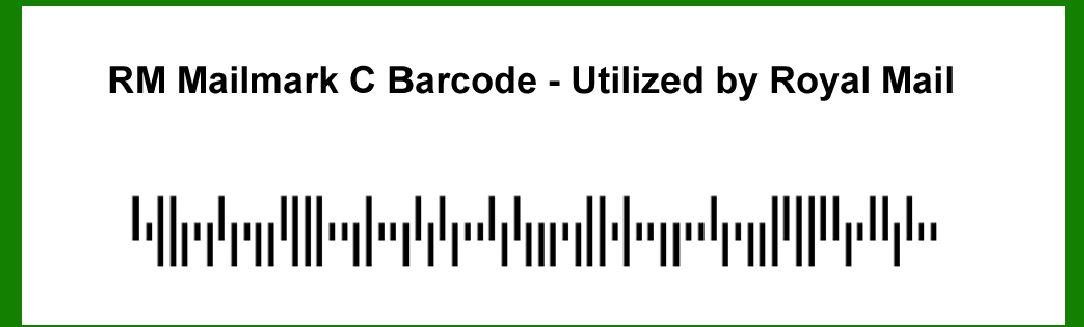
Error correction in barcodes is crucial for ensuring data integrity and reliable scanning, especially in critical applications such as postal services. The RM Mailmark C barcode, utilized by the Royal Mail in the UK, incorporates sophisticated error correction mechanisms to maintain accuracy even in less-than-ideal conditions. This document provides a comprehensive description of the error correction system used in the RM Mailmark C barcode, focusing on its structure, methodologies, and examples. |
|
2. Overview of RM Mailmark C Barcode |
The RM Mailmark C barcode is a sophisticated 2D barcode designed to handle postal information efficiently. Its error correction capabilities are integral to its operation, allowing it to correct errors and maintain data integrity. This barcode uses a combination of error correction codes and algorithms to ensure reliable data transmission. |

|
3. Error Correction Techniques |
3.1. Reed-Solomon Error Correction |
Reed-Solomon error correction is a robust technique commonly used in barcodes, including the RM Mailmark C barcode. It operates as follows: |
3.1.1. Error Detection and Correction Capabilities Error Detection: Reed-Solomon codes can detect multiple errors in the data by using redundancy. They work by dividing the data into blocks and adding redundant symbols, which are then used to check for errors. Error Correction: The algorithm can correct up to a certain number of errors per block. For example, if a block is corrupted, the redundant information allows the algorithm to reconstruct the original data. |
3.1.2. Structure and Application Code Structure: The Reed-Solomon code used in RM Mailmark C is based on a finite field, which is a mathematical structure used for encoding and decoding. This structure helps in managing the redundancy and correcting errors. Application in RM Mailmark C: In practice, the RM Mailmark C barcode incorporates Reed-Solomon codes to handle errors that may occur due to printing defects, smudges, or scanning issues. This ensures that even if parts of the barcode are damaged, the remaining information can still be interpreted correctly. |

|
3.2. Error Correction Code Length and Capacity |
The length and capacity of the error correction codes in the RM Mailmark C barcode are designed to balance between data density and error correction capability: |
3.2.1. Error Correction Code Length Length Definition: The length of the error correction code refers to the number of additional symbols added to the data to provide redundancy. For the RM Mailmark C barcode, this length is carefully chosen to ensure that the barcode can correct a significant number of errors while maintaining a compact size. |
3.2.2. Capacity and Limits Correction Capability: The barcode's design allows it to correct a specific number of errors. This is often specified in terms of the number of symbols or blocks that can be corrected. For example, it might correct up to 10 symbols in a block of 50. |

|
4. Error Correction Algorithm |
The error correction algorithm in RM Mailmark C barcodes operates in several stages to ensure accuracy: |
4.1. Encoding Stage |
4.1.1. Data Encoding Process: During encoding, the original data is divided into blocks, and error correction symbols are generated based on the Reed-Solomon algorithm. These symbols are then appended to the original data to form the complete barcode. |
4.1.2. Redundancy Addition Redundancy: The additional error correction symbols increase the overall length of the barcode but provide the necessary redundancy to detect and correct errors. |
4.2. Decoding Stage |
4.2.1. Data Extraction Process: When the barcode is scanned, the system extracts both the data and the error correction symbols. The Reed-Solomon algorithm is then applied to check for errors and correct them if necessary. |
4.2.2. Error Correction Algorithm Application: The algorithm processes the extracted data and error correction symbols to identify and correct errors. This involves mathematical operations on the symbols to reconstruct the original data. |

|
5. Examples of Error Correction |
5.1. Example 1: Partial Damage |
5.1.1. Scenario Condition: Suppose a barcode is partially damaged due to smudging, affecting 5 out of 50 symbols. |
5.1.2. Error Correction Process: The Reed-Solomon algorithm detects the missing or corrupted symbols and uses the redundant information to reconstruct the original data. As long as the number of damaged symbols is within the correction limit, the data can be accurately recovered. |
5.2. Example 2: Printing Defects |
5.2.1. Scenario Condition: A barcode is printed with some misalignment or distortion, causing errors in the scanned data. |
5.2.2. Error Correction Process: The algorithm identifies discrepancies between the expected and actual data. By applying the error correction codes, it adjusts the data to account for the distortions and provides a corrected output. |

|
6. Conclusion |
Error correction in the RM Mailmark C barcode is a sophisticated process that ensures data integrity and reliable scanning. By utilizing Reed-Solomon error correction codes and implementing a well-structured error correction algorithm, the RM Mailmark C barcode can handle various types of errors and maintain accuracy in postal services. The detailed mechanisms and examples provided illustrate the robustness of this system and its importance in ensuring efficient mail processing and delivery. |
This comprehensive understanding of the error correction techniques and algorithms used in RM Mailmark C barcodes highlights their critical role in the reliability and accuracy of postal information management. |

|
 cs@easiersoft.com