1. Introduction to Error Correction in RM Mailmark L Barcode |
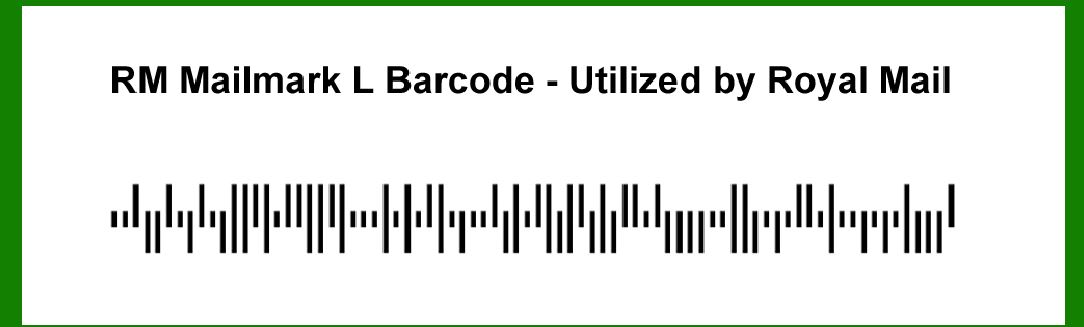
The RM Mailmark L barcode, utilized by Royal Mail, incorporates robust error correction mechanisms to ensure the reliability and integrity of data. Error correction is vital for barcodes because it allows the system to detect and correct errors that may occur during scanning, which can be caused by various factors like printing defects, damage, or dirt. The RM Mailmark L barcode employs sophisticated algorithms to enhance error resilience, ensuring accurate data retrieval even under suboptimal conditions. |
1.1. Importance of Error Correction |
Error correction in barcodes is crucial for: Ensuring data integrity. Reducing the likelihood of misreads. Enhancing the robustness of the system against physical damage or environmental factors. Increasing the reliability of automated systems that depend on barcode scanning. |
|
2. Structure of the RM Mailmark L Barcode |
Understanding the error correction in the RM Mailmark L barcode requires a brief overview of its structure. The RM Mailmark L barcode is a type of 2D barcode that encodes information in a matrix format. It uses a combination of black and white modules arranged in a square grid. The specific data encoding and error correction methodology contribute to its robustness. |
2.1. Data Encoding |
The data in the RM Mailmark L barcode is encoded using a predefined scheme that translates alphanumeric characters into binary patterns. This encoding scheme determines how data bits are arranged within the barcode. |
2.2. Error Correction Codewords |
Error correction codewords are special bits added to the encoded data to facilitate error detection and correction. These codewords are generated using mathematical algorithms and are interspersed within the barcode data. |

|
3. Error Correction Mechanism |
The RM Mailmark L barcode employs Reed-Solomon error correction, a powerful algorithm widely used in digital communications and storage. Reed-Solomon codes are capable of correcting multiple errors within a data block, making them ideal for barcode applications. |
3.1. Reed-Solomon Code |
Reed-Solomon codes are block-based error correction codes that operate on symbols rather than bits. Each symbol represents multiple bits, and the code generates redundant symbols that can be used to detect and correct errors. |
3.1.1. Symbol Definition In the context of the RM Mailmark L barcode, symbols are groups of bits that represent data or error correction codewords. The size of each symbol and the number of symbols in the barcode are defined by the encoding scheme. |
3.1.2. Polynomial Representation Reed-Solomon codes use polynomial algebra for encoding and decoding. The data and error correction codewords are treated as coefficients of polynomials over a finite field. The encoding process involves generating a polynomial that can be used to reconstruct the original data even if some symbols are corrupted. |
3.2. Error Detection and Correction |
The error correction process involves detecting errors in the scanned barcode and correcting them using the redundant codewords. |
3.2.1. Syndrome Calculation When a barcode is scanned, the system calculates the syndrome, a set of values that indicate the presence of errors. The syndrome is derived from the received symbols and the original polynomial. |
3.2.2. Error Locator Polynomial Using the syndrome, the system constructs an error locator polynomial, which identifies the positions of errors within the barcode. This polynomial is crucial for determining which symbols are incorrect. |
3.2.3. Error Magnitude Polynomial The error magnitude polynomial specifies the extent of the errors at the identified positions. By solving this polynomial, the system can determine the necessary corrections. |
3.2.4. Error Correction The system applies the corrections to the identified positions, effectively restoring the original data. If the number of errors is within the correction capability of the Reed-Solomon code, the barcode can be accurately decoded. |

|
4. Example of Error Correction in RM Mailmark L Barcode |
To illustrate the error correction process in the RM Mailmark L barcode, let's consider a simplified example. This example will demonstrate how errors are detected and corrected using Reed-Solomon codes. |
4.1. Initial Data Encoding |
Suppose we have a message to encode in the RM Mailmark L barcode: 'HELLO'. Each character is converted to a binary representation, and these binaries are grouped into symbols. Let's assume each symbol represents 8 bits (1 byte). |
4.1.1. Message Representation H: 01001000 E: 01000101 L: 01001100 L: 01001100 O: 01001111 |
4.1.2. Polynomial Representation The message can be represented as a polynomial over a finite field: M(x)=01001000x4+01000101x3+01001100x2+01001100x+01001111M(x) = 01001000x^4 + 01000101x^3 + 01001100x^2 + 01001100x + 01001111M(x)=01001000x4+01000101x3+01001100x2+01001100x+01001111 |
4.2. Generating Error Correction Codewords |
Using the Reed-Solomon algorithm, we generate error correction codewords. For simplicity, assume we generate 3 redundant symbols. |
4.2.1. Redundant Symbols Let's denote the redundant symbols as R1, R2, and R3. These are calculated using the encoding polynomial: R1=f(M(x)),R2=g(M(x)),R3=h(M(x))R1 = f(M(x)), R2 = g(M(x)), R3 = h(M(x))R1=f(M(x)),R2=g(M(x)),R3=h(M(x)) |
4.3. Introducing Errors |
Assume the barcode gets partially damaged, corrupting two symbols: H (01001000) becomes 11001000 L (01001100) becomes 11001100 |
4.4. Syndrome Calculation |
The system scans the barcode and detects discrepancies by calculating the syndrome. The syndrome indicates that errors are present in the first and third symbols. |
4.5. Error Locator Polynomial |
Using the syndrome, the system constructs the error locator polynomial to identify error positions. It finds errors in positions 1 and 3. |
4.6. Error Magnitude Polynomial |
The system then determines the error magnitudes. It calculates the extent of errors in the first and third symbols. |
4.7. Applying Corrections |
The system applies the calculated corrections to the corrupted symbols: Corrected H: 01001000 (from 11001000) Corrected L: 01001100 (from 11001100) |
4.8. Restoring Data |
With the errors corrected, the original message 'HELLO' is successfully restored from the barcode. |

|
5. Error Correction Capabilities and Limitations |
While Reed-Solomon error correction is powerful, it has its capabilities and limitations. Understanding these helps in optimizing the use of RM Mailmark L barcodes. |
5.1. Error Correction Capabilities Error Detection: The system can detect multiple errors within a barcode. Error Correction: It can correct up to a certain number of errors, determined by the number of redundant symbols. Robustness: Reed-Solomon codes are highly resilient to burst errors (contiguous errors). |
5.2. Error Correction Limitations Correction Capacity: The ability to correct errors is limited by the number of redundant symbols. If too many errors occur, correction may not be possible. Complexity: The mathematical complexity of Reed-Solomon codes requires significant computational resources, especially for large data blocks. Barcode Size: Adding redundant symbols increases the size of the barcode, which may not always be feasible. |

|
6. Practical Considerations |
Implementing error correction in RM Mailmark L barcodes involves several practical considerations to ensure optimal performance. |
6.1. Barcode Printing Quality Resolution: High-resolution printing reduces the likelihood of errors. Contrast: Adequate contrast between the barcode and the background enhances scan accuracy. |
6.2. Barcode Scanning Scanner Quality: High-quality scanners with good resolution and contrast sensitivity improve error detection and correction. Scanning Environment: Clean and well-lit scanning environments minimize the risk of scanning errors. |
6.3. Error Correction Codeword Allocation Redundancy: Allocating more redundant symbols increases error correction capability but also increases barcode size. Data-to-Redundancy Ratio: Balancing the ratio of data to redundant symbols is crucial for efficient error correction without excessively large barcodes. |

|
7. Conclusion |
Error correction in the RM Mailmark L barcode is a critical feature that ensures data integrity and reliability. By employing Reed-Solomon codes, the barcode system can detect and correct multiple errors, enhancing the robustness of automated mail handling and other applications. Understanding the mechanisms of error correction, including syndrome calculation, error locator polynomial construction, and error magnitude determination, provides insights into the sophisticated processes that enable accurate data retrieval from potentially damaged or corrupted barcodes. This detailed overview highlights the importance of error correction and the advanced methodologies used to achieve it in the RM Mailmark L barcode. |
 cs@easiersoft.com