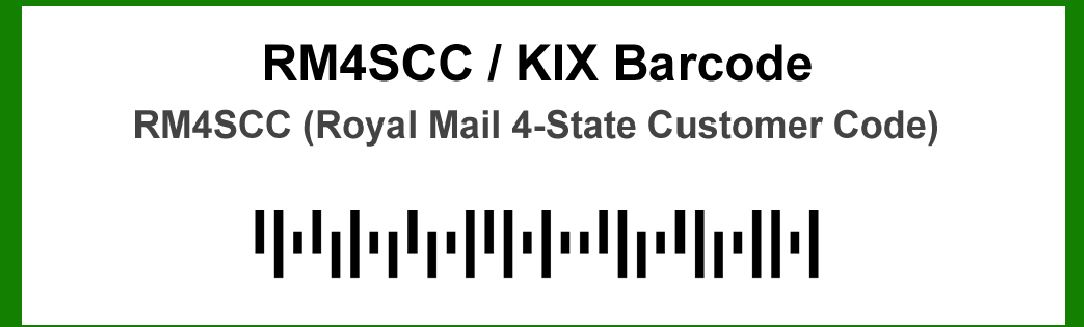
The RM4SCC (Royal Mail 4-State Customer Code) is a barcode used primarily for mail sorting and delivery within the UK. Its error correction capabilities are an important aspect of its design, ensuring reliable reading and processing even if the barcode is damaged or partially obscured. This detailed description focuses specifically on the error correction mechanisms of RM4SCC, divided into multiple levels for clarity. |
|
1. Overview of RM4SCC Error Correction |
The RM4SCC barcode does not incorporate traditional error correction schemes like those found in some other barcode types. Instead, its error correction is implicitly managed through its design and the way the barcode is processed. Here's a detailed look into how this works: |
1.1. Basic Structure |
The RM4SCC barcode consists of four different state patterns representing data in binary form. The four states are: Full Bar (1) Half Bar (0.5) Half Space (0.5) Full Space (0) This design inherently provides some level of error tolerance. The simplicity of the code and the redundancy in the state patterns contribute to its robustness. |
1.2. Redundancy in Encoding |
Bit Patterns: Each character in the RM4SCC barcode is encoded using a combination of the four state patterns. The design allows for slight variations in the readout without severely affecting the data interpretation. Symbol Size: The size and layout of the RM4SCC symbols mean that minor distortions or damage can be tolerated as long as the majority of the code is intact. |

|
2. Error Tolerance Mechanism |
Though RM4SCC does not have explicit error correction codes like Reed-Solomon or Hamming codes, it exhibits inherent error tolerance due to its design. |
2.1. Tolerating Missing Bars and Spaces |
Partial Readability: If some bars or spaces are missing or damaged, the barcode reader can often still decode the information by relying on the remaining parts of the barcode. The barcode's redundancy helps maintain readability under these conditions. Error Detection: Readers and processing systems used with RM4SCC barcodes can detect errors by analyzing discrepancies between expected patterns and actual read patterns. This can trigger reprocessing or flagging for manual intervention if necessary. |
2.2. Error Handling in Processing Systems |
Read Algorithms: Advanced read algorithms used in scanners can accommodate partial damage or distortion by using pattern recognition and statistical analysis to infer the correct data from imperfect inputs. Data Verification: Systems processing RM4SCC codes often include mechanisms for verifying the integrity of the decoded data. This helps in identifying and handling errors, ensuring that only accurate data is processed. |

|
3. Examples of Error Correction in RM4SCC |
To illustrate how the RM4SCC barcode manages errors, here are some practical examples of how different types of damage or errors can be handled. |
3.1. Case Study: Partial Obscuring |
Scenario: A barcode is partially obscured by a label. Error Handling: In this case, as long as the obscured section does not completely cover a critical part of the data, the remaining visible bars and spaces can be read. The reader's algorithm will use the partial information to reconstruct the missing data or recognize the pattern. |
3.2. Case Study: Smudging or Blurring |
Scenario: The barcode is smeared or blurred due to handling or environmental factors. Error Handling: Smudging or blurring can lead to misinterpretation of bar and space widths. However, the redundancy and design of RM4SCC allow for the barcode reader to make educated guesses about the intended data based on the remaining patterns. |
3.3. Case Study: Print Quality Issues |
Scenario: The barcode is printed with inconsistent quality, resulting in uneven bar widths. Error Handling: Inconsistent print quality may cause variations in the bar widths and spaces. RM4SCC readers use sophisticated algorithms to interpret these variations and reconstruct the original data as accurately as possible. |

|
4. Summary of Error Correction Capabilities |
4.1. Inherent Robustness Design Efficiency: The RM4SCC's use of four distinct states and its simple encoding scheme provide a form of inherent error tolerance. Minor damages or distortions are less likely to render the entire barcode unreadable. |
4.2. System-Level Error Handling Advanced Reading Techniques: Modern scanners and processing systems enhance the robustness of RM4SCC barcodes through advanced error detection and correction algorithms. These systems can compensate for damage and read issues by analyzing patterns and making corrections as necessary. |
4.3. Practical Considerations Real-World Applications: In practice, RM4SCC barcodes are designed to be resilient enough for the postal environment. Their robustness is suited for high-speed sorting and handling processes, where occasional damage or wear is expected. |

|
In conclusion, while RM4SCC does not use explicit error correction codes, its design and the capabilities of modern scanning systems contribute to a high level of error tolerance and reliability. The barcode's inherent characteristics and the advanced processing techniques used in its reading systems ensure that it remains effective even in less-than-ideal conditions. |

|
 cs@easiersoft.com