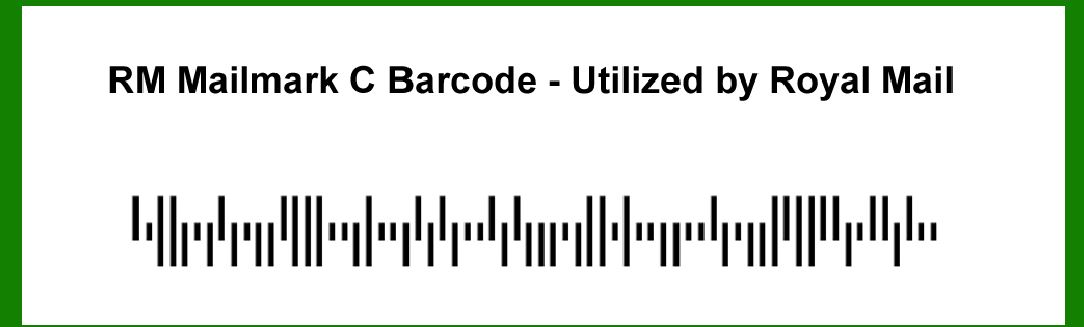
The RM Mailmark C barcode, utilized by Royal Mail, represents a significant advancement in barcode technology tailored specifically for the postal and mailing industry. |
Developed to enhance efficiency, trackability, and accuracy in mail processing, RM Mailmark C is part of a broader system designed to meet the evolving needs of modern mail management. Here's an extensive exploration of RM Mailmark C barcode technology, its features, applications, and its impact on the postal services sector. |
|
Introduction to RM Mailmark C Barcode |
RM Mailmark C is a barcode standard introduced by Royal Mail, the primary postal service provider in the United Kingdom. It belongs to the Mailmark family of barcodes, which includes various formats designed for different types of mail items and services. The Mailmark system integrates sophisticated barcode technology with backend systems to streamline sorting, tracking, and delivery processes, providing benefits to both postal operators and their customers. |

|
Evolution and Development |
The development of RM Mailmark C barcode reflects Royal Mail's commitment to adopting advanced technologies to improve operational efficiency and customer experience. As postal services worldwide faced challenges related to mail volume growth, customer demands for real-time tracking, and the need for cost-effective solutions, Royal Mail sought to enhance its service offerings through innovative barcode technologies. |

|
Technical Specifications |
Structure and Encoding |
RM Mailmark C barcode employs a specific encoding scheme optimized for postal applications. It typically consists of a combination of bars and spaces arranged in a specific pattern, allowing automated scanning devices to interpret and extract relevant information. The barcode's structure may vary slightly depending on the type of mail and the specific service it is associated with, ensuring compatibility with various sorting and tracking systems. |
Data Capacity |
One of the critical features of RM Mailmark C barcode is its capacity to store essential data related to each mail item. This includes but is not limited to: |
Recipient Information: Name, address, postcode. Sender Information: Return address details. Service Information: Type of postal service (e.g., first-class, second-class). Tracking and Routing Information: Unique identifiers for tracking purposes. |
The barcode format is designed to accommodate varying data lengths, ensuring flexibility in handling different types of mail items, from letters to parcels. |
Error Correction and Redundancy |
To ensure reliability in data capture and processing, RM Mailmark C barcode incorporates error correction mechanisms. These mechanisms enable the barcode to withstand minor damage or distortion during printing or handling, ensuring that critical information remains accessible throughout the mail processing chain. Redundancy techniques further enhance the barcode's robustness, minimizing the risk of misreads or data loss. |

|
Applications and Use Cases |
Postal Operations |
RM Mailmark C barcode plays a pivotal role in optimizing postal operations, offering several key advantages: |
Automated Sorting: Automated sorting machines equipped with barcode scanners can rapidly process and sort large volumes of mail items based on the encoded information. This reduces manual handling and accelerates delivery times. Real-Time Tracking: Customers and postal operators can track the status and location of mail items in real-time using tracking codes embedded within RM Mailmark C barcodes. This transparency enhances customer satisfaction and operational visibility. Cost Efficiency: By automating sorting and tracking processes, RM Mailmark C barcode helps reduce operational costs associated with manual labor and logistics. It enables postal operators to optimize resource allocation and improve overall efficiency. |
Customer Experience |
For customers, RM Mailmark C barcode enhances convenience and reliability: |
Delivery Confirmation: Customers receive timely updates on the delivery status of their mail items, including notifications upon delivery. Enhanced Service Options: The barcode system supports additional service options such as proof of delivery and signature verification, providing customers with greater control and security over their mail shipments. Integration with Digital Platforms: RM Mailmark C barcode facilitates integration with digital platforms and customer management systems, enabling seamless interaction between postal operators and end-users. |

|
Implementation Challenges and Considerations |
Technology Adoption |
The adoption of RM Mailmark C barcode involves several considerations: |
Infrastructure Requirements: Postal operators must invest in compatible sorting equipment and barcode scanning technology to leverage the benefits of RM Mailmark C. Training and Education: Staff training is essential to ensure proficiency in handling and interpreting barcode data, minimizing errors and optimizing operational efficiency. Integration with Existing Systems: Integration with existing IT systems and workflows requires careful planning to avoid disruptions and ensure compatibility across different operational functions. |
Regulatory Compliance |
RM Mailmark C barcode must comply with regulatory standards and guidelines governing postal services and data privacy. Ensuring compliance helps maintain trust and confidentiality in handling sensitive customer information embedded within barcoded mail items. |

|
Future Trends and Innovations |
Enhanced Data Analytics |
Advancements in data analytics capabilities enable postal operators to derive actionable insights from RM Mailmark C barcode data. By analyzing patterns in mail volume, delivery routes, and customer preferences, operators can optimize service offerings and operational strategies. |
IoT Integration |
Integration with Internet of Things (IoT) devices and sensors enhances real-time tracking and monitoring of mail items. IoT-enabled solutions offer enhanced visibility and security throughout the supply chain, from dispatch to final delivery. |
Sustainability Initiatives |
RM Mailmark C barcode supports sustainability initiatives by optimizing route planning and resource utilization. Reduced carbon footprint and environmental impact are achieved through efficient logistics and transportation management. |

|
Conclusion |
RM Mailmark C barcode represents a pivotal advancement in postal technology, empowering Royal Mail and other postal operators to meet evolving customer expectations and operational challenges. By integrating advanced barcode technology with robust backend systems, RM Mailmark C barcode enhances efficiency, accuracy, and transparency across the mail processing and delivery chain. As technology continues to evolve, RM Mailmark C barcode is poised to play a crucial role in shaping the future of postal services, delivering enhanced customer experiences and operational efficiencies. |
 cs@easiersoft.com