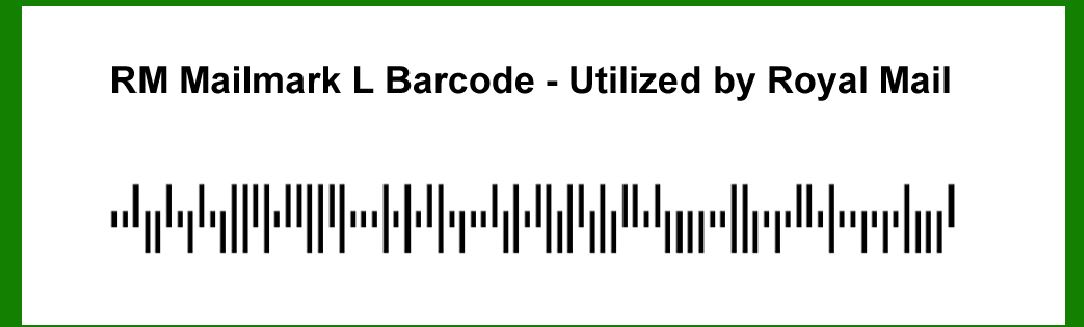
The RM Mailmark L barcode is an advanced postal barcode system introduced by Royal Mail in the United Kingdom. It represents a significant upgrade over traditional barcodes, offering enhanced functionality and improved data capacity tailored to meet the evolving needs of modern mail management and tracking systems. |
|
Overview of RM Mailmark L Barcode |
RM Mailmark L barcode is part of the broader Mailmark barcode system implemented by Royal Mail. It serves as a sophisticated tool for businesses and organizations to optimize their mailing processes, improve efficiency, and gain better insights into the delivery and tracking of mail items. |
1. History and Development |
The development of RM Mailmark L barcode builds upon Royal Mail's longstanding commitment to enhancing postal services through technological innovation. It represents a significant advancement over previous barcode systems, incorporating features that align with the growing demands of mail processing in the digital age. |

|
2. Technology and Structure |
RM Mailmark L barcode utilizes a specific encoding structure designed to encode essential data related to mail items. This structured approach ensures that each barcode can efficiently carry necessary information while remaining compatible with Royal Mail's automated sorting and tracking systems. |
2.1 Encoding Scheme |
The encoding scheme of RM Mailmark L barcode is optimized for data integrity and efficient scanning. It typically includes: |
Data Fields: Essential details such as recipient address, sender information, postage class, and unique identifiers. Error Correction: Built-in mechanisms to detect and correct errors that may occur during barcode scanning or data transmission. Checksum: A validation mechanism to ensure the accuracy of encoded data and prevent misinterpretation during processing. |
2.2 Physical Characteristics |
Size and Placement: RM Mailmark L barcode is designed to fit within specific size constraints suitable for various mail items, ranging from letters to parcels. Printing Requirements: Guidelines for printing ensure that the barcode remains legible and scannable throughout the mail handling process. |

|
3. Applications and Use Cases |
RM Mailmark L barcode finds application across various sectors and industries where efficient mail handling and tracking are critical. Key applications include: |
Business Mailings: Bulk mailings by businesses seeking to optimize postage costs and delivery times. Transactional Mail: Delivery of invoices, statements, and other time-sensitive documents. E-commerce: Tracking shipments of goods ordered online to ensure timely delivery and customer satisfaction. |

|
4. Benefits and Advantages |
The adoption of RM Mailmark L barcode offers several advantages over traditional mailing methods and barcode systems: |
Enhanced Tracking: Real-time tracking of mail items from dispatch to delivery, providing transparency and accountability throughout the logistics chain. Cost Efficiency: Optimization of postage costs through accurate postage calculation and eligibility for discounts offered by Royal Mail for Mailmark users. Data Insights: Access to detailed analytics and reports on mail handling metrics, enabling businesses to streamline operations and improve customer service. |

|
5. Integration and Implementation |
Integrating RM Mailmark L barcode into existing mail management systems involves: |
Software Integration: Compatibility with mailing software that supports the generation and printing of Mailmark barcodes. Training and Support: Provision of training and support to staff involved in mail preparation and handling to ensure proper implementation and utilization. |

|
6. Regulatory Compliance |
RM Mailmark L barcode complies with regulatory standards governing mail handling and data protection, ensuring adherence to privacy and security requirements throughout the mailing process. |

|
Conclusion |
The RM Mailmark L barcode represents a pivotal advancement in postal barcode technology, empowering businesses with enhanced capabilities to manage and track mail items effectively. Its integration into Royal Mail's operational framework underscores a commitment to innovation and customer-centric service delivery in the postal industry. |
By leveraging the capabilities of RM Mailmark L barcode, businesses can optimize their mail operations, reduce costs, and improve overall efficiency in mail handling and delivery. As technology continues to evolve, RM Mailmark L barcode remains at the forefront, facilitating seamless communication and logistics across diverse sectors and industries. |
 cs@easiersoft.com