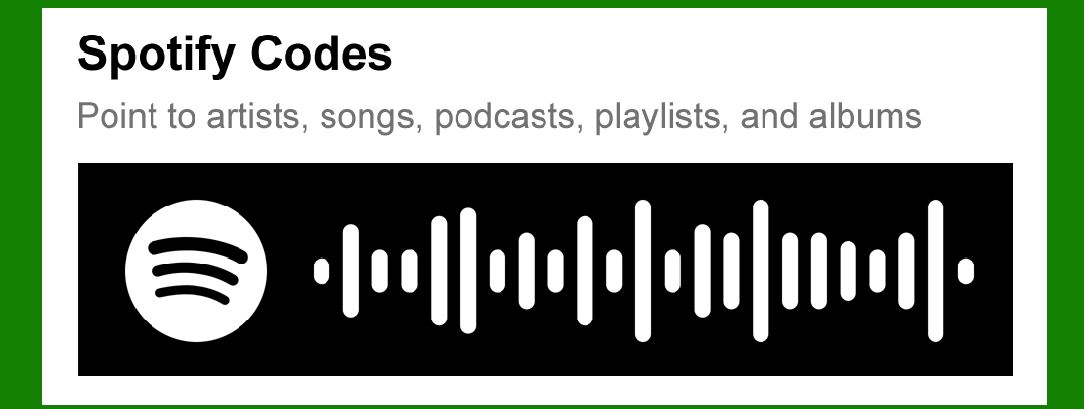
Spotify Codes are a unique form of scannable barcode introduced by Spotify, designed to facilitate easy sharing and discovery of music, podcasts, playlists, and other content within the Spotify platform. |
Here's a detailed exploration of Spotify Codes, covering their functionality, technology, and applications. |
|
Introduction to Spotify Codes |
Spotify Codes serve as a visual gateway to Spotify content. They allow users to share specific songs, albums, playlists, podcasts, or even artist profiles with others quickly and conveniently. The codes are akin to QR codes but are specifically tailored for Spotify's ecosystem. |

|
Functionality and Use Cases |
1.Scannable Sharing: Each Spotify Code is a scannable image that contains encoded information about a specific piece of content. When scanned using the Spotify app, the code directs the user to the corresponding content within the app. |
2.Content Types: Spotify Codes can point to various types of content: |
Songs: Direct access to a specific song on Spotify. Albums: Links to full albums available on Spotify. Playlists: Shares curated playlists with friends or followers. Artists: Profiles of musicians or bands. Podcasts: Episodes or entire podcast series. |

|
3.Customization: Spotify Codes can be customized in terms of color, allowing for personalization or integration into promotional materials without affecting functionality. The encoded information is embedded in the heights of the bars, allowing some flexibility in design while maintaining scannability. |
4.Handwritten Capability: Unlike traditional barcodes that require precise printing, Spotify Codes can be handwritten or integrated into various artistic designs, provided the relative heights of the bars are maintained for accurate scanning. |
5.Integration with Social Media: Spotify Codes are often used on social media platforms, websites, and promotional materials to direct users to specific Spotify content seamlessly. |

|
Technology Behind Spotify Codes |
Spotify Codes leverage existing barcode technology with specific enhancements for Spotify's needs: |
Encoding: The information (e.g., song URI, playlist ID) is encoded into the heights of bars within the code. This method allows for flexibility in design while ensuring the encoded data remains intact and scannable. Patent EP3444755: This patent covers the unique method of encoding information into the heights of bars within a scannable code, ensuring the encoded data can be reliably read by the Spotify app. |

|
Applications and Benefits |
1.Marketing and Promotion: Artists, labels, and promoters use Spotify Codes to promote new releases, playlists, or podcast episodes. They can be integrated into posters, flyers, social media posts, and merchandise. 2.User Engagement: Users share their favorite music or playlists easily with friends by simply showing or sending the Spotify Code. This promotes engagement within the Spotify community. 3.Retail and Events: Spotify Codes are used in retail environments and at events to direct customers to specific playlists or albums related to products or themes, enhancing the overall customer experience. 4.Accessibility: They provide a simple way for users to access specific content without needing to search manually within the app, making discovery easier and more direct. |

|
Implementation and User Experience |
Scanning: To scan a Spotify Code, users open the Spotify app, go to the search bar, and tap on the camera icon. They then point the camera at the Spotify Code, which automatically directs them to the corresponding content. Sharing: Users can share Spotify Codes directly from the Spotify app by tapping on the three dots (More options) next to the content they want to share, selecting 'Share,' and choosing the option to 'Share Spotify Code.' This generates a scannable image that can be sent via messaging apps or social media. Design Guidelines: While Spotify Codes allow for color customization, ensuring sufficient contrast between the bars and the background is crucial for optimal scanning performance. |

|
Future Developments and Integration |
Spotify continues to innovate with its Codes feature, exploring new ways to integrate them into its platform and partner applications. Future developments may include enhanced customization options, expanded analytics for creators, and deeper integration into third-party platforms. |

|
Conclusion |
Spotify Codes represent a user-friendly and visually appealing way to share and discover music, podcasts, and playlists within the Spotify ecosystem. Patented under EP3444755, these codes leverage barcode technology with specific adaptations to suit Spotify's requirements, enhancing user engagement, marketing opportunities, and accessibility to content. Whether used for promotional campaigns, retail environments, or personal sharing, Spotify Codes play a significant role in connecting users to their favorite audio content effortlessly. |
 cs@easiersoft.com