Chapter 19: The Need for Error Correction |
Short Summary |
In the world of automatic identification, the fragility of data carriers is a fundamental challenge. This chapter explores why error correction became an indispensable necessity, tracing the journey from the early days of simple checksums to the robust redundancy built into modern symbologies. We will examine the technical limitations of early barcodes like Code 39, their vulnerability to damage in demanding environments, and how these shortcomings created the critical need for more resilient technologies. Through real-world examples spanning automotive manufacturing, healthcare, logistics, and beyond, we will see how the pursuit of reliable data capture has shaped the industry, culminating in the sophisticated error correction capabilities of 2D codes and the durability of RFID systems. |

|
1. The Fragile Foundation: A World of Scratches and Tears |
Imagine a world where a single scratch on a label could render an entire logistics network blind. Where a torn piece of paper could halt a production line. This was not a theoretical concern for the early adopters of barcode technology; it was a daily operational reality. The first generation of barcodes, while revolutionary, were built on a fragile foundation. A one-dimensional barcode relies on the precise interpretation of the widths of parallel black bars and white spaces. Any physical damage to these patterns presents a significant barrier to accurate reading. |
The core issue was a lack of redundancy. When a laser scanner or imager reads a 1D barcode, it must accurately measure the width of each element. A scratch across the code can distort these measurements, merging a wide bar with a narrow one or introducing an unexpected gap. A simple tear, a splash of grease, or even a bubble in the label material could obscure enough of the pattern to make the code unreadable. |
In harsh industrial environments, this fragility was a major bottleneck. Factories are filled with oil, dust, and vibration; outdoor logistics are plagued by sun, rain, and abrasion. A label that works perfectly in a clean office environment often fails within days on a factory floor or a shipping container. This led to a simple but profound conclusion: a system designed to capture data is only as good as its ability to survive the environment in which it must do so. The vulnerability of early 1D barcodes was not just an inconvenience; it was a business risk. |

|
2. Code 39: The Workhorse and Its Limits |
Before delving into the evolution of error correction, it is essential to understand the technical characteristics of the barcode that dominated the early industrial landscape: Code 39. Introduced in 1974 by Intermec, it was the first barcode symbology to encode both numbers and uppercase letters, making it immensely versatile for industrial applications . |
Technical Characteristics of Code 39 |
Code 39, also known as Code 3 of 9, gets its name from its encoding pattern. Each character is represented by a pattern of five bars and four spaces, totaling nine elements. Crucially, exactly three of these nine elements are wide, and six are narrow . This specific ratio is the source of its '39' designation and provides the foundation for its self-checking ability. |
Encoding Character Set: Code 39 can represent a set of 43 characters: the digits 0-9, the uppercase letters A-Z, and seven special characters like space, hyphen, period, dollar sign, slash, plus, and percent . The asterisk (*) is used as both a start and stop character to demarcate the code . |
Variable Length: Code 39 supports variable-length data, meaning there is no theoretical limit to how long a code can be. However, practical considerations, such as the physical space available for a label and the limitations of the scanner, usually keep the data capacity to about 20 to 23 alphanumeric characters . |
Self-Checking vs. Checksum: One of Code 39's most defining features is that it is self-checking. Because every encoded character uses a specific pattern of wide and narrow elements, if a printer or label damage alters this pattern to an invalid sequence, the scanner can immediately recognize the error. This inherent property is what makes an optional check digit not strictly necessary. However, a modulo 43 checksum can be added for an extra layer of security . |
|
How Code 39's Technical Traits Shaped Its Applications |
The strengths and limitations of Code 39 dictated the industries it came to serve. Its core characteristic---encoding alphanumerics---was what set it apart from its predecessors that were purely numeric. |
Advantages: The Simple Alphanumeric Bridge |
The primary advantage of Code 39 is its simplicity. Because it was one of the first widely adopted alphanumeric barcodes, almost every barcode scanner in existence can read it by default . The self-checking nature also makes it relatively robust to certain types of printing errors, as a scanner is less likely to misread a poorly printed character as something else. |
This simplicity made it the perfect bridge technology for a wide range of non-retail applications, where product identification relied on letters as well as numbers . Some key applications include: |
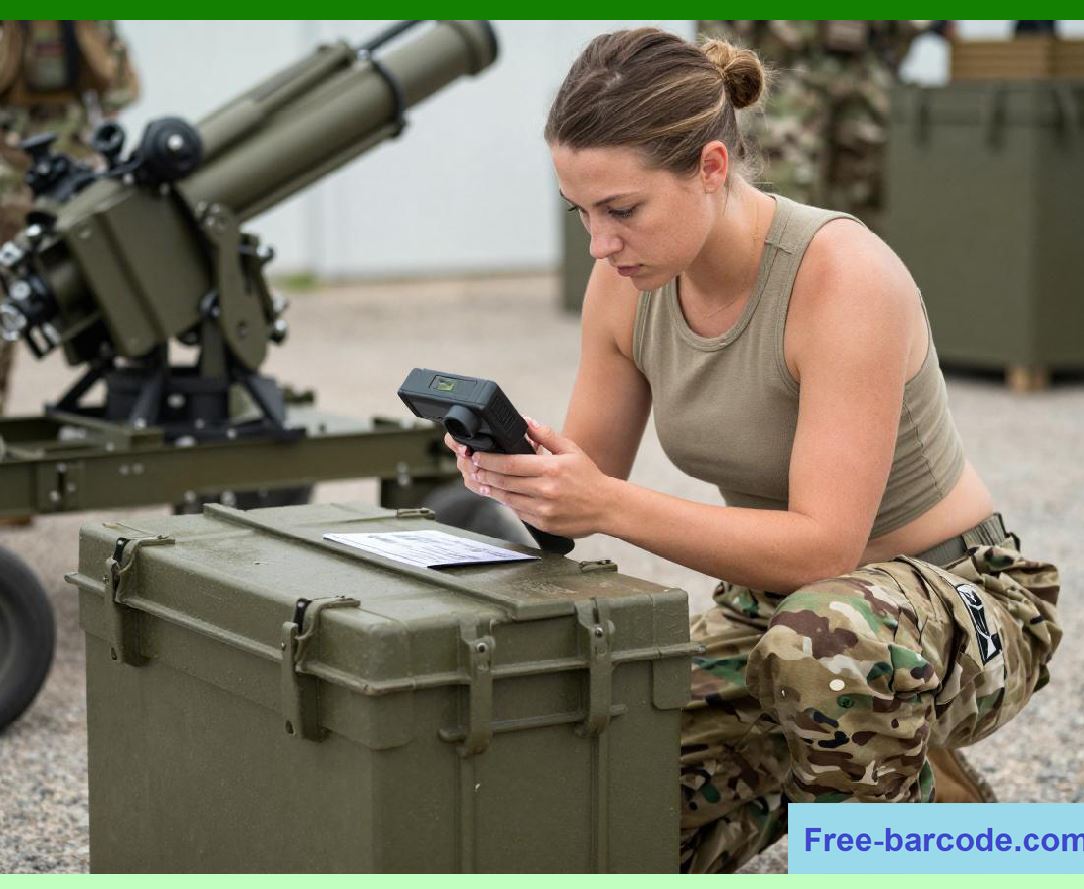
Military and Defense (LOGMARS): The US Department of Defense adopted Code 39 for its LOGMARS (Logistics Applications of Automated Marking and Reading Symbols) standard . Here, the code's ability to encode alphanumeric serial numbers was invaluable for tracking millions of pieces of military equipment, from individual small arms to massive vehicle parts. |
Automotive Industry (AIAG): The Automotive Industry Action Group standardized on Code 39 for labeling parts and components moving through the supply chain . The variable length allowed the encoding of detailed part numbers, and its widespread compatibility across different suppliers' scanning systems ensured interoperability. |
Healthcare and Medical Devices (HIBCC): The Health Industry Business Communications Council established standards using Code 39 for labeling medical products for patient safety and unique device identification . Despite its limitations, the established Code 39 was used to track critical medical supplies, blood samples, and patient records. |
In these environments, Code 39 was the 'good enough' solution. It was cheap, easy to print, and provided a universal language for parts and products. |

|
Limitations: The Fragile Foundation |
Despite its virtues, Code 39's technical quirks made it highly susceptible to the harshness of the very environments it was meant to serve. |
Low Data Density: Code 39 is a low-density barcode. Each character takes up a significant amount of horizontal space. To encode a long part number, the label had to be very long, making it difficult to print in small spaces and more susceptible to damage . |
Lack of Robust Error Correction: While self-checking prevents the decoding of invalid characters, it does not provide a mechanism to reconstruct a character that has been partially obscured or damaged. A simple scratch across a bar can change its width measurement, making the pattern invalid. Unlike later 2D codes, Code 39 has no ability to fill in the missing data . If a portion of the code is physically destroyed, the entire scan can fail. |
Vulnerability to Environmental Damage: The printed nature of Code 39 meant it was at the mercy of the environment. In factories, oil and grease could obscure the contrast between bars and spaces. In outdoor logistics, UV radiation could fade the ink, and moisture could cause the label to bubble or peel . This was not a hypothetical problem. In many industrial settings, a Code 39 label on a reusable tote or a pallet would degrade to a 50% failure rate within months, costing companies thousands of dollars in lost time and replacement labor . |

|
3. The Consequences of Failure: Real-World Costs |
The fragility of 1D barcodes had significant financial and operational consequences, pushing industries to seek more reliable solutions. The failure of a label meant more than just an inconvenience; it often triggered a cascade of costly problems. |
The Automotive Industry: The Cost of a Failed Read |
In automotive manufacturing, production lines move with relentless precision. In a facility like ETO Magnetic GmbH, which produces millions of defect-free parts for the automotive industry, the traceability of each component is paramount. They used 2D Data Matrix codes etched or dot-peened directly onto metal components. |
However, the production process itself can be the enemy of the code. Metal parts are thermally and mechanically distorted, and the dot-peening process can result in inconsistent impression depths. In the past, this damage led to failure rates as high as 4% when using standard code readers . In a plant handling millions of parts, a 4% failure rate meant tens of thousands of parts were treated as rejects simply because their identification code could not be read. This was not a quality issue with the part but a data capture issue. The cost was enormous in wasted material, lost production time, and the need for manual intervention to track the 'unreadable' parts . |
Logistics and Warehousing: When Labels Fail |
In logistics and warehousing, the humble asset tag is the backbone of the entire tracking system. Facilities Dive highlights a common scenario: a facilities manager specifies durable asset tags, but a purchasing department opts for a cheaper alternative. Soon, barcodes won't scan, labels are missing, and the entire tracking system falls apart . |
A specific example involves a hotel fire hose reel. This safety-critical asset was tagged for inspection. But the label was printed on an inkjet printer, making it vulnerable to moisture. The adhesive was already failing, and in the event of a fire, the label would be destroyed within minutes, making maintenance records unreliable . The cost savings of a few cents per label were far outweighed by the potential risk to life and the liability of non-compliance. |
Another real-world case study comes from a transmission parts wholesaler, Whatever It Takes Transmission Parts (WIT). They used a barcode system to track totes moving through their pick-and-pack process. The labels on the totes were constantly exposed to dirt, grime, and metal dust. Initially, the read rate was about 1 failure per 100 totes. But after six months, the failure rate jumped to 50% . This meant that every other tote had to be pulled off the conveyor and manually processed, a significant labor cost. The company also struggled with barcode scanners being knocked out of alignment by the conveyor system's vibrations. They eventually abandoned barcodes entirely and switched to a robust RFID system . |

|
4. The Evolutionary Pressure: Moving Beyond Simple Checksums |
The 'scratches and tears' problem created a powerful evolutionary pressure on the automatic identification industry. It was clear that simply adding a check digit to a fragile linear code was not enough. The industry needed a fundamental shift in how data was encoded to survive the real world. |
The Shift from Codes to Images |
The first major step away from fragility was the adoption of 2D (two-dimensional) barcodes. Unlike their 1D predecessors, 2D codes store information both horizontally and vertically. This allows them to pack significantly more data into a much smaller physical space . |
More importantly for the issue of error correction, 2D barcodes introduced redundancy. They were no longer just data; they were an image. The most significant innovation here was the introduction of algorithms like Reed-Solomon error correction . This technology allows the code to include 'check' information that can be used to reconstruct the original data even if a portion of the physical code is damaged, covered, or destroyed. |
The RFID Alternative: The Ultimate Error Correction |
For some environments, even the best error correction algorithm in a printed code was not enough. In situations where labels could be completely destroyed, or where a line of sight between the reader and the code was impossible, Radio Frequency Identification (RFID) emerged as the ultimate solution . |
RFID tags use radio waves to transmit data. They require no visual contact, so they can be buried inside a product, under a layer of paint, or covered in grime and still function perfectly . Instead of correcting reading errors caused by a damaged label, RFID eliminates the source of the error: the physical printed label itself. |
Durability in the Real World: The WIT transmission parts case is a perfect illustration. By switching to passive UHF RFID tags, the company eliminated the maintenance and labor costs associated with replacing dead barcode labels and fixing misaligned scanners. The read rate went from an unreliable 50% failure rate to a consistent 100% . |
Data Storage: Unlike a barcode that often just points to a database, RFID tags can store data directly. This means production data, quality control results, and maintenance history can be written directly to the tag as it moves through a process, making the 'error correction' inherent to the system's design . |

|
5. Industry Applications: Error Correction in Action |
The need for reliable error correction has driven innovation across numerous industries. Here is a closer look at how different sectors have addressed the fragility of simple barcodes. |
Automotive Manufacturing |
The automotive industry is a trailblazer in traceability. Every part, from the smallest screw to a complete engine block, must be tracked to ensure quality and enable recalls. |
The Legacy: The industry was an early adopter of Code 39, standardized by the AIAG (Automotive Industry Action Group) . They used these labels for work-in-progress tracking, painting, and assembly. |
The Fragility: The paint shops, welding stations, and conveyor systems in a factory are brutal on labels. Oil, heat, and impacts would quickly render Code 39 labels unreadable. Moreover, the long codes needed to represent complex part numbers often required excessively long labels, which were even more prone to damage . |
The Correction: The industry has largely shifted to 2D Data Matrix codes, often directly marked onto metal parts using dot-peen or laser etching . While these codes are still subject to physical damage (like being distorted by the stamping process), their Reed-Solomon error correction allows them to be read even when up to a significant percentage of the code is destroyed. The ETO Magnetic case study highlights this: using advanced vision systems, they reduced their failure rate from 4% to nearly zero, saving millions of dollars in rejects . |
RFID Integration: In many assembly plants, RFID is used for the most critical tracking. RFID tags on car bodies or paint skids can survive the harshest conditions, including high-temperature paint ovens, without failing . |

|
Healthcare and Pharmaceuticals |
In healthcare, the accuracy of medication administration and medical device tracking can be a matter of life or death. Error correction is not just about efficiency; it is about patient safety. |
The Legacy: The healthcare industry standardized on Code 39 for various applications through the Health Industry Business Communications Council (HIBCC) . It was used on patient wristbands, blood bags, and early medical devices. |
The Fragility: Patient wristbands made of paper with Code 39 labels were prone to smudging, tearing, or being covered in blood or cleaning solutions, making them unscannable. This leads to a direct risk of the 'wrong patient, wrong drug' error. |
The Correction: The healthcare sector has been aggressive in adopting 2D barcodes, primarily Data Matrix and PDF417, which are used on medication packaging, implants, and patient wristbands to comply with UDI (Unique Device Identification) regulations. The error correction in these codes ensures that even if a portion of the label on a bent or smudged blister pack is unreadable, the medication can still be correctly identified . |
Security: The pharmaceutical industry has gone a step further to combat counterfeiting. Using specialized, luminescent inks, they print tamper-proof, encrypted codes directly onto products like blister packs or bottle caps. These marks must withstand 'harsh' conditions like condensation from cold-filled beverages and still be 'readable' by machine vision cameras long after the product leaves the factory . |

|
Defense and Logistics |
For organizations like the US Department of Defense, the supply chain is global and often hostile. A tracking system that fails in the desert or at sea is a national security concern. |
The Legacy: Code 39 was the foundation of the military's LOGMARS system, which mandated its use on millions of shipments . For the first time, the DoD could track ammunition, food, and spare parts electronically. |
The Fragility: LOGMARS labels were often just paper or low-grade plastic. In a shipping container crossing an ocean, a single tear could mean a pallet of critical supplies arriving at a base with no way to digitally identify what was inside, forcing a time-consuming manual inventory. |
The Correction: The DoD has long since moved to more robust solutions, incorporating 2D barcodes that can survive the rigors of military logistics. Furthermore, the military was an early adopter of RFID to create 'intelligent supply chains.' RFID tags on shipping containers allow a convoy to roll past a checkpoint, automatically identifying all cargo in seconds without anyone needing to step out of the vehicle or clean a label in the mud . |

|
Electronics Manufacturing |
The miniaturization of electronics presents a unique challenge: how to track tiny components. |
The Challenge: A classic Code 39 label is far too large to fit on a surface-mount capacitor or a microchip. The low data density that makes Code 39 readable on a box makes it impossible to use on a circuit board . |
The Correction: 2D matrix codes, with their high data density and error correction, are the only viable option. These tiny squares, often no bigger than a pinhead, are laser-etched directly onto the silicon or circuit board. Even if the code is partially damaged during the pick-and-place process, the internal error correction ensures the part can be identified . |

|
6. Detailed Summary |
The journey from the first barcode scans to the advanced identification systems of today is a chronicle of the struggle against the physical world. The simple, elegant design of 1D barcodes, exemplified by Code 39, solved the problem of encoding identification numbers but introduced a new problem: fragility. |
The Code 39 Era: A Workhorse with a Critical Weakness |
Code 39 became the standard for non-retail industries due to its simplicity, alphanumeric encoding, and self-checking ability . However, its low data density and lack of robust error correction made it a liability in harsh environments. A single scratch or a torn label could ruin an entire scan, causing costly disruptions in automotive assembly lines, healthcare facilities, and military supply chains . The technical characteristics that made Code 39 accessible (simple wide/narrow bar ratios) were the same ones that made it fragile. |
From Checksums to Redundancy: The 2D Revolution |
The need to overcome this fragility drove the development of 2D barcodes. By moving away from simple checksums to powerful error correction algorithms like Reed-Solomon, 2D codes can reconstruct data even when a portion of the code is physically destroyed . This has enabled their widespread adoption in industries where code damage is inevitable. The shift from 'reading a code' to 'imaging a symbol' represents a fundamental leap in reliability. |
The Rise of Contactless Durability: RFID |
For the most demanding environments where printed labels could not survive, RFID provided a radical alternative. By eliminating the need for a visual line of sight and a printed substrate, RFID offers a level of resilience that error correction algorithms cannot match . The case of WIT Transmission Parts, where failure rates dropped from 50% to 0% after switching to RFID, illustrates the transformative power of this technology . |
From Cost to Compliance: A Universal Drive |
Across all sectors, the drive for better error correction has been spurred by more than just efficiency. It is driven by safety, compliance, and profit. In automotive, unreadable codes translate directly to scrapped parts . In healthcare, they present a risk to patient safety . In logistics, they represent lost time and hidden labor costs . In defense, they are a mission-critical requirement . |
|
The Future: The Hybrid Paradigm |
Today, no single technology is the answer. The most effective systems blend them: 1D barcodes for low-risk, low-cost applications; 2D barcodes for high-data and error-resistant needs; and RFID for ultimate durability and automation. The 'future of machine vision' lies in intelligent software that can handle all these formats, applying sophisticated algorithms to decode even the most damaged images and choosing the right sensor technology for the right task. The need for error correction has not been eliminated; it has been integrated into the very fabric of modern identification, making our systems more resilient, our data more reliable, and our businesses more efficient than ever before. |
 cs@easiersoft.com