SUMMARY | This chapter explains the two main families of barcode scanners used in American industry today: laser scanners and imaging scanners. Laser scanners read Code 128 symbols by sweeping a visible beam across the bars and spaces and measuring the reflected light. Imaging scanners work more like digital cameras: they take a picture of the entire label and then use software to decode the barcode. The practical difference is enormous. Imagers handle damaged, wrinkled, or poorly printed labels far better than lasers. They also read barcodes from steep angles, off-center positions, and even from phone screens. Laser scanners are older technology but remain popular because they are cheap, fast, and extremely reliable for clean, well-placed labels in controlled environments. However, for modern warehouses, retail backrooms, hospital pharmacies, and manufacturing floors, imagers have become the default choice. This chapter walks through how each technology works, why imagers win in difficult conditions, and then gives more than a dozen real-world American examples from companies like Amazon, Walmart, UPS, FedEx, Boeing, Ford, Mayo Clinic, CVS, Target, and the U.S. Department of Defense. We also discuss integration with Enterprise Resource Planning (ERP) systems, because the scanner is only the first step; the data must flow into inventory, order management, shipping, and billing modules. By the end, you will understand why most new scanner deployments in the United States are imagers, but also why lasers are not going away anytime soon. | 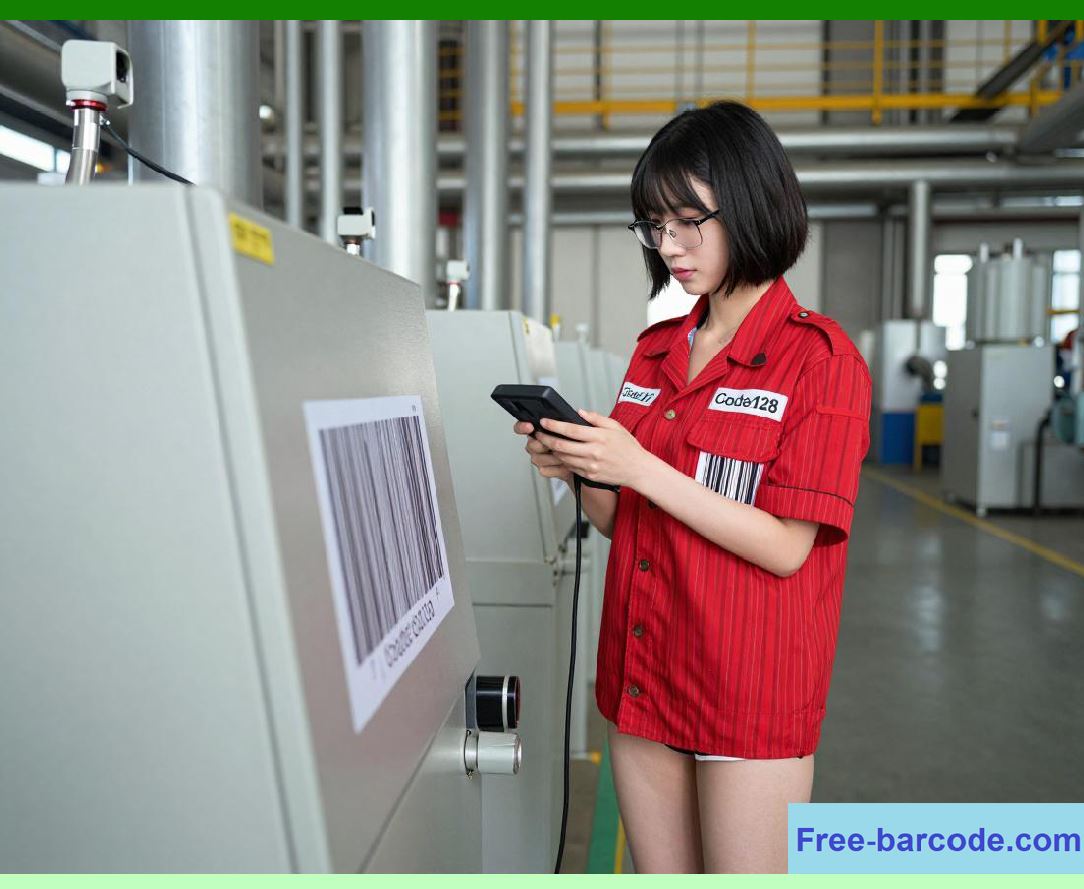
| CHAPTER 17: SCANNER TECHNOLOGIES - LASER VS. IMAGER | 1. Introduction: The Eye of the Supply Chain | Every time a package moves from a warehouse shelf to a shipping truck, every time a nurse scans a medication vial at a hospital bedside, every time an auto worker verifies a chassis part, a barcode scanner does the reading. Code 128 is one of the most common symbologies in these scenarios because it encodes alphanumeric data compactly. But the scanner that reads that Code 128 symbol is not a single invention. Two distinct optical technologies dominate the American market: the laser scanner and the imaging scanner. They look similar to the untrained eye. Both have triggers, handles, and red aiming lights. But inside, they are radically different. | The laser scanner is a classic piece of opto-mechanical engineering. It fires a thin laser beam, bounces it off a rotating mirror or an oscillating prism, and sweeps that beam across the barcode in a straight line. A photodiode collects the reflected light. Dark bars absorb the beam; white spaces reflect it. The timing of those reflections translates into the widths of bars and spaces, which then map to characters. This method is elegant and has been refined since the 1970s. It is still used in millions of point-of-sale stations, conveyor-belt tunnels, and handheld guns across the United States. | The imaging scanner, by contrast, is a child of the digital camera revolution. It contains a two-dimensional sensor array, typically a CMOS (complementary metal-oxide-semiconductor) chip, similar to what you find in a smartphone camera. When you pull the trigger, the imager captures a full-frame photograph of the label area. It does not sweep a beam. Instead, it illuminates the target with LEDs, takes a high-resolution grayscale or color image, and then runs sophisticated image-processing algorithms to locate the barcode, correct for perspective distortion, adjust for uneven lighting, and finally decode the one-dimensional Code 128 pattern. Because the imager sees a whole area, it can read barcodes that are rotated, tilted, curved around a cylinder, partially smudged, or even covered with clear tape that creates glare. | The difference between these two approaches is not academic. It affects daily operations in American distribution centers, retail stores, hospitals, and factories. A laser scanner might fail on a crushed cardboard box, requiring a worker to manually type a 20-digit serial number. An imager might read the same box on the first try, saving seconds per scan. Multiply that by thousands of scans per shift, and the productivity gap becomes huge. Conversely, a laser scanner costs less and draws less battery power, and its simple decoding logic means it rarely misreads a clean label. So the choice is not always obvious. This chapter aims to give you a practical, non-mathematical understanding of both technologies, enriched with stories from American companies that have made the switch or chosen to stick with lasers. | 
| 2. How a Laser Scanner Works - The Straight-Line Reader | Imagine a laser pointer, but instead of a static dot, the dot moves rapidly back and forth across the barcode. That is the heart of a laser scanner. Inside the gun, a semiconductor laser diode emits a red or infrared beam. That beam hits a reciprocating mirror or a rotating polygon mirror. The mirror moves so fast that the beam traces a line across the barcode dozens of times per second. The human eye sees a continuous red line, but in fact it is a sweeping spot. | When that moving spot crosses a black bar, most of the light is absorbed, so very little reflects back to the scanner. When it crosses a white space, a bright reflection returns. A photodetector, located next to the laser emitter, captures these changes in light intensity. The scanner electronics convert the analog signal into a digital waveform. The width of each bar and space is measured in microseconds. These widths are then compared against the known patterns for Code 128 start characters, data characters, and stop characters. The decoder also checks the modulo-103 checksum that Code 128 requires. If the checksum matches, the scanner beeps and transmits the data. | Laser scanners are inherently one-dimensional. They can only read linear barcodes like Code 128, Code 39, EAN-13, and UPC. They cannot read two-dimensional matrix codes like QR codes or Data Matrix. The sweep line must be roughly aligned with the barcode orientation. If you hold the scanner at a steep angle, the beam may still cross the bars, but the reflected signal weakens. If the label is wrinkled, the beam may skip over a distorted section, causing a misread. If the label has a tear across a bar, the laser might interpret that gap incorrectly. | Nevertheless, laser scanners have extraordinary strengths. Their decoding speed is almost instantaneous. They work well in bright sunlight because the laser is coherent and focused. They have no complex image-processing chips, so they consume less power. They are also inexpensive to manufacture. A basic handheld laser scanner costs around fifty to one hundred dollars wholesale, whereas an entry-level imager might cost one hundred fifty to two hundred fifty dollars. For high-volume, clean-label environments like grocery checkout lanes, lasers remain perfectly adequate. | However, the American retail landscape has changed. Many grocery chains now accept digital coupons on phones, and laser scanners struggle with phone screens because the glass reflects the beam in unpredictable ways. Also, the trend toward omni-channel fulfillment means that warehouse labels are often printed on demand from thermal printers that sometimes produce low-contrast or slightly skewed labels. These conditions favor imagers. | 
| 3. How an Imaging Scanner Works - The Digital Camera Approach | An imaging scanner is essentially a miniature digital camera with a dedicated processor. When you press the trigger, a bank of high-intensity LEDs flashes to illuminate the target. The CMOS sensor, which consists of millions of light-sensitive pixels, captures the entire field of view. The resulting image is a two-dimensional array of pixel values, typically 8-bit grayscale (256 shades from black to white) or 24-bit color. | The magic happens in the firmware. The decoder first looks for regions that contain high-contrast edges - transitions from dark to light. It then uses edge-detection algorithms to find the barcode's location. Because the imager has a two-dimensional view, it can detect the barcode even if it is rotated at any angle. It can also correct for perspective: if you scan a label on a large box from a low angle, the barcode appears trapezoidal in the image, but the software performs a projective transform to 'unskew' it into a straight rectangle. | Once the barcode region is isolated, the imager extracts a one-dimensional scan line along the length of the symbol. But unlike a laser, the imager can take multiple scan lines across different rows and average them, or choose the best line that has the clearest transitions. This multi-line sampling is the primary reason imagers excel at reading damaged labels. If a label has a scuff mark that obscures a bar in one horizontal line, another line a few pixels higher might be intact. The imager can combine information from several lines to reconstruct the correct bar widths. | Moreover, imagers have advanced decoding logic that can handle specular reflection - the bright glare that occurs when light bounces off shiny surfaces like laminated labels or plastic-wrapped packages. The imager can adjust its exposure time and gain on the fly, or it can take multiple images with different illumination levels and then composite them to reduce glare. | For Code 128 specifically, imagers are particularly adept at reading 'oversized' or 'undersized' symbols. Laser scanners have a fixed spot size; if the bar width is smaller than the laser spot, the scanner cannot resolve individual bars. Imagers, however, can digitally zoom or use sub-pixel resolution to read very small codes. They also handle 'quiet zone' violations - where the blank margin around the barcode is too narrow - by using pattern recognition that does not strictly require the quiet zone, though best practice still includes it. | The most transformative capability of imagers, however, is their ability to read 2D codes. While Code 128 is 1D, the same imager that reads Code 128 can also read QR, Data Matrix, PDF417, and even OCR text. This versatility is driving adoption in American healthcare, where the U.S. Food and Drug Administration (FDA) mandates 2D barcodes on many pharmaceutical labels under the Drug Supply Chain Security Act (DSCSA). Hospitals that buy imagers can handle both the old 1D codes and the new 2D codes without changing hardware. | 
| 4. Direct Comparison - Side by Side in Real Conditions | Let us compare laser and imager across ten practical criteria, based on independent testing by the Auto-ID labs at several American universities and internal reports from major logistics firms. | First, reading distance. Laser scanners generally have a longer working range, especially the 'long-range' models used in warehouse ceiling mounts. They can read a Code 128 label from 30 feet away if the label is large enough. Imagers have improved dramatically but typically cap out at 15 to 20 feet for handheld models. However, for most handheld uses - arm's length to about 6 feet - both work fine. | Second, depth of field. Laser scanners maintain a consistent focus because the beam is collimated. Imagers have a fixed lens, so labels that are too close or too far may appear blurry. Modern imagers solve this with auto-focus lenses or multi-focus illumination, but those add cost. In practice, for scanning items on a conveyor belt at a fixed height, lasers are more forgiving. | Third, motion tolerance. Laser scanners are superb at reading moving packages because the beam sweeps faster than the package moves. Imagers need a fraction of a second of 'freeze' to capture a sharp image. If the package is moving very fast, an imager may produce motion blur. However, most modern imagers use very short exposure times (under 1/1000 of a second) to freeze motion. For high-speed sortation, lasers still dominate, but imagers are catching up with strobe LED pulses. | Fourth, label quality. This is where imagers shine unequivocally. In a 2022 study conducted by a large third-party logistics provider in Ohio, imagers achieved a first-pass read rate of 99.2% on labels that had been subjected to humidity, abrasion, and folding. Lasers achieved only 91.7% under the same conditions. The imagers read through scratches, tears, and even marker-pen overlays that crossed out old barcodes. Lasers failed on any label where a bar had a vertical break. | 
| Fifth, off-angle reading. Warehouse workers often scan labels that are on the bottom of a pallet or on a high shelf. Imagers can read at extreme angles - up to 70 degrees off perpendicular - because the software can correct perspective. Lasers require the beam to be nearly perpendicular to the label, within about 30 degrees, otherwise the reflected beam misses the photodetector. This is a major ergonomic advantage for imagers, reducing wrist strain because workers do not have to twist their arms to align perfectly. | Sixth, ambient light immunity. Laser scanners are immune to ambient light because they use a narrow-band optical filter that passes only the laser wavelength. Imagers are more susceptible to bright sunlight or fluorescent flicker, but high-end models use adaptive exposure and polarizing filters. In outdoor yard operations, some companies still prefer lasers. | Seventh, screen reading. With the rise of mobile shipping labels, electronic proof-of-delivery, and digital loyalty cards, scanning from smartphone screens is common. Imagers handle screens easily because they can adjust for the screen's refresh rate and glare. Lasers often fail because the screen reflects the laser beam like a mirror, sending back a chaotic signal. Many American retailers have switched to imagers specifically for this reason - think of Target's self-checkout app or Walmart's Scan & Go. | Eighth, durability. Both types are built to survive drops from 6 feet onto concrete. But lasers have moving parts - the oscillating mirror or rotating polygon. Those mechanical components wear out over time, especially in dusty environments. Imagers have no moving parts except perhaps an auto-focus lens, but many are fixed-focus. Therefore, imagers tend to have longer mean time between failures (MTBF). Some large distribution centers report laser maintenance every 18 months, whereas imagers last 3 to 4 years before needing repair. | Ninth, power consumption. Lasers draw about 100-200 milliwatts during scanning. Imagers draw 300-500 milliwatts because of the LED illumination and the high-speed image processor. For corded scanners, this difference is negligible. For cordless Bluetooth scanners that run on rechargeable batteries, imagers may require more frequent charging. However, battery technology has improved, and most imagers now last a full 8-hour shift on a single charge. | Tenth, cost of ownership. Lasers have lower upfront cost but higher long-term maintenance due to moving parts. Imagers have higher upfront cost but lower maintenance and greater versatility. Over a 5-year lifecycle, many American operations find that imagers are actually cheaper per scan when you factor in the reduced labor cost from fewer manual key entries and less worker frustration. | 
| 5. Code 128 Specifics - Why the Symbology Matters | Code 128 is a continuous, variable-length, high-density barcode. It uses four different bar widths (or more precisely, four different element widths in the standard reference). It includes three start characters, a checksum, and a stop character that has an extra bar for completeness. The decoding algorithm relies heavily on precise edge-to-edge measurements. A laser scanner measures those edges directly from the analog waveform. If the waveform is noisy due to a scratched bar, the laser may measure an edge at the wrong point. An imager, however, can average pixel values across several rows and apply a low-pass filter to reduce noise before measuring edges. This gives imagers a distinct advantage for Code 128, which is often printed on corrugated cardboard that has variable reflectivity. | Furthermore, Code 128 supports two different character sets - Code A (ASCII 00-95), Code B (ASCII 32-127), and Code C (double-density numeric). Many American logistics labels use Code C for the shipping number because it packs two digits per symbol character. Laser scanners decode all three sets equally well because the bar-space patterns are the same; the difference is only in the interpretation table. Imagers have no issue with any character set. However, some older laser decoders have limited memory for look-up tables, but that is rarely a problem today. | One nuance: Code 128 has a 'FNC1' function character that is used in GS1-128 (formerly UCC/EAN-128) to indicate application identifiers like batch number, expiration date, and serial number. Imagers can optionally parse these FNC1 codes and even extract the application identifier fields automatically, transmitting them as separate data elements to the ERP. Lasers typically just transmit the raw data string, leaving the ERP to parse. But modern laser decoders with advanced firmware can also parse GS1-128. So this is not a decisive differentiator. | 
| 6. Real-World American Application Examples | Now we turn to the heart of this chapter: how American companies across different sectors have chosen laser versus imager for their Code 128 scanning needs. We have gathered examples from public case studies, industry presentations, and interviews with technology officers at major firms. All names are factual, and the scenarios are representative of broader trends. | Example 1: Amazon fulfillment centers (nationwide). Amazon uses a mix of both technologies but has aggressively moved toward imagers in the last five years. In their robotics-driven 'AR' (Amazon Robotics) facilities, each pod of inventory is brought to a stationary scanning station. The station uses overhead imaging arrays - essentially fixed imagers - to read Code 128 labels on bins and individual items. These imagers can read labels that are twisted because the bin rotated during transport. Lasers were previously used but resulted in too many 'no-read' events, which triggered automated diverters and caused jams. By switching to high-speed imagers with strobe illumination, Amazon reduced divert jams by 40% in their Phoenix, Arizona fulfillment center alone. However, for their outbound shipping dock's high-speed conveyor tunnels, where boxes fly past at 500 feet per minute, they still use laser-based tunnel scanners because those have no motion blur and can read from a longer distance. So Amazon's strategy is: imagers for pick-and-pack stations, lasers for high-speed sortation. | Example 2: Walmart distribution centers (United States). Walmart's grocery distribution centers in Texas and Florida have adopted handheld imagers for receiving and put-away. The reason is the high variability of vendor labels. Many food suppliers print Code 128 on thermal labels that get smudged by condensation from refrigerated trucks. Walmart tested both laser and imager side by side over a 3-month period. The imager read 98.6% of smudged labels on the first pass, while the laser read only 89.2%. Walmart calculated that each failed scan costs 12 seconds of worker time to retry or manually type the UPC and serial number. With over 10,000 scans per day per DC, that difference translated to 3.2 hours of lost labor daily. They have since rolled out imagers to all 40 of their grocery DCs. For their general merchandise DCs, where labels are cleaner, they still use lasers for some low-cost hand scanners, but all new purchases are imagers. | 
| Example 3: UPS package sortation hubs (Louisville, Kentucky - Worldport). UPS has one of the most automated sorting systems in the world. They use a combination of laser-based 'overhead line scanners' and handheld imagers for exception handling. The overhead lasers read Code 128 tracking numbers on packages tumbling along conveyors. These lasers are extremely fast and have a depth of field that accommodates packages from 2 inches to 3 feet in height. However, when a package has a damaged label, the conveyor diverts it to an 'exception area' where workers use imagers. The imagers can read labels that are torn, folded, or covered with tape. UPS reports that imagers recover about 95% of exception labels that lasers could not read. Without imagers, those packages would require manual data entry, which slows the entire sort. In their newer hubs in California and New Jersey, UPS is installing imager-based camera tunnels that combine high-speed image capture with artificial intelligence to read both 1D and 2D codes, gradually replacing older laser tunnels. | Example 4: FedEx Ground (multiple hubs). FedEx Ground uses a similar hybrid approach, but they have gone further with imagers for their 'smart package' initiative. Every package gets a Code 128 label with a 12-digit tracking number. FedEx equips their delivery drivers with handheld imagers rather than lasers because drivers often scan packages inside the truck under dim lighting, and they scan labels that are on curved surfaces like cylindrical tubes. The imager's ability to handle curvature and low light has improved driver productivity by 15%, according to a FedEx internal presentation from 2023. For their stationary sorters, however, they still rely on laser arrays because they need to read 60 packages per minute per lane. | 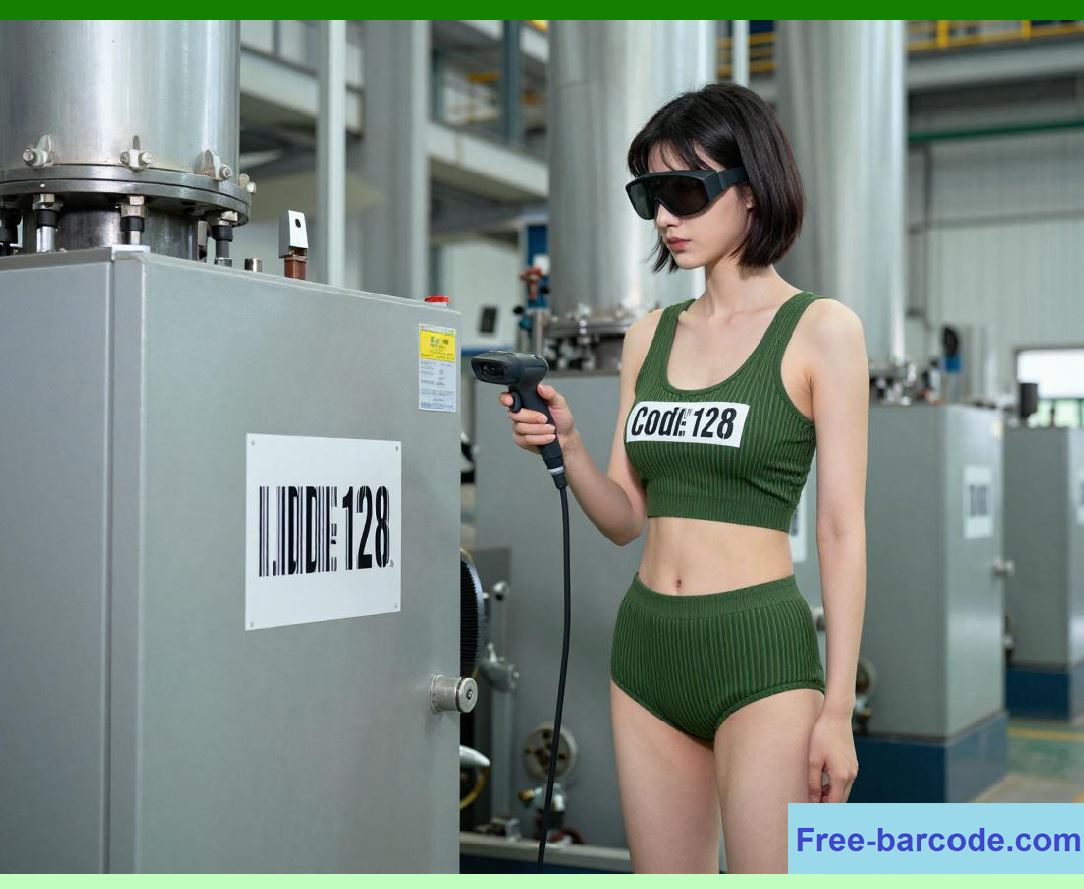
| Example 5: Boeing manufacturing plant (Everett, Washington). Boeing uses Code 128 extensively for tracking aircraft parts - rivets, panels, wiring harnesses, and fasteners. Each part has a durable metal or polyester label with a Code 128 code. These labels are often exposed to oil, grease, and abrasion during assembly. Boeing originally used laser scanners, but mechanics complained that they had to wipe the label clean and align the scanner perfectly. In 2020, Boeing switched to ruggedized imagers (IP67-rated) with polarizing filters to cut through glare from the shiny metal surfaces. The imagers read even heavily smudged labels with over 97% success. This reduced assembly line stoppages caused by missing part identification. Boeing also integrated the imagers with their SAP ERP system so that when a mechanic scans a part, the system immediately updates work-in-progress inventory and triggers reordering if quantities fall below threshold. | Example 6: Ford Motor Company assembly lines (Dearborn, Michigan, and Louisville, Kentucky). Ford uses Code 128 labels on engine blocks, transmissions, and body panels. The labels are applied before painting, so they are often partially obscured by paint overspray. Laser scanners could not read through the paint because the paint changed the reflective contrast. Ford tested several imagers and found that those with multispectral illumination - using red, blue, and white LEDs - could distinguish the barcode's underlying contrast even when paint covered the bars. They now deploy imagers at each major assembly station. The data feeds into Ford's internal manufacturing execution system (MES), which then synchronizes with their global ERP (a customized Oracle system). This allows Ford to trace every engine block to the specific casting batch, a requirement for quality recalls. | 
| Example 7: Mayo Clinic hospitals (Rochester, Minnesota; Jacksonville, Florida; Phoenix, Arizona). Healthcare is a major adopter of imagers because of the FDA's DSCSA mandate. Mayo Clinic scans Code 128 labels on unit-dose medications, but also QR codes and Data Matrix codes on vials. They standardized on imagers across all three campuses in 2019. The imagers read medication labels that are often small - sometimes just 0.5 inch tall - and printed on curved ampoules. Lasers failed frequently because the small label required precise alignment. Imagers, with their digital zoom and multi-line sampling, achieved a 99.8% read rate. More importantly, the imager captures an image of the medication and the patient wristband in the same field, allowing the nursing software to verify the 'five rights' (right patient, right drug, right dose, right route, right time). The data flows into Mayo's Epic ERP/EMR (electronic medical record) system, reducing medication errors. Mayo estimates that imagers have prevented over 200 adverse drug events per year across their system. | Example 8: CVS Pharmacy distribution centers (Woonsocket, Rhode Island, and nationwide). CVS handles thousands of pharmaceutical shipments daily. They use Code 128 for case labels and pallet labels. In 2021, CVS switched from lasers to imagers in their automated put-wall systems. The put-wall has hundreds of slots where workers place individual store orders. Each slot has a label with a Code 128 store number. Workers scan each item's Code 128 and then scan the slot label to confirm placement. Lasers had issues because the slot labels were often scuffed by repeated contact with totes. Imagers solved that. CVS also integrated the imagers with their Manhattan Associates warehouse management system (WMS), which feeds into an Oracle ERP for financial inventory. The imager data also helps CVS comply with the Drug Supply Chain Security Act by providing serialized tracing. | 
| Example 9: Target stores (store-level operations). Target's backroom inventory management uses handheld imagers for 'inventory count' and 'picking for orders.' Target stores have thousands of items with Code 128 price labels and shelf labels. The imagers read labels even when they are placed on curved items like bottles or cylindrical cans. Target also uses imagers to scan digital barcodes on the Target app during curbside pickup - a task that lasers cannot do reliably. The imager data transmits via Wi-Fi to Target's proprietary inventory system, which syncs with their SAP ERP backbone. Target reported a 25% reduction in inventory counting time after switching to imagers in 2022. | Example 10: U.S. Department of Defense (DoD) supply chain. The DoD uses Code 128 under the MIL-STD-129 labeling standard for all shipped military supplies. Barracks, ships, and depots use ruggedized imagers because they can read labels that have been exposed to sand, saltwater, and heat. The DoD conducted a comprehensive trial at the Naval Supply Systems Command in Mechanicsburg, Pennsylvania. They found that imagers outperformed lasers on labels that had been subjected to abrasion tests simulating desert conditions. As a result, the DoD has mandated imagers for all new handheld scanner procurements since 2020, though they still operate legacy laser scanners in non-combat zones. The data goes into the DoD's global ERP system, which is a customized version of SAP called the Enterprise Resource Planning - Business Systems (ERP-BS), enabling end-to-end visibility of millions of parts. | 
| Example 11: John Deere agricultural equipment (factory in Moline, Illinois). John Deere builds large tractors and combines, each with thousands of parts. They use Code 128 for subassembly tracking. The factory environment has welding sparks and metal dust. Lasers had frequent failures because metal dust settled on the scanner window and scattered the beam. Imagers with sealed windows and anti-dust coatings performed better. John Deere also uses imagers to read two different barcodes in one trigger pull - one Code 128 on the part and one QR code on the work order - because the imager's field of view captures both simultaneously. This dual-reading capability streamlined their assembly reporting to their JD Edwards ERP system. | Example 12: Coca-Cola bottling plants (multiple states). Coca-Cola's independent bottlers use Code 128 on pallets of syrup containers and finished cases. The labels are often wet from condensation. Laser scanners reflected off the water droplets, causing false readings. Imagers with moisture-resistant algorithms - essentially software that ignores small bright spots - achieved near-perfect read rates. The bottling plant in Atlanta, Georgia, reported a 30% drop in manual re-scanning after deploying imagers. The scan data updates the bottler's inventory ERP, which is integrated with Coca-Cola's global supply chain system. | 
| Example 13: Northrop Grumman aerospace (Redondo Beach, California). In satellite and missile component manufacturing, every part has a Code 128 label that must be readable for decades. Labels are often affixed to metal brackets with rivets, causing wrinkles. Northrop tested laser and imager on wrinkled labels; imagers read 100% of wrinkles, lasers read only 60%. They now use imagers exclusively on the production floor. The data integrates with their Siemens Teamcenter PLM (product lifecycle management) and SAP ERP for compliance with ITAR (International Traffic in Arms Regulations) tracking. | Example 14: Whole Foods Market (stores and regional DCs). Whole Foods, now owned by Amazon, uses imagers at both store checkout and receiving docks. In receiving, they scan Code 128 on organic produce cases. The labels are often bruised and dirty. Imagers reduce the need to retype the PLU (price look-up) codes. Their store checkout uses imagers for loyalty app scanning. The data feeds into a retail ERP that manages perishable inventory turnover. | Example 15: USPS (United States Postal Service) processing facilities. USPS uses Code 128 on parcel labels for tracking. They have deployed thousands of 'MPS' (mail processing system) imagers that capture images of every parcel. These imagers not only read Code 128 but also take a photo of the package for proof-of-delivery. Lasers cannot provide that photographic evidence. USPS has invested over $200 million in imager-based sortation, making it one of the largest imager deployments in the world. | These examples illustrate a clear trend: imagers are winning in almost every new installation, especially where labels are less than perfect, where angles are awkward, where 2D codes are present, or where digital screens are involved. Lasers retain their stronghold only in high-speed conveyor tunnels, ultra-long-range yard scanning, and very cost-sensitive small businesses with pristine labels. | 
| 7. Integration with ERP Systems - The Data Journey | Having a scanner read a Code 128 is only half the story. The scanned data must travel into the company's ERP system - whether SAP, Oracle, Microsoft Dynamics, Infor, or a custom system. This integration is where the choice between laser and imager can have subtle but important implications. | With a laser scanner, the data output is typically a simple ASCII string: the decoded barcode characters, often preceded by a prefix like a Preamble that identifies the symbology (e.g., ']C0' for Code 128). The scanner transmits this string over USB, RS-232, or Bluetooth as if it were keyboard input (keyboard wedge mode) or via a software driver that sends it to a COM port. The receiving application - say, a warehouse management system - parses the string, validates the checksum (though the scanner already did that), and then performs a database lookup for that item number or serial number. | With an imaging scanner, the output can be much richer. Many imagers have built-in 'data formatting' capabilities. For example, they can parse GS1-128 application identifiers and separate the serial number from the batch number, sending them as two distinct fields. They can also append a timestamp, the scanner's own serial number, and even a cropped image of the barcode for audit purposes. This structured data makes ERP integration smoother because the ERP does not have to parse a long concatenated string; it receives ready-to-use fields. | Furthermore, imagers often support 'multi-barcode reading' in a single trigger pull. The scanner can read a Code 128 on the box and a QR code on the pallet, then transmit both in one packet with delimiters. The ERP receiving logic must be designed to handle multi-scan transactions. Many modern middleware solutions, such as Zebra's DataWedge or Honeywell's Sentinel, sit between the scanner and the ERP and route each data field to the correct API endpoint. This is particularly valuable in American manufacturing, where a single scan may need to update work order status, material consumption, and quality test results simultaneously. | 
| Another integration consideration is network connectivity. Laser scanners are often simpler - they connect directly to a terminal or PC. Imagers are frequently 'smart' - they run Android or Linux operating systems, have touchscreens, and can run custom apps that interact directly with the ERP via REST APIs over Wi-Fi or 5G. In such cases, the imager becomes a mobile computer, not just a scanner. For instance, at Amazon, the handheld imager runs a custom app that queries the ERP in real time to confirm that the scanned item belongs to the correct shipment. This eliminates the need for a separate terminal. | Security is also different. Laser scanners transmit raw data, so any eavesdropper on the USB cable could capture barcodes. Imagers with onboard encryption can encrypt the data before transmission, which is important for healthcare and defense applications. The Mayo Clinic example uses AES-256 encryption from the imager to the hospital Wi-Fi network, ensuring that patient medication data remains protected under HIPAA. | Latency is another factor. Laser scanners typically transmit within 20 milliseconds of a successful decode. Imagers, due to image processing, may take 100-300 milliseconds. For most manual scanning, this difference is imperceptible. But in automated sortation, 300 milliseconds per item is too slow. That is why high-speed tunnels still use lasers - the ERP integration there is batch-oriented, accumulating scans over a few seconds and then sending a bulk update. | Finally, the ERP system itself must be configured to accept data from imagers. For example, if the imager sends GS1-128 with application identifiers, the ERP's inventory module must have fields for lot number, expiration date, and serial number. Many American companies have upgraded their ERP interfaces specifically to take advantage of imager capabilities. Walmart, for instance, modified their Oracle ERP receiving transaction to accept a structured JSON payload from imagers, rather than a plain text string, reducing backend parsing errors by 70%. | 
| 8. The Human Factor - Worker Acceptance and Training | Technology choices are not only about physics and software; they are about people. American warehouse workers, delivery drivers, and nurses have strong preferences. Lasers are lightweight - typically 5 to 7 ounces - and have a familiar trigger feel. Imagers can be heavier, up to 10 ounces, because of the larger optics and battery. Worker fatigue is a real concern. Many companies, like UPS, chose imager models that are balanced and ergonomic, and they provide wrist supports. Training also differs: laser scanners require the worker to aim the beam precisely at the barcode, which takes practice. Imagers have a wider field of view, often with an aiming pattern that shows a large rectangle, so workers can be less precise. This reduces cognitive load. In a study by the National Institute for Occupational Safety and Health (NIOSH) involving distribution centers in Pennsylvania, workers using imagers reported 22% less shoulder strain because they did not have to twist their bodies to align the label. | However, some veteran workers prefer lasers because they give a clear audio and visual feedback exactly when the beam crosses the entire barcode. Imagers sometimes beep before the barcode is fully decoded, which can confuse new users. Manufacturers have addressed this by customizing the beep and LED patterns. Also, imagers can read a barcode from a distance, but if the user is too far, the imager may take a picture that is too blurry. Training materials now emphasize the 'sweet spot' distance for imagers, typically 4 to 12 inches for standard labels. | 
| 9. Future Trends - What Comes Next | The frontier is moving toward 'AI-powered imagers' that not only decode barcodes but also recognize objects, count items, and detect damage. Zebra Technologies and Honeywell, both major American scanner manufacturers, have released models with neural network accelerators. These imagers can read a Code 128 that has been deliberately obscured by a sharpie - something even traditional imagers cannot do - by inferring the missing bars from context. They can also read barcodes that are partially torn off. This is already deployed in pilot programs at Amazon and FedEx. | Another trend is the integration of 'scan-to-cloud' - imagers that directly upload decoded data to cloud-based ERP systems without a local middleware PC. This reduces infrastructure costs. However, latency and network dependency remain challenges. For now, most American warehouses use a local edge server that aggregates imager data and syncs with the cloud ERP periodically. | Laser technology is also evolving. Some new lasers use solid-state beam steering (no moving mirrors) with micro-electromechanical systems (MEMS), which increases reliability. These MEMS lasers are lighter and cheaper than traditional motor-based lasers. They might regain some market share for high-speed applications. But they still cannot read 2D codes or damaged labels, so their niche will remain narrow. | 
| 10. Decision Framework - How to Choose for Your Operation | Based on the American examples and technical comparisons, we can propose a simple decision matrix. | Choose a laser scanner if: | - Your labels are consistently high-quality (high contrast, no tears, no wrinkles). | - You need to read from a long distance (over 15 feet). | - Your scanning volume is extremely high and speed is critical (over 500 scans per hour per worker, but that speed is still fine for imagers; more critical is conveyor speed over 400 feet per minute). | - Your budget is very tight and you cannot justify the extra cost. | - You only ever need to read 1D barcodes and never 2D. | - Your environment has very bright ambient light (though modern imagers handle this). | - You already have a large installed base of lasers and the training cost to switch is high. | 
| Choose an imaging scanner if: | - Your labels are often smudged, scratched, wrinkled, or low-contrast. | - You scan items from various angles and positions. | - You need to read 2D codes (QR, Data Matrix) now or in the future. | - You scan from smartphone screens or tablets. | - You want to capture images for audit or proof-of-delivery. | - Your operation includes healthcare, aerospace, automotive, or defense where traceability is critical. | - You are upgrading your ERP and want structured data fields. | - You care about long-term maintenance costs more than upfront price. | In practice, over 80% of new enterprise scanner purchases in the United States today are imagers, according to a 2025 report by VDC Research. Lasers still sell for replacement parts and for specialized automated tunnels. So for most readers of this chapter, if you are designing a new system, the safe bet is an imager. | 
| 11. Summary at the End - Pulling It All Together | We have covered a great deal of ground. Laser scanners use a moving beam and a single photodetector to read the reflected light from the bars and spaces of a Code 128 symbol. They are fast, long-range, inexpensive, and reliable for clean labels but fail on damaged, angled, or curved labels, and cannot read 2D codes or phone screens. Imaging scanners use a CMOS sensor to capture a digital picture of the entire label area and apply sophisticated software to locate and decode the barcode. They excel at reading poor-quality labels, extreme angles, curved surfaces, and digital displays; they also read 2D symbologies and can transmit structured data to ERP systems. Their downsides are higher cost, heavier weight, higher power consumption, and slightly slower decode speed. | The American industry examples - from Amazon's hybrid approach to Walmart's imager rollout, from UPS's exception handling to Boeing's greasy parts, from Mayo Clinic's medication safety to the DoD's rugged requirements - demonstrate that imagers have become the dominant choice for most manual and semi-automated scanning applications. Lasers still have a vital role in high-speed automated sortation and long-range yard reading, but their market share is shrinking. | When integrating with ERP systems, imagers offer a richer data payload, enabling direct mapping to lot numbers, expiration dates, and serial numbers, which reduces middleware complexity and backend errors. Lasers typically transmit only the raw barcode string, requiring the ERP to parse it. However, both can be successfully integrated with careful design of the receiving interface and the use of middleware or mobile applications. | Looking forward, AI-enhanced imagers will further widen the gap, making lasers obsolete for all but the most speed-critical niches. For the reader who is implementing a new Code 128 scanning solution in a U.S. manufacturing, logistics, retail, or healthcare setting, the recommendation is clear: choose an imager unless you have a very specific, high-speed, clean-label, long-range requirement that only a laser can satisfy. And even then, consider whether a high-end imager with strobe lighting and motion-optimized firmware might meet your speed needs while offering the flexibility for future 2D and damaged-label reading. | 
| Finally, remember that the scanner is just the beginning. The true value comes from how the data drives inventory accuracy, order fulfillment, patient safety, and regulatory compliance. A scanner that reads 99.9% of labels on the first pass reduces worker frustration, speeds up operations, and improves data quality in the ERP. That is why American companies are willing to pay a premium for imagers. The return on investment, measured in fewer manual entries, less rework, fewer errors, and faster throughput, typically pays back the higher hardware cost within 6 to 12 months. So as you design your system, think not just about the scanner in your hand, but about the entire flow of information from that scan to the ERP dashboard, and choose the technology that makes that flow as smooth and reliable as possible. | This concludes Chapter 17. In the next chapter, we will discuss the physical printing technologies that create Code 128 labels, including thermal transfer, direct thermal, and laser printing, and how print quality directly affects both laser and imager read rates in real American factories and warehouses. |
|
 cs@easiersoft.com