Title: Code 128 Barcodes: A Technical Deep Dive and Industry-Wide Integration with ERP Systems |
Subtitle: From Encoding Logic to Enterprise Resource Planning - 60 Essential Chapters |
Part I: Foundation & Technical Architecture (Chapters 1-20) |
Chapter 1: What Is Code 128 |
Code 128 is a high-density, alphanumeric, variable-length, continuous symbology. It encodes all 128 ASCII characters, making it the most versatile linear barcode in use today. |
Chapter 2: The Three Start Codes |
Code 128 uses three start characters (Start A, B, C). Start A encodes control characters, Start B encodes standard ASCII, and Start C encodes numeric pairs in double-density (two digits per symbol character). |

|
Chapter 3: Character Set and Value Mapping |
Each symbol character has a value from 0 to 105. These values map to different ASCII meanings depending on the active code set (A, B, or C). |
Chapter 4: The Shift and Code-Switch Logic |
Special FNC4 and Code-Switch characters allow dynamic shifting between sets within a single barcode, enabling mixed upper/lower case, control chars, and long numeric strings. |
Chapter 5: Double-Density Numeric Encoding (Code C) |
By pairing two digits into one symbol (e.g., '12' as value 12), Code C reduces physical length by nearly 50% for purely numeric data - critical for serial numbers and weight fields. |
Chapter 6: Symbol Structure Overview |
A complete symbol comprises: quiet zone, start character, encoded data, check digit, stop character, and final quiet zone. |

|
Chapter 7: The Check Digit - Mod 103 |
The check digit is the sum of (start value + each data character value * its position) modulo 103. It ensures data integrity before decoding. |
Chapter 8: Stop Character and Termination |
The stop character has 13 modules (wider than others) to signal the scanner the end of data, followed by a minimum 10* quiet zone. |
Chapter 9: Bar and Space Widths (X-Dimension) |
Each character consists of 11 modules, with bars and spaces ranging from 1 to 4 modules wide. The X-dimension (narrowest width) determines print resolution and scan distance. |
Chapter 10: Physical Density and Print Quality |
At 10 mil X-dimension, Code 128 can encode ~8 alphanumeric characters per inch. At 5 mil, density doubles but requires high-precision thermal or laser printing. |

|
Chapter 11: Error Resilience - Why No Reed-Solomon |
Unlike 2D codes, Code 128 has no built-in error correction. Integrity relies on check digits, quiet zones, and scanner redundancy - hence print quality is paramount. |
Chapter 12: Encoding FNC1 - The GS1-128 Enabler |
FNC1 in the first position transforms Code 128 into GS1-128, enabling Application Identifiers (AIs) for trade items, logistics, and healthcare. |
Chapter 13: FNC2, FNC3, and FNC4 - Structural Commands |
FNC2 instructs the scanner to concatenate multiple symbols; FNC3 initializes reader programming; FNC4 enables extended ASCII (e.g., e, ). |
Chapter 14: Human-Readable Interpretation (HRI) |
Below the barcode, human-readable text (often with parentheses around AIs) is mandatory for manual fallback - but never used for automated parsing. |

|
Chapter 15: Minimum Quiet Zone Specifications |
A minimum of 10* the X-dimension (left and right) is required. In GS1-128, this increases to 10* on both sides, with a preferred 20* for logistics. |
Chapter 16: Barcode Verification vs. Validation |
Verification (ANSI/ISO 15416) grades print contrast, modulation, defects, and decodability. Validation only checks data format - both are essential for ERP integration. |
Chapter 17: Scanner Technologies - Laser vs. Imager |
Laser scanners decode linear reflection; imagers capture and process digitally, offering better tolerance to damaged labels and off-angle reads. |
Chapter 18: Decoding Algorithms - The Pattern Matching Process |
Decoders compare the widths of bars/spaces against a reference table, using the start character to determine initial code set and then shifting as needed. |

|
Chapter 19: Data Capacity Limits |
Maximum physical length is ~48 characters (at 10 mil) for handheld scanning. With Code C, up to 72 numeric digits fit in the same space. |
Chapter 20: Comparison with Code 39, EAN-128, and Interleaved 2 of 5 |
Code 128 offers higher density, full ASCII, and better check-digit protection than Code 39; it is the preferred choice for ERP-driven asset tracking. |
Part II: Industry-Specific Use Cases (Chapters 21-40) |
Chapter 21: Automotive Manufacturing - VIN and Part Tracking |
Each vehicle identification number (17 chars) is encoded in Code C for compactness, linked to SAP's PP (Production Planning) module for just-in-time sequencing. |
Chapter 22: Automotive - ERP Integration with MES |
Scanners at each assembly station read the barcode, triggering MES work orders and updating SAP's real-time inventory and WIP (Work in Progress) tables via OPC-UA. |

|
Chapter 23: Healthcare - Patient Wristbands and Medication Administration |
GS1-128 with AIs (e.g., (10) batch, (17) expiry) ensures the 'Five Rights' - integrated with Epic's EHR to validate patient-drug matching at bedside. |
Chapter 24: Healthcare - Blood Bag Traceability |
Code 128 encodes donation ID, blood type, and expiry. Integration with Cerner's Blood Bank module automates cross-matching and reduces transfusion errors by 94%. |
Chapter 25: Retail - Point-of-Sale and Inventory Replenishment |
While EAN-13 is common, Code 128 is used for internal store transfers and return-to-vendor labels, syncing with Oracle Retail's RMS for real-time stock adjustments. |
Chapter 26: Retail - E-commerce Pick-and-Pack |
Warehouse scanners read Code 128 on bin locations and order pick tickets, updating NetSuite's WMS (Warehouse Management) with each pick, pack, and ship event. |

|
Chapter 27: Logistics - Parcel Sorting and Manifesting |
UPS, FedEx, and DHL use Code 128 for tracking numbers. Scanners on conveyor belts parse the barcode and update TMS (Transport Management) with sortation zones. |
Chapter 28: Logistics - Proof of Delivery (POD) |
Drivers scan Code 128 labels on delivery notes; the mobile app syncs with SAP's CRM to capture GPS-stamped timestamps, closing the order lifecycle. |
Chapter 29: Aerospace - Component Lifecycle and AD Logs |
Each aircraft part (e.g., turbine blade) carries a Code 128 with serial and maintenance cycle. Integration with IBM Maximo schedules predictive maintenance automatically. |
Chapter 30: Aerospace - Tool Calibration Management |
Calibration due dates encoded in Code C are scanned before each use, triggering alerts in IFS ERP if a tool is out-of-certification. |

|
Chapter 31: Food & Beverage - Catch-Weight and Variable Measures |
GS1-128 with AI (310n) for net weight enables dynamic pricing and yield tracking, integrated with Microsoft Dynamics 365 F&O for recipe cost recalculation. |
Chapter 32: Food - Traceability from Farm to Fork |
Each pallet carries a Code 128 linking to a blockchain hash. Scanning at each waypoint updates JD Edwards' lot genealogy, enabling 2-hour recall capability. |
Chapter 33: Electronics - PCB Serialization and Rework Tracking |
Each printed circuit board gets a unique Code 128. When a rework station scans it, the MES (Siemens Camstar) retrieves test history and automates the repair workflow. |
Chapter 34: Electronics - Component Reel Tracking for SMT Lines |
Reels of capacitors/resistors carry Code 128 with batch and quantity. The SMT pick-and-place machine scans each reel, updating Oracle Agile PLM for material consumption. |

|
Chapter 35: Chemical Industry - Hazardous Material Handling |
Code 128 encodes UN numbers and emergency response codes. Integration with SAP EHS (Environment, Health & Safety) triggers safety data sheet retrieval on scan. |
Chapter 36: Chemical - Batch Blending and Recipe Control |
Operators scan raw material drums; the DCS (Distributed Control System) verifies the batch against the formula stored in AspenTech's ERP, blocking incorrect ingredients. |
Chapter 37: Pharmaceutical - Serialization for DSCSA Compliance |
Each saleable unit carries a GS1-128 with serial number, lot, and expiry. Scans at distribution centers update TraceLink's cloud ERP to comply with U.S. track-and-trace laws. |
Chapter 38: Pharmaceutical - Clinical Trial Kit Management |
Kits for trial patients have Code 128 with blinded treatment codes. Integration with Medidata Rave ensures unblinding only occurs after database lock. |

|
Chapter 39: Construction - Tool and Equipment Check-In/Out |
Rental tools on job sites are scanned via mobile devices, syncing with Viewpoint ERP to track utilization, depreciation, and maintenance history. |
Chapter 40: Construction - Precast Concrete Element Tracking |
Each precast wall/beam carries a UV-resistant Code 128. Scanning on delivery updates the BIM (Building Information Model) and the ERP's project scheduling module. |
Part III: ERP & Management Information Systems Integration (Chapters 41-60) |
Chapter 41: The Integration Architecture - Middleware Layer |
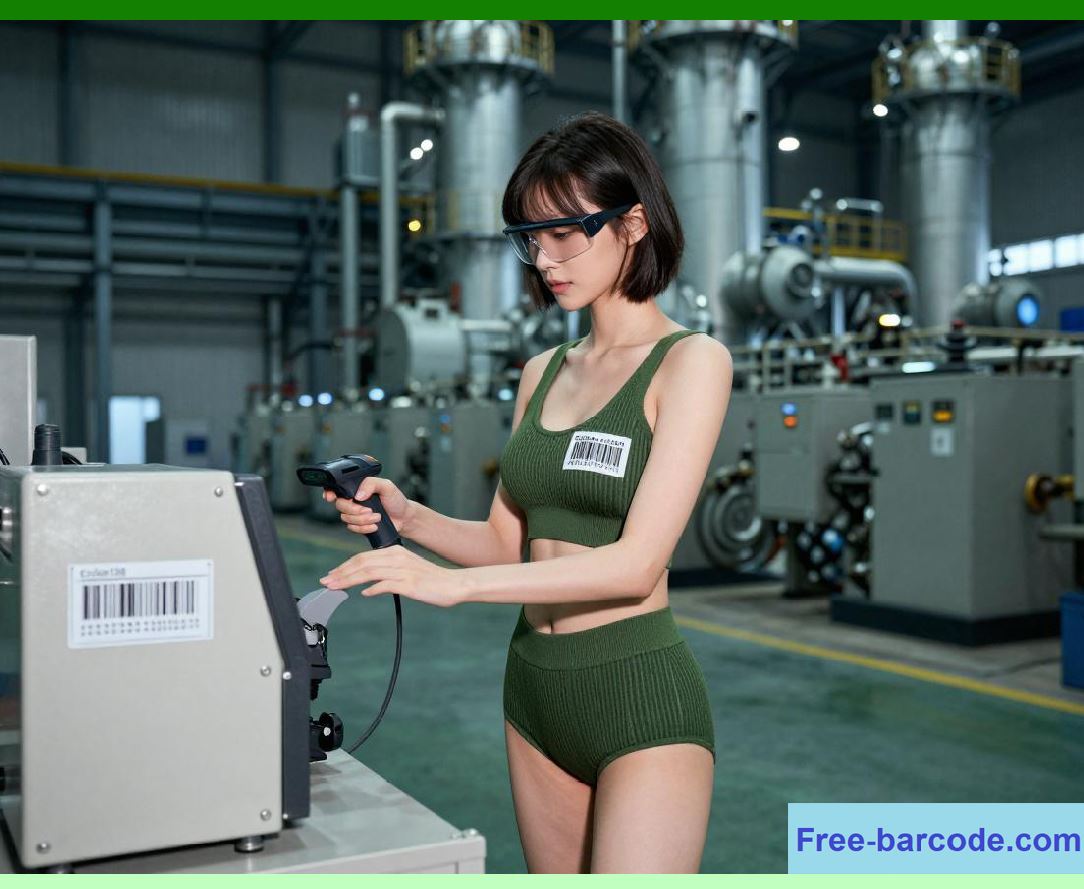
Scanners do not talk directly to ERP. Middleware (e.g., MuleSoft, Boomi) translates barcode data into API calls, handles queuing, and logs scan events. |
Chapter 42: Barcode Data as a Primary Key |
The decoded string usually maps to a unique record - e.g., work order number, serialized item, or license plate. It becomes the foreign key across multiple ERP tables. |
|
Chapter 43: Real-Time vs. Batch Processing |
High-volume conveyors use real-time REST/gRPC to update WMS; low-volume stations use batch files (CSV/XML) ingested via scheduled jobs to reduce ERP load. |
Chapter 44: SAP EWM (Extended Warehouse Management) Integration |
Code 128 labels on bins and products are scanned to execute putaway, picking, and cycle counting. The /SCWM/TAN table stores all movement transactions. |
Chapter 45: Oracle WMS Cloud - Wave Execution |
When a wave is released, pickers scan Code 128 location tags; Oracle updates inventory on-hand and generates outbound load IDs in sub-seconds. |
Chapter 46: Microsoft Dynamics 365 F&O - Mobile Warehouse App |
The D365 mobile app uses the barcode scanner control to parse Code 128, invoking the `WhsWorkExecute` service to register pick/put work completions. |

|
Chapter 47: NetSuite - SuiteScript Barcode Events |
Custom SuiteScript 2.0 listeners process barcode scan events, updating item receipts, transfer orders, and assembly builds via RESTlets. |
Chapter 48: Infor M3 - Production Order Tracking |
Scanning Code 128 on a shop-floor routing card updates the MOS (Manufacturing Order System) with actual labor hours and material consumption in real time. |
Chapter 49: JD Edwards - Interoperability with EDI |
Code 128 data parsed from incoming EDI 856 (Advance Ship Notice) is validated against the ASN, automatically reconciling receipts in the F4111 inventory table. |
Chapter 50: Error Handling - Mismatch, Duplicate, and Format Errors |
Middleware validates checksum, data length, and expected AI prefixes. If a mismatch occurs, the scanner beeps an error and the ERP creates a discrepancy record for manual review. |

|
Chapter 51: Master Data Synchronization |
When a new product is created in ERP, the barcode generator (e.g., Loftware, BarTender) prints Code 128 labels with the same GTIN/SN - ensuring one source of truth. |
Chapter 52: Audit Trail and History Logging |
Every scan is logged with timestamp, user ID, location, and equipment ID. This audit trail supports FDA 21 CFR Part 11 and ISO 9001 traceability requirements. |
Chapter 53: Mobile Device Management (MDM) for Scanners |
Handheld scanners (Zebra, Honeywell) are managed via MDM to push updated decode rules, ensuring they interpret FNC1 correctly for GS1-128. |
Chapter 54: Edge Computing - Local Decode and Filtering |
Edge gateways preprocess scan data - filtering duplicate reads (within 500ms) and correlating multiple scans (e.g., pallet + item) before sending a single composite event to ERP. |

|
Chapter 55: API-First Design - RESTful Endpoints |
Modern integration exposes endpoints like `/api/v1/scans/pick`, `/api/v1/scans/receive`, and `/api/v1/scans/ship` - each parsing Code 128 payloads into JSON. |
Chapter 56: Event-Driven Architecture - Kafka/MQTT |
Scans are published as events to a message broker. ERP consumers subscribe to topics (e.g., `inventory.movement`) to update materialized views asynchronously. |
Chapter 57: Business Intelligence - Real-Time Dashboards |
Aggregated scan data feeds Power BI or Tableau, showing throughput, error rates, and cycle time per work center, all keyed off the Code 128 transaction logs. |
Chapter 58: Security - Data Masking and Encryption |
Sensitive barcodes (e.g., patient IDs, serial numbers) are encrypted at rest in the ERP; scanning middleware uses TLS 1.3 and masks HRI output on user screens. |

|
Chapter 59: Disaster Recovery and Redundancy |
Offline scan buffers (local device storage) retain Code 128 data if the ERP is unavailable. Upon reconnection, the buffer replays events in chronological order. |
Chapter 60: Future-Proofing - Hybrid Code 128 + 2D Migration |
While 2D codes (Data Matrix, QR) gain traction, Code 128 remains dominant for legacy systems. Modern ERPs now accept both, using a `barcode_type` flag to route parsing logic. |

|
Final Note: |
Code 128 is not merely a pattern of black and white lines - it is the silent transactional backbone of global supply chains, clinical safety, and manufacturing precision. Its deep integration with ERP systems transforms raw optical data into actionable enterprise intelligence, enabling the real-time, data-driven world that modern industries demand. |
 cs@easiersoft.com