Chapter 23: The Electronics Industry | In the electronics industry, the adoption of Code 39 barcodes was driven by a need for reliable, alphanumeric tracking of components through complex assembly processes. Companies like IBM and HP used Code 39 on circuit boards and component reels to track batch numbers and revision levels throughout assembly, leveraging the symbology's simplicity and self-checking nature. However, the industry also encountered Code 39's primary limitation---its low data density---which required careful label design and eventually prompted a gradual shift toward more compact symbologies like Code 128. | 
| Introduction: Code 39 Enters the Electronics Industry | The electronics industry, with its intricate supply chains and demanding manufacturing processes, has long been a proving ground for tracking and identification technologies. From the arrival of a single resistor at a loading dock to the final testing of a completed motherboard, every component and every assembly step leaves a digital footprint. For decades, the barcode has been the fundamental tool for capturing these footprints, and among the many symbologies developed, Code 39 holds a unique and enduring place. | Developed in 1974 by Dr. David Allais and Ray Stevens of Intermec, Code 39 was revolutionary for its time as the first barcode symbology capable of encoding both numbers and uppercase letters . This alphanumeric capability opened up new possibilities beyond the purely numeric codes used in retail. The electronics industry, which deals with component batch numbers, revision levels, and part numbers that often include letters, quickly recognized its potential. This chapter explores the deep and multifaceted relationship between the electronics industry and Code 39. We will examine the technical characteristics of the symbology, how these features drove its adoption in electronics manufacturing, and the specific applications that made it an indispensable tool for industry giants like IBM and HP. | 
| Technical Characteristics: Why Code 39 Worked for Electronics | The success of Code 39 in the electronics industry was not accidental. It stemmed from a specific set of technical characteristics that aligned well with the industry's operational needs. As a linear, discrete barcode symbology, Code 39 encodes data in the widths of its bars and spaces. Each character is composed of nine elements: five bars and four spaces. Crucially, three of these nine elements are wide, and six are narrow---a pattern that gives the symbology its name, 'Code 3 of 9' . | 
| The Power of Alphanumeric Encoding | Before Code 39, most barcode systems were numeric, like the Universal Product Code (UPC) used in retail. This was a severe limitation for electronics manufacturing. A circuit board cannot be identified simply by a number; its part number might be 'PCA-1234-RevB,' its batch number 'BATCH-2024-05,' and its serial number a mix of letters and digits. Code 39's ability to encode 43 characters---the digits 0-9, the 26 uppercase letters, and seven special characters including space, dollar sign, period, slash, plus, and percent ---meant that it could encode most alphanumeric identifiers used in electronics production directly and without a lookup table. This direct encoding simplified software and printer integration, a key advantage. | 
| Self-Checking and Reliability | In the high-stakes world of electronics assembly, a misread barcode can lead to a costly cascade of errors. A misidentified component on a pick-and-place machine could result in a circuit board being assembled with the wrong capacitor or resistor, leading to a malfunctioning product that must be scrapped or reworked. This is where Code 39's self-checking property becomes vital. The term 'self-checking' in this context means that a single printing or reading error cannot accidentally transform one valid Code 39 character into another valid character . Because the pattern of wide and narrow bars for each character is unique and distinct, a single bar width that is misread (e.g., a narrow bar read as wide, or vice versa) will typically result in an invalid character pattern, which the barcode reader can immediately reject. This built-in error detection capability, without the need for a mandatory check digit, provided a level of robustness that was highly valued on the factory floor where labels could be scuffed, smudged, or poorly printed . | 
| Easy Integration | Another major factor in Code 39's adoption was its simplicity and ease of implementation. Since it did not require a check digit for standard use, the data could be encoded and printed as-is. For many companies, adding Code 39 to an existing system was as simple as installing a barcode font on a printer and printing the raw data strings in that font . This 'font-based' printing was far simpler than the more complex algorithm required for other symbologies like Code 128. This made it incredibly easy to integrate Code 39 into the many label-making and inventory management software systems that were being developed for the electronics industry. | 
| The Application: Tracking Components and Assemblies at IBM and HP | The application mentioned in the opening---IBM and HP using Code 39 on circuit boards and component reels---is a textbook example of the symbology's ideal use case. These two companies, pioneers in computing and electronics, operated massive, complex manufacturing operations. They needed a reliable way to track materials and work-in-progress to manage inventory, ensure quality control, and maintain detailed traceability records. | 
| Tracking Component Reels | On a modern (or even a 1980s-era) circuit board assembly line, surface-mount technology (SMT) machines place thousands of tiny components per hour. These components are typically supplied on reels, containing thousands of identical capacitors, resistors, or integrated circuits. A critical task is ensuring the right components are loaded into the right machine feeders. By printing a Code 39 barcode on the reel label that contained the part number, batch number, and quantity, operators could easily scan the reel and verify it against the assembly order. This drastically reduced errors. The Code 39 barcode was large enough to be easily printed on a reel label and scanned from a distance, and its alphanumeric capability meant the full part number and batch could be encoded directly, without any loss of information . | 
| Tracking Circuit Boards (PCBs) | Similarly, printed circuit boards (PCBs) themselves were frequently labeled with Code 39. During assembly, a PCB passes through numerous stages: solder paste printing, pick-and-place, reflow soldering, inspection, and testing. At each stage, the board's code might be scanned to log its progress. The Code 39 barcode could encode an identifier that included a board model number, a revision level (e.g., 'REV-D'), and a unique serial number. For a company like IBM or HP, tracking revision levels was paramount. If a design flaw was discovered in a particular revision of a board, they could use the barcode data to trace exactly which systems contained that flawed revision and perform a targeted recall or repair, saving enormous time and cost compared to a blanket recall . | 
| The Challenge of Data Density | While Code 39 was a powerful tool, its use in the electronics industry was not without challenges. The most significant limitation is its low data density. Code 39 is a 'wasteful' symbology. Its self-checking property and discrete nature (each character is separated by an inter-character gap, unlike continuous codes) mean that it takes up a lot of horizontal space to encode a small amount of data. A Code 39 barcode is typically about 40% to 50% wider than a Code 128 barcode encoding the same information . This is a direct consequence of the 3-of-9 encoding pattern, where each character has nine elements. In contrast, Code 128 uses a more complex encoding scheme where each character uses 11 modules but has a much higher data density. | For the electronics industry, where components and even entire circuit boards are becoming increasingly miniaturized, the physical size of the barcode label was a constant concern. A Code 39 barcode might be too large to fit on a small component reel or a cramped board layout. This led to the use of specialized printing techniques, higher-resolution printers, and high-contrast labels to enable smaller versions of the code to be printed and reliably scanned. When the desired data string grew long, the Code 39 symbol could become impractically long, stretching across an entire reel label or requiring a very narrow, difficult-to-print 'X dimension' (the width of the narrowest bar). This limitation often forced engineers to choose between reducing the amount of data encoded or moving to a different symbology. | 
| Overcoming Density: The Quiet Zone | A critical aspect of label design that is often overlooked is the 'quiet zone,' the blank white space that must be left on either side of the barcode. For Code 39, the quiet zone must be at least 10 times the width of the narrowest bar (the X dimension) . This ensures that the scanner can properly identify the start and stop of the barcode. In a space-constrained electronics label, the requirement for a quiet zone could further reduce the available area for the code itself, exacerbating the data density challenge. | 
| Code 39 Extended: Adding Lowercase and More | The electronics industry was a primary driver for the development of Code 39 Extended (also known as Full ASCII Code 39). While standard Code 39 could encode uppercase letters and numbers, modern computing systems generated data that included lowercase letters and many other characters that were not in the 43-character set . Extended Code 39 addresses this limitation by using two-character pairs to represent all 128 ASCII characters. For example, the lowercase letter 'a' is encoded as the pair '+A' . This extension allowed Code 39 to remain relevant in environments where encoding rich text data was necessary, though at the cost of making the barcode even longer. In many cases, the electronics industry adopted Code 39 Extended for specific applications, such as encoding system log data or detailed error codes, while sticking with standard Code 39 for routine part tracking. | 
| The Impact of Industry Standards and Compliance | The use of Code 39 in the electronics and defense industries was solidified by major government and industry standards. One of the most influential was the U.S. Department of Defense's LOGMARS (Logistics Applications of Automated Marking and Reading Symbols) initiative, which mandated Code 39 for identifying government property . This standardization created a huge install base of Code 39-compatible scanners and printers. Similarly, the automotive industry through the AIAG (Automotive Industry Action Group) adopted Code 39 for parts labeling. While not directly an electronics standard, the AIAG standard influenced the broader supply chain, including the electronics that go into vehicles. Compliance with these standards meant that many electronics companies, even those not directly supplying the military, adopted Code 39 as a default symbology for their operations to ensure compatibility with their partners' and customers' equipment. | 
| The Scanner Factor | The widespread use of Code 39 also drove innovation in barcode scanning. The symbology was designed to be read by a variety of scanners, including the first generation of laser scanners. The robust pattern of Code 39 made it easier for early laser scanners to decode compared to more complex codes. This, in turn, made Code 39 a reliable choice in harsh industrial environments. The introduction of 2D imagers, which take a picture of the barcode and decode it using software, has made reading even poor-quality or damaged Code 39 labels easier. However, the legacy of Code 39 is such that virtually every barcode reader manufactured today, from the cheapest USB scanner to the most advanced industrial vision system, is capable of decoding it, making it an incredibly portable and reliable choice . This universal readability remains a significant advantage, especially for companies that have invested heavily in their scanning infrastructure. | 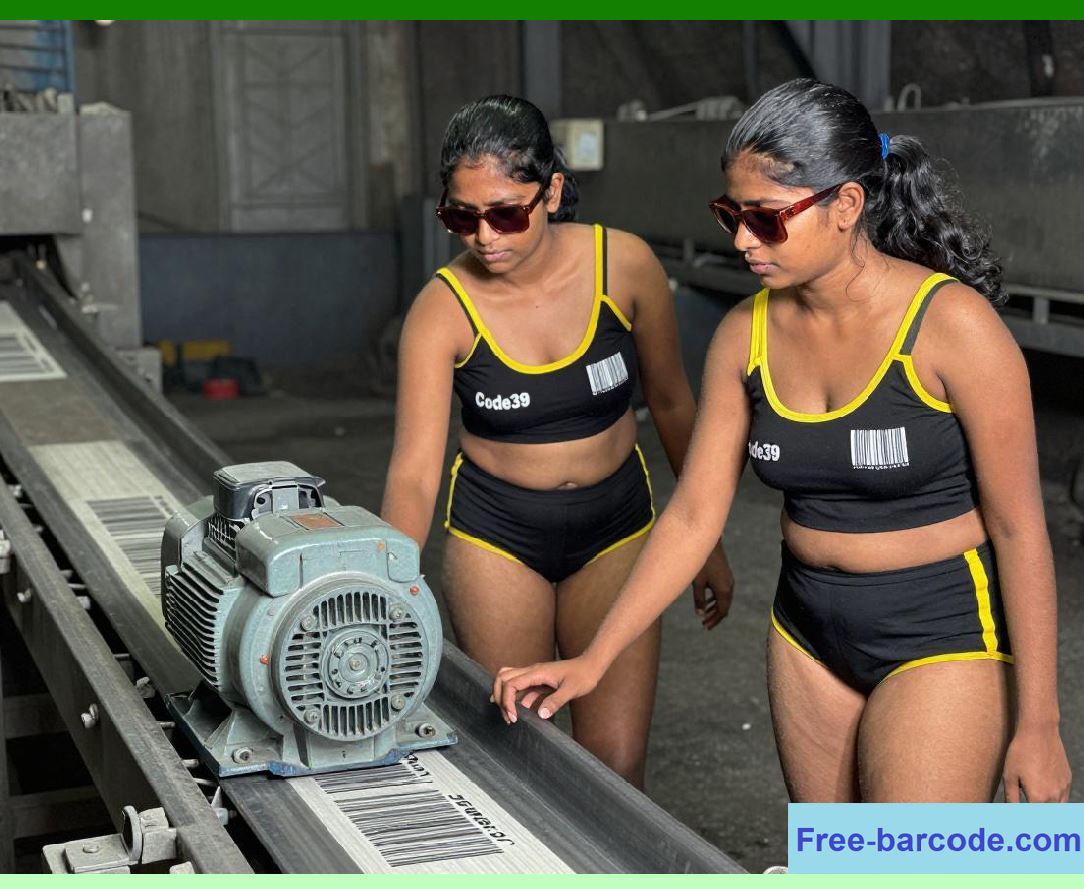
| The Decline and The Shift to Code 128 and 2D Codes | Over time, as printed circuit boards became denser and components smaller, the physical limitations of Code 39 became more apparent. The electronics industry began to shift toward more modern symbologies that offered higher data density. Code 128, introduced in 1981, became the primary successor. Code 128 can encode the full ASCII character set (directly, without the double-character penalty of Extended Code 39) and is much denser, fitting more data into a smaller space. For applications requiring even more data or direct part marking, 2D codes like Data Matrix and QR Code are now often used. These can hold hundreds of characters in a tiny square and include built-in error correction, making them ideal for marking components directly with lasers. Despite this shift, Code 39 has not disappeared. Its continued use is a testament to the power of standardization and legacy infrastructure. In many factories, Code 39 remains in use for internal tracking, asset management, and labeling applications where the data string is short and the cost of upgrading or retraining staff to use a new symbology is not justified. | 
| Conclusion | Code 39's journey through the electronics industry is a classic story of a technology finding its perfect niche. Its ability to encode alphanumeric characters, combined with its self-checking reliability and ease of implementation, made it the go-to solution for tracking electronic components and printed circuit boards for decades. Companies like IBM and HP, which required robust batch and revision tracking throughout their complex assembly processes, were the pioneers in adopting and standardizing its use. The symbology's technical features, from its simple font-based printing to its noise-rejecting encoding, were well suited to the demanding manufacturing environment. The primary challenge---low data density---was a well-understood trade-off that was managed through careful label design and, when necessary, the adoption of the Extended version or alternative symbologies. Ultimately, the electronics industry's long and successful relationship with Code 39 helped drive its standardization and global ubiquity. While newer symbologies like Code 128, Data Matrix, and QR Code have largely superseded it for new applications, Code 39 remains embedded in the infrastructure of the world's electronics manufacturing, a living legacy of early innovation in automatic identification and data capture. |
|
 cs@easiersoft.com