DataMatrix Decoded: A Technical Deep-Dive |
Executive Summary |
For decades, libraries have grappled with the challenge of efficiently managing millions of items while ensuring quick, accurate service for patrons. Traditional linear barcodes, while an improvement over manual card catalogs, still require careful alignment during scanning and are susceptible to damage and wear. Radio Frequency Identification (RFID) systems offer a high-tech, non-line-of-sight solution, but their implementation comes with significant cost and complexity, particularly when integrating with legacy systems. This is where a modern, pragmatic approach to library automation has found its champion: the DataMatrix code. |
Small adhesive labels printed with DataMatrix symbols on book spines have emerged as a powerful, cost-effective, and surprisingly fast alternative for self-service and inventory management. In some legacy systems, 2D barcode readers have demonstrated the ability to scan DataMatrix codes faster than their RFID counterparts, offering comparable throughput without the need for expensive infrastructure overhauls . This is particularly valuable in the American library landscape, where many institutions operate with limited budgets and cannot easily justify a complete RFID conversion. DataMatrix codes, with their two-dimensional structure and error correction, provide a 'just enough' automation solution that brings libraries into the modern era of data capture without the steep learning curve and investment. |

|
Part One: Technical Foundations and the Library Context |
Chapter 1: The Limitations of Linear Barcodes |
The most common linear barcode found on library materials, Code 128, uses a set of parallel lines of varying widths to encode data. While functional, these 1D symbologies require a direct line of sight and precise alignment with the scanner. A librarian or a self-checkout kiosk must carefully position the label within the scanner's beam, which can be a point of friction for users and a bottleneck at busy circulation desks. Additionally, standard adhesive labels are susceptible to fading, tearing, or being partially obscured by protective covers, which can lead to 'no-read' errors and frustration. |

|
Chapter 2: The Cost Barrier of RFID in Libraries |
RFID offers the allure of 'batch reading'---the ability to scan an entire cart of books simply by pushing it past a sensor. However, the reality of large-scale RFID implementation is often more complex and expensive. As one discussion among museum and collection professionals noted, while RFIDs are efficient for inventory, their unit price and the need for specialized infrastructure have been significant barriers to widespread adoption in some sectors . For a public library with tens or hundreds of thousands of items, the cost of an RFID tag for every item, plus the readers and software, can run into hundreds of thousands of dollars, often outpacing the available budget. |

|
Chapter 3: Why DataMatrix is the Pragmatic Choice |
DataMatrix offers a 'best of both worlds' solution. Like a linear barcode, it is inexpensive to print on adhesive labels---costing pennies per label rather than dollars per RFID tag. Yet, like an RFID system, it offers a level of data density and machine readability that far surpasses the simple numeric string of a Code 128. A DataMatrix code can encode not just the item's unique identifier (e.g., the barcode number) but also metadata about the item itself, such as the branch location or collection type, reducing the need for constant database lookups. |

|
Chapter 4: Technological Maturity and Affordability |
The technology behind 2D barcode reading, including DataMatrix, has matured significantly. As noted in professional discussions, 2D symbologies such as DataMatrix are increasingly used for robotic assemblies and automated systems, and most modern readers autodetect and translate all of the old symbologies as well . This means a library can purchase an affordable, off-the-shelf imager that reads not only their new DataMatrix labels but also all their legacy barcodes, allowing for a gradual transition rather than a costly 'rip and replace' of their entire collection. |

|
Chapter 5: The Choice: 2D Imagers vs. Traditional Lasers |
The key to DataMatrix's speed advantage lies in the scanner technology. Traditional barcode scanners use a laser or LED to read the pattern of lines. DataMatrix is a two-dimensional code and cannot be read by a traditional laser scanner; it requires an imager. An imager works like a digital camera; it captures a picture of the barcode and uses sophisticated software to decode it. This means an imager can 'read' a DataMatrix code in a single snapshot, without the need to precisely align a laser beam across the code. For a user at a self-checkout, this translates to a faster, more forgiving experience---simply present the spine of the book to the camera, and the system instantly captures the data. |

|
Part Two: American Library Applications in Action |
Chapter 6: The Hybrid Approach: Self-Checkout Efficiency |
The most immediate benefit of DataMatrix labels is at the self-checkout station. Modern library kiosks equipped with 2D imagers can read a DataMatrix label on a book's spine significantly faster than a traditional laser scanner can read a Code 128. The imager does not need the book to be held at a precise angle; it simply needs to see the code. This reduces the time a patron spends fumbling with books at the checkout, improving throughput during busy periods and enhancing the user experience. This is a direct and tangible improvement that patrons notice. |

|
Chapter 7: Cost-Effective Inventory Management |
For inventory management, DataMatrix provides a compelling alternative to expensive RFID handheld readers. A librarian can use a standard, rugged handheld imager to scan DataMatrix labels on books much more quickly than scanning individual linear barcodes. The imager can be set to a 'rapid capture' mode, where it continuously reads codes as it passes over them, without the need to press a trigger for each scan. This can dramatically speed up the process of shelf-reading and inventory audits. |

|
Chapter 8: Future-Proofing with Data Density |
Beyond simple inventory, DataMatrix codes allow libraries to embed more data directly onto the label. While a linear barcode typically holds a single number, a DataMatrix code could theoretically contain a link to a digital record, the item's condition, or even a URL directing a user to a digital companion guide for the book. This moves the library toward a 'smart' inventory where each item is not just a barcode but a node in a connected digital network. |

|
Chapter 9: Bridging the Gap to RFID |
The 2D barcode is not intended to replace RFID in every scenario. For libraries that have already made the significant investment in RFID, the technology remains superior for batch processing and security. However, DataMatrix offers a viable 'bridging' technology. A library can upgrade its circulation desk computers with affordable 2D imagers, transition its inventory management to a rapid-scan approach with DataMatrix, and get many of the workflow benefits of a high-tech system without the full cost of RFID. |
|
Chapter 10: The Future of Library Automation |
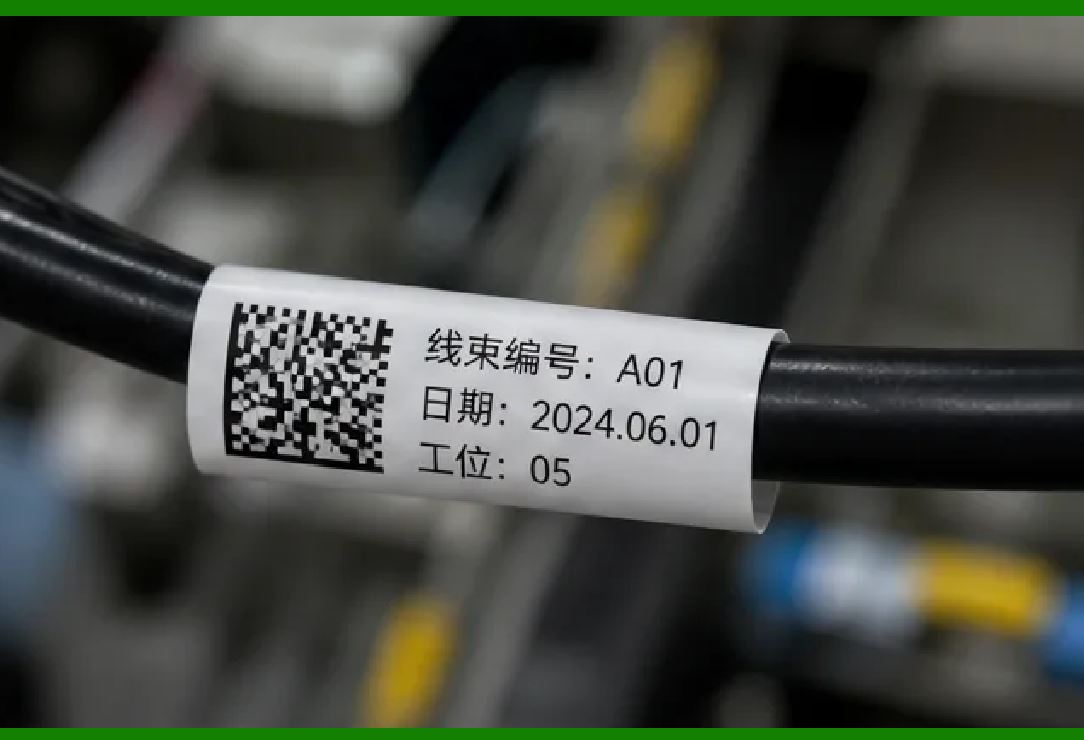
As library technology evolves, the role of the DataMatrix code is likely to expand. With the rise of Mobile Device Management (MDM) and library apps, patrons may soon use their own phones to scan a DataMatrix code on a book to manage their own checkouts, effectively turning every patron into a self-checkout station. This would represent a paradigm shift in library service, making the library 'ubiquitous' and accessible from anywhere in the building without the need for a dedicated kiosk, all underpinned by the cheap, fast, and reliable DataMatrix code. |
|
Detailed Summary |
The application of DataMatrix codes to library books is a perfect example of applying the right technology to a specific, budget-conscious problem. In the context of American libraries, where funds are often limited but the demand for efficient service is high, DataMatrix offers a pragmatic and powerful solution. It allows institutions to move beyond the constraints of 1D barcodes, offering faster self-checkout and more efficient inventory management, without the significant cost barrier of implementing a full RFID system. |
The technology works because modern 2D imagers can rapidly decode these compact symbols, even from a distance, making the user experience smoother. For a patron checking out a stack of books, the speed advantage of an imager over a traditional laser scanner is a noticeable improvement. For library staff, the ability to embed more data in a smaller space means better organization and tracking of materials. By adopting DataMatrix, libraries are not just catching up with technology; they are setting a precedent for how cost-effective, data-rich solutions can transform public service, ensuring that the local library remains a vital and efficient community resource in a digital age. |
 cs@easiersoft.com