DataMatrix Decoded: A Technical Deep-Dive |
Executive Summary |
In the high-stakes world of nuclear waste management, a barcode must do far more than scan a price at a checkout counter. It must be an unshakeable witness, surviving extreme radiation, corrosive environments, and the passage of decades---or even centuries. DataMatrix codes are increasingly specified for these demanding tasks because of their high data density and exceptional error correction capabilities. This allows a single, compact symbol on a 55-gallon drum to encode critical information such as isotope content, decay heat, and disposal site data, ensuring that the contents remain identifiable and manageable for generations. In the United States, this technology supports stringent regulatory frameworks and enables safer, more efficient handling of radioactive materials. |

|
Part One: Technical Foundations for Hazardous Environments |
Chapter 1: The Challenge of Long-Term Identification |
The primary challenge in nuclear waste labeling is not just survival, but legibility over extreme timeframes. Unlike a consumer product that might sit on a shelf for a few months, nuclear waste can remain hazardous for thousands of years. Traditional paper labels or thermal-printed barcodes are vulnerable to fading, tearing, and degradation from radiation and chemical reactions. The DataMatrix code, with its Reed-Solomon error correction, offers a distinct advantage. It stores data in a grid of black and white dots, and its sophisticated algorithm can reconstruct the original data even if a significant portion of the code is damaged or obscured. |

|
Chapter 2: Why DataMatrix Over Other Symbologies |
Linear barcodes (like Code 128) store data in a single row of varying-width bars. They are vulnerable to scratches that run across the code. DataMatrix stores data across two dimensions, allowing it to pack far more information into a smaller space. More importantly, the error correction enables reliable reading on rough, corroded, or curved surfaces that would break the continuity of a linear barcode. It also stores much more than a simple numeric identifier; it can store a structured dataset, or even link directly to a secure digital record. |

|
Chapter 3: Data Matrices in a Nuclear Context |
The data encoded on a DataMatrix symbol serves as the key to a comprehensive 'digital twin' of the drum. The symbol typically does not store the complete history directly, but contains a unique identifier that allows a handheld scanner to instantly retrieve isotope composition, thermal output, physical dimensions, and the date of generation. This principle of storing a unique identifier in a machine-readable format is a core tenet of applying the technology, allowing for instant retrieval of complex data from a central database. This reduces the risk of human error in reading complex tables and ensures that the information used is always the most current. |

|
Part Two: The U.S. Framework and Practical Implementation |
Chapter 4: Hanford Site and Department of Energy Standards |
The Hanford Nuclear Site in Washington State, one of the most contaminated sites in the country, is a primary user of this advanced labeling technology. The Department of Energy (DOE) has developed specific standards for marking containers. The DOE 'Transuranic Waste Acceptance Criteria for the Waste Isolation Pilot Plant (WIPP)' sets rigorous requirements for this identification. The standards mandate that drums destined for deep geological storage must be labeled with a permanent, legible code that meets specific quality grades and is proven to withstand the harsh conditions expected in a repository environment. |
|
Chapter 5: The DOT and UN Transport Regulations |
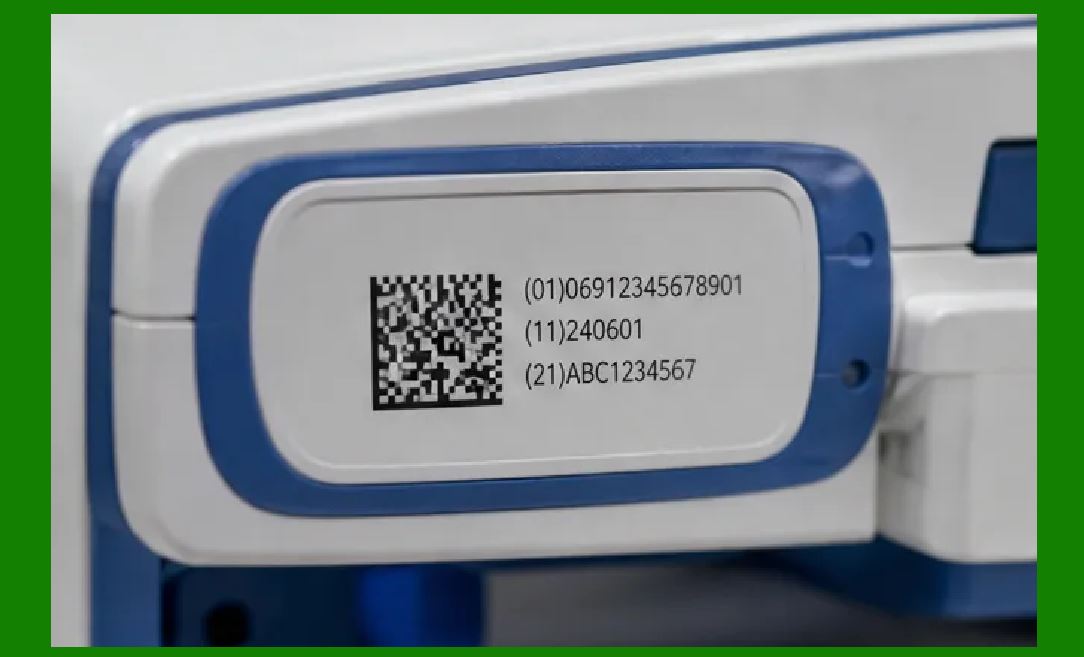
Transport is a critical phase. The U.S. Department of Transportation (DOT) integrates international standards from the United Nations (UN). These regulations require that all hazardous materials, including radioactive waste, be clearly marked and labeled. The regulations often specify that markings must be durable, legible, and resistant to the effects of weather and handling. DataMatrix codes, applied via laser etching or specialized durable adhesives, meet these requirements, providing a robust alternative to paper labels that can peel or fall off during transport. |
|
Chapter 6: The Role of Specialized Printing and Etching |
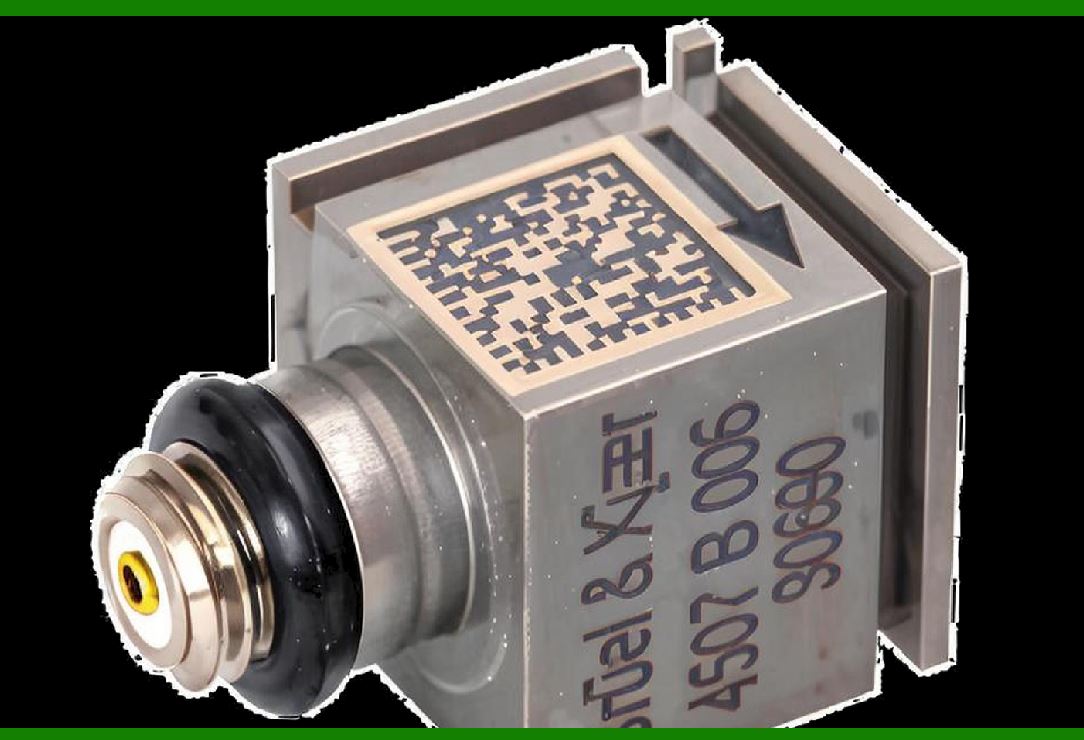
Applying a DataMatrix code that survives a nuclear environment is a task in itself. Standard thermal printing is generally insufficient. The most reliable methods are laser etching or industrial inkjet printing with chemically resistant inks. The process uses high-contrast, permanent inks that bond with the surface of the steel or specialized plastic drum. Techniques such as 'permanent ink' marking that is resistant to chemicals and abrasion are specified to ensure the code is not lost during decades of storage. |

|
Detailed Summary |
DataMatrix codes provide the only practical method for creating a permanent, machine-readable link between a sealed container and its hazardous contents. Their high data density and robust error correction allow for the encoding of detailed isotope composition and decay-heat data, ensuring that the contents of a drum can be managed safely, even after decades of storage. This technology is essential for meeting the stringent requirements of U.S. regulators and is enabling safer, more efficient handling at legacy sites and long-term repositories. |
 cs@easiersoft.com