DataMatrix Decoded: A Technical Deep-Dive |
Executive Summary |
The quiet zone is the silent guardian of every DataMatrix code. This mandatory blank margin, just one module wide on all four sides, provides the essential separation that allows scanners to locate the code's finder pattern and begin decoding . Without this modest buffer, even the most perfectly printed DataMatrix symbol can fail to read. The quiet zone requirement is remarkably small for DataMatrix---only one module width---compared to four modules for QR codes, making DataMatrix exceptionally space-efficient . However, this efficiency comes with a vulnerability: if graphics, text, or other 'noise' intrude into the quiet zone, barcode performance suffers . In the United States, the quiet zone requirement directly impacts applications across every regulated industry. The Drug Supply Chain Security Act mandates pharmaceutical serialization codes that must meet quiet zone specifications on packages where marketing graphics compete for space. The Department of Defense requires quiet zone compliance on military equipment markings exposed to harsh environments. The USPS relies on quiet zones for automated package sorting in high-speed processing facilities. This article explores the technical importance of the quiet zone and presents dozens of real-world American applications where this often-overlooked requirement determines success or failure. |

|
Part One: Technical Foundations of the Quiet Zone |
Chapter 1: What is a Quiet Zone |
The quiet zone is the empty space, the blank margin, that surrounds a barcode on all four sides . It is also sometimes called a 'clear zone' or 'margin.' The quiet zone contains no printing, no graphics, no text, and no other marks of any kind. Its purpose is to separate the barcode from its surroundings, allowing the scanner to determine precisely where the code begins and ends . In a DataMatrix code, the quiet zone surrounds the entire symbol, providing a buffer that identifies the code's boundaries to the reading system. |
Chapter 2: Why the Quiet Zone is Essential |
The quiet zone serves multiple critical functions. First, it allows the scanner to locate the finder pattern---the L-shaped solid border that is the code's anchor . If the quiet zone is missing or violated, the scanner may not be able to distinguish the finder pattern from other dark areas in the image. Second, the quiet zone prevents the scanner from accidentally reading neighboring graphics or text as part of the code. Third, the quiet zone provides a reference for determining module size and contrast, as the scanner uses the transition from the blank margin to the code's modules to calibrate its reading algorithm. |
Chapter 3: The Minimum Quiet Zone for DataMatrix |
DataMatrix requires a minimum quiet zone of one module width on all four sides . The 'module' is the size of a single black or white square in the DataMatrix grid. For example, if each module is 0.5 millimeters wide, the quiet zone must be at least 0.5 millimeters on each side. This small requirement makes DataMatrix remarkably space-efficient compared to other 2D codes. QR codes, by contrast, require a quiet zone of four module widths . |

|
Chapter 4: The Rationale for One Module |
The one-module quiet zone requirement for DataMatrix stems from the symbology's design. The L-shaped finder pattern, combined with the alternating Clock Track, provides sufficient structural information that the scanner does not need a large blank area to locate the code . The quiet zone simply provides enough separation so that the scanner can find the L pattern without confusion. This efficiency is one of the reasons DataMatrix is preferred for small products and space-constrained applications. |
Chapter 5: Recommended Quiet Zone |
While one module is the minimum requirement, many industry guidelines recommend a larger quiet zone for better reliability. For applications with moderate to excessive reflected noise or background clutter, a quiet zone of two to four module widths is recommended . The larger quiet zone provides additional margin for error, making the code more robust against poor lighting, low-contrast backgrounds, or slight printing misalignments. In practice, most industrial applications use a quiet zone of at least two modules to ensure high read rates. |
Chapter 6: Quiet Zone vs. Print Contrast |
The quiet zone interacts with print contrast requirements. To be readable, the DataMatrix code must have sufficient contrast between the dark and light modules. The quiet zone provides a reference for this contrast: the scanner uses the transition from the quiet zone (typically white or light) to the code's edge as part of its calibration. If the quiet zone is too small, the scanner may not have enough reference area to calibrate properly, leading to read failures even if the code itself is of good quality . |

|
Chapter 7: Quiet Zone and Inverse Printing |
In inverse DataMatrix codes---where the modules are light on a dark background rather than dark on a light background---the quiet zone is also inverse. The quiet zone must be dark (or the same as the background) to provide the same separation effect. The scanner's reference calibration works the same way, but it looks for the transition from the dark quiet zone to the light modules. The requirement for an inverse quiet zone is the same: at least one module width on all sides. |
Chapter 8: Quiet Zone Violations |
A quiet zone violation occurs when any printing, graphic, or text intrudes into the required blank margin . This is one of the most common causes of DataMatrix read failures. Quiet zone violations can happen for several reasons: the code is placed too close to the edge of the packaging, marketing graphics crowd the code, the label is cut too closely around the code, or the code is printed with insufficient margin by the label printer. |
Chapter 9: The Quiet Zone in the ISO Standard |
The quiet zone requirement is defined in ISO/IEC 16022, the international standard for DataMatrix . The standard specifies that the quiet zone must be at least one module wide on all sides and must be free of any printing or marks. The 2024 revision of the standard reaffirmed this requirement. GS1's implementation guidelines also specify the one-module quiet zone for GS1 DataMatrix applications . |

|
Chapter 10: Quiet Zone vs. Finder Pattern |
The quiet zone is distinct from the finder pattern, though they work together. The finder pattern is the L-shaped solid border within the code. The quiet zone is the blank space surrounding the code. The scanner first locates the quiet zone, which identifies a potential code area. It then looks for the finder pattern within that area to confirm the code's presence and orientation . If the quiet zone is violated, the scanner may not be able to locate the finder pattern, resulting in a 'no read.' |
Chapter 11: Quiet Zone and Symbol Size |
The quiet zone requirement is proportional to module size, not to the overall symbol size. A large 144 by 144 symbol with 0.5 millimeter modules requires a 0.5 millimeter quiet zone. A tiny 10 by 10 symbol with 0.075 millimeter modules requires a 0.075 millimeter quiet zone. This proportionality means that the quiet zone does not become disproportionately large for small codes, maintaining DataMatrix's space efficiency across all symbol sizes. |
Chapter 12: Quiet Zone and Packaging Design |
For products with DataMatrix codes, packaging designers must allocate space for the quiet zone. This is often challenging on small packages where space is at a premium. Marketing graphics, regulatory text, and other branding elements must be kept outside the quiet zone. GS1 guidelines emphasize that the quiet zone must be preserved and that placing graphics or text in the quiet zone will harm barcode performance . This requirement influences packaging layout decisions. |

|
Chapter 13: Quiet Zone in Digital Printing |
In digital printing, the quiet zone is typically included automatically when the barcode is generated. Most barcode generation libraries allow the quiet zone to be specified or default to the minimum required. However, if the code is placed manually on a label or packaging, the designer must ensure that the quiet zone is not violated. Digital printing systems that process the entire label must be calibrated to maintain the quiet zone. |
Chapter 14: Quiet Zone and Label Cutting |
When DataMatrix codes are printed on self-adhesive labels and then cut, the cutting process must respect the quiet zone. If the label is cut too close to the code, the quiet zone may be reduced or eliminated. This is a common issue in large-scale label production. To prevent this, label manufacturers typically add extra margin beyond the minimum quiet zone requirement, ensuring the quiet zone is preserved even if the cutting is slightly misaligned. |
Chapter 15: Quiet Zone and Direct Part Marking |
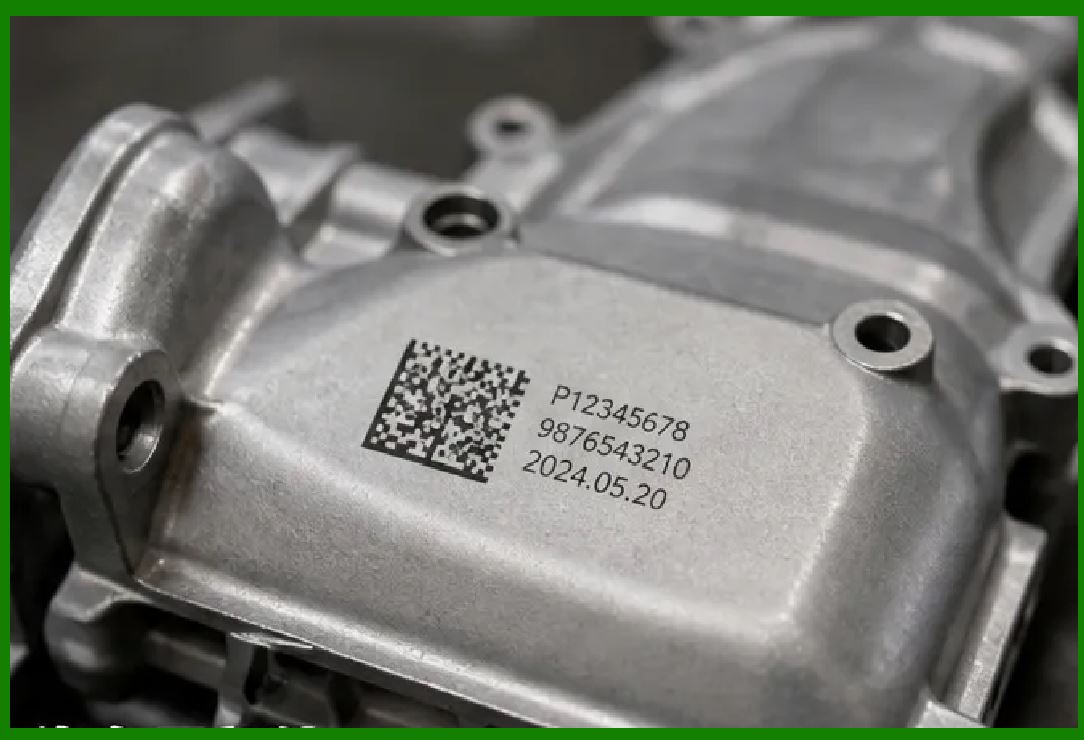
For direct part marking (DPM) applications---where the code is etched or dot-peened directly onto a metal or plastic surface---the quiet zone is defined as the blank, unmarked area around the code. The marking equipment must create a clear boundary between the code and the surrounding surface. If the marking process creates unintended marks near the code, the quiet zone may be violated. DPM quality standards, such as ISO/IEC 29158, include the quiet zone in their quality assessment. |

|
Part Two: American Applications and Quiet Zone Implications |
Chapter 16: Pharmaceutical Serialization |
Under the Drug Supply Chain Security Act (DSCSA), each package of prescription drugs in the United States carries a GS1 DataMatrix code. Pharmaceutical packaging is often crowded with regulatory text, dosing information, and branding elements. Preserving the quiet zone on small vials, ampoules, and blister packs is a significant design challenge. Violations can cause scan failures at pharmacies, delaying dispensing and potentially affecting patient care. |
Chapter 17: Fresenius Kabi's Unit-of-Use Packaging |
Fresenius Kabi, a global healthcare company, marks its pharmaceutical products with GS1 DataMatrix codes in the United States. The company produces over 700 products, many in small packaging like vials and syringes. The quiet zone requirement is critical for these tiny packages, where every millimeter counts. Fresenius Kabi's packaging designers must ensure that the quiet zone is preserved even on the smallest labels, which can be challenging with multiple required label elements. |
Chapter 18: Hospital Medication Administration |
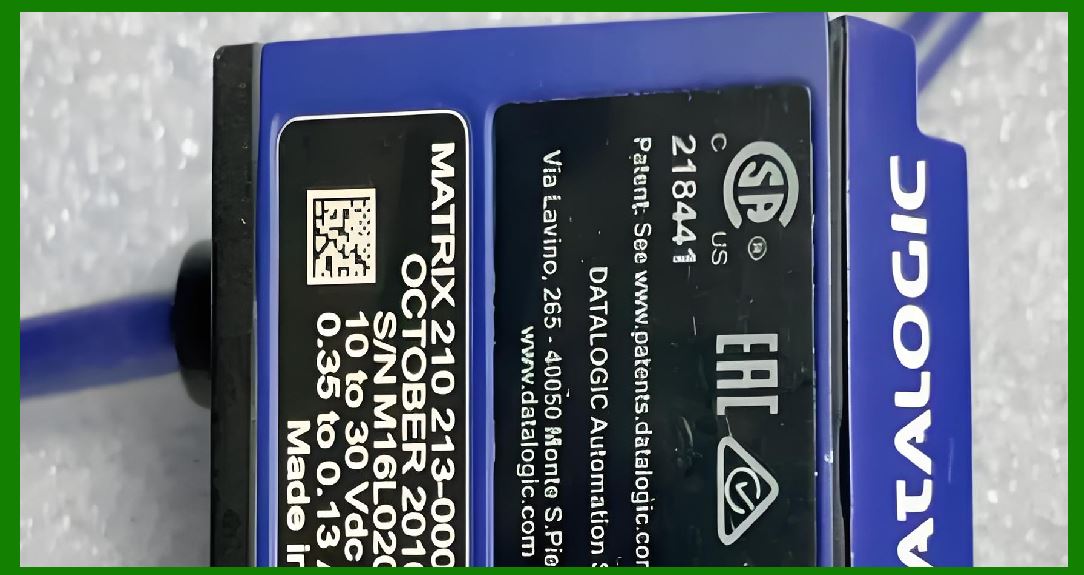
American hospitals scan DataMatrix codes on medication packages for the 'five rights' verification: right patient, right drug, right dose, right route, right time. Quiet zone violations on medication packages can cause scan failures at the patient's bedside. If the code cannot be read, the nurse may have to manually enter the medication information, increasing the risk of error and reducing efficiency. This safety-critical application depends on consistent quiet zone compliance. |
|
Chapter 19: Medical Device Identification |
The FDA requires Unique Device Identifiers (UDIs) on medical devices, often encoded in DataMatrix codes. Medical device packaging often includes complex graphics, certification marks, and regulatory text. The quiet zone on these packages must be preserved to ensure rapid and accurate scanning in hospitals and surgery centers. For small implantable devices, the quiet zone requirement must be balanced against the need for other marking information. |
Chapter 20: Medical Implant Marking |
American medical implant manufacturers mark hip stems, pacemaker cases, and dental screws with DataMatrix codes. The codes are laser-etched on the implant surface, and the quiet zone is the unetched area around the code. If the etching process creates unintended marks near the code, the quiet zone may be violated. This can be a particular challenge on small implants where the marking area is limited. The quiet zone must be preserved for the code to remain readable throughout the implant's lifetime. |
Chapter 21: Laboratory Sample Tracking |
Clinical laboratories across the United States use DataMatrix codes on specimen containers, slides, and test tubes. The quiet zone on these small containers is often challenged by other label elements: patient identifiers, barcodes, and collection details. If the DataMatrix quiet zone is violated, automated analyzers may fail to read the code, causing sample identification errors and potential diagnostic mistakes. |
|
Chapter 22: USPS Package Routing |
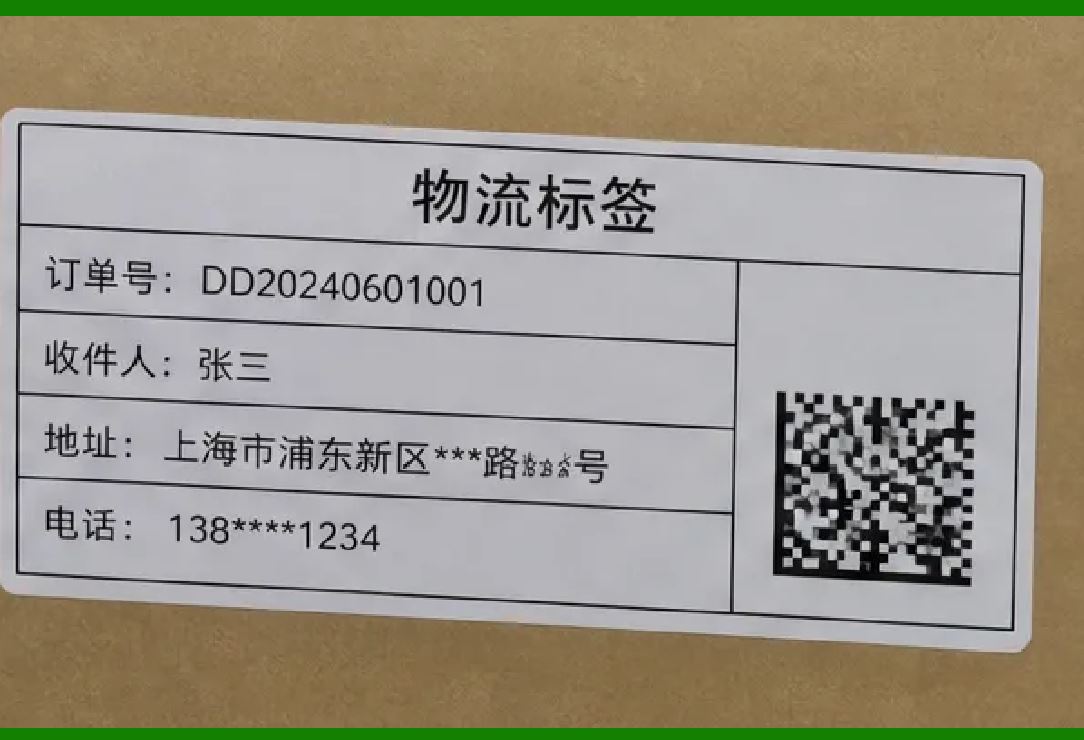
The United States Postal Service uses DataMatrix-based Intelligent Mail Matrix Barcodes (IMmb) for package routing. Quiet zone violations on USPS labels are a significant source of scan failures. If the quiet zone is crowded by address text or other printing, high-speed tunnel scanners may not be able to locate the code quickly. This can cause packages to be misrouted or require manual intervention, reducing processing efficiency. |
Chapter 23: Private Parcel Carrier Labels |
FedEx, UPS, and other private carriers use DataMatrix codes on shipping labels. The labels are often crowded with tracking numbers, address information, and routing codes. Preserving the quiet zone on these densely packed labels is a challenge for label design and printing. Scan failures due to quiet zone violations can cause sorting errors and delivery delays, directly impacting customer satisfaction. |
Chapter 24: Warehouse Racking |
American warehouses use DataMatrix codes on rack beams and storage locations. These codes are often printed on labels that are applied to metal rack surfaces. The labels may be exposed to dust, dirt, and physical impacts. If the quiet zone is violated due to label edge damage or accumulated dirt, forklift-mounted scanners may fail to read the codes, causing inventory errors and operational inefficiencies. |
|
Chapter 25: Aerospace Parts Marking |
The American aerospace industry uses DataMatrix for part marking on turbine blades, engine housings, and airframe structures. The codes are laser-etched and exposed to extreme temperatures, vibration, and chemical exposure. The quiet zone on these marked parts is the unetched surface surrounding the code. If the quiet zone is contaminated or marked, the code may not be readable, affecting maintenance tracking and regulatory compliance. |
Chapter 26: NASA and Space Applications |
NASA has issued guidance on DataMatrix application to aerospace parts. The quiet zone requirement is critical for space applications, where component identification must be reliable in extreme conditions. Code read failures due to quiet zone violations on spacecraft components could affect assembly and pre-launch inspections, with significant mission implications. |
Chapter 27: Automotive Manufacturing |
American automotive manufacturers use DataMatrix on engine blocks, transmissions, and electronic control units. The codes are often marked in tight areas where other components, brackets, or wiring may crowd the quiet zone. Assembly line scanners must be positioned to avoid quiet zone violations from nearby features. Careful design of the marking location is required to ensure reliable reads. |

|
Chapter 28: Automotive Quality Control |
DataMatrix codes on automotive components are read at quality control stations. Quiet zone violations on these components can be caused by dirt, oil, or adjacent manufacturing marks. If the codes are not readable due to quiet zone issues, components may be rejected or require manual identification, reducing production efficiency and increasing costs. |
Chapter 29: Electronics Manufacturing |
American electronics manufacturers use DataMatrix on PCBs, semiconductor packages, and components. The codes are often placed on board surfaces where other components, traces, or silkscreen text may crowd the quiet zone. Preserving the quiet zone on densely populated PCBs is a significant design challenge. If the quiet zone is violated, automated PCB inspection systems may fail to read the code, affecting traceability and quality control. |
Chapter 30: Semiconductor Wafer Marking |
DataMatrix codes are etched onto semiconductor dies and wafer frames. The quiet zone is the unetched silicon surface around the code. The small die size makes quiet zone preservation challenging. If the etching process creates unintended features near the code, the quiet zone may be violated, potentially causing read failures during wafer inspection and yield analysis. |

|
Chapter 31: Solar Panel Manufacturing |
American solar panel manufacturers use DataMatrix on panel frames and junction boxes. The codes are exposed to sunlight, rain, and temperature extremes. The quiet zone on panel labels can be violated by accumulated dirt, label aging, or adjacent text. Installers and field service personnel rely on readable codes for panel identification and warranty claims. Quiet zone compliance is essential for field readability. |
Chapter 32: EV Battery Manufacturing |
American electric vehicle battery manufacturers use DataMatrix on battery cells and modules. The codes are marked on cylindrical or pouch cells, and the quiet zone must be preserved on the cell surface. The tight quarters of battery assemblies can crowd the quiet zone with other components or packaging materials. If the quiet zone is violated, battery codes may not be readable, affecting traceability and battery passport compliance. |
Chapter 33: Construction Structural Steel |
American steel fabricators apply DataMatrix to structural steel beams using dot-peen markers. The quiet zone is the unmarked steel surface around the code. On-site conditions often expose the codes to dirt, rust, and welding spatter, which can contaminate the quiet zone. Structural engineers rely on readable codes for material verification; quiet zone violations can delay inspections and construction projects. |

|
Chapter 34: Industrial Tools and Equipment |
American manufacturers of industrial tools use DataMatrix for asset tracking. The codes are applied to tools that are exposed to oil, dirt, and physical abrasion. The quiet zone on these markings can become contaminated over time, leading to read failures. Regular cleaning and careful marking placement are required to maintain quiet zone integrity and ensure long-term readability. |
Chapter 35: Chemical and Biomedical Instruments |
American manufacturers of chemical and biomedical analysis instruments use DataMatrix on consumables and instrument parts. The codes are often exposed to chemicals and biological fluids. Quiet zone violations due to staining or contamination can cause read failures on automated analyzers, potentially affecting diagnostic results and patient care. |
Chapter 36: Retail Sunrise 2027 |
The American retail industry's Sunrise 2027 initiative aims to enable scanning of 2D barcodes at point-of-sale. DataMatrix codes on consumer product packaging must meet quiet zone requirements to be reliably scanned by consumer smartphones. Packaging designers must balance the quiet zone with marketing graphics and regulatory text. QR codes, which require a larger quiet zone (four modules), present even greater design challenges, making DataMatrix's one-module quiet zone an attractive option for space-constrained packaging. |

|
Chapter 37: Apparel and General Merchandise |
American apparel brands use DataMatrix on care labels and garment tags. The codes are printed on fabric labels that may be folded, washed, or handled. The quiet zone on these labels must be preserved despite the flexing and abrasion of the fabric. If the quiet zone is violated by adjacent printing or label distortion, the codes may not be readable by distribution center scanners. |
Chapter 38: Food Safety Traceability |
American food producers use DataMatrix on packaging to encode farm origin, harvest dates, and batch information. The codes are printed on flexible packaging materials that may stretch, wrinkle, or become damp. Preserving the quiet zone on these challenging surfaces is essential for field readability. If the quiet zone is violated due to packaging distortion, investigators may not be able to trace products during foodborne illness outbreaks. |
Chapter 39: Dairy and Meat Processing |
Vacuum-packed meat and dairy products carry DataMatrix codes storing slaughterhouse ID, temperature logs, and best-before dates. The codes are printed on packaging that is often wet, cold, and handled frequently. Quiet zone violations from condensation, label folds, or adjacent printing can prevent scanning at retail or distribution points, affecting inventory management and recall response. |

|
Chapter 40: Surgical Instrument Tracking |
American hospitals use DataMatrix codes on surgical instruments for tracking and sterilization management. The codes are laser-etched on instruments that are repeatedly sterilized, cleaned, and handled. The quiet zone on these markings must survive repeated autoclave cycles without contamination from biological material or instrument scratches. If the quiet zone is violated, instruments may not be traceable through the sterilization process. |
Chapter 41: Defense Supply Chain |
The U.S. Department of Defense uses DataMatrix for equipment tracking across the defense supply chain. Military equipment is exposed to harsh conditions, including sand, moisture, and temperature extremes. Quiet zone violations from accumulated dirt or marking damage can cause scan failures in the field, affecting equipment accountability and maintenance tracking. Military specifications include quiet zone requirements to ensure field reliability. |
Chapter 42: 3D Printed Parts |
American manufacturers of 3D printed parts embed DataMatrix codes directly into the CAD model. The quiet zone is printed as part of the part surface. The layer-by-layer printing process can introduce minor imperfections that may affect the quiet zone. If the quiet zone is not properly defined in the CAD model, the code may not be readable after printing, defeating the purpose of embedding the identifier in the part. |

|
Chapter 43: Jewelry and Luxury Goods |
American jewelry retailers engrave DataMatrix on rings, watch clasps, and other luxury items. The codes are extremely small, and the quiet zone must fit on the limited surface area. If the quiet zone is violated due to the engraving depth or adjacent features, the code may not be readable for inventory management or authentication purposes. Precision engraving is required to maintain the quiet zone. |
Chapter 44: Document Management |
American government agencies and corporations use DataMatrix on archival folders and documents. The codes are printed on labels that may be attached to folders with other labels or stickers. Quiet zone violations from adjacent labels can prevent automated scanning of documents, reducing retrieval efficiency. Proper label placement is essential to maintain the quiet zone. |
Chapter 45: Access Control |
American organizations use DataMatrix on identification badges, access cards, and visitor passes. The codes are often placed on cards that also carry photos, logos, and other text. Preserving the quiet zone on these crowded card designs is essential for reliable access control. If the quiet zone is violated by other card elements, the code may not be readable by door readers, delaying or denying access. |

|
Chapter 46: Event Ticketing |
American event venues use DataMatrix on wristbands and paper tickets. The codes are often placed near other ticket details, barcodes, and promotional graphics. Quiet zone violations on tickets can cause scan failures at entry gates, delaying attendee entry and causing frustration. Ticket designers must carefully allocate space for the quiet zone. |
Chapter 47: Mail and Document Tracing |
The USPS and private couriers use DataMatrix on envelopes and packages for automated routing and tracking. The quiet zone on envelopes is challenged by address text, postage stamps, and other postal markings. If the quiet zone is violated, automated sorting machines may not be able to read the code, causing mail to be manually processed or misrouted. |
Chapter 48: Food and Beverage Canning |
American food and beverage producers use DataMatrix codes on can lids and labels for tracking and consumer engagement. The codes are often printed on curved surfaces or in tight spaces on the can design. Preserving the quiet zone on these challenging surfaces is essential for consumer scanning and supply chain tracking. If the quiet zone is violated by can graphics, the code may not be readable by consumer smartphones. |

|
Chapter 49: Museum and Archive Management |
American museums use DataMatrix on artifact labels, and archives use them on storage boxes. The quiet zone on these labels must be preserved despite handling, aging, and environmental conditions. If the quiet zone is violated by adjacent labels or accumulated dust, the codes may not be readable by curators and researchers seeking artifact records. |
Chapter 50: The Future of Quiet Zone Management |
As printing and scanning technologies advance, quiet zone management will become both easier and more critical. High-resolution printing allows smaller modules, but the quiet zone must scale proportionally. AI-enhanced decoders may be able to recover from minor quiet zone violations, but industry standards will continue to require compliance. The quiet zone will remain an essential element of DataMatrix design, ensuring that codes are reliably readable across all applications. |

|
Detailed Summary |
The quiet zone is the blank margin surrounding a DataMatrix code, and it is essential for reliable decoding. DataMatrix requires a minimum quiet zone of one module width on all four sides---a remarkably small requirement compared to QR codes, which need four modules . This efficiency is one of DataMatrix's greatest advantages, allowing it to fit on space-constrained products like pharmaceutical vials, medical implants, and semiconductor dies. However, this small margin also makes DataMatrix vulnerable: if graphics, text, or other marks intrude into the quiet zone, reading performance suffers . |
The quiet zone allows scanners to locate the code's finder pattern, determine the code's boundaries, and calibrate their reading algorithms . Without a clear quiet zone, the scanner may confuse neighboring elements with the code itself, leading to 'no reads' or misreads. The quiet zone is particularly important in industrial environments, where codes may be adjacent to other markings, graphics, or text. The scanner must be able to distinguish the DataMatrix code from surrounding clutter, and the quiet zone provides the separation needed for this discrimination. |
In the United States, quiet zone compliance is a practical requirement across regulated industries. Under the Drug Supply Chain Security Act, pharmaceutical codes on packages crowded with regulatory text and branding must meet quiet zone specifications . Medical device packaging, under FDA Unique Device Identification requirements, faces similar challenges. The USPS relies on quiet zones for automated package sorting; violations can cause misrouting and delays. The Department of Defense requires quiet zone compliance on military equipment markings, where field conditions can threaten readability. |
Practical quiet zone management requires careful design and quality control. Packaging designers must allocate space for the quiet zone, keeping graphics and text outside this margin. Label printers must ensure that cutting and application do not violate the quiet zone. Direct part marking processes must create clear boundaries between the code and the surrounding surface. For applications with high background noise or poor lighting, a quiet zone of two to four module widths is recommended for greater reliability . |

|
The quiet zone may be a modest requirement on paper, but its impact on DataMatrix reliability is profound. This small blank margin is the quiet guardian of every DataMatrix code, silently enabling the traceability and identification that modern American industry depends on. From the operating room to the assembly line, from the mail sorting facility to the retail checkout counter, the quiet zone ensures that DataMatrix codes can be read quickly, accurately, and reliably. |
 cs@easiersoft.com