A Technical Deep-Dive into QR Codes and Their Multispectral Industrial Applications |
Chapter 12: Decoding Pipeline - From Image to Bits |
Short Summary |
This chapter explains the complete journey a QR code takes from the moment it is captured by a camera until the final data is delivered to your application. The decoding pipeline follows a precise sequence: grayscale conversion turns the color image into black and white; binarization separates dark modules from light ones; finder pattern detection locates the three corner squares; perspective correction straightens skewed images; grid sampling reads each module; unmasking reverses the encoding mask; Reed-Solomon error correction repairs damage; and finally, the output delivers the decoded data. We describe each step in plain language, then show how American industries depend on this pipeline for reliable operations. From logistics warehouses and healthcare settings to retail checkouts and autonomous drones, we present real-world examples that illustrate the practical importance of every stage in the decoding process. |

|
Introduction: The Invisible Journey |
Every time you point your phone at a QR code, a remarkable journey begins. Within milliseconds, a complex sequence of mathematical and computational operations transforms a messy, real-world image into clean, usable data. This journey is called the decoding pipeline, and it is the engine that makes QR codes work. |
The pipeline is a series of carefully ordered steps. It starts with the camera capturing a raw image---perhaps in low light, at an odd angle, or with a smudge on the lens. It ends with your phone displaying a URL, a payment confirmation, or a patient's medical record. Between these two moments, the code is localized, straightened, sampled, corrected, and interpreted. |
Understanding this pipeline is essential for anyone designing QR code systems. Each step has strengths and weaknesses, and the pipeline as a whole must be robust enough to handle the chaos of the real world. In this chapter, we will walk through every stage of the pipeline, explaining how it works and why it matters. Then we will explore how American industries---from logistics and healthcare to retail and autonomous systems---rely on the decoding pipeline to keep their operations running smoothly. |

|
Step 1: Grayscale Conversion - From Color to Shades of Gray |
The first thing any QR decoder does is strip away color. QR codes do not use color for encoding information; they rely solely on contrast between dark and light modules. Color is irrelevant and, in fact, can be a distraction. |
The conversion from color to grayscale is mathematically simple: each pixel's red, green, and blue values are combined into a single brightness value. Typically, this is done using a weighted average that accounts for how human eyes perceive different colors. The result is a grayscale image where each pixel has a value from 0 (black) to 255 (white). |
Why is this step necessaryBecause the decoder needs to distinguish black modules from white modules, and color information adds no useful signal. It only adds noise. By converting to grayscale, the decoder simplifies the problem and makes subsequent steps more efficient. |
In real-world applications, grayscale conversion must be robust to variations in lighting. A code captured under warm yellow light will have different color balances than one captured under cool blue light. By converting to grayscale, the decoder becomes color-agnostic and can handle different lighting conditions. |
US Application Example: Retail Self-Checkout |
At Walmart and Target self-checkout kiosks, QR codes are scanned under fluorescent lighting that varies from store to store. The grayscale conversion step ensures that the decoder sees consistent brightness values regardless of the light's color temperature. This is essential for the fast, reliable scanning that customers expect. |

|
Step 2: Binarization - Drawing the Line Between Black and White |
Once the image is grayscale, the decoder must decide which pixels are black and which are white. This process is called binarization or thresholding. The decoder chooses a threshold value: pixels brighter than the threshold become white, and pixels darker become black. |
The challenge is choosing the right threshold. If the threshold is too high, some black modules will become white. If it is too low, some white modules will become black. The ideal threshold is the one that most accurately separates the two populations. |
Simple decoders use a fixed threshold, such as 128 (mid-gray). More sophisticated decoders use adaptive thresholding, where the threshold varies across the image based on local brightness. Adaptive thresholding is essential when the code is unevenly lit---for example, with a shadow falling across part of the code. |
Adaptive thresholding works by examining a small region around each pixel and calculating the average brightness in that region. The pixel is then classified based on whether it is darker or lighter than this local average. This approach handles shadows and gradients effectively. |
US Application Example: Hospital Patient Wristbands |
At the Mayo Clinic and other US hospitals, nurses scan QR codes on patient wristbands in a variety of lighting conditions---bright overhead lights, dim exam rooms, and even in ambulances. Adaptive binarization ensures that the code remains readable regardless of the lighting. This reliability is critical for patient safety: a misread wristband could lead to a medication error. |
|
Step 3: Finder Pattern Detection - Finding the Code |
Now the decoder must find the QR code in the image. This is the job of the finder pattern detection step. The decoder looks for the three distinctive finder patterns in the corners of the QR code. Each finder pattern is a 7-by-7 structure: a 3-by-3 black square inside a 5-by-5 white square inside a 7-by-7 black square. |
The decoder searches for these patterns by scanning the image for rows and columns that match a specific ratio: black-white-black-white-black, with widths in the ratio 1:1:3:1:1. This ratio is unique to the finder patterns and is unlikely to appear in the data region. |
Once the decoder finds one finder pattern, it searches in the surrounding area for the other two. The three patterns define the corners of the QR code. The decoder uses them to determine the code's location, orientation, and approximate size. |
The finder pattern detection step is critical because without it, the decoder cannot even begin to read the code. It is also the step that makes QR codes rotation-invariant: the finder patterns are the same regardless of which way the code is oriented, so the decoder can read it upside down or sideways. |
US Application Example: Autonomous Drone Inventory |
KDDI America has partnered with Nichirin Tennessee to use autonomous indoor drones for warehouse inventory management. The drones fly autonomously and scan QR codes on inventory pallets and boxes . The finder pattern detection step is essential in this application because the drones capture codes from varying angles and distances. The robust detection algorithm ensures that even if a code is partially obstructed or viewed from an odd angle, the drone can still locate it and proceed with decoding. |
|
Step 4: Perspective Correction - Straightening the Skew |
Once the finder patterns are located, the decoder knows where the code is. But the image may be skewed---the code may have been scanned from an angle, or it may be on a curved surface. The decoder must correct this distortion before it can read the data. |
Perspective correction uses the three finder patterns and the alignment patterns (for larger codes) to calculate a transformation matrix. This matrix maps the distorted coordinates of the code back to a perfect square grid. The transformation is a homography, a mathematical mapping that can correct for rotation, scaling, and perspective distortion. |
The decoder applies this transformation to every pixel in the QR code, effectively 'unskewing' the image. The result is a flat, square grid of modules that matches the original intended structure. |
Perspective correction is essential for mobile scanning. People rarely hold their phones perfectly perpendicular to a QR code. They scan from angles, and the alignment patterns---present in all codes except Version 1---provide the reference points needed for accurate correction . |
US Application Example: Manufacturing Quality Control |
In US manufacturing facilities, QR codes are laser-etched onto curved metal parts. An operator scans the code with a handheld scanner, often at a steep angle. The perspective correction step ensures that the curved surface does not prevent decoding. This is essential for traceability and quality control in industries like automotive and aerospace. |

|
Step 5: Grid Sampling - Reading Each Module |
With a corrected, square image, the decoder now reads each individual module. This is called grid sampling. The decoder overlays a grid on the corrected image, aligned with the finder patterns and timing patterns. At each grid intersection, it reads the brightness of the pixel. |
The timing patterns---the alternating black-and-white rows and columns---help the decoder determine the module size and align the grid precisely. Even if the image is slightly scaled or rotated, the timing patterns provide the reference needed for accurate sampling. |
Each module is assigned a value: black is 1, white is 0. The decoder collects these values in a specific order, following a zigzag path through the grid. The path alternates direction with each row, reading modules in a pattern that matches how the data was originally placed. |
The result of grid sampling is a long sequence of bits---the raw data and error correction codewords. This sequence is the foundation for all subsequent steps. |
US Application Example: Smart City Infrastructure |
San Francisco and New York have deployed QR codes on street signs and utility poles. These codes are scanned by citizens reporting issues like broken streetlights or potholes. The grid sampling step must handle codes that are faded, dirty, or partially obscured. The timing patterns ensure that the decoder can still align the grid accurately, even if some modules are unreadable. |

|
Step 6: Unmasking - Reversing the XOR |
The raw bitstream is not yet usable. It has been masked---the encoder applied a deliberate pattern of inverted modules to break up long runs of identical colors. The decoder must reverse this process to recover the original data. |
The mask pattern used by the encoder is stored in the format information field. The decoder reads this field, which tells it which of the eight mask patterns to apply. It then applies the inverse mask: for each module, if the mask bit is 1, the decoder flips the module; if it is 0, the module is left unchanged. |
This step is straightforward but essential. Without it, the decoder would be trying to read data that has been deliberately scrambled. The unmasking step restores the original bit pattern. |
Unmasking is also the step that reveals whether the code has been tampered with. If an attacker overlays a different mask pattern, the decoder will produce gibberish, which can be detected and flagged. |
US Application Example: Secure Digital Payments |
Mobile payment platforms in the United States use QR codes for merchant-presented payments. These codes are masked to ensure reliable scanning under varying conditions. The unmasking step is critical because payment data must be decoded accurately. If the mask is misread, the payment transaction could fail, causing customer frustration and lost revenue. |

|
Step 7: Reed-Solomon Error Correction - Repairing Damage |
The unmasked bitstream contains both the original data and the error correction codewords. The decoder now applies the Reed-Solomon error correction algorithm to repair any damage. |
Reed-Solomon is a mathematical method that adds redundant data to the original message. The decoder uses this redundant data to correct errors. Depending on the error correction level chosen by the encoder, the decoder can correct up to 7% (L), 15% (M), 25% (Q), or 30% (H) of the data . |
The error correction algorithm works by treating the data as a polynomial and evaluating it at certain points. If some points are damaged, the algorithm can still reconstruct the original polynomial. This is the same technology used in CDs, DVDs, and deep-space communications. |
The error correction step is what makes QR codes so robust. A code can be scratched, partially covered, or printed poorly, and the decoder can still recover the original data. Without error correction, QR codes would be fragile and impractical. |
US Application Example: Pharmaceutical Traceability |
The US Drug Supply Chain Security Act requires unit-level serialization for prescription drugs. QR codes on drug packaging must remain readable even if the package is damaged during shipping. The Reed-Solomon error correction step ensures that even if a code is scratched or smudged, the pharmacist can still scan it and verify the product's authenticity. |

|
Step 8: Decoding and Output - Delivering the Data |
The final step is to interpret the corrected bitstream according to the encoding mode. The decoder reads the mode indicator, then the character count, and then the actual data bits. It decodes the bits using the appropriate mode: Numeric, Alphanumeric, Byte, or Kanji. |
If the data is a URL, the decoder may display it in a web browser. If it is a payment request, it may initiate a transaction. If it is a serial number, it may update an inventory system. The output depends entirely on the application. |
The decoder may also perform additional steps, such as decompressing data or verifying digital signatures. But the core decoding process ends here: the bits have been transformed back into the original message. |
US Application Example: Cannabis Supply Chain Traceability |
Metrc, the leading provider of cannabis regulatory technology in the United States, uses QR codes for item-level identification across 21 markets . Their Retail ID system sources product information from the Metrc platform and encodes it into serialized QR codes. Consumers scan these codes to access real-time data on product origin, test results, potency, and terpene profiles. The decoding pipeline delivers this information reliably to consumers' smartphones, supporting both compliance and consumer transparency . |

|
The Role of Deep Learning in the Decoding Pipeline |
Traditional QR decoders rely on the step-by-step pipeline we have described. However, recent research has shown that deep learning can significantly improve the pipeline's robustness. |
A study published in 2025 presented an adaptable QR code detection and decoding system that leverages YOLO, a deep learning object detection model, combined with edge detection and perspective transformation . The system achieved a mean Average Precision of 99.1%, precision of 99.3%, and recall of 99.1% . It successfully decoded 459 QR codes, compared to 352 by ZBar and 214 by OpenCV . |
The deep learning approach has several advantages. It can handle QR codes that are tilted up to 80 degrees, compared to 70 degrees for ZBar and 52 degrees for OpenCV . It can also read codes at greater distances. The trade-off is processing speed: the deep learning system takes about 92 milliseconds locally, compared to 36 milliseconds for OpenCV . This trade-off is acceptable for applications where accuracy is more critical than speed. |
The study concluded that the proposed approach is 'particularly suited for industries such as logistics, warehousing, and automated systems that require dependable QR code decoding' . This suggests that deep learning will play an increasing role in the decoding pipeline for American industries. |

|
The Decoding Pipeline in Practice: US Application Examples |
Now let us explore how American industries rely on the decoding pipeline to keep their operations running smoothly. |
Example 1: Logistics and Supply Chain |
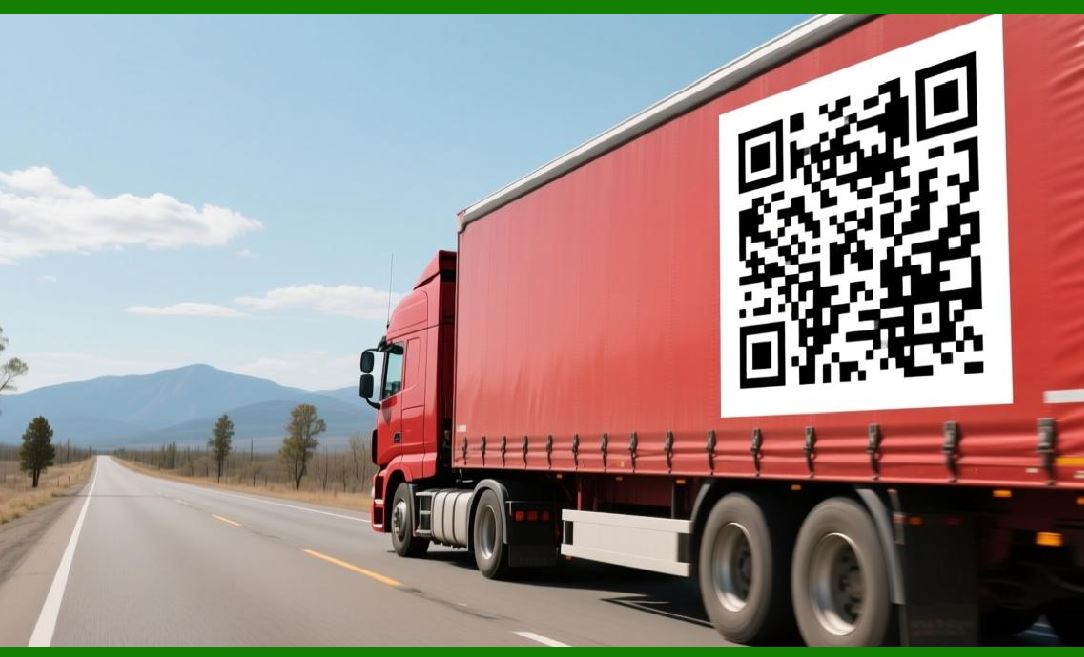
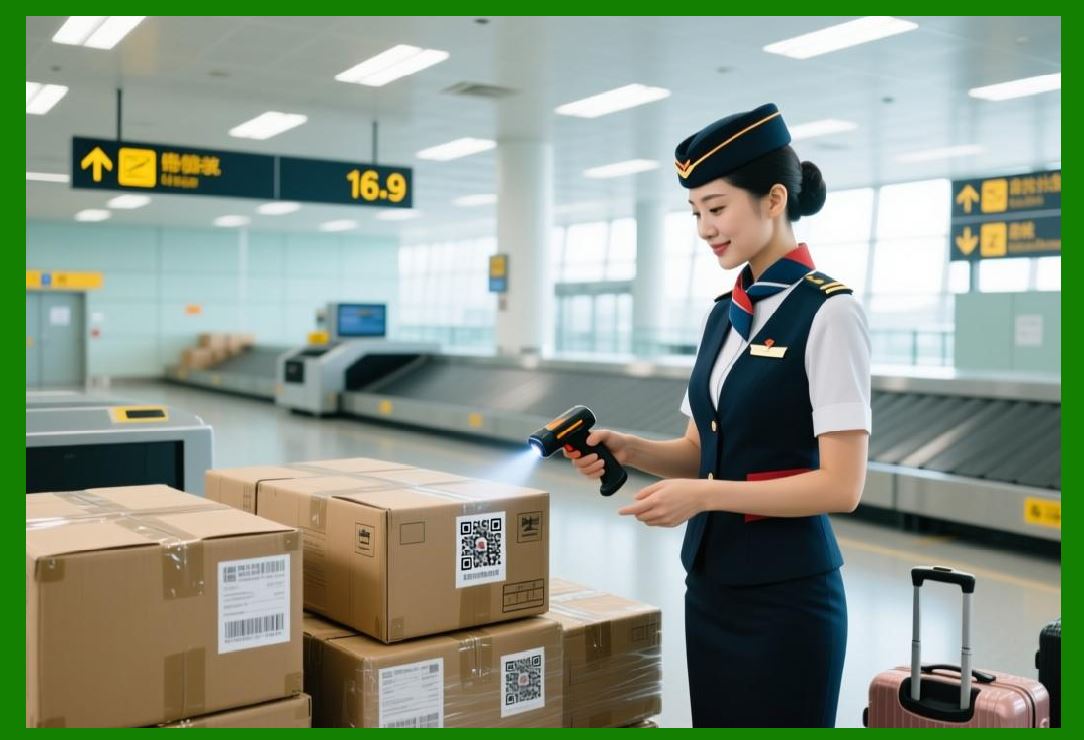
The US logistics industry depends on QR codes for tracking packages, managing inventory, and automating sorting. The decoding pipeline must work reliably in high-speed environments where packages move at several meters per second. |
The decoding pipeline steps are all critical in this environment. Binarization handles varying lighting conditions. Finder pattern detection locates codes on packages that may be oriented at odd angles. Perspective correction compensates for skew as packages move through the sorting system. Grid sampling and unmasking extract the data quickly. Error correction recovers codes that are scratched or smudged. |
Autonomous indoor drones are now being deployed in US warehouses to scan QR codes on inventory pallets . KDDI America, in partnership with Nichirin Tennessee, is conducting a proof-of-concept trial using drones that autonomously fly through warehouses, scanning QR codes on pallets and boxes . The decoding pipeline must work reliably despite the drones' movement and the variable lighting in warehouse environments. |
The impact of reliable decoding is substantial. The inventory tasks, which previously required a team of 5 or more people over several days, can now be conducted monthly along with additional weekly cycle counts . This dramatically improves inventory accuracy and reduces labor costs. |

|
Example 2: Healthcare and Patient Safety |
Hospitals across the United States use QR codes on patient wristbands and medication packaging to reduce errors and improve patient safety. The decoding pipeline must work in a variety of challenging conditions: low light, curved wrist surfaces, and potential contamination. |
Grayscale conversion and adaptive binarization handle the varying lighting in hospital rooms, exam rooms, and ambulances. Finder pattern detection locates the code even if the wristband is partially covered. Perspective correction compensates for the curvature of the wrist. Reed-Solomon error correction recovers data if the wristband is scratched or worn. The final output displays the patient's name, allergies, and medication schedule. |
The reliability of the decoding pipeline is critical for patient safety. A failed scan could lead to a medication error, a wrong procedure, or a delayed treatment. Hospitals invest in high-quality scanners and well-designed wristbands to ensure that the pipeline works consistently. |

|
Example 3: Retail Checkout |
US retailers use QR codes at self-checkout kiosks for loyalty programs, mobile payments, and product information. The decoding pipeline must work quickly and reliably to maintain customer satisfaction. |
The pipeline steps are optimized for speed. Binarization is adaptive but efficient. Finder pattern detection is fast because the codes are typically centered and oriented correctly. Perspective correction is minimal because the customer holds the phone relatively flat. Unmasking and Reed-Solomon correction are fast. |
The reliability of the decoding pipeline is essential for frictionless checkout. If a scan fails, the customer must try again, which causes frustration and delays. Retailers invest in high-quality QR code printers and well-designed labels to minimize failures. |

|
Example 4: Food Safety Traceability |
The US Food and Drug Administration's Food Safety Modernization Act (FSMA) mandates enhanced traceability for certain foods. QR codes are being used to encode traceability data on food packaging. |
The decoding pipeline must work in refrigerated and frozen environments, where condensation can obscure the code. Grayscale conversion and adaptive binarization handle the variable lighting. Perspective correction compensates for the code's placement on curved packages. Error correction recovers data if the code is partially obscured by frost or moisture. |
The reliability of the decoding pipeline is essential for food safety. If a contaminated product is discovered, the traceability data must be accessible quickly to identify the source and scope of the contamination. A failed scan could delay the recall and put consumers at risk. |

|
Example 5: Cannabis Supply Chain |
Metrc's Retail ID system uses QR codes to provide item-level traceability for cannabis products in 21 US markets . The system has achieved a weekly run rate of 1 million QR codes and has been adopted by over 1,100 businesses . |
The decoding pipeline is essential for this application. Consumers scan QR codes on product labels to access information on origin, test results, and potency. The pipeline must work reliably despite variations in lighting, label quality, and scanning angle. The output provides consumers with the transparency they expect and regulators with the traceability they require . |
|
Example 6: Marketing and Consumer Engagement |
US brands use QR codes for marketing and consumer engagement. Capri Sun, a Kraft Heinz brand, ran a sweepstakes campaign where consumers scanned a QR code on the packaging to enter a drawing for a Nintendo Switch 2 prize package. The campaign garnered more than 579,000 total landing page views and more than 28,000 subscription entries . |
The decoding pipeline must work for millions of consumers using a wide variety of smartphones and scanning conditions. The pipeline steps---grayscale conversion, binarization, finder pattern detection, perspective correction, grid sampling, unmasking, error correction, and output---must all work reliably to ensure a positive user experience. |
Dynamic QR codes, which allow brands to change the linked content without changing the code itself, are increasingly common in marketing applications . The decoding pipeline delivers the updated content to the consumer's device, enabling real-time engagement. |

|
Challenges and Future Directions |
Despite the robustness of the decoding pipeline, challenges remain. Low-resolution sensors can make grid sampling difficult because each module may be only a few pixels wide. Color QR codes introduce additional challenges because chromatic distortion can affect the grayscale conversion and binarization steps . Real-world conditions such as lighting variability, perspective distortions, and physical obstructions continue to challenge traditional decoders . |
Deep learning is increasingly being used to address these challenges. The YOLO-based approach described earlier demonstrates the potential of deep learning to improve detection and decoding accuracy in challenging conditions. The trade-off between accuracy and speed will likely narrow as hardware improves and models become more efficient. |
The future of the decoding pipeline is likely to be a hybrid approach: traditional computer vision for the core steps, augmented by deep learning for difficult cases. This combination will provide the speed and reliability needed for high-volume industrial applications while maintaining the accuracy needed for safety-critical systems. |

|
Detailed Closing Summary |
Let us now consolidate everything we have covered in this chapter, reflecting on the significance of the decoding pipeline in QR code technology and its applications in American industries. |
The decoding pipeline is the journey a QR code takes from a raw camera image to decoded data. It consists of eight essential steps: grayscale conversion, binarization, finder pattern detection, perspective correction, grid sampling, unmasking, Reed-Solomon error correction, and output . |

|
Each step plays a critical role: |
Grayscale conversion removes color information, simplifying the problem and making the decoder color-agnostic. |
Binarization separates dark modules from light modules, using adaptive thresholding to handle varying lighting. |
Finder pattern detection locates the three corner squares, determining the code's location, orientation, and size. |
Perspective correction uses the finder and alignment patterns to unskew the image, enabling scanning from angles . |
Grid sampling reads each module using the timing patterns for alignment. |
Unmasking reverses the XOR mask applied by the encoder, restoring the original bit pattern. |
Reed-Solomon error correction repairs damage, recovering the original data even if up to 30% of the code is corrupted . |
Output delivers the decoded data to the application. |

|
In American industries, the decoding pipeline enables: |
Logistics and supply chain: Autonomous drones scan QR codes on inventory, improving accuracy and reducing labor costs . |
Healthcare: QR codes on wristbands and medication packaging reduce medication errors and improve patient safety. |
Retail: QR codes at self-checkout kiosks enable fast, frictionless checkout. |
Food safety: QR codes on food packaging support traceability and recall management under FSMA. |
Cannabis supply chain: Metrc's Retail ID system uses QR codes for item-level traceability across 21 markets . |
Marketing: Brands like Capri Sun use QR codes to engage consumers and gather first-party data . |

|
The challenges of the decoding pipeline include low-resolution sensors, color QR codes, and real-world environmental factors. Deep learning is increasingly being used to address these challenges, with systems achieving high accuracy and robustness . |
For the end user, the decoding pipeline is invisible. You scan a code and it works, regardless of the conditions. But for the engineer, the pipeline is a carefully orchestrated sequence of operations that must work reliably in the chaos of the real world. Understanding the pipeline is essential for designing QR systems that meet the demands of modern American industries. |
 cs@easiersoft.com