The Humble QR Code: A Technical Deep-Dive and Its Multispectral Industrial Applications |
Chapter 35 | Industry 22 - Smart Home - Device Pairing |
Brief Summary: This chapter explores how QR codes have become the cornerstone of modern smart home setup, transforming device onboarding from a frustrating technical chore into a seamless one-tap experience. It provides a technical yet accessible overview of how these pixelated squares securely encode Wi-Fi credentials and device identifiers, enabling routers, security cameras, smart bulbs, and other Internet of Things (IoT) devices to join home networks with a simple scan. The narrative explains the underlying mechanisms of QR code-based device provisioning and highlights the broader ecosystem of standards and security initiatives that make this possible. Through detailed examples from U.S. patents, international technical standards, government cybersecurity programs, and real-world commercial applications from major brands, the chapter demonstrates how the QR code has become the universal 'key' to the connected home. |
|
Introduction: The Frustration of Setup and the Promise of a Scan |
Imagine this scenario: You have just purchased a new smart light bulb or a Wi-Fi security camera. You are excited to add it to your growing collection of connected home gadgets. You unscrew the old bulb, screw in the new one, and watch it flash, indicating it is ready to be set up. Then, the ordeal begins. You download the manufacturer's app, create an account, and try to pair the device. The app prompts you to find the device's Wi-Fi network, enter your home network's password, and wait for the connection. You type in that long, complex password with the mixed case and special characters. You hit 'connect.' And then, nothing. Or, worse, an error message: 'Connection failed. Please try again.' You try again. And again. You check your router settings. You restart the bulb. You restart your phone. You start questioning your life choices. |
This frustration is a universal experience for early adopters of smart home technology. The process of 'onboarding' a new device onto a home Wi-Fi network has historically been one of the biggest barriers to the widespread adoption of the Internet of Things (IoT). It requires users to understand technical concepts like network configuration, IP addresses, and access point modes. It is error-prone and often leaves users feeling helpless. |
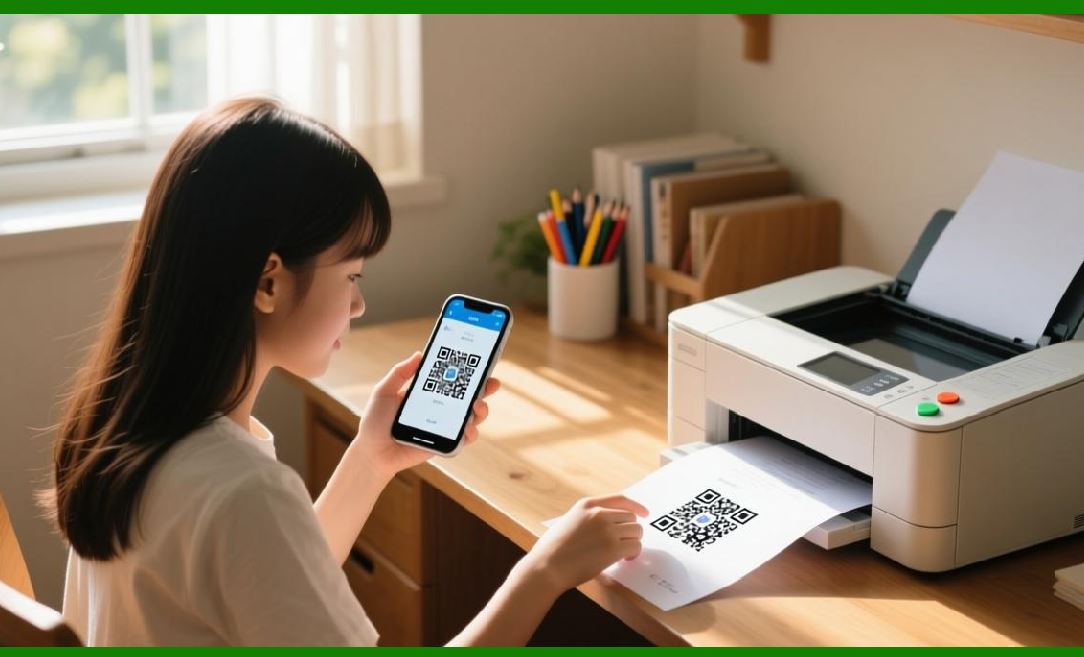
Enter the QR code. This humble, pixelated square, originally designed for tracking automotive parts, has become the unsung hero of the smart home revolution. It has transformed device onboarding from a daunting technical procedure into a simple, intuitive, and near-instantaneous act: open the app, point your phone at the QR code on the device or its packaging, and tap 'connect.' The QR code silently and securely transfers all the necessary information---the Wi-Fi network name (SSID) and password, the device's unique identifier, and sometimes even the specific cloud service it needs to connect to---in a single, error-proof scan. |
This chapter provides a technical deep-dive into this application. We will explore how QR codes are engineered to carry sensitive network credentials, the various pairing modes they enable, and the robust security protocols that protect the process. We will examine the broader ecosystem of standards, from the global Matter standard to the U.S. government's new cybersecurity labeling program, that are embedding QR codes into the fabric of smart home security. Most importantly, we will journey across the American smart home landscape, looking at real-world examples from patent filings, cloud platforms, and commercial products to illustrate how a simple scan is making the dream of the connected home a reality for millions of Americans. |

|
Part I: The Technical Challenge of Device Onboarding |
Before we can appreciate the elegance of the QR code solution, we must understand the technical problem it solves. Onboarding an IoT device onto a home Wi-Fi network is a classic 'chicken-and-egg' problem. The device needs the network's credentials to connect, but it has no keyboard or screen to enter them. Historically, this problem has been solved in a few cumbersome ways. |
1.1. The Pre-Connection Era: The Access Point (AP) Mode |
One of the earliest and most common methods is the Access Point (AP) mode, also known as hotspot mode . In this scenario, the smart device acts as a temporary Wi-Fi access point. The user, using their smartphone, must disconnect from their home Wi-Fi network and connect directly to the device's own Wi-Fi hotspot. Then, using a dedicated app, they enter their home network's credentials, which are transmitted to the device over this temporary direct connection. Once the device receives the credentials, it disconnects its hotspot, joins the home network, and the phone can rejoin the home network to complete the setup. |
While this method is functional, it is a poor user experience. It forces the user to interrupt their own internet connection, navigate to their phone's Wi-Fi settings, identify the correct device hotspot among potentially many others, and then switch back. It is a manual, multi-step process that is a significant source of friction. |
1.2. The Wireless Solution: Wi-Fi Easy Connect and EZ Mode |
To simplify things, another method emerged: Wi-Fi Easy Connect, often referred to as EZ mode in various platforms . In this mode, the smartphone app and the smart device communicate over the existing Wi-Fi network using a specific protocol. The app encapsulates the network credentials into a specially formatted data packet. The smart device, which is in a 'listen-only' mode, captures these specific packets from the air and extracts the credentials. This method, which has also been used by platforms like Amazon's Frustration-Free Setup, eliminates the need for a direct connection to the device's hotspot . |
However, it has its own drawbacks. It relies on the device being able to 'sniff' packets from the air, which can be unreliable in crowded Wi-Fi environments. It also often doesn't provide the user with visual confirmation of a successful connection, leading to the 'is it done yet' anxiety. |
Part II: The QR Code Solution: A Seamless Bridge |
The QR code offers a vastly superior solution. It acts as a secure, out-of-band channel for transferring configuration data . The term 'out-of-band' means the data is transferred using a communication method different from the primary one (the Wi-Fi network itself). In this case, the camera on the user's smartphone is the 'channel.' |
|
2.1. Encoding the Network Credentials |
The QR code on a smart device, or its packaging, is not just a random pattern. It contains a specific string of data that is decoded by the manufacturer's app or a universal smart home app. This data is typically a Uniform Resource Identifier (URI) that contains a payload of information . |
For a Wi-Fi device, the QR code will typically encode the following: |
The Wi-Fi SSID: The name of the home network the device should connect to. This is often a default name, but it is included in the code so the app knows which network to configure. |
The Wi-Fi Password (Passphrase): This is the most critical piece of information. The QR code can securely store the password for the network, eliminating the need for the user to type it in manually. |
The Security Protocol: This can include the type of security (e.g., WPA2-Personal, WPA3) to ensure compatibility. |
A Device Unique Identifier (UUID): This is a unique serial number or tag that identifies the specific device . This is used by the cloud platform to authenticate and provision the device during the setup process. |
For devices that connect via cellular networks (like LTE-M or NB-IoT), which don't require a Wi-Fi network to connect to the internet, the QR code might simply contain a unique device identifier or a 'device name' that links it to a specific account in the cloud . As detailed in the EnOS cloud platform documentation, for such devices, the QR code serves as a simple, one-scan method to attach the device to the user's account without any network credential entry . |
|
2.2. The Pairing Workflow: A One-Tap Experience |
The modern QR code pairing process has been refined to be incredibly smooth, especially for IP cameras and other devices with cameras. The typical workflow, as described in various platforms, is as follows : |
1. Preparation: The user installs the manufacturer's app or a standard smart home app (like Apple Home, Google Home, or Samsung SmartThings) on their smartphone. |
2. The Scan: The user opens the app, selects 'Add Device,' and chooses the option to scan a QR code. The app activates the phone's camera. |
3. The Capture: The user holds the phone's camera over the QR code displayed on the device (often on a small screen), printed on the device itself, or on a card inside the packaging. The app captures and decodes the data. |
4. Credential Injection: The app decodes the network credentials. If the device requires Wi-Fi, the app will take the decoded SSID and password and, without any user input, securely transmit them to the device. This transmission can happen over a low-energy Bluetooth connection or, as seen with some newer cameras, the phone will generate a QR code that the device's camera can scan . |
5. The Handshake: The device receives the credentials, connects to the Wi-Fi network, and then uses the unique device identifier to 'introduce' itself to the manufacturer's cloud service. This process, often called 'provisioning,' activates the device on the user's account . |
6. Success: The app confirms the device is connected and ready to use. The entire process, from scan to success, can take less than a minute. This is the 'one-tap' onboarding that the smart home industry has long promised. |
This workflow is a perfect example of the QR code's power. It turns a complex, multi-step technical procedure into a single, intuitive action. The user doesn't need to understand SSIDs, passwords, or IP addresses. They just need to point their phone at a square. |

|
Part III: The American Application Landscape |
The QR code has become a universal standard for device pairing in the U.S. smart home market. Its adoption is being driven by major industry players, a new federal cybersecurity initiative, and the global push for a unified smart home standard. |
3.1. The U.S. Patents: Building the Foundational Infrastructure |
The technology that enables QR code-based pairing has been the subject of extensive research and patenting in the United States. These patents reveal a sophisticated understanding of the challenges involved in secure, seamless device onboarding. |
US Patent 12,041,049: A Network Onboarding System: A significant example is the patent (US 12,041,049) assigned to a U.S. innovator, which describes a comprehensive network onboarding system for IoT devices . This patent, titled 'Internet of Things (IoT) Systems and Methods,' outlines a method for using a QR code to securely add a device to a user's home network. |
The patent describes a scenario where a new IoT device (like a smart TV) displays a QR code on its screen . The user scans this code with their smartphone app. The app then uses a secure protocol, such as the Device Provisioning Protocol (DPP), to transmit the network credentials to the device. This is a key point: the system is designed to be secure and interoperable, even across different device ecosystems . |
The patent also introduces the concept of a 'diplomat,' a device (like a smart speaker or hub) that acts as an intermediary, bridging communication between the onboarding application, the cloud, and the new device . This 'diplomat' can communicate over multiple protocols, allowing devices to be onboarded even if they don't have direct Wi-Fi or Bluetooth capabilities. This deep dive into the technical architecture demonstrates the serious engineering effort that U.S. companies have invested in making QR code pairing a robust, secure reality. |

|
3.2. The U.S. Government's Cyber Trust Mark: The QR Code as a Security Seal |
Perhaps the most significant development for QR codes in the U.S. smart home market is the launch of the 'U.S. Cyber Trust Mark' program, announced by the Federal Communications Commission (FCC) in 2023 . This is a voluntary cybersecurity labeling program for consumer IoT devices, modeled after the successful ENERGY STAR program for energy efficiency. |
The Program: The goal of the Cyber Trust Mark is to help consumers make informed purchasing decisions by clearly indicating which smart devices meet established cybersecurity standards, as outlined by the National Institute of Standards and Technology (NIST) . Products that pass the certification will display a distinctive logo on their packaging. |
The QR Code Component: Critically, the Cyber Trust Mark program mandates that certified products display a QR code alongside the logo. This QR code will link to a dynamic online registry containing easy-to-understand details about the product's security features, such as: |
- What data the device collects and how it is shared. |
- How the device authenticates users. |
- How and when security updates are provided and for how long the device will be supported . |
This QR code is not for device pairing, but for consumer information and transparency. The government's plan for this QR code-based registry is a powerful statement: the QR code is a trustworthy, standard mechanism for providing critical, verifiable information. This application significantly strengthens the QR code's credibility in the U.S. market. When a consumer sees a QR code on a device, they will increasingly associate it not just with easy setup, but with verified security and transparency . |
|
3.3. The Matter Standard: The QR Code as the Universal Key |
The 'Matter' standard is the other major force shaping the smart home in the U.S. and globally. Developed by the Connectivity Standards Alliance (CSA), with major backing from Apple, Google, Amazon, Samsung, and other U.S. tech giants, Matter aims to be the universal standard for smart home device compatibility . The goal is for any Matter-certified device to work seamlessly with any Matter-certified ecosystem. |
QR Codes in Matter: QR codes are central to the Matter setup experience. A Matter device's setup code is typically presented as a QR code. To add a Matter device to a smart home network, a user simply scans the QR code with their smartphone's native smart home app (e.g., Apple Home, Google Home, Samsung SmartThings). This is the 'one-tap' experience that the standard is built upon . |
Matter 1.4.1: Multi-Device Setup: The latest updates to the Matter standard, specifically version 1.4.1, introduced 'Multi-Device Setup QR code' . This feature addresses a very real pain point for consumers buying multi-packs of devices, such as a pack of four smart light bulbs. Currently, users have to scan the QR code on each device one by one and wait for the setup of each to complete before scanning the next. |
With this new feature, a single QR code on the packaging can be used to set up all four bulbs at once. The app will detect multiple devices and guide the user through onboarding them together. This is a significant user experience improvement, enabled entirely by an evolution in how QR codes are used within the Matter ecosystem. |
NFC Tag Integration: Alongside the multi-device QR code, Matter 1.4.1 also introduced 'Onboarding Info in NFC Tag' . For devices with QR codes that are difficult to access once installed (like a light switch mounted on the wall), manufacturers can now embed the same onboarding information in an NFC tag. The user can simply tap their phone on the device to initiate the setup process. This demonstrates that the underlying principle of the QR code---a simple, scannable way to transfer secure information---is being expanded to other technologies for even greater convenience. |

|
3.4. Real-World Products: Cameras, Bulbs, and Appliances |
The QR code setup method is not just a concept in patents and standards; it is the standard practice for thousands of smart home products available on American shelves. |
Security Cameras: As described in various product guides, smart security cameras often use QR code pairing . The setup process for an E27 light bulb camera, a popular type of smart security camera, demonstrates this perfectly. The user installs the app, enters their Wi-Fi password, and the app generates a QR code on their phone's screen. The user then holds the phone's screen up to the camera's lens. The camera scans the QR code from the phone, extracting the network credentials, and connects to the Wi-Fi network. This method is especially elegant because it uses the device's primary sensor (the camera) as the setup interface, requiring no additional hardware. |
Smart Routers: Even the foundational device of the smart home---the Wi-Fi router itself---is increasingly using QR codes for setup. A user can scan a QR code on the router to automatically configure their smartphone to connect to the new network, eliminating the need to manually type in the new SSID and password. |
Smart Appliances: Major appliance brands like Haier, Candy, and Hoover (which are part of a global group with a significant U.S. presence) are also embracing QR codes. The setup guide for their 'hOn' smart home app explicitly instructs users to scan a QR code on the appliance to begin the pairing process . This is a clear sign that the QR code has become the default user interface for connecting high-value, long-lasting appliances to the smart home. |

|
Part IV: The Workflow in Action: A Seamless Setup Experience |
Let's walk through a detailed, real-world scenario to see the QR code's role in a typical American smart home setup. |
The Scenario: A consumer in Chicago purchases a new Matter-certified smart security camera from a major electronics retailer. They plan to install it in their living room to keep an eye on their dog during the day. They already have a Google Home smart speaker and use the Google Home app on their Android phone. |
Step 1: Preparation: |
The consumer takes the camera out of the box. They plug it in, and it begins its power-on sequence. The small LED on the front flashes, indicating it is in pairing mode. They open the Google Home app on their phone. The app has a 'Set up new devices' feature. |
Step 2: The Scan: |
The app prompts the consumer to scan the device's QR code. The camera has a small sticker on its base with a QR code. The consumer points their phone's camera at the QR code. The app instantly captures and decodes the data. |
Step 3: Credential Injection: |
The QR code contains a unique device identifier and the Wi-Fi network credentials for the 'Matter' ecosystem. The Google Home app recognizes this is a Matter device. It asks the consumer to confirm their home Wi-Fi network and enter the password. The app uses the phone's connectivity to securely transmit these credentials to the camera over a low-energy Bluetooth channel (which many Matter devices support) or through the Matter commissioning protocol. |
Step 4: Authentication and Cloud Registration: |
The camera receives the credentials, connects to the Chicago home's Wi-Fi network, and, using the unique identifier from the QR code, reaches out to the Google Cloud to authenticate itself. The Google Home app confirms the device is now registered to the consumer's account. |
Step 5: The Final Touch: |
The consumer is prompted to name the camera ('Living Room Camera') and assign it to a room in the app. The camera is now fully set up and appears on the app's home screen. The entire process from unboxing to viewing the live video feed has taken less than five minutes, with minimal technical input from the consumer. |
|
Part V: The Benefits Beyond Convenience |
The QR code's impact on the smart home goes far beyond making setup easier. It is creating a more secure, more accessible, and more reliable connected home environment. |
Security: By eliminating the need for users to manually type in network credentials, the QR code removes a major vector for 'typo-based' attacks. It also enables secure 'out-of-band' authentication, ensuring that the device is communicating with the correct cloud service. The Matter standard's use of QR codes, combined with robust encryption, provides a very high level of security for device onboarding. The U.S. Cyber Trust Mark program further enhances this by using QR codes to provide transparent, verifiable security information to consumers . |
Accessibility: The QR code's simplicity makes smart home technology much more accessible to a broader range of users. It eliminates the need for technical knowledge, making setup possible for people of all ages and technical abilities. The 'one-tap' experience removes a significant barrier to entry. |
Reliability: Manual entry of Wi-Fi passwords is error-prone. A single mistyped character can cause a connection to fail, leading to frustration and support calls. The QR code guarantees that the credentials are transmitted accurately, reducing support costs and improving user satisfaction. This reliability is essential for the mainstream adoption of smart home technology. |

|
Part VI: Conclusion |
The QR code has traveled a long road from its origins on the automotive factory floor. In the American smart home, it has found one of its most impactful and visible applications. It has transformed the frustrating, technical chore of device setup into a seamless, intuitive, and secure 'one-tap' experience. |
Detailed Summary |
This chapter has explored the critical role of QR codes in modernizing the smart home, specifically focusing on their use as a tool for secure, frictionless device pairing. We began by examining the historical challenges of device onboarding. Early methods like the Access Point (AP) mode, which required users to manually switch Wi-Fi networks, and the more advanced, but still unreliable, Wi-Fi Easy Connect (EZ) mode, were cumbersome and often user-hostile. These methods created a significant barrier to the widespread adoption of smart home technology. |
We then introduced the QR code as the elegant solution to this challenge. We explained how a QR code can securely encode a payload of network credentials, including the Wi-Fi SSID and password, as well as a unique device identifier. The technical workflow is remarkably simple: the user scans the QR code with their smartphone app, which decodes the data and, via an 'out-of-band' channel like Bluetooth, securely transmits the credentials to the device. The device then connects to the network and is provisioned in the cloud, completing the setup. This 'one-tap' experience eliminates manual data entry and the associated errors. |

|
The chapter then focused on the American application landscape, providing several real-world examples: |
U.S. Patents: We examined US Patent 12,041,049, which provides a deep technical blueprint for a network onboarding system that relies on QR codes for secure device provisioning. The patent demonstrates the sophisticated engineering that underpins what appears to be a simple user action . |
The U.S. Government's Cyber Trust Mark: This FCC-led initiative is a pivotal moment for QR codes in the U.S. market. The program mandates a QR code on certified products, linking consumers to a public registry detailing the device's security features, such as data collection practices and update policies . This extends the QR code's role from simple setup to a trusted source of verifiable security information. |
The Matter Standard: As the universal standard for smart home interoperability, Matter has put QR codes at the heart of its setup experience. The latest Matter 1.4.1 update introduced a 'Multi-Device Setup QR code,' allowing users to scan a single code to set up a multi-pack of devices like smart bulbs, and an 'Onboarding Info in NFC Tag' for easier setup when QR codes are obscured . |
Real-World Products: We saw how popular smart security cameras, like the E27 light bulb camera, use QR code pairing by having the device's camera scan a QR code generated on the user's phone . We also saw how major appliance brands like Haier and Hoover are using QR codes to connect their products to their 'hOn' app . |
|
In conclusion, the QR code has evolved from a mere convenience to a foundational component of the modern American smart home. It is the key that unlocks a secure, accessible, and reliable connected experience for millions of households. It seamlessly bridges the physical device and the digital cloud, making the promise of a truly connected home a reality for everyone, regardless of their technical expertise. As the smart home continues to evolve, the QR code's role as the trusted, universal interface for setup and security will only continue to grow. |
 cs@easiersoft.com