The Humble QR Code: A Technical Deep-Dive and Its Multispectral Industrial Applications |
Chapter 37 | Industry 24 - Voting Systems - Voter Verification |
Brief Summary: This chapter explores the emerging and contentious role of QR codes in American voting systems, focusing on their use for voter verification and ballot tabulation. It provides a technical yet accessible overview of how QR codes are used to match voters to biometric tokens or to encode ballot selections, with the goal of reducing impersonation and speeding up the check-in process. The narrative examines the dual nature of QR codes in elections: as a tool for efficient voter identification at polling places and as a point of controversy in ballot counting. Through detailed examples from Georgia's QR-code-based voting system and its legislative battles, Wisconsin's electronic poll books, California's Poll Pass system, and nonpartisan voter registration initiatives, the chapter demonstrates how this technology is simultaneously streamlining processes and raising critical questions about election security, transparency, and public trust. |

|
Introduction: The Square That Counts |
When a voter walks into a polling place, they are participating in a ritual as old as American democracy itself. But the mechanics of that ritual have changed dramatically in recent decades. The paper ballot and the pen have given way, in many places, to touchscreens, scanners, and databases. And, increasingly, the Quick Response (QR) code is finding its way into the voting booth. |
The QR code's application in voting systems is arguably the most politically charged use of this technology. It sits at the intersection of two powerful forces: the relentless drive for efficiency and convenience in elections, and the deeply held concerns of citizens and officials about the security, transparency, and verifiability of the vote. In the United States, QR codes are currently used in two distinct ways in the electoral process: as a tool for voter verification and check-in, and as a method for encoding and tabulating ballot selections. Each application has its own technical merits and controversies. |
This chapter provides a technical yet accessible deep-dive into these applications. We will explore how QR codes can be used at polling stations to match voters with their registration records, reducing impersonation and speeding up the check-in process. We will also examine the more controversial use of QR codes on paper ballots to encode voting choices for machine tabulation, a practice that has sparked intense debate in states like Georgia. Through real-world examples from across the United States, we will explore the promise and the perils of bringing this humble, pixelated square into the sacred space of the voting booth. |

|
Part I: The Challenge of Voter Verification |
Before any ballot is cast, the voter must be verified. This is a foundational step in any election: ensuring that the person attempting to vote is who they say they are, is registered to vote, and has not already voted elsewhere. This process, historically done using paper poll books and manual name lookup, is a major bottleneck on Election Day. |
1.1. The Traditional Process: Paper Poll Books |
For generations, voter verification was a slow, manual process. Poll workers would use thick, paper 'poll books' containing the names and addresses of all registered voters in that precinct. When a voter arrived, they would state their name, the poll worker would search the alphabetized list for their name, and then cross-check it against the voter's identification. If everything matched, the voter would sign the book, and the poll worker would mark them as having voted. |
This process is labor-intensive and error-prone. It requires extensive training for poll workers, is slow during peak hours, and relies on the poll worker's ability to read handwriting and match names accurately. It is also vulnerable to impersonation, as a poll worker cannot easily verify that the person claiming to be 'John Smith' is actually John Smith. |
1.2. The Digital Solution: Electronic Poll Books |
The first major digital intervention in this process was the electronic poll book, or e-poll book. These are tablets or laptops that contain the voter registration database electronically. They allow poll workers to quickly look up a voter by name or address, check them in with a digital signature, and instantly update the database to prevent duplicate voting. They also allow for same-day voter registration in states where that is permitted. |
In Wisconsin, for example, the 'Badger Books' system is used in polling places. These e-poll books are not connected to the internet, reducing the risk of hacking or cyber attacks . The process is straightforward: poll workers look up the voter, the voter signs the screen electronically, and then the voter receives a paper ballot to mark . This is a significant improvement over paper poll books in terms of speed and accuracy. |
1.3. QR Codes for Polling Place Efficiency |
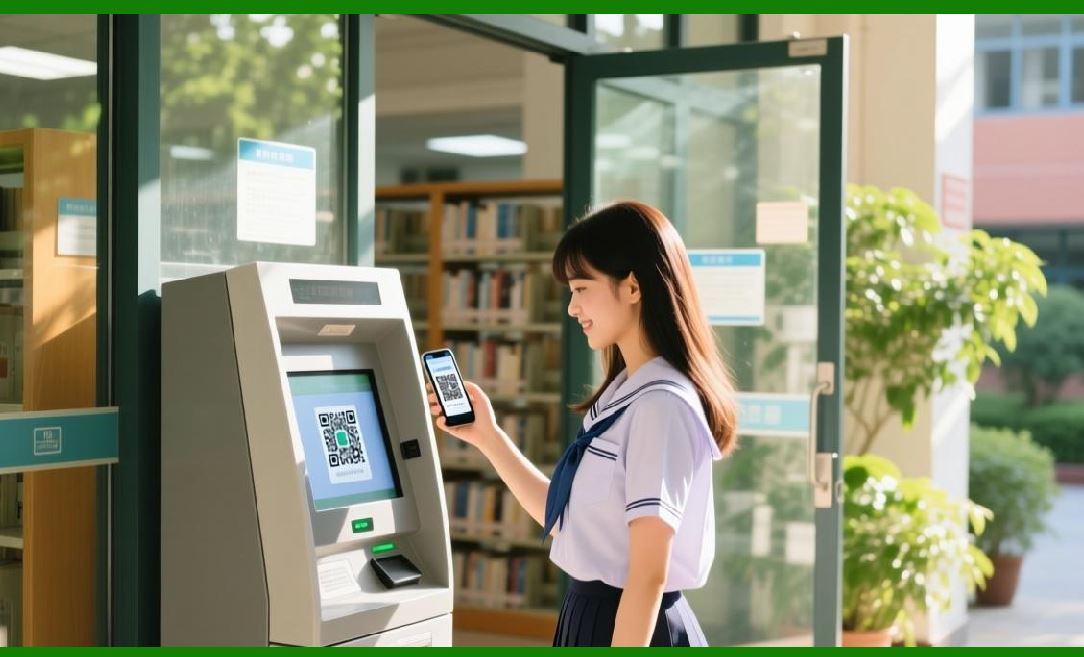
The QR code adds another layer of efficiency to this process. It allows a voter to 'pre-check-in' digitally. In California's Los Angeles County, for instance, voters can use an 'Interactive Sample Ballot' before they go to the vote center . After reviewing their choices online, the system generates a 'Poll Pass,' which is a QR code . When the voter arrives at the polling place, they simply scan this QR code at a check-in station. The system instantly pulls up their registration, confirms their identity, and allows them to proceed to the voting booth . |
This system, known in Los Angeles County as the Interactive Sample Ballot with Poll Pass, is entirely optional, and importantly, the Poll Pass contains no personal identifying information---only the voter's ballot type and their selections . The voter's identity is verified only when they arrive and show identification . This approach significantly speeds up the check-in process, reducing lines and wait times on Election Day. |

|
Part II: The QR Code and Ballot Tabulation: The Georgia Controversy |
The most controversial application of QR codes in U.S. elections involves their use on the ballot itself. This is not about verifying the voter, but about encoding the voter's selections for machine tabulation. |
2.1. How the Georgia System Works |
In the state of Georgia, the current election system uses touchscreen voting machines that print a paper ballot. This paper ballot includes two components: a human-readable summary of the voter's selections, and a QR code that encodes the same selections . When the voter finishes making their choices on the touchscreen, the machine prints this ballot. The voter can review the human-readable text to verify their choices, but the ballot is then fed into a scanner that reads the QR code to tally the vote . |
This system has been in use statewide since the 2020 primary election . It was intended to combine the benefits of electronic voting (speed, accessibility) with the security of a paper trail (a physical ballot that can be recounted). However, it has become a source of intense political and legal controversy. |
2.2. The Criticism: Transparency and Verification |
Critics of the Georgia system raise several concerns: |
The 'Black Box' Problem: Voters cannot read QR codes. This means they cannot independently verify that the QR code accurately encodes their selections. They must trust that the machine printed the correct QR code. As one critic put it, voters 'cannot be sure their selections are accurately reflected because people can't read QR codes' . |
Vulnerability to Hacking: There are concerns that the QR code system could be vulnerable to hacking or manipulation. If a malicious actor could alter the QR code generation algorithm, votes could be changed without the voter's knowledge . |
Lack of Trust: These concerns have been amplified by political figures, including President Donald Trump, who, after the 2020 election, alleged without evidence that the machines had 'deleted or switched votes' . While these claims have been repeatedly debunked, they have contributed to a significant erosion of trust in Georgia's election system. |
2.3. The Legislative Response: A Ban and a Punt |
In response to these criticisms, the Georgia state legislature passed a law in 2024 banning the use of QR codes for the 'official tabulation count' effective July 1, 2026 . The intent was to force the state to adopt a system where the vote count is based on the human-readable text, which is transparent and verifiable. |
However, the legislature did not provide a replacement system. As the deadline approached, election officials realized they could not implement a new system in time. The state Secretary of State's office proposed a workaround: use optical character recognition (OCR) software to read the human-readable text from scanned images of the ballots . But the State Election Board argued this was not authorized by law . |
This created a chaotic situation where two state agencies were giving conflicting guidance to county election officials . With a critical midterm election looming, the potential for confusion and litigation was severe. |
The Resolution: At the 11th hour, Georgia Governor Brian Kemp signed legislation delaying the QR code ban until January 1, 2028 . This 'punt' allows the current QR-code-based system to remain in place for the 2026 midterms. The legislature also created a committee to study alternatives and recommend a new system before the 2028 presidential election . |
This episode in Georgia is a powerful example of the real-world tensions inherent in using QR codes for voting. It highlights the conflict between the technology's efficiency and the public's demand for transparency and verifiability. |

|
Part III: Biometrics and QR Codes: The Future of Voter Authentication |
Beyond the check-in and tabulation applications, there is a third, more futuristic application of QR codes in voting: biometric voter authentication. This is where the QR code and biometric technologies combine to create a secure, privacy-preserving verification system. |
3.1. The Concept: Matching Biometric Tokens |
The idea is straightforward: when a voter arrives at a polling station, they present a QR code (either printed or on their phone). This QR code is a token that contains, or is linked to, a biometric identifier---such as a facial scan, fingerprint, or iris scan . The voter is then prompted to authenticate using their biometric (e.g., by looking at a camera or touching a fingerprint reader). The system then matches the biometric token from the QR code with the live biometric scan. |
This provides a very high level of security, as it makes impersonation extremely difficult . It also supports offline verification, as the QR code can contain the necessary cryptographic material to perform the match without a central database lookup . The academic research notes that 'biometric authentication defeats almost all mobile-based threats' in the context of internet voting . |
3.2. Privacy Considerations and Technical Implementation |
Privacy advocates are understandably concerned about a system that links a voter's biometric data to their ballot. However, the system can be designed with strong privacy protections. The QR code could be a one-time-use token that is generated only for that voting session and is not linked to the voter's identity. The biometric verification could happen entirely offline, and the biometric data itself is not stored . |
A recent research proposal suggests using a 'federated learning' architecture, where biometric verification happens on the edge device (e.g., a Raspberry Pi at the polling station) rather than in a central server . This means raw biometric data is never transmitted, reducing privacy risks. The system would use a combination of facial recognition, QR check-ins, and one-time passwords (OTPs) for robust multi-factor authentication . Votes would then be cryptographically hashed and recorded on a private blockchain for auditability and tamper resistance . While this remains a research concept, it points to a future where QR codes and biometrics could create a highly secure and privacy-preserving voting system. |
3.3. International Precedents and U.S. Pilots |
Internationally, the use of QR codes for voter authentication has been explored more extensively. In India, for example, the 'Booth App' uses encrypted QR codes from the electoral roll to speed up voter identification at polling stations . The QR code contains the voter's unique identifier and is scanned by poll workers to quickly look up the voter's record. |
In the U.S., biometric voter verification remains experimental. No widespread federal or state system currently uses this technology. However, the concept aligns with the broader trend toward digital identity documents, as discussed in the previous chapter on government-issued digital IDs. As mobile driver's licenses (mDLs) become more prevalent, they could potentially be used for voter verification, with the QR code serving as the secure link between the voter and their digital identity. |
|
Part IV: QR Codes in Voter Engagement |
Beyond the voting booth itself, QR codes are being used in the United States to drive voter registration and civic engagement. This is a nonpartisan effort aimed at making it easier for eligible citizens to participate in the electoral process. |
4.1. Voter Registration Campaigns |
One prominent example is the work of Civitech, a technology platform that supports voter engagement. In 2024, Civitech ran postcard campaigns targeting potential voters in states with user-friendly online voter registration systems . The postcards included QR codes that linked directly to the state's online registration portal . The strategy was to minimize friction: 'Scan, tap, sign, done' . This approach was highly successful in generating thousands of net registrations, especially among young voters . |
4.2. Healthcare-Based Voter Registration |
Another innovative application is the Vot-ER program, which places voter registration QR codes in healthcare settings . Vot-ER is a nonpartisan organization that partners with over 500 hospitals and clinics to integrate civic engagement into healthcare . Healthcare workers can wear a 'Vot-ER Badge' that contains a QR code. Patients can scan the code to access a nonpartisan, self-service voter registration platform . This is particularly impactful in reaching underrepresented populations who may not otherwise be engaged in the electoral process. |
However, a pilot study in a Houston family medicine clinic found that simply placing QR codes on flyers did not lead to high registration rates; the presence of QR codes alone was insufficient . The study suggested that 'QR codes may necessitate supportive elements, such as in-person cues or more explicit user instructions' . This is an important lesson: technology is most effective when it is paired with human interaction and clear communication. |

|
Part V: The Technical Workflow in Action |
Let's walk through two scenarios to illustrate how QR codes are and could be used in the voting process. |
Scenario 1: The Poll Pass Experience (Los Angeles County) |
The Voter: A voter in Los Angeles County, California, wants to expedite their voting experience. |
1. Preparation: Before Election Day, the voter goes online and accesses the 'Interactive Sample Ballot' tool on the county's website . |
2. Making Selections: They review the candidates and propositions and make their selections. The tool saves these selections on their device . |
3. Generating the Poll Pass: After making their selections, the tool generates a 'Poll Pass'---a QR code that encodes their ballot type and their choices . This QR code does not contain any personal information . |
4. Arrival at Vote Center: On Election Day, the voter arrives at a vote center. They go to a check-in station, where a poll worker scans the QR code on their phone. |
5. Check-in: The system reads the QR code, identifies the voter's ballot type, and brings up their registration record. The poll worker verifies the voter's identity using their ID, as per standard procedure . |
6. Voting: The voter is directed to a Ballot Marking Device. Because they already made their selections, they simply confirm their choices. They are not required to use the Poll Pass, but it has saved them time . |

|
Scenario 2: A Future Biometric System |
The Voter: A voter in a state that has adopted a biometric QR code verification system. |
1. Pre-Enrollment: The voter, when registering to vote, provides a biometric template (e.g., a facial scan). This template is cryptographically hashed and securely stored. |
2. Election Day: The voter arrives at a polling place. A poll worker scans their government-issued ID (which contains a QR code with a cryptographic credential). |
3. Authentication: The voter is asked to look into a camera. The live facial scan is captured. The QR code on the ID provides the cryptographic key to decrypt the voter's stored biometric template. |
4. Matching: The system matches the live scan against the decrypted template . The verification happens entirely offline, and the biometric data is not transmitted or stored . |
5. Check-in: If the match is successful, the voter is checked in and can proceed to vote. This process makes impersonation virtually impossible, as the voter must physically match their registered biometric template. |
|
Part VI: Conclusion |
The QR code's role in American voting systems is a study in contrasts. On one hand, it is a powerful tool for improving efficiency, reducing wait times, and making the check-in process smoother. On the other hand, its use in ballot tabulation has become a lightning rod for controversy, raising profound questions about transparency, trust, and the integrity of the electoral process. |

|
Detailed Summary |
This chapter has explored the multifaceted and often controversial role of QR codes in U.S. voting systems. We began by examining the traditional challenge of voter verification, where manual poll books created bottlenecks and were prone to errors. We described how electronic poll books, like Wisconsin's Badger Books, represent a first digital step, and how the addition of QR codes, as seen in California's Poll Pass system, can further speed up the check-in process by allowing voters to 'pre-check-in' and encode their ballot selections for faster retrieval . |
We then delved into the most contentious application: the use of QR codes on ballots for machine tabulation, focusing on the ongoing controversy in Georgia. We explained how the Georgia system works---touchscreen machines print a paper ballot with both human-readable text and an encoded QR code, which is read by scanners to tally the vote . We detailed the criticisms of this system: the inability of voters to verify the QR code's accuracy, concerns about vulnerability to hacking, and the erosion of public trust . We chronicled the legislative response---a failed ban attempt, conflicting guidance from state agencies, and the eventual last-minute delay of the ban until 2028 . This saga is a powerful example of the real-world tensions between technology-driven efficiency and the fundamental democratic need for transparency and verifiability. |
We then looked to the future with the concept of biometric QR code verification, where a QR code serves as a token containing a biometric identifier for secure, offline voter authentication . We noted the potential for such a system to dramatically reduce impersonation while protecting voter privacy through techniques like federated learning and local biometric processing . |

|
Beyond the polling place, we explored how QR codes are being used for voter engagement, such as Civitech's postcard campaigns that linked directly to online registration portals, and Vot-ER's healthcare-based voter registration badges . We also noted the limitations of passive QR code placement, as a Houston clinic study found that QR codes alone were insufficient to drive high registration rates . |
In conclusion, the QR code's application in voting systems is a microcosm of the broader digital transformation of democracy. It offers the promise of faster, more accessible, and more secure elections. But it also presents significant challenges related to trust, transparency, and the human desire for a verifiable connection between a citizen's choice and the final tally. The path forward in the United States is likely to be one of careful, state-by-state experimentation, with the QR code serving as a tool that must be balanced against the fundamental principles of democratic integrity and public confidence. |
 cs@easiersoft.com