The Humble QR Code: A Technical Deep-Dive and Its Multispectral Industrial Applications |
Chapter 43 | Industry 30 - Telecom - SIM Activation |
Brief Summary: This chapter explores how QR codes have become the cornerstone of modern telecom SIM activation, enabling instant, contactless onboarding for both physical SIM cards and eSIMs. It provides a technical yet accessible overview of how QR codes on SIM packaging encode critical identifiers like ICCID and activation tokens, allowing users to scan and port numbers instantly without manual data entry. The narrative explains the underlying GSMA standards, the role of the Local Profile Assistant (LPA), and the secure, two-phase activation workflow. Through detailed examples from major U.S. carriers---AT&T, Verizon, T-Mobile, and their prepaid and MVNO partners---the chapter demonstrates how the QR code has streamlined customer acquisition, reduced support costs, and enabled the industry's transition from physical plastic to embedded, software-driven connectivity. |

|
Introduction: The End of the Plastic Card |
For decades, activating a new cell phone was a ritual that involved a tiny piece of plastic: the SIM card. You would buy a phone, open the box, and carefully insert the small, credit-card-sized carrier card into a slot in the device. You would then call a toll-free number, read off a long string of numbers from the card to a customer service representative, and wait for them to provision your line. If you were switching carriers or porting your number, it could involve a trip to a store, waiting in line, and hoping the representative entered everything correctly. |
The process worked, but it was far from frictionless. It required human intervention, was prone to errors, and added significant cost and time to the customer acquisition process. It also created physical waste---millions of plastic SIM cards that were manufactured, shipped, and ultimately discarded. |
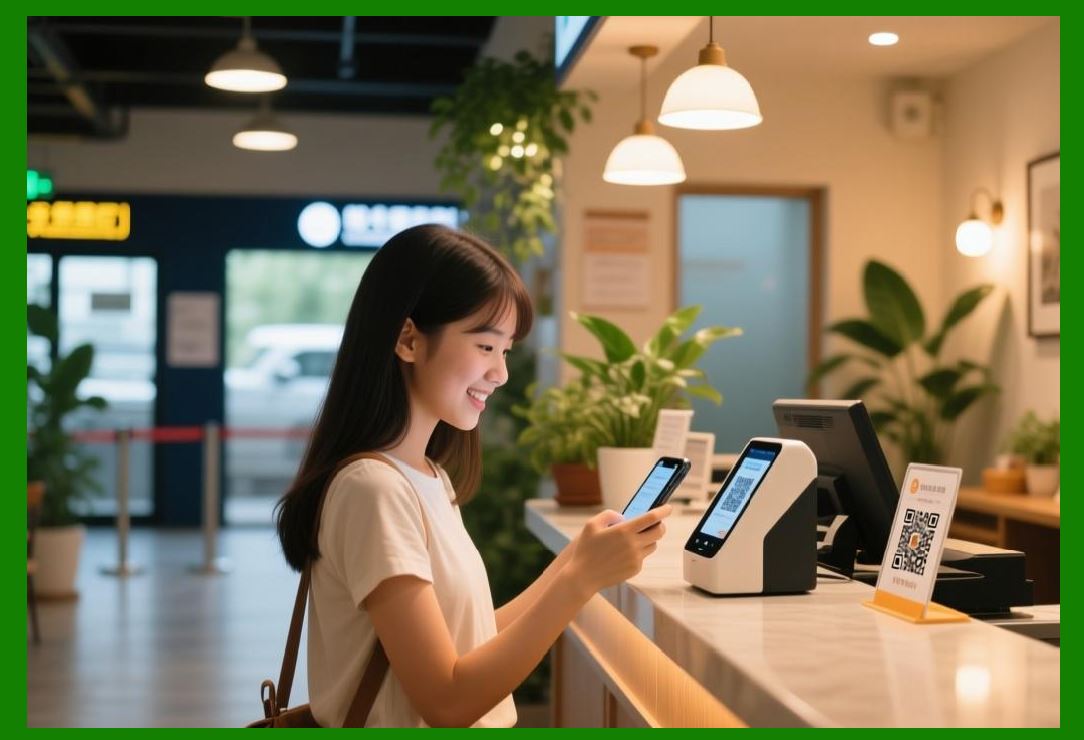
Today, that ritual is rapidly becoming obsolete. The humble QR code, a technology born in the automotive industry, has transformed SIM activation into a seamless, instant, and contactless experience. Whether you are inserting a physical SIM card that has a QR code on its packaging or activating an embedded SIM (eSIM) that requires no physical card at all, the process is often as simple as pointing your phone's camera at a square and tapping 'confirm.' The QR code silently carries all the necessary information---the SIM's unique identifier, the activation token, the network server address---and securely initiates the download of your cellular profile. |
This chapter provides a technical deep-dive into this application. We will explore the industry standards that make this possible, the cryptographic underpinnings that ensure security, and the detailed workflow that turns a scan into a live cellular connection. Most importantly, we will journey across the American telecom landscape, examining how the 'big three' carriers---AT&T, Verizon, and T-Mobile---and their prepaid and MVNO partners are leveraging QR codes to simplify SIM activation and enhance the customer experience. |

|
Part I: The Technical Foundation of QR Code SIM Activation |
The modern SIM activation process, whether for a physical SIM or an eSIM, is governed by a sophisticated set of technical standards established by the GSMA, the global trade body for mobile operators. These standards ensure that the process works seamlessly across different device manufacturers, carriers, and regions. |
1.1. The ICCID and the Activation Token: What the QR Code Carries |
At the heart of every SIM is a unique identifier called the ICCID (Integrated Circuit Card Identifier). This is a 19- to 20-digit number that uniquely identifies the SIM card itself . For a physical SIM, the ICCID is printed on the card and its packaging. For an eSIM, the ICCID is associated with the embedded hardware in the device. |
A QR code used for SIM activation typically encodes two critical pieces of information: |
1. The ICCID: This allows the carrier's system to identify the specific SIM profile that is being activated. |
2. An Activation Token (or 'Activation Code'): This is a security token that is generated by the carrier for a specific activation event. It serves as a one-time-use credential that authorizes the device to download the cellular profile . |
The activation code often takes a structured format, such as: |
`LPA:1$$` |
In this format: |
- `LPA:` identifies the Local Profile Assistant, the software component on the device that manages the SIM profile. |
- `1$` is an identifier for the first profile access key. |
- `` is the server address (SM-DP+) where the profile is hosted. |
- `` is the unique activation token . |
The QR code is a convenient way to encode this potentially long and complex string of characters, eliminating the need for manual entry. |

|
1.2. The GSMA Standards: eSIM and the SM-DP+ Architecture |
For eSIMs (also known as eUICC, or embedded Universal Integrated Circuit Card), the GSMA has defined a comprehensive technical architecture. This architecture involves several key components: |
The eUICC: The hardware chip embedded in the device that stores the SIM profile securely. |
The SM-DP+ (Subscription Manager - Data Preparation Plus): A secure server platform operated by the carrier or a trusted partner. This server prepares and hosts the SIM profiles for download. |
The LPA (Local Profile Assistant): The software on the device that manages the eSIM. It handles the scanning of the QR code, the communication with the SM-DP+, and the secure download and installation of the profile. |
The QR code provided by the carrier is essentially a 'voucher' that authorizes the LPA to connect to the correct SM-DP+ and download the correct profile for that device . The activation code in the QR code points the device to the right server and provides the security token needed to access the profile. |

|
1.3. The Two-Phase Workflow: Preparation and Download |
The eSIM activation process is typically divided into two phases : |
1. Profile Preparation Phase: This happens 'behind the scenes' at the carrier. The carrier orders the generation of a profile for a specific ICCID and creates an activation token (the QR code). This QR code is then associated with the user's purchase and delivered to them. |
2. Profile Download Phase: This is the user-facing phase. When the user scans the QR code with their device, the LPA extracts the activation code. It then connects to the SM-DP+ server, authenticates using the activation token, and securely downloads the SIM profile. Once installed, the device is activated on the carrier's network. |
This two-phase approach ensures security: the profile is only downloaded when the authorized user scans the QR code on the intended device. |
|
Part II: The American Application Landscape |
All three major U.S. carriers---AT&T, Verizon, and T-Mobile---have embraced QR code-based SIM activation for both physical SIM and eSIM products. Their implementations share a common technical foundation but differ in the specifics of delivery and user experience. |
2.1. AT&T: The QR Code in the Box |
AT&T has made QR code activation the standard for both its prepaid and postpaid offerings. For physical SIM cards, the QR code is printed on the packaging. For eSIMs, the QR code is typically delivered via email to the user or printed on a physical eSIM activation card . |
AT&T Prepaid eSIM: |
For AT&T Prepaid, the process is straightforward. After purchasing an eSIM plan, the user receives an eSIM activation card . The user turns on their device, connects to Wi-Fi, and scans the QR code from the activation card. The device then downloads the profile and activates the service . If the QR code cannot be scanned, AT&T provides a clear 'Enter Details Manually' option, allowing the user to type in the SM-DP+ address and activation code . This fallback is particularly helpful if the QR code is damaged or if the user's device camera is malfunctioning. |
Postpaid and Business: |
For postpaid and business accounts, AT&T supports QR code activation through the myAT&T app or via an email link. AT&T has a high QR code success rate and reports that the process typically takes 3 to 7 minutes . |
Cricket Wireless: |
AT&T's prepaid brand, Cricket Wireless, also uses QR codes for eSIM activation, following a similar process . |

|
2.2. Verizon: App-Driven but QR-Ready |
Verizon has heavily invested in its My Verizon app as a primary activation channel, but QR codes remain a central part of the ecosystem, especially for certain device types and scenarios. |
eSIM Activation via QR Code: |
Verizon provides QR codes for eSIM activation in several situations: |
New Lines: When a user orders a new line, the QR code may be emailed to them as part of the activation instructions . |
iPads and Select Android Devices: For certain devices, including most iPads and some Android models, a QR code is required to complete eSIM activation . |
eSIM Restore: If a user erases their iPhone and the eSIM is lost, they must call Verizon support to trigger an eSIM restore, after which a fresh QR code is emailed to them . |
The Activation Workflow: |
A typical Verizon eSIM activation via QR code begins with the user connecting to Wi-Fi. They then go to Settings > Cellular (or Network & Internet) and select 'Add Cellular Plan' or 'Add eSIM.' They then scan the QR code from Verizon's email or support documentation . The device detects the cellular plan and, after a confirmation step, downloads and activates the profile . |
Security: |
Verizon employs a security feature for many upgrades. When a new eSIM device is ordered, a 6-digit confirmation code is sent via SMS to the user's old device. The user must enter this code on the new device to authorize the eSIM download . This two-factor authentication helps prevent unauthorized activations. |
Prepaid Considerations: |
For Verizon Prepaid, eSIM activation is supported, but prepaid accounts may have additional requirements. Prepaid customers must activate through the Verizon Prepaid app (not the standard My Verizon app), and there may be a 24-hour processing period . The QR code process remains similar, but account verification is more stringent . |

|
2.3. T-Mobile: Flexible and Inconsistent |
T-Mobile offers the most flexible eSIM activation options but has also been reported to have the most inconsistent reliability . Success rates vary from 70% to 95% depending on account type and region . |
QR Code Delivery: |
T-Mobile typically delivers eSIM QR codes via email or through the T-Life app . For some plans, they may also provide an SMS-based link. |
Activation Workflow: |
The scanning process is similar to other carriers. The user connects to Wi-Fi, goes to Settings > Cellular (or SIM Manager), selects 'Add eSIM' or 'Add Cellular Plan,' and scans the QR code . T-Mobile supports a wide range of devices, including iPhones and Android devices from Samsung, Google, and Motorola . |
Common Gotchas: |
T-Mobile customers often encounter the 'SIM Protection' feature, which can block eSIM transfers. If a user forgets to disable SIM Protection before attempting an activation, they will need to contact T-Mobile support . T-Mobile also has stricter requirements for prepaid accounts (like Metro by T-Mobile), where eSIM activation often requires a visit to a store . |
Fallback Options: |
If the QR code is not available or does not work, T-Mobile users can often activate through the T-Life app. If the device is asking for a QR code and the user does not have one, they can call T-Mobile support (1-800-937-8997) and request a new QR code tied to their device's EID (Electronic ID) . |

|
2.4. Prepaid and MVNOs: The QR Code Ecosystem |
The QR code activation model has been particularly impactful for prepaid carriers and Mobile Virtual Network Operators (MVNOs), which often operate with lower customer support budgets and rely on self-service. |
AT&T Prepaid and Cricket: |
As discussed, AT&T Prepaid and Cricket use QR codes for eSIM activation, often with physical eSIM activation cards . |
Verizon Prepaid: |
Verizon Prepaid also supports QR codes, but with the app-based requirement and potential 24-hour processing delay . |
T-Mobile Prepaid and Metro by T-Mobile: |
T-Mobile Prepaid and Metro by T-Mobile support eSIM, but with stricter account verification that can lead to higher failure rates for app-based activation . Metro by T-Mobile often requires in-store activation, though some users report success by requesting a QR code from customer service . |
MVNOs and International eSIM Providers: |
Many MVNOs and international travel eSIM providers have made QR codes the standard activation method. The process is simple: the user purchases a data plan, receives a QR code via email, and scans it to install the eSIM . This model has enabled the explosive growth of the travel eSIM market, allowing users to have a working data connection within minutes of arriving in a new country. |

|
Part III: The Workflow in Action |
Let's walk through a detailed scenario of a user activating an AT&T Prepaid eSIM using a QR code. |
The Scenario: A new customer, Maria, wants to activate an AT&T Prepaid plan on her unlocked iPhone. She purchases an AT&T Prepaid eSIM activation card from a retail store . |
Step 1: Preparation: |
Maria removes the eSIM activation card from its packaging. The card contains a QR code, the ICCID, and other details. She ensures her iPhone is charged and connected to a stable Wi-Fi network. Wi-Fi is essential for this process, as the device must download the SIM profile over the internet . |
Step 2: Initiation: |
Maria goes to Settings > Cellular on her iPhone. She taps 'Add Cellular Plan.' Her iPhone's camera opens, ready to scan a QR code. |
Step 3: The Scan: |
She points the phone's camera at the QR code on the AT&T Prepaid eSIM activation card. The phone recognizes the code and decodes it. The code contains the SM-DP+ server address and the unique activation token for her profile. The phone detects the plan and displays a 'Cellular Plan Detected' message . |
Step 4: Profile Download: |
Maria taps 'Continue.' Her iPhone communicates with AT&T's SM-DP+ server using the activation token. The server authenticates the token and securely sends the SIM profile to the device. This download process typically takes 3 to 7 minutes . |
Step 5: Labeling and Defaults: |
Once the profile is installed, Maria is prompted to label her plans (e.g., 'Primary,' 'Work,' 'Personal') and choose her default line for calls, messages, and data. |
Step 6: Activation: |
After labeling, the 'Activating AT&T' screen appears. After a few minutes, the screen changes to 'AT&T is active.' Maria taps 'Done.' Her iPhone now shows AT&T signal bars. She is connected to the network. A confirmation text is typically sent to verify the activation . |

|
Part IV: The Benefits and the Road Ahead |
QR code-based SIM activation offers transformative benefits to both carriers and consumers. |
For Consumers: |
Instant Activation: No more waiting on hold with customer service. |
No Manual Data Entry: Eliminates the risk of typing errors. |
Contactless Setup: Especially important in a post-pandemic world. |
Portability: Easily switch between carriers and plans. |
For Carriers: |
Reduced Support Costs: Self-service reduces call center volume. |
Faster Customer Acquisition: Simpler onboarding increases conversion rates. |
Fraud Reduction: Activation tokens are single-use and tied to a specific device. |
Scalability: The system can handle millions of activations simultaneously without human intervention. |
The Road Ahead: |
The future of SIM activation is likely to become even more seamless. While QR codes remain the standard, Apple's 'Quick Transfer' feature for iPhone-to-iPhone eSIM migration is an example of how the process can become even more frictionless . However, QR codes will remain the backbone for initial activations, new lines, and situations where a carrier-specific app is not available. |

|
Part V: Conclusion |
The QR code has become a foundational technology for modern telecom SIM activation. By encoding the ICCID and activation token into a scannable square, carriers have eliminated the friction and cost of manual customer service interactions. The GSMA's eSIM standards, supported by all major U.S. carriers, have created a secure, reliable, and scalable architecture that is enabling the industry's transition from physical plastic to software-defined connectivity. Whether you are scanning a QR code on a prepaid activation card or an email from your carrier, the process is a testament to how a simple technology can fundamentally transform an industry. |

|
Detailed Summary |
This chapter has explored the pivotal role of QR codes in modern telecom SIM activation, focusing on the U.S. market. We began by contrasting the historical process of SIM activation---which involved manual phone calls and data entry---with today's frictionless, scan-based experience. The QR code was introduced as the key enabler of this transformation. |
We then delved into the technical foundation. The QR code on a SIM card or eSIM activation card encodes the ICCID (the SIM's unique identifier) and a secure activation token . We explained the GSMA eSIM standards, including the SM-DP+ server architecture and the LPA (Local Profile Assistant) that manages the profile on the device . The two-phase workflow---profile preparation and profile download---was detailed to show how security is maintained . |
The core of the chapter focused on real-world American applications: |
AT&T: AT&T uses QR codes for both prepaid (via activation cards and email) and postpaid activation, offering a clear manual entry fallback . |
Verizon: Verizon uses QR codes for new lines, iPads, Android devices, and eSIM restore scenarios, often paired with a 6-digit confirmation code for security . |
T-Mobile: T-Mobile offers flexible QR code activation via email or the T-Life app, but with noted inconsistencies and stricter prepaid requirements . |
Prepaid and MVNOs: We discussed how prepaid carriers and international eSIM providers have leveraged QR codes for low-cost, scalable self-service activation . |
Through a detailed workflow scenario, we illustrated a user activating an AT&T Prepaid eSIM by scanning a QR code on an activation card. We then summarized the benefits of the system: instant activation, reduced support costs, and enhanced security. |

|
In conclusion, the QR code has become an indispensable tool for the telecom industry. It is the bridge between the physical card and the digital profile, enabling the swift, secure, and seamless activation that consumers now expect. As the industry moves further towards embedded connectivity, the QR code's role as the universal activation interface is likely to endure, ensuring that getting connected is as simple as pointing a camera at a square. |
 cs@easiersoft.com