The Humble QR Code: A Technical Deep-Dive and Its Multispectral Industrial Applications |
Chapter 52 | Conclusion - The Ubiquitous Carrier |
Brief Summary: This concluding chapter synthesizes the technical journey of the QR code across fifty chapters and forty-plus industries, reflecting on why this simple square has become the silent operating system of the physical-digital interface. It provides a retrospective on the QR code's core technical principles, including its forty versions, four error correction levels, and eight mask patterns, explaining how this elegant combination of simplicity and redundancy ensures reliability. The chapter then weaves together the threads from every industry covered, demonstrating how a technology invented for automotive parts tracking has become a universal carrier of information across manufacturing, logistics, healthcare, government, retail, and beyond. Through American examples from Milwaukee Tool's machine documentation system to the GS1 Digital Link standard and the U.S. Food and Drug Administration's food traceability rule, this conclusion argues that QR codes are not a relic of the past but a foundational technology that will continue to evolve as the world becomes more connected. |
|
Introduction: The Square That Refuses to Fade |
There is a quiet power in simplicity. In a world obsessed with the next breakthrough---artificial intelligence, quantum computing, blockchain---it is easy to overlook the technologies that simply work. The QR code is one such technology. Born in 1994 in the automotive factories of Japan, it was designed to do one thing: track parts quickly and reliably. Three decades later, it has become one of the most ubiquitous visual patterns on the planet, appearing everywhere from restaurant tables and concert tickets to industrial machinery and government-issued health credentials. |
The chapters of this book have traced the QR code's journey across an astonishing range of industries: postal services, agriculture, railways, maritime shipping, smart homes, government digital IDs, voting systems, libraries, fitness equipment, tourism signage, fashion care labels, automotive aftermarket parts authentication, telecom SIM activation, legal document signing, HR onboarding, emergency evacuation maps, gaming toys, environmental sensor calibration, and cryptocurrency cold storage, among many others. This is not a technology of the past; it is the silent, unsung operating system of the physical-digital interface. |
What is it about this simple pattern of black and white modules that has allowed it to endure and thriveThe answer lies in a careful balance of technical design and practical adaptability. The QR code is neither the most powerful nor the most sophisticated data carrier available, but it is, arguably, the most practical. It is cheap to print, easy to scan, remarkably robust, and accessible to anyone with a smartphone. This final chapter reflects on the QR code's technical genius, its journey across American industry, and the enduring reasons for its continued relevance. |

|
Part I: The Architecture of Resilience |
To understand why the QR code has become a universal carrier, one must appreciate the elegance of its design. It is not a random pattern; it is a carefully engineered symbology that balances data capacity, error correction, and scannability. |
1.1. The Building Blocks |
The QR code standard, ISO/IEC 18004, defines a family of symbol formats. The most common of these, QR Code Model 2, is the basis for most applications today. It specifies a grid of modules that can range from 21x21 (Version 1) to 177x177 (Version 40). Each increase in version adds four modules per side, allowing for more data to be encoded. |
A QR code is not simply a block of data. It is a structured layout that includes several critical elements: |
Finder Patterns: Three identical square patterns located at the top-left, top-right, and bottom-left corners. These allow a scanner to determine the orientation of the code, enabling it to be read from any angle. |
Alignment Patterns: Smaller square patterns that help the scanner correct for distortion, allowing the code to be read even if printed on a curved surface. |
Timing Patterns: Alternating black and white modules that act as a ruler, allowing the scanner to determine the size of each module. |
Format Information: This area encodes the error correction level and the mask pattern used, telling the scanner how to interpret the data. |
Data and Error Correction Codewords: The remaining space is dedicated to the payload and the redundant data that enables error recovery. |

|
1.2. The Four Error Correction Levels |
One of the QR code's most powerful features is its built-in error correction. A QR code can be partially damaged, obscured, or dirty, and still be successfully decoded. This is achieved through Reed-Solomon error correction, a mathematical technique that adds redundant data to the payload. The standard defines four levels of error correction: |
Level L (Low): Recovers approximately 7% of the data. Used when the code is expected to be in good condition. |
Level M (Medium): Recovers approximately 15% of the data. This is the most common default level. |
Level Q (Quartile): Recovers approximately 25% of the data. Used in industrial environments where codes may be damaged. |
Level H (High): Recovers approximately 30% of the data. Used when the code must be read even under severe damage. |
This redundancy is what allows QR codes to be printed on shipping labels that get scuffed, affixed to machinery in dusty factories, or displayed on phone screens with varying brightness. The error correction is the QR code's insurance policy against the messy realities of the physical world. |

|
1.3. The Eight Mask Patterns |
Another subtle but critical feature is the use of mask patterns. The raw binary data of a QR code, if simply plotted as black and white modules, might create patterns that are difficult for a scanner to read---for example, large areas of solid white or black, or patterns that resemble the finder patterns. To avoid this, the QR code standard defines eight possible mask patterns. A mask is a mathematical operation that flips certain modules from black to white or vice versa. The encoder evaluates all eight masks and selects the one that produces the most favorable pattern for scanning. The chosen mask is encoded in the format information, allowing the scanner to undo the mask before decoding the data. |
1.4. Versions and Capacity |
The forty versions of the QR code provide a scalable data capacity. A smaller code is quick to scan and takes up less space, while a larger code can store more information. The capacity depends not only on the version but also on the character encoding mode (numeric, alphanumeric, byte, or kanji) and the error correction level. A Version 40 code with Low error correction can store up to 4,296 alphanumeric characters, while the same version with High error correction can store approximately 2,957. This flexibility allows the QR code to be adapted to a vast range of applications, from a simple URL on a business card to a complex medical record on a vaccine passport. |

|
Part II: The American Journey |
The QR code's story in the United States is one of gradual adoption followed by explosive growth. Initially viewed with skepticism due to the installed base of traditional barcodes and the need for dedicated scanners, the QR code's fortunes changed with the ubiquity of the smartphone. Today, it is a standard tool across American industry. |
2.1. Manufacturing: Milwaukee Tool's QR Code Training System |
A compelling example of QR code adoption in American manufacturing comes from Milwaukee Tool. At the company's Rapid Innovation Center, a prototyping lab dedicated to delivering 'new-to-the-world products with same-day results,' machine downtime was a persistent challenge. Equipment would sit idle for months, and when it was needed again, operators would struggle to recall the correct setup procedures, often waiting for the original programmer or a subject matter expert to return to the shop floor. |
Milwaukee Tool's solution was elegantly simple: laser-etched QR codes on anodized steel plates affixed to each machine. When an operator scans the QR code, they are taken to a SharePoint site containing all relevant documentation: training materials, preventative maintenance plans, machine manuals, troubleshooting procedures, and even video aids demonstrating specific setups and crash recovery steps. |
The impact was significant. As Dan Sellhausen, Manager of the Rapid Innovation Center, explained, 'Now, our second-shift and off-shift operators no longer have to wait for first-shift staff or subject matter experts to return the next day to complete work on that equipment. That really increases our uptime and our efficiencies'. The QR code became a centralized hub for critical machine knowledge, bridging the gap between the physical equipment and the digital documentation needed to operate it. |
This example also highlights the collaborative implementation process. Milwaukee Tool involved their machinists from the outset, asking them what information would be most useful, and how they would use the system. This bottom-up approach built buy-in and ensured that the solution was genuinely helpful. |

|
2.2. Consumer Goods and Traceability: The GS1 Digital Link |
Across the retail and consumer packaged goods industry, a significant evolution is underway: the transition from traditional barcodes to the GS1 Digital Link. This standard, which is driving the adoption of QR codes on product packaging, enables a single code to serve multiple purposes, from point-of-sale scanning to consumer engagement. |
At PACK EXPO Las Vegas in 2025, Markem-Imaje, a global leader in product identification, demonstrated the capabilities of the GS1 Digital Link. The Digital Link connects GS1 application identifiers---including the Global Trade Item Number (GTIN), batch number, best-before date, and serial number---to the internet. One QR code can now replace the clutter of multiple codes on a package, supporting POS systems while providing consumers with access to product details, sustainability credentials, recipes, and loyalty rewards. |
This development is being accelerated by regulatory requirements. The U.S. Food and Drug Administration's Food Safety Modernization Act (FSMA) Rule 204, which mandates enhanced food traceability, has set a compliance deadline of July 20, 2028. This has given food and beverage companies a clear incentive to adopt QR-code-based traceability solutions. The GS1 Digital Link enables real-time access to traceability information across the supply chain, making it possible for brands to conduct faster, more accurate recalls and to provide consumers with unprecedented transparency. |

|
2.3. The Internet of Things: QR Codes as On-Ramps |
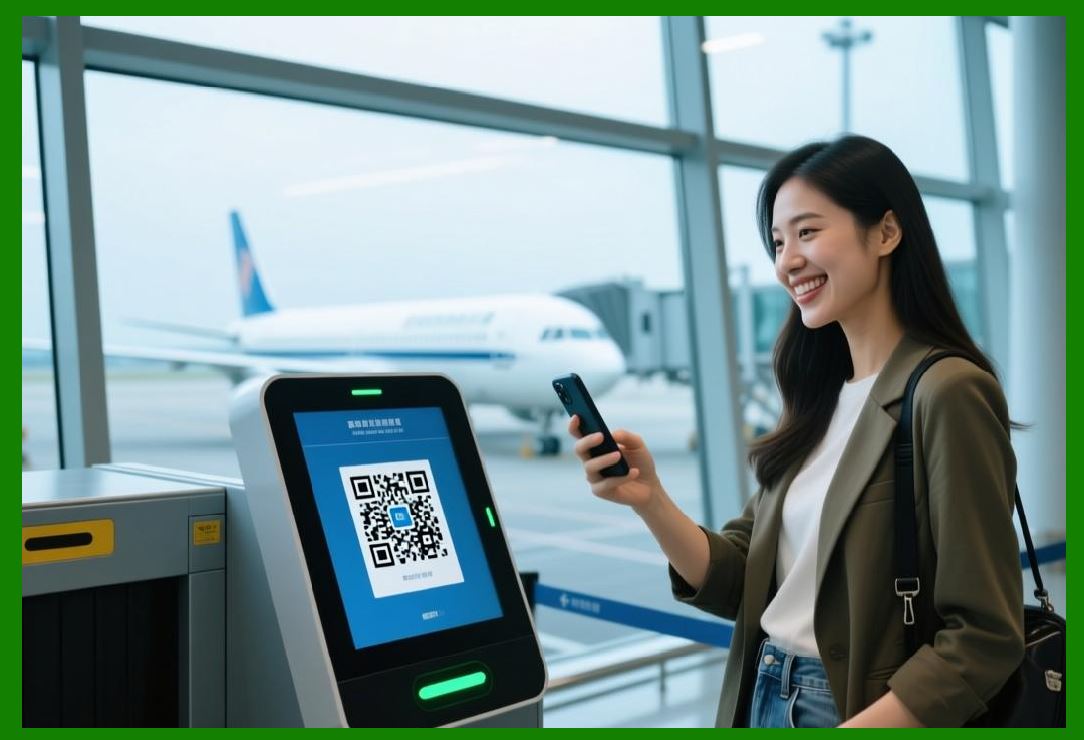
The QR code is also playing a crucial role in the Internet of Things (IoT) as a simple, scalable connector between the physical and digital worlds. In industrial and smart city applications, QR codes serve as 'on-ramps' to connected ecosystems. A worker can scan a code on a machine to view sensor data, check maintenance schedules, or log issues into an IoT-enabled platform. In smart cities, QR codes provide a no-login, no-download solution for citizens to access real-time public transport information, report infrastructure issues, or interact with urban sensors. |
This application demonstrates a key principle: the most effective IoT interfaces are often the simplest. QR codes require no specialized hardware, no app installation, and no technical expertise. They lower the barrier to entry, enabling a broader range of users to interact with complex digital systems. As the use of dynamic QR codes (which can be updated without reprinting) grows, this flexibility will only increase, enabling cities and factories to adapt quickly to changing conditions. |

|
Part III: A Synthesis Across Industries |
Looking back across the fifty chapters of this book, several themes emerge that explain the QR code's remarkable versatility. |
3.1. The Carrier of Identity |
In many applications, the QR code serves as a carrier of identity. Whether it is a government-issued digital ID, a mobile driver's license, a vaccine passport, or a cryptographically signed legal document, the QR code provides a reliable way to link a physical artifact to a verified digital record. The QR code itself does not contain all the information; it contains a unique identifier or a secure token that points to a cloud-based record. This architecture allows for scalable, secure verification without requiring a centralized database lookup for every transaction. |
3.2. The Gateway to Knowledge |
In manufacturing, healthcare, and education, the QR code is a gateway to knowledge. It turns a piece of equipment into a self-documenting asset, linking operators to training materials, maintenance schedules, and troubleshooting guides. It turns a physical textbook into an interactive learning experience, providing access to supplementary videos and assessments. This ability to democratize access to information is one of the QR code's most profound impacts. |
3.3. The Enabler of Self-Service |
From library self-checkout to gym equipment instructions to HR onboarding, the QR code is a key enabler of self-service. It empowers users to complete tasks without staff intervention, reducing wait times, lowering operational costs, and providing greater convenience. The QR code is the interface that allows a patron to check out a book, a gym member to learn how to use a machine, or a new hire to complete their tax forms without needing to find a staff member. |
3.4. The Guardian of Integrity |
In document signing, supply chain authentication, and anti-counterfeiting, the QR code is a guardian of integrity. By encoding cryptographic hashes and digital signatures, QR codes enable immediate verification that a document or product is authentic and unaltered. This ability to 'seal' a physical or digital object with a verifiable digital fingerprint is a powerful tool against fraud and tampering. |

|
Part IV: The Enduring Relevance |
In an era of rapid technological change, the QR code is a testament to the value of maturity. Its continuing relevance is not a sign of stagnation but of a design that has proven resilient and adaptable. The QR code's reliability, low cost, and universal accessibility have made it the default data carrier for countless applications. |
The technology continues to evolve. Color QR codes and high-capacity variants are under development, promising even greater data density for applications like medical imaging and vaccine credentials. The integration of QR codes with blockchain technology offers the potential for tamper-proof provenance tracking. The expansion of dynamic QR codes enables real-time content updates without reprinting physical labels. |
Yet, the fundamental principles remain the same. The QR code is a bridge. It connects the physical world of atoms to the digital world of bits. It is a silent, ubiquitous presence that enables countless daily interactions, often without us noticing. It is not a technology of the past; it is the operating system of the physical-digital interface, quietly powering the connections that make modern life work. |
|
Part V: Conclusion |
The QR code, a square pattern of black and white modules, is a triumph of engineering simplicity. Its forty versions, four error correction levels, and eight mask patterns represent a design that balances capacity, redundancy, and scannability. Over three decades, it has migrated from automotive factories to become the universal carrier of information across more than forty industries. |
In the United States, the QR code has proven its value in manufacturing (Milwaukee Tool's training system), retail (the GS1 Digital Link), IoT (smart city and industrial applications), and countless other domains. It is a technology that meets a fundamental human need: the ability to seamlessly connect the physical and digital worlds. It is not a relic of the past; it is the silent, enduring operating system of the physical-digital interface. |

|
Detailed Summary |
This concluding chapter has provided a synthesis of the QR code's technical journey and its impact across American industry, reflecting on the themes explored throughout the book. |
We began by examining the QR code's architectural resilience. The standard (ISO/IEC 18004) defines a family of symbols with forty versions (from 21x21 to 177x177), four error correction levels (L, M, Q, H recovering 7% to 30% of data), and eight mask patterns that optimize scannability. This design enables the QR code to be robust enough for industrial applications while remaining accessible to consumers. |
The chapter then explored American applications: |
Milwaukee Tool: The company's Rapid Innovation Center uses laser-etched QR codes on machinery to provide operators with instant access to training materials, maintenance plans, and crash recovery procedures, significantly reducing downtime. |
GS1 Digital Link: This standard is enabling QR codes on consumer goods to replace multiple codes, supporting both point-of-sale scanning and consumer engagement, with the U.S. FDA's FSMA Rule 204 driving traceability adoption. |
IoT On-Ramps: QR codes serve as a simple, scalable interface for connecting workers and citizens to IoT systems in manufacturing and smart cities. |
We then synthesized the QR code's roles across industries: as a carrier of identity (digital IDs, vaccine passports), a gateway to knowledge (machine documentation, interactive learning), an enabler of self-service (libraries, HR onboarding), and a guardian of integrity (document signing, anti-counterfeiting). |

|
In conclusion, the QR code's enduring relevance lies in its practical simplicity. It is a mature technology that continues to evolve, but its fundamental value remains: connecting the physical and digital worlds with reliability, low cost, and universal accessibility. |
 cs@easiersoft.com