A Technical Deep-Dive into QR Codes and Their Multispectral Industrial Applications |
Chapter 9: Data Encoding Modes - Numeric, Alphanumeric, Byte, and Kanji |
Short Summary |
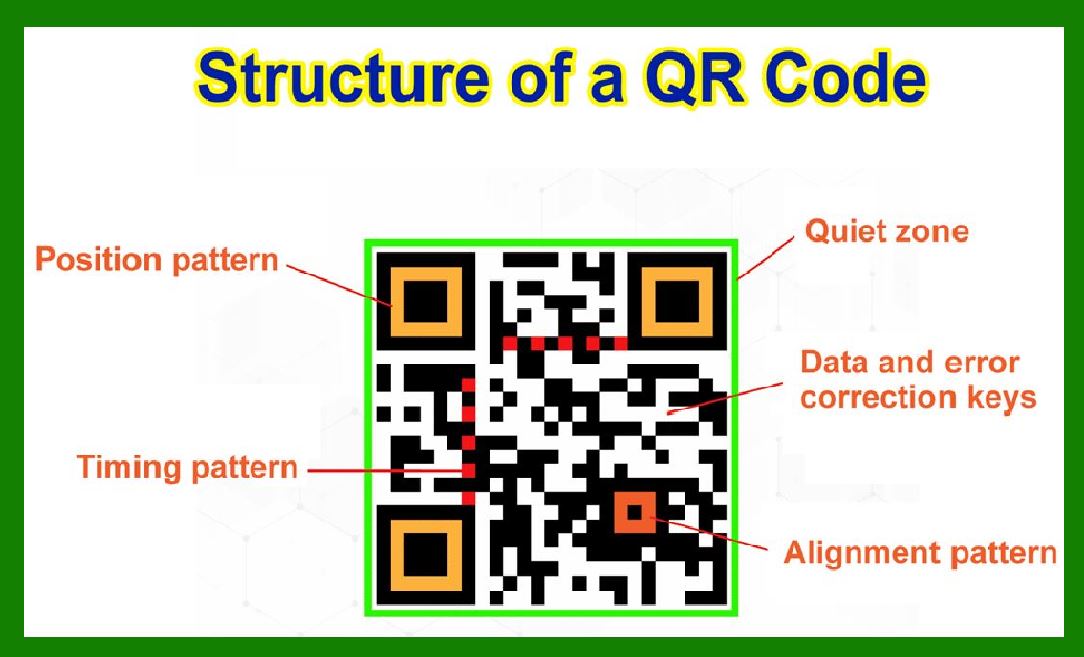
This chapter explains the four primary data encoding modes used in QR codes: Numeric, Alphanumeric, Byte, and Kanji. These modes are the QR code's 'compression strategy,' allowing different types of data to be stored in the most space-efficient way. Numeric mode compacts three digits into 10 bits; Alphanumeric mode packs two characters into 11 bits using a 45-character set; Byte mode handles any UTF-8 text with 8 bits per character; and Kanji mode efficiently encodes Japanese characters using 13 bits per character. We describe how each mode works, why the encoder automatically chooses the most efficient mode for your data, and how American industries leverage these modes for diverse applications. From instant payments and healthcare records to automotive manufacturing and food traceability, we present real-world examples that illustrate the practical importance of choosing the right encoding mode. |
|
Introduction: The Art of Packing Information |
Think about packing a suitcase for a trip. If you roll your clothes instead of folding them, you can fit more items into the same space. If you use compression bags, you can fit even more. The QR code uses a similar strategy. It does not treat all data the same way; instead, it has four distinct 'packing methods' called encoding modes, each optimized for a specific type of information. |
The QR standard defines four primary encoding modes: Numeric, Alphanumeric, Byte, and Kanji. Each mode converts text into binary data using a different method, and each has a different 'packing density.' The Numeric mode is the most efficient, compressing three digits into just 10 bits. The Alphanumeric mode is next, encoding two characters from a 45-character set into 11 bits. Byte mode uses 8 bits per character and can handle any text, including UTF-8. The Kanji mode, designed for Japanese characters, uses 13 bits per character. |
The encoder automatically chooses the most efficient mode for your data. If your data contains only digits, it uses Numeric mode. If it contains digits, uppercase letters, and a few punctuation marks, it uses Alphanumeric mode. If it contains any other character (like lowercase letters or symbols), it uses Byte mode. If the text is in Japanese Shift JIS encoding, it can use Kanji mode. The encoder can even switch between modes within the same QR code to optimize the total size. |
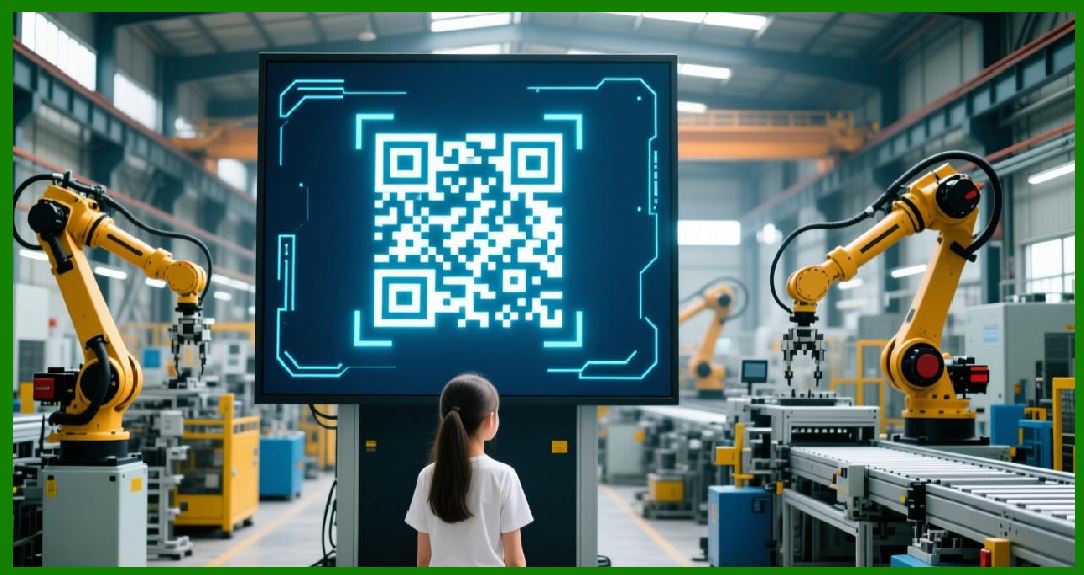
This chapter will explore each of these modes in detail, explain how they work in plain language, and show how American industries leverage them for real-world applications. We will also examine emerging applications, such as the new X9 standard for QR-based instant payments in the United States. |
|
The Four Encoding Modes: A Closer Look |
Numeric Mode: The Most Efficient Packer |
The Numeric mode is designed for one thing: strings of decimal digits (0 through 9). It is the most efficient mode because digits are the simplest form of data. The encoder groups the digits into sets of three. Each group of three digits is then converted into a 10-bit binary number. |
For example, the digit string '01234567' is grouped as '012', '345', and '67'. The '012' becomes a 10-bit number, '345' becomes another 10-bit number, and the remaining '67' (not a full group of three) is encoded in a shorter 7-bit format. This is much more efficient than encoding each digit as 8 bits (which would be 24 bits for three digits) or even as 4 bits (which would be 12 bits for three digits). Numeric mode achieves about 3.3 digits per 10 bits, making it the best choice for phone numbers, serial numbers, order IDs, and any other purely numeric data. |
The QR encoder automatically detects if the input data consists solely of digits and selects Numeric mode. If the data is a mix of digits and other characters, Numeric mode cannot be used. |

|
Alphanumeric Mode: Packing Letters and Symbols |
The Alphanumeric mode is designed for a specific set of 45 characters: digits 0-9, uppercase letters A-Z, a space, and eight punctuation symbols: dollar sign, percent sign, asterisk, plus, minus, period, slash, and colon. This set is not arbitrary; it was chosen because it covers the most common characters used in URLs, product codes, and other short text strings. |
The encoding process for Alphanumeric mode is clever. Each character is first mapped to a value from 0 to 44 using a standard index table. Then, characters are grouped into pairs. For each pair, the first value is multiplied by 45 and added to the second value. The resulting number, which ranges from 0 to 2024, is then converted into an 11-bit binary number. If there is an odd number of characters, the last character is encoded in just 6 bits. |
For example, the string 'AC-42' would be grouped as ('A','C'), ('-','4'), and ('2'). The index values for 'A' and 'C' are 10 and 12, respectively. The calculation 10*45+12 equals 462, which is then converted to an 11-bit binary number. This two-characters-per-11-bits packing is much more efficient than Byte mode's 8 bits per character (which would be 16 bits for two characters), making Alphanumeric mode a great choice for URLs (without lowercase letters) and many product identifiers. |
The encoder automatically selects Alphanumeric mode if the data contains only characters from the 45-character set. If you have lowercase letters or other symbols, Byte mode is required. |
|
Byte Mode: The Universal Container |
The Byte mode is the most versatile encoding mode. It can handle any character from the ISO-8859-1 character set, which includes all the common ASCII characters and many extended Latin characters. More importantly, Byte mode is also used for UTF-8 encoded text, which means it can represent virtually any character from any language. |
In Byte mode, each character is encoded as an 8-bit byte, just like in standard computer memory. This is straightforward but less efficient than Numeric or Alphanumeric modes for data that can be represented in those modes. For example, the word 'HELLO' would take 5 bytes in Byte mode (40 bits), but it could be packed in Alphanumeric mode in just 3 groups (two pairs of two characters and one single character), using 28 bits. |
Byte mode is used for data that contains lowercase letters, special symbols, or characters from non-Latin scripts (when not using Kanji mode). Most consumer-facing QR codes that encode URLs with lowercase letters (e.g., 'https://example.com') use Byte mode because the encoder cannot use Alphanumeric mode due to the lowercase letters and forward slashes. |
Some QR code scanners can automatically detect UTF-8 encoding in Byte mode and interpret the text correctly. For maximum compatibility, especially with non-ASCII characters, the Extended Channel Interpretation (ECI) mode can be used to explicitly specify the character set, although not all scanners support it. |
|
Kanji Mode: Efficient for Japanese Text |
The Kanji mode is designed specifically for Japanese characters encoded in the Shift JIS character set. Shift JIS is a two-byte encoding, meaning each Japanese character takes up 2 bytes (16 bits). The Kanji mode compresses these characters further, encoding each one in just 13 bits. |
The encoding process involves a mathematical transformation. Each Shift JIS character has a code point within a specific range. The encoder subtracts a base value from the code point, then performs a calculation that results in a 13-bit number. This 13-bit representation is much more compact than the 16 bits used by Shift JIS and significantly more efficient than the 24 bits (3 bytes) that a UTF-8 encoding of a Japanese character would require. |
The encoder automatically selects Kanji mode if the input data can be represented in Shift JIS. If the data contains characters outside the Shift JIS set, Byte mode with UTF-8 encoding is used instead. While Kanji mode is primarily for Japanese, it is part of the QR standard and is available for use by any system that works with Shift JIS data. |
|
Mixed Mode: Switching for Efficiency |
An advanced feature of QR encoding is the ability to switch modes within a single QR code. This is called Mixed Mode or Structured Append mode. By switching modes, the encoder can achieve even greater efficiency for data that has different parts. |
For example, a URL might have a numeric port number, an alphanumeric domain name in uppercase, and a byte-encoded path with lowercase letters. The encoder can encode the numeric part in Numeric mode, the domain in Alphanumeric mode, and the path in Byte mode, all within the same QR code. Each mode switch has a small overhead cost, so the encoder only switches modes when the savings outweigh the overhead. |
This optimization is handled automatically by most QR code generation libraries. The library analyzes the input data, determines the most efficient segmentation, and encodes each segment with the appropriate mode. For the user, the result is a smaller QR code than would be possible with a single mode. |
|
US Application Examples: Encoding Modes in Action |
Now let us explore how American industries leverage the different encoding modes to build efficient and reliable QR code systems. |
Example 1: Instant Payments and the X9 Standard |
The United States is witnessing a significant push towards QR code-based instant payments. In a recent demonstration, a transaction was completed over the Federal Reserve's FedNow service using a QR code. The payer scanned a merchant-generated QR code and authorized the transaction through their banking app, with funds transferred in just one second. |
Key to this development is the X9 payment QR code standard, which introduces a common language for encoding payment data 'in a secure, structured, and extensible way'. The X9 standard enables a single QR code to work across multiple networks, including FedNow, the automated clearing house (ACH), and The Clearing House's RTP (Real Time Payments) network. |
This payment QR code uses a structured data format that is highly optimized. It encodes merchant ID, transaction amount, invoice number, and other payment details. For this data, the encoder would likely use a combination of Numeric mode (for the amount and invoice number) and Alphanumeric or Byte mode (for the merchant ID and transaction reference). The use of Numeric mode for the amount and invoice number saves significant space, allowing the QR code to be smaller and more scannable. |
The X9 standard is expected to drive innovation and interoperability in the US instant payments market. As Matera's CEO Carlos Netto noted, 'It opens the door to a broad range of use cases, bill payments, in-store payments and ecommerce, all initiated by QR code and settled in real time'. |

|
Example 2: Healthcare Records and Patient Identification |
Hospitals across the United States use QR codes on patient wristbands and medical records to encode critical information. This data often includes the patient's name, date of birth, medical record number, allergy alerts, and medication schedules. The data payload can be 100 to 300 alphanumeric characters. |
The choice of encoding mode is critical for these applications. Patient names can include letters, hyphens, and spaces, making Byte mode necessary. The medical record number is typically numeric and can be encoded efficiently in Numeric mode. Allergies may include text descriptions that require Byte mode. |
A well-designed healthcare QR code might use Mixed Mode: Numeric mode for the patient ID, Byte mode for the name and allergy descriptions, and potentially Kanji mode for patients with Japanese names. This optimization keeps the QR code small, which is important because wristbands have limited space. The high error correction (often Level H) ensures that the code remains scannable even if the wristband is exposed to water, sanitizer, or abrasion. |
The reliability of QR-based patient identification has been proven in clinical settings. A study found that scanning QR wristbands before administering medication reduced medication errors by 40 percent compared to manual checks. |

|
Example 3: Automotive Parts Traceability |
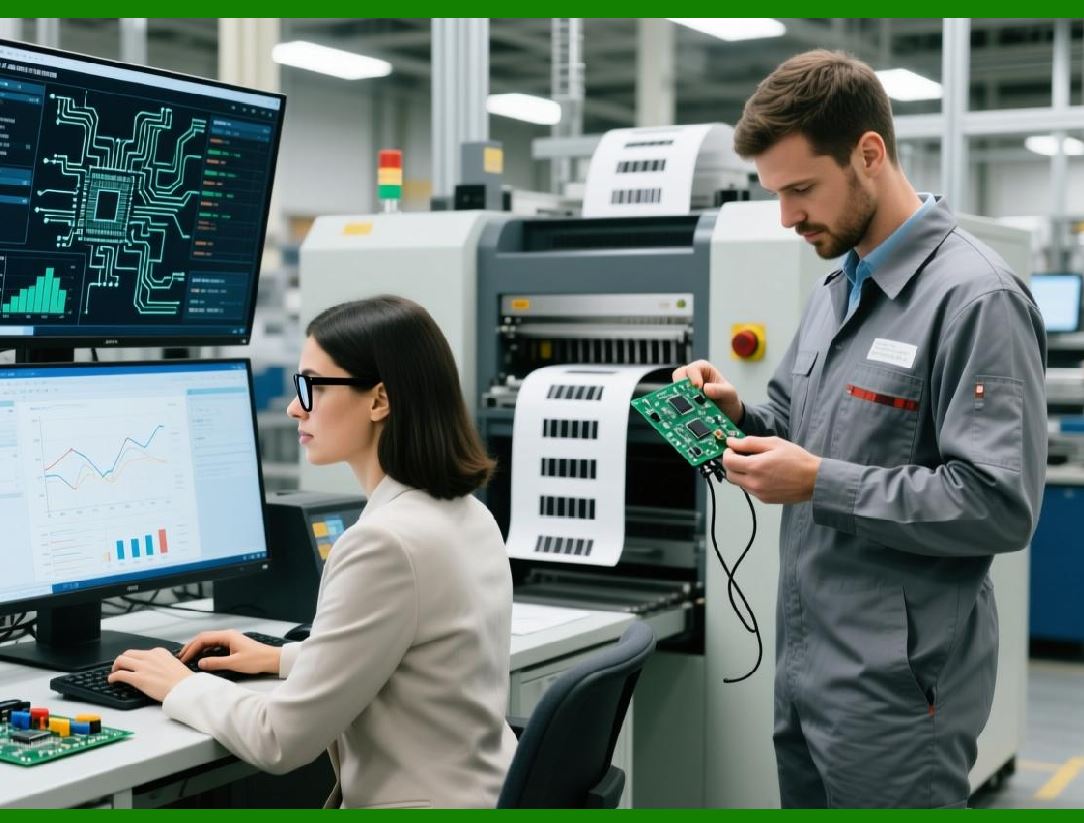
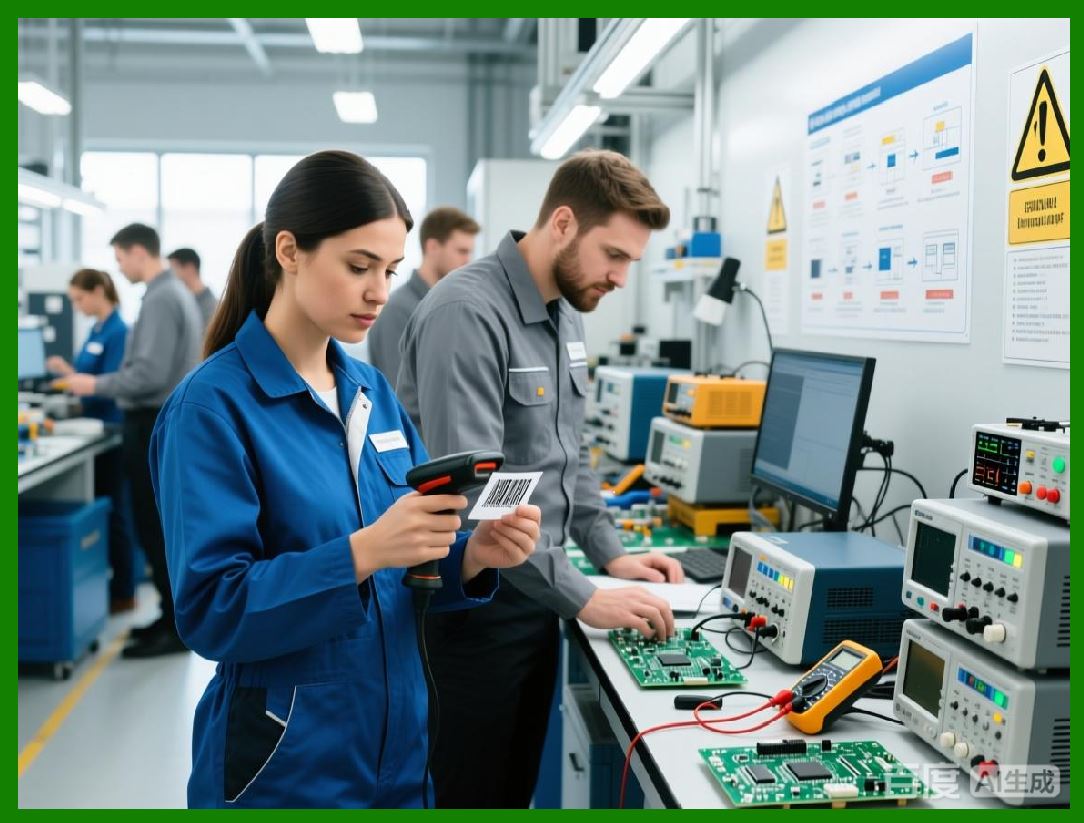
Major American automakers use QR codes on engine components and other critical parts for traceability. These codes store the part number, serial number, manufacturing date, torque specifications, and batch information---a payload of 200 to 500 alphanumeric characters. |
The part number is often alphanumeric (letters and digits), which can be encoded efficiently in Alphanumeric mode. The serial number may be numeric or alphanumeric. The manufacturing date is typically numeric (e.g., '20260615') and can be encoded in Numeric mode. The torque specifications and batch information often include letters and symbols, requiring Byte mode. |
These codes are laser-etched onto metal surfaces, often in locations that are exposed to high temperatures, oil, and mechanical wear. The module size is very small, and the contrast may be limited by the etching process. Using the most efficient encoding modes ensures that the code is as small as possible for a given data payload, making it easier to print and scan on small, curved parts. |
The traceability provided by these codes has been critical in recall situations. When a manufacturing defect is discovered, the automaker can scan the QR codes in the field to identify exactly which batches of parts were installed in which vehicles, dramatically reducing the scope and cost of recalls. |
|
Example 4: Retail Product Packaging and Promotions |
Major US retailers, including Walmart and Target, use QR codes on product packaging to provide additional information to consumers---product manuals, recipes, warranty registration, and promotional offers. These codes typically encode a URL of 30 to 80 characters. |
The encoding mode for these codes is often Byte mode because URLs typically include lowercase letters, forward slashes, and periods (e.g., 'https://example.com/product'). However, if the retailer uses a URL shortener that produces a URL with only uppercase letters and digits (e.g., 'HTTPS://BIT.LY/ABC123'), the encoder might use Alphanumeric mode, which would make the code smaller. |
Retailers are increasingly using dynamic QR codes that redirect to updated content. These codes encode a unique identifier that the server maps to the current content. This identifier is often alphanumeric and can be encoded efficiently in Alphanumeric mode. |

|
Example 5: Food Safety Traceability |
The US Food and Drug Administration's Food Safety Modernization Act (FSMA) Rule 204 mandates enhanced traceability for certain foods. QR codes are being used to encode traceability data such as Global Trade Item Numbers (GTIN), batch and lot numbers, expiration dates, production dates, and serial numbers. |
A typical food traceability QR code might encode a GTIN (numeric, 14 digits), a lot number (alphanumeric, up to 20 characters), and an expiration date (numeric, e.g., '20260615'). The GTIN and expiration date can be encoded in Numeric mode, and the lot number can be encoded in Alphanumeric mode. This mixed-mode encoding keeps the QR code small and scannable, even when printed on food packaging that may be stored in refrigerated or frozen environments. |
The use of QR codes for food safety traceability has improved consumer protection and reduced the time to identify contaminated products. |

|
Example 6: Event Ticketing |
Major US event venues, including Madison Square Garden and the Staples Center, use QR codes on digital and printed tickets. These codes encode the ticket number, seat location, event date, and attendee name---a payload of 100 to 300 alphanumeric characters. |
The ticket number is often numeric, the seat location is alphanumeric (e.g., 'A23'), and the event date is numeric. The attendee name may include letters and spaces, requiring Byte mode. A well-designed ticketing QR code would use Numeric mode for the ticket number and event date, Alphanumeric mode for the seat location, and Byte mode for the attendee name. This optimization ensures that the code remains small and scannable, even when printed on low-quality paper or displayed on phone screens with variable brightness and reflectivity. |

|
Example 7: Library Book Management |
Public libraries across the United States use QR codes on book spines for self-checkout. The codes encode the book's ISBN, Dewey Decimal number, and item ID---a payload of 30 to 60 alphanumeric characters. |
The ISBN is numeric, the Dewey Decimal number is alphanumeric (e.g., '813.54'), and the item ID may be numeric or alphanumeric. An optimized QR code would use Numeric mode for the ISBN and Alphanumeric mode for the Dewey Decimal number and item ID. This keeps the code small enough to fit on a book spine while remaining scannable by library patrons using their smartphones. |
The use of QR codes for library self-checkout has reduced wait times and increased patron satisfaction. |
|
Example 8: Government Services |
Various US government agencies use QR codes on official documents and public notices. For example, the Department of Motor Vehicles uses QR codes on vehicle registration documents to provide quick access to online services. These codes encode the document number, a verification code, and the vehicle identification number (VIN). |
The document number and verification code are often alphanumeric, and the VIN is a 17-character alphanumeric string. The use of Alphanumeric mode for these codes is efficient because it can encode both letters and digits. The small size of the resulting QR code makes it easy to print on standard documents without detracting from their readability. |
The Internal Revenue Service has also experimented with QR codes on tax forms to link to online instructions and calculators. |

|
Example 9: Aerospace and Defense |
The defense and aerospace industries use QR codes on components for tracking and maintenance. These codes are often laser-etched onto metal or ceramic surfaces and must survive extreme environments. |
The data payload for these applications is often long---200 to 500 alphanumeric characters---and includes part numbers, serial numbers, manufacturing dates, lot codes, and maintenance history. The encoder uses a combination of Numeric, Alphanumeric, and Byte modes to keep the code as small as possible while ensuring that all the data is encoded. |
The PolyCode program, funded by DARPA and led by Trail of Bits in New York, explores advanced QR code generation techniques for defense and security applications. This research includes optimizing QR codes for robust scanning in challenging environments, where the choice of encoding mode is a key factor in achieving reliability. |

|
Example 10: Restaurant Contactless Menus |
Restaurant QR codes on table tents and menus encode a URL that links to the digital menu. The URL includes lowercase letters, forward slashes, and periods, so Byte mode is typically used. However, some restaurants use a short URL that is all uppercase letters and digits, allowing the encoder to use Alphanumeric mode and create a smaller code. |
The choice of encoding mode can affect the scannability of the code. A smaller code (due to more efficient encoding) is often easier to scan from a distance or in low light. This is important for restaurant QR codes, which are often scanned from a distance by diners sitting at tables. |
|
Example 11: Smart City Infrastructure |
Several US cities, including San Francisco and New York, have deployed QR codes on street signs, utility poles, and public infrastructure. These codes encode the asset type, location coordinates, installation date, and maintenance history. |
The asset type and location coordinates often include letters and digits, making Alphanumeric mode a good choice. The installation date is numeric and can be encoded in Numeric mode. The maintenance history may include text descriptions that require Byte mode. Using a combination of modes ensures that the code is small enough to fit on a street sign or utility pole while remaining readable over the long term. |
|
Example 12: Automotive Aftermarket and Parts Authentication |
The automotive aftermarket uses QR codes on spare parts to authenticate components and prevent counterfeiting. These codes encode a unique identifier and an encrypted serial number that can be verified against the manufacturer's database. |
The unique identifier is often alphanumeric, and the encrypted serial number is typically a hexadecimal string (digits and letters A-F). Alphanumeric mode is ideal for this data, as it can encode both letters and digits efficiently. The small size of the resulting QR code makes it easy to print on small parts and ensures that it can be scanned quickly by mechanics and technicians. |
|
Example 13: Digital Wallets and Loyalty Programs |
Mobile apps for loyalty programs and digital wallets use QR codes to represent user accounts and loyalty points. These codes encode a user ID that is typically numeric or alphanumeric. |
The use of Numeric or Alphanumeric mode keeps the QR code small and scannable, which is important for loyalty apps that are used frequently. A small QR code is less intrusive on the screen and can be scanned quickly by the cashier. |
|
How the Encoder Chooses the Right Mode |
The QR encoder's mode selection is an automatic process that follows a specific logic. The encoder examines the input data and applies the following rules in order: |
1. Check for Numeric-only Data. If the input string contains only digits (0-9), the encoder uses Numeric mode for the entire string. |
2. Check for Alphanumeric-only Data. If the input string contains only characters from the 45-character set (digits, uppercase letters, space, and the eight punctuation symbols), the encoder uses Alphanumeric mode. |
3. Check for Kanji Data. If the input string is encoded in Shift JIS and all characters are within the Shift JIS range, the encoder may use Kanji mode. |
4. Default to Byte Mode. If none of the above conditions are met, the encoder uses Byte mode with ISO-8859-1 or UTF-8 encoding. |
The encoder can also switch modes within the same QR code to optimize the total size. This is done by analyzing the data, segmenting it into the most efficient mode for each part, and adding mode switch indicators. The overhead of switching modes is balanced against the savings from more efficient encoding. |
|
Data Capacity and Version Selection |
The choice of encoding mode directly affects the data capacity of a QR code for a given version. Numeric mode provides the highest capacity, followed by Alphanumeric, Byte, and Kanji. For example, a Version 1 code with L-level error correction can hold 41 numeric characters, 25 alphanumeric characters, 17 bytes, or 10 Kanji characters. A Version 40 code with L-level error correction can hold 7,089 numeric characters, 4,296 alphanumeric characters, 2,953 bytes, or 1,817 Kanji characters. |
The encoder automatically determines the smallest version that can hold the data in the chosen mode(s). If the data is long and the encoder uses Byte mode, a higher version may be required. If the same data can be encoded in Alphanumeric or Numeric mode, a lower version may suffice, resulting in a smaller QR code. |
For example, a 100-digit number requires a Version 3 QR code with M-level error correction. If the same number were encoded in Byte mode, a higher version would be needed. This illustrates the importance of choosing the right mode: it can save several version levels and significantly reduce the printed size of the code. |
A Note on Extended Channel Interpretation (ECI) Mode |
Beyond the four primary modes, the QR standard includes an Extended Channel Interpretation (ECI) mode, which allows the encoder to specify a particular character set for the data. This is useful for data that uses a character set other than the default, such as UTF-8, Latin-1, or other international encodings. |
The ECI mode adds overhead to the data, so it is only used when necessary. Not all QR scanners support ECI mode, so its use can reduce the compatibility of the code. For most applications, Byte mode with UTF-8 encoding is sufficient, as many modern scanners can detect UTF-8 automatically. |

|
Detailed Closing Summary |
Let us now consolidate everything we have covered in this chapter, reflecting on the significance of data encoding modes in QR code technology and their applications in American industries. |
The four primary encoding modes---Numeric, Alphanumeric, Byte, and Kanji---are the QR code's compression strategy. Each mode is optimized for a specific type of data, enabling the encoder to pack information as efficiently as possible. Numeric mode compacts three digits into 10 bits, Alphanumeric mode packs two characters from a 45-character set into 11 bits, Byte mode uses 8 bits per character and supports UTF-8, and Kanji mode uses 13 bits per character for Shift JIS-encoded Japanese text. |
The encoder automatically selects the most efficient mode for the input data. If the data contains only digits, Numeric mode is used. If it contains only alphanumeric characters (uppercase letters, digits, and a few punctuation marks), Alphanumeric mode is used. If it contains any other character, Byte mode is used. If the data is in Shift JIS, Kanji mode can be used. The encoder can also switch modes within the same QR code to optimize the total size. |
The choice of encoding mode directly affects the data capacity of a QR code for a given version. Numeric mode provides the highest capacity, followed by Alphanumeric, Byte, and Kanji. Using a more efficient mode can save several version levels and significantly reduce the printed size of the code. |

|
In American industries, encoding modes are leveraged for diverse applications: |
Instant Payments: The X9 standard enables QR-based payments over FedNow and RTP, using structured data formats that leverage Numeric and Alphanumeric modes for merchant IDs, transaction amounts, and invoice numbers. |
Healthcare: QR codes on wristbands use Byte mode for patient names and allergy descriptions, Numeric mode for patient IDs, and Mixed Mode for optimization. |
Automotive: QR codes on engine components use Numeric mode for serial numbers, Alphanumeric mode for part numbers, and Byte mode for torque specifications and batch information. |
Retail: QR codes on product packaging use Byte mode for URLs with lowercase letters, but may use Alphanumeric mode for short URLs with uppercase letters. |
Food Safety: QR codes for traceability use Numeric mode for GTINs and expiration dates, and Alphanumeric mode for lot numbers. |
Event Ticketing: QR codes on tickets use Numeric mode for ticket numbers, Alphanumeric mode for seat locations, and Byte mode for attendee names. |
Libraries: QR codes on books use Numeric mode for ISBNs and Alphanumeric mode for Dewey Decimal numbers and item IDs. |
Government Services: QR codes on official documents use Alphanumeric mode for document numbers and verification codes. |
Aerospace and Defense: QR codes on components use a mix of modes for part numbers, serial numbers, and maintenance history, with optimization for reliability in harsh environments. |
Smart City Infrastructure: QR codes on street signs use Alphanumeric mode for asset types and location coordinates. |
Automotive Aftermarket: QR codes on spare parts use Alphanumeric mode for unique identifiers and encrypted serial numbers. |
Digital Wallets: QR codes for loyalty programs use Numeric or Alphanumeric mode for user IDs. |
|
The future of encoding modes is likely to remain within the four-mode framework, as it has proven efficient and versatile for a wide range of data types. Innovations such as color QR and structured append may expand the design space, but the core encoding modes will persist. The legacy of the QR standard, designed in 1994 for Japanese automotive parts tracking, now enables instant payments, patient safety, food traceability, and countless other applications across the United States. |
For the end user, encoding modes are invisible. You scan a code and it works, regardless of whether the data is a URL, a phone number, or a payment request. But for the engineer, encoding modes are a critical design parameter that determines the size, capacity, and reliability of a QR code. Understanding encoding modes is essential for designing QR systems that work efficiently in the real world---from the checkout counter to the factory floor to the hospital bedside. |
 cs@easiersoft.com