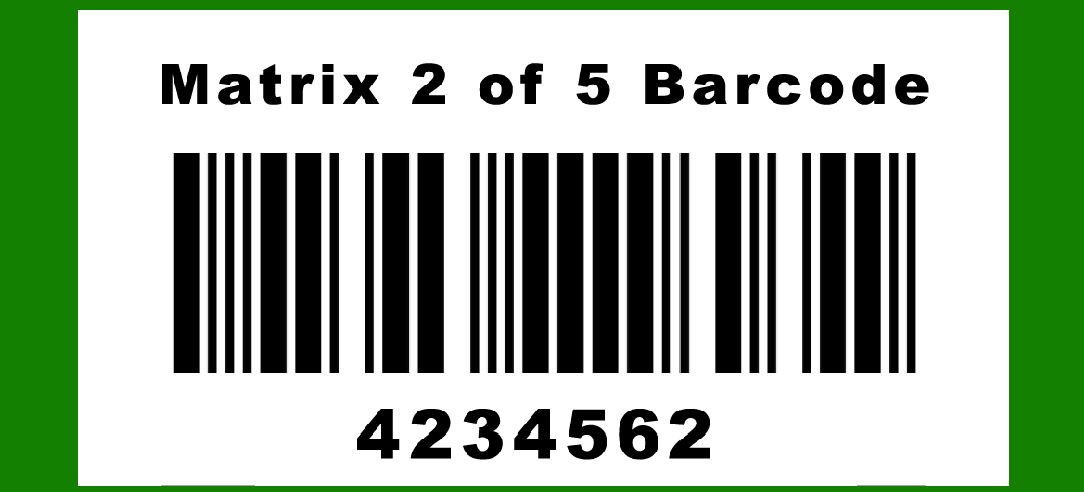
Matrix 2 of 5 is a type of barcode that falls under the family of two-dimensional barcodes. It is typically used for industrial applications due to its robust structure and high data density. One of the critical aspects of any barcode system, especially those used in industrial settings, is error correction. Error correction ensures that the data encoded within the barcode can still be accurately read even if the barcode is damaged or partially obscured. The following sections describe the error correction methods employed in Matrix 2 of 5 barcodes in detail, including examples to illustrate these concepts. |
|
1. Overview of Error Correction |
1.1. Importance of Error Correction |
Error correction in barcodes is crucial for maintaining data integrity. It ensures that the information can be retrieved accurately despite physical damages such as scratches, smudges, or misprints. Error correction mechanisms detect errors and recover the correct data, enhancing the reliability of barcodes in various applications. |
1.2. Error Correction in Matrix 2 of 5 |
Matrix 2 of 5 barcodes use several methods to implement error correction. These methods include checksum calculations, error detection algorithms, and redundancy techniques. The combination of these methods provides a robust error correction mechanism suitable for industrial use. |

|
2. Checksum Calculation |
2.1. Purpose of Checksum |
A checksum is a value calculated from the data contained in the barcode. It serves as a form of validation, allowing the system to detect errors in the scanned data. If the checksum calculated from the scanned data does not match the checksum encoded in the barcode, an error is detected. |
2.2. Generating the Checksum |
The process of generating a checksum in Matrix 2 of 5 barcodes involves the following steps: |
1.Data Segmentation: The data to be encoded is divided into segments. 2.Weight Assignment: Each segment is assigned a weight, typically based on its position in the sequence. 3.Multiplication and Summation: Each data segment is multiplied by its assigned weight, and the results are summed. 4.Modulo Operation: The sum is then taken modulo a certain value (usually 10) to generate the checksum. |
2.3. Example of Checksum Calculation |
Consider a Matrix 2 of 5 barcode encoding the number '12345'. The checksum calculation might proceed as follows: |
1.Data Segmentation: 1, 2, 3, 4, 5 2.Weight Assignment: Assign weights 5, 4, 3, 2, 1 respectively (from right to left). 3.Multiplication: (1*5) + (2*4) + (3*3) + (4*2) + (5*1) 4.Summation: 5 + 8 + 9 + 8 + 5 = 35 5.Modulo Operation: 35 % 10 = 5 |
The checksum is 5, which is appended to the data. The final encoded barcode would be '123455'. |

|
3. Error Detection Algorithms |
3.1. Parity Check |
A simple but effective error detection method is the parity check. Each row and column of the barcode grid includes an extra bit that indicates whether the number of ones in that row or column is even or odd. This method allows for the detection of single-bit errors. |
3.2. Reed-Solomon Codes |
Matrix 2 of 5 barcodes often use more sophisticated error correction algorithms such as Reed-Solomon codes. These codes are highly effective in detecting and correcting multiple errors within the barcode data. |
3.2.1. Structure of Reed-Solomon Codes |
Reed-Solomon codes work by encoding the original data into a series of polynomial equations. Redundant data, known as parity symbols, are then added to the barcode. These parity symbols are used to detect and correct errors in the scanned data. |
3.2.2. Implementation in Matrix 2 of 5 |
In Matrix 2 of 5, Reed-Solomon codes are implemented as follows: |
1.Encoding: The data is encoded into polynomial equations, and parity symbols are calculated and appended to the data. 2.Decoding: When the barcode is scanned, the polynomial equations are used to verify the integrity of the data. If discrepancies are found, the parity symbols help identify and correct the errors. |
3.3. Example of Reed-Solomon Error Correction |
Consider a simplified example where a Matrix 2 of 5 barcode encodes the data '101010'. Using Reed-Solomon coding, the following steps occur: |
1.Data Encoding: The data is encoded into polynomial form. 2.Parity Calculation: Parity symbols are calculated and appended to the data. For simplicity, assume two parity symbols are added, resulting in '10101011'. 3.Error Detection and Correction: If the scanned barcode reads '10111011' (with an error in the third bit), the polynomial equations will reveal the discrepancy. The parity symbols will help identify the error's location and correct the data back to '101010'. |

|
4. Redundancy Techniques |
4.1. Data Redundancy |
Redundancy involves encoding the same data multiple times within the barcode. This method increases the likelihood that at least one instance of the data will be scanned correctly, even if parts of the barcode are damaged. |
4.2. Spatial Redundancy |
Spatial redundancy distributes the data across different regions of the barcode. This technique ensures that damage to one part of the barcode does not render the entire data unreadable. |
4.3. Example of Redundancy in Matrix 2 of 5 |
Consider a Matrix 2 of 5 barcode that needs to encode the data 'ABC123'. The barcode might be divided into three sections, each encoding 'ABC123'. Even if one section is damaged, the other two sections can still be read, ensuring data integrity. |

|
5. Error Correction Workflow |
5.1. Data Encoding |
The first step in the error correction workflow is data encoding. This involves generating the checksum, applying error detection algorithms, and adding redundancy. The encoded data is then used to create the barcode. |
5.2. Scanning and Error Detection |
When the barcode is scanned, the system performs error detection checks. This includes verifying the checksum, checking parity bits, and using Reed-Solomon codes to identify any errors. |
5.3. Error Correction |
If errors are detected, the system uses the error correction mechanisms to recover the original data. This might involve correcting single-bit errors using parity checks or correcting multiple errors using Reed-Solomon codes. |
5.4. Data Decoding |
Once error correction is complete, the data is decoded from the barcode and used as intended. The robust error correction mechanisms ensure that the data is accurate and reliable. |

|
6. Practical Considerations |
6.1. Barcode Quality |
The effectiveness of error correction in Matrix 2 of 5 barcodes depends on the quality of the printed barcode. High-quality printing reduces the likelihood of errors and enhances the reliability of error correction mechanisms. |
6.2. Environmental Factors |
Environmental factors such as dust, dirt, and physical damage can affect barcode readability. Proper error correction ensures that the barcode remains readable even in challenging environments. |
6.3. Scanner Technology |
Advanced scanner technology can enhance the effectiveness of error correction. Modern scanners are equipped with sophisticated algorithms that improve the accuracy of data retrieval from barcodes. |

|
7. Advanced Error Correction Techniques |
7.1. Low-Density Parity-Check Codes (LDPC) |
LDPC codes are advanced error correction codes that offer significant error correction capabilities. They work by adding redundant bits to the data, allowing for the detection and correction of multiple errors. |
7.1.1. Implementation in Matrix 2 of 5 |
In Matrix 2 of 5 barcodes, LDPC codes can be used to enhance error correction. The barcode data is encoded with LDPC codes, and redundant bits are added. When the barcode is scanned, LDPC decoding algorithms detect and correct errors. |
7.1.2. Example of LDPC Error Correction |
Consider a Matrix 2 of 5 barcode encoding the data '101010'. Using LDPC coding, redundant bits are added, resulting in '1010101101'. If the scanned barcode reads '1011101101' (with an error in the third bit), the LDPC decoding algorithm detects the error and corrects the data back to '101010'. |
7.2. Turbo Codes |
Turbo codes are another advanced error correction method that provides high error correction performance. They use iterative decoding techniques to improve the accuracy of data retrieval. |
7.2.1. Implementation in Matrix 2 of 5 |
In Matrix 2 of 5 barcodes, turbo codes can be used to enhance error correction. The barcode data is encoded with turbo codes, and redundant bits are added. When the barcode is scanned, turbo decoding algorithms detect and correct errors. |
7.2.2. Example of Turbo Code Error Correction |
Consider a Matrix 2 of 5 barcode encoding the data '101010'. Using turbo coding, redundant bits are added, resulting in '1010101101'. If the scanned barcode reads '1011101101' (with an error in the third bit), the turbo decoding algorithm detects the error and corrects the data back to '101010'. |

|
8. Conclusion |
Error correction in Matrix 2 of 5 barcodes is a critical component that ensures data integrity and reliability. The combination of checksum calculations, error detection algorithms, redundancy techniques, and advanced error correction methods like LDPC and turbo codes provides a robust framework for maintaining accurate data retrieval. By implementing these error correction mechanisms, Matrix 2 of 5 barcodes can withstand physical damage and environmental challenges, making them suitable for industrial applications. |
The detailed breakdown of error correction mechanisms in Matrix 2 of 5 barcodes demonstrates the complexity and sophistication involved in ensuring data accuracy. Through the use of checksums, Reed-Solomon codes, redundancy, and advanced techniques like LDPC and turbo codes, Matrix 2 of 5 barcodes achieve high reliability and robustness, essential for their use in demanding environments. |

|
 cs@easiersoft.com