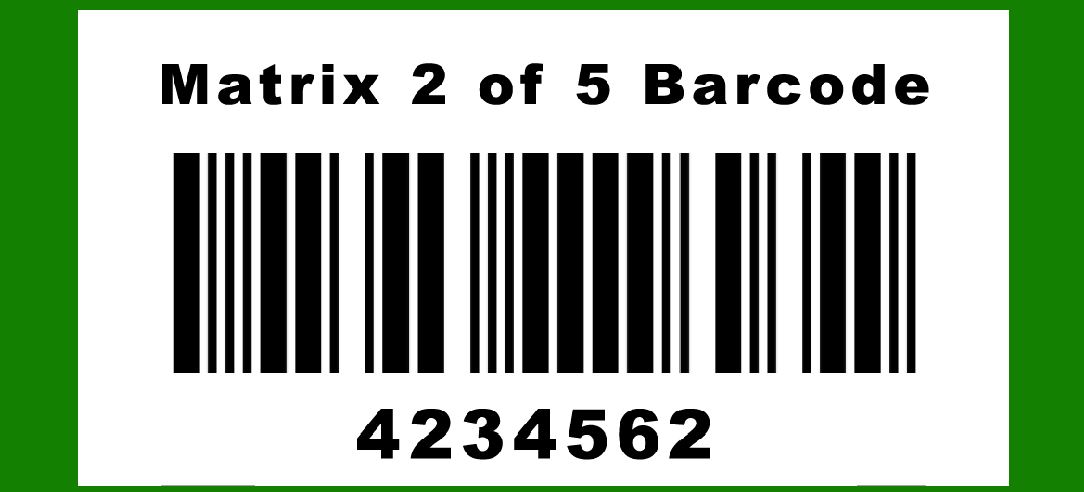
Matrix 2 of 5 (also known as Matrix 2/5 or simply Matrix 25) is a barcode symbology primarily used in industrial applications for encoding numeric data. |
It is a matrix barcode, meaning it consists of black and white modules arranged in a rectangular grid, where data is encoded based on the presence or absence of these modules. Matrix 2 of 5 is distinct from other 2 of 5 barcode formats due to its matrix arrangement, which enhances scanning reliability and accuracy in industrial environments. |
|
History and Development |
Matrix 2 of 5 evolved from the standard 2 of 5 barcode format, which was developed in the mid-20th century as a simple and robust method for encoding numeric data. The transition to a matrix layout aimed to improve readability and scanning efficiency, particularly in scenarios where quick and accurate data capture is essential, such as in manufacturing, logistics, and inventory management. |

|
Technical Specifications |
Matrix 2 of 5 barcodes are characterized by the following technical specifications: |
Encoding: Matrix 2 of 5 encodes data using sets of black and white bars arranged in a grid pattern. Numeric Data: It primarily encodes numeric data. Each digit is represented by a group of bars. The number of bars varies depending on the encoding rules used. Checksum: Often includes a modulo 10 checksum digit to enhance data integrity. Module Size: The size of individual modules (bars) can vary but is standardized for readability across different scanning devices. Quiet Zones: Requires quiet zones (blank spaces) on either side to ensure accurate scanning. |

|
Structure and Encoding |
Matrix 2 of 5 barcodes encode data by varying the width of bars, with each character typically represented by five bars, two of which are wide (representing a binary '1') and three are narrow (representing a binary '0'). The spacing between characters and the overall arrangement within the matrix ensure that the barcode can be reliably decoded by barcode scanners. |

|
Applications |
Matrix 2 of 5 barcodes find application in various industrial sectors, including: |
Manufacturing: Used for inventory control, asset tracking, and quality control processes. Logistics: Enables efficient tracking of packages and shipments throughout the supply chain. Warehousing: Facilitates inventory management and stock control. Healthcare: Used for patient identification and specimen tracking. Utilities: Supports meter reading and asset management in utility sectors. Retail: Occasionally used for labeling and inventory purposes. |

|
Advantages |
1.High Density: The matrix format allows for higher information density compared to linear barcodes, enabling the encoding of more data in a smaller space. 2.Reliability: The grid-based structure enhances scanning reliability, even in challenging environmental conditions or when labels are damaged. 3.Speed: Barcode scanners can read Matrix 2 of 5 barcodes quickly, making them suitable for applications requiring rapid data capture. 4.Cost-Effectiveness: Implementation costs are relatively low due to standardized printing and scanning equipment. |
Limitations |
1.Numeric Limitation: Limited to encoding numeric data only, which restricts its use compared to more versatile barcode formats that can encode alphanumeric characters. 2.Readability Issues: Can be less suitable for applications requiring extensive data storage or where variable-length data encoding is necessary. |

|
Comparison with Other Barcodes |
Matrix 2 of 5 vs. Code 128: Code 128 supports alphanumeric characters and is more versatile but requires more space. Matrix 2 of 5 vs. QR Code: QR Codes can store significantly more data, including URLs and text, and are widely used in consumer applications. |
Printing and Scanning Considerations |
Printing Matrix 2 of 5 barcodes requires precise control over printer settings to ensure adequate contrast between bars and spaces. For optimal scanning, barcode readers must be properly configured to interpret the barcode's grid structure accurately. |
Standards and Compatibility |
Matrix 2 of 5 barcodes adhere to various international standards to ensure compatibility across different systems and industries. Standards bodies such as ISO (International Organization for Standardization) and ANSI (American National Standards Institute) provide guidelines for barcode generation, printing, and scanning. |

|
Future Trends |
While Matrix 2 of 5 barcodes remain relevant in specific industrial applications, advancements in barcode technology, such as 2D symbologies like QR Codes and Data Matrix, continue to expand the capabilities and applications of barcode technology. These newer formats offer enhanced data storage capacity and compatibility with mobile devices, catering to the evolving needs of modern industries. |

|
Conclusion |
Matrix 2 of 5 barcode technology represents a specialized solution for numeric data encoding in industrial and logistical applications. Its grid-based layout enhances scanning reliability and efficiency, making it well-suited for environments requiring rapid and accurate data capture. While newer barcode formats offer greater versatility and data storage capabilities, Matrix 2 of 5 continues to serve as a reliable option in sectors where numeric data encoding remains paramount. As technology evolves, the role of barcode symbologies continues to adapt, reflecting the ongoing innovation and diversification in data capture and management solutions. |
 cs@easiersoft.com