Chapter 22: The 1974 First Scan |
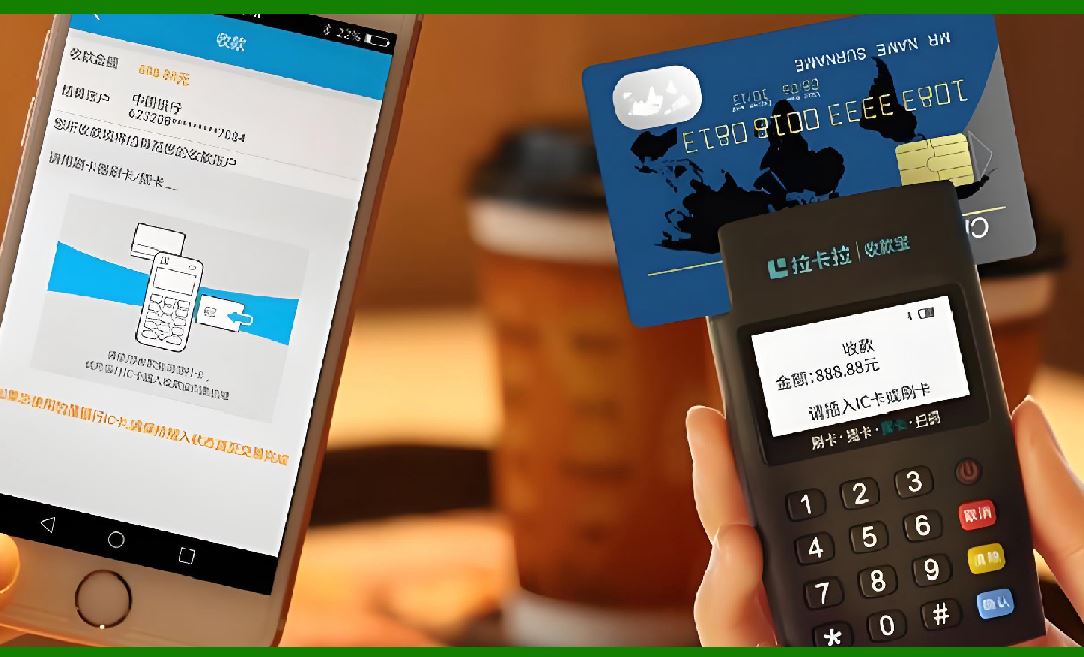
On the morning of June 26, 1974, in a Marsh Supermarket in Troy, Ohio, a cashier named Sharon Buchanan picked up a ten-pack of Wrigley's Juicy Fruit chewing gum and passed it across a scanner window. A laser beam read the pattern of black bars printed on the package. A computer in the back room looked up the price. The register displayed sixty-seven cents. That was the first retail transaction ever completed with a Universal Product Code, and it lasted less than a second. To the shoppers in line that morning, nothing dramatic happened. To the history of commerce, everything changed. |
This chapter tells the story of that moment and what came after. The first scan was not an isolated technical achievement. It was the visible tip of a decade of quiet work by engineers, industry committees, and skeptical grocers. And it was the beginning of something much larger than faster checkout lines. The barcode and its radio-frequency cousin, RFID, would eventually grow into a shared language for identifying physical objects across manufacturing, shipping, healthcare, agriculture, and dozens of other industries. The gum wrapper in Ohio was the first sentence spoken in a conversation that continues today between the physical world and the digital one. |
To understand why that first scan mattered, you have to understand what came before it. |
|
The Problem Before the Solution |
In the decades after World War II, American supermarkets grew rapidly in size and variety. A store that once stocked a few hundred items now carried thousands. Clerks had to memorize prices or look them up on handwritten sheets. Every item had to be stamped with a price tag, and when prices changed, every single package on every shelf had to be re-marked by hand. Checkout lines moved slowly because each price had to be keyed in manually. Inventory counts were done by people walking the aisles with clipboards, counting boxes one by one. |
The grocery industry knew it needed a better system. In the late 1960s, executives from manufacturing, wholesaling, and retailing formed a committee to explore the idea of a universal product code. A consulting firm called McKinsey and Company was hired to study supermarket needs and recommend a coding system. Their recommendation, delivered in 1971, was a ten-digit code that could identify any product by manufacturer and item number. The price would no longer be on the package. It would live in a computer, retrieved by scanning the code. |
That last detail turned out to be controversial. |

|
The Race to Choose a Symbol |
By the early 1970s, several companies were developing scanners and barcode symbols. RCA had bought the original bull's-eye barcode patent from its inventors, Joseph Woodland and Bernard Silver, and had conducted a successful real-life test at a Kroger store in Cincinnati in 1972. The bull's-eye design, with concentric circles, was readable from any direction, but it had a fatal flaw: when printed on high-speed presses, smudges and imperfections could make the circles unreadable. Any damage to the rings broke the code. |
IBM, meanwhile, had an advantage it did not initially realize. Joseph Woodland, one of the original barcode inventors, had been working for IBM since 1951. When IBM learned of his expertise, it assembled a team to compete for the grocery industry's symbol selection. An engineer named George Laurer was assigned to design a code that could survive the realities of commercial printing. |
Laurer saw the problem with circles immediately. 'When you run a circle through a high-speed press, there are parts that are going to get smeared,' he later explained. His solution was a pattern of vertical stripes. If a stripe was smudged and became slightly longer or shorter, it was still readable. The pattern of narrow and wide bars, read from left to right, encoded the product number. |
The Symbol Selection Committee, which included representatives from across the grocery industry, evaluated proposals from seven contenders. The specifications were demanding. The code had to fit within a small space on a package. It had to be printable with existing label-printing technology. It had to be readable from any direction and at high speed. And it had to achieve fewer than one error in every twenty thousand scans. |
On March 30, 1973, the committee selected IBM's rectangular barcode design. The Universal Product Code was born. |
|
Preparing for the First Scan |
The selection of the symbol was only the beginning. Now the industry had to actually build a working system. Manufacturers had to print the codes on their packages. Grocers had to buy scanners and computers. And everyone had to agree on the rules for how the codes would be used. |
The chicken-and-egg problem was real. Manufacturers did not want to invest in printing barcodes if no stores had scanners. Stores did not want to buy scanners if no products had barcodes. The industry solved this through a coordinated rollout, with a target date in mid-1974 for the first live scanning. |
NCR and Spectra-Physics developed the scanning equipment used at the Marsh store in Troy. The scanner itself was a large unit built into the checkout counter, with a glass window over which the cashier passed the product. A laser beam inside the scanner swept across the barcode, detecting the pattern of light and dark bars. The information went to an in-store computer, which matched the code to a price stored in its memory and sent the price back to the cash register. |
The cashier, Sharon Buchanan, later recalled her nerves on that morning. 'I mean, what if this doesn't workEverybody was there taking pictures, the photographers, the local press, people from around town,' she said in a 2009 interview. She passed the gum across the scanner. The register beeped. The price displayed. It worked. |
The item chosen for the first scan was deliberately small. A ten-pack of gum was a test of whether the scanner could read a barcode on a tiny, curved, potentially crinkled package. It could. The price, depending on the source, is recorded as either sixty-seven cents or sixty-nine cents, a small discrepancy in an otherwise precisely documented event. The package itself now resides in the Smithsonian Institution's National Museum of American History in Washington, D.C.. |

|
What the Barcode Actually Does |
To understand why this moment mattered beyond the checkout lane, it helps to understand what the barcode actually is. The stripes are not a picture of information. They are a pattern that encodes numbers. Each product has a unique number. The number itself contains no price. It identifies the manufacturer and the specific item. The price lives in the store's computer, which means it can be changed instantly without touching a single package. |
This separation of identity from price was the key innovation. Before the barcode, the package carried the price. After the barcode, the package carried only its identity. The price became a piece of data in a system, not a physical mark on an object. That shift made it possible to track products through every stage of their journey, from factory to warehouse to truck to store shelf to checkout. |
The barcode also made the checkout process faster and more accurate. Manual keying of prices was slow and prone to error. Scanning was nearly instantaneous and, when the barcode was properly printed, essentially error-free. Within five weeks of installing scanners, some stores reported sales increases of ten to twelve percent, simply because shoppers could be processed faster. More accurate inventory tracking reduced operating costs by another one to two percent. |
But the barcode's influence extended far beyond the grocery store. |

|
Beyond the Checkout Lane: Barcodes in the Wider World |
The Universal Product Code was designed for groceries, but its underlying principle, a machine-readable identifier linked to a database, proved useful almost everywhere. In the decades after 1974, barcodes spread into industries that had never imagined needing them. |

|
Retail and Apparel |
The apparel industry was an early adopter. Clothing retailers faced a problem similar to groceries: thousands of items, constantly changing prices, and a need for accurate inventory. Barcode tags attached to garments made it possible to track every item from the moment it arrived at the store until it was sold. Monarch Marking Systems, which had developed one of the earliest barcodes called Codabar, created handheld labelers and tag-attaching systems specifically for retail. The Swiftach tag attaching system, introduced in the 1960s, replaced string and pins, making it faster to attach price and inventory tags to clothing. |
By the 1980s, barcodes were standard in department stores, shoe stores, and specialty shops. They allowed stores to know exactly what was selling, what was sitting on shelves too long, and what needed to be reordered. Inventory that once required teams of people with clipboards could now be counted by scanning every item in a matter of hours. |

|
Manufacturing and Automotive |
Factories adopted barcodes to track parts and components through assembly lines. In the automotive industry, barcodes on engine blocks, transmissions, and other components allowed manufacturers to trace any part back to its production batch. If a defect was discovered, the manufacturer could identify exactly which vehicles contained the affected parts, rather than recalling entire model years. |
The automotive industry also became an early adopter of RFID, the wireless cousin of the barcode. RFID tags could be read without line of sight, which meant a car moving down an assembly line could be tracked automatically as it passed through each station. The tag on the car could tell the machinery what color to paint it, what options to install, and where it needed to go next. |

|
Shipping and Logistics |
Shipping companies were among the most aggressive adopters of barcode technology. A package with a barcode can be scanned at every stage of its journey: when it is picked up, when it arrives at a sorting facility, when it is loaded onto a truck or plane, when it reaches a distribution center, and when it is delivered to the recipient's door. Each scan updates a database, allowing both the company and the customer to know exactly where the package is at any moment. |
This tracking capability transformed logistics from a black box into a transparent process. Before barcodes, a lost package was simply lost. After barcodes, a lost package could be traced to the exact point where it went astray, and the problem could be corrected. |

|
Healthcare |
Hospitals and clinics adopted barcodes for patient identification, medication administration, and sample tracking. A barcode on a patient's wristband ensures that the right patient receives the right medication at the right dose. A barcode on a blood sample ensures that the sample is matched to the correct patient and that test results are filed accurately. |
These applications save lives. Medication errors are a significant cause of preventable harm in hospitals. Barcode scanning at the bedside, linking the patient's wristband to the medication's barcode, dramatically reduces those errors. The same principle applies to blood transfusions, where matching the wrong unit of blood to the wrong patient can be fatal. |

|
Libraries |
Libraries were among the first non-retail institutions to embrace barcodes. Every book, DVD, and other item in a library's collection can carry a barcode linked to the library's catalog. Checking out a book became a matter of scanning two barcodes: one on the book, one on the patron's library card. The system automatically records the due date, updates the catalog to show the item is checked out, and can even send reminders when the item is overdue. |
For libraries, the barcode meant faster service at the circulation desk and more accurate tracking of collections. A library with hundreds of thousands of items could know, at any moment, which items were on the shelves and which were in patrons' hands. |
|
Agriculture and Food Safety |
Barcodes and RFID tags are used throughout the food supply chain, from farms to processing plants to grocery stores. A barcode on a crate of produce can tell a grocer where it was grown, when it was harvested, and how it was transported. If a food safety problem is discovered, this information allows regulators to trace the contaminated product back to its source and identify every shipment that might be affected. |
In some countries, barcodes are used to verify the origin of premium products, such as wine or olive oil, protecting both consumers and producers from fraud. |
|
The Rise of RFID: The Barcode's Wireless Cousin |
While barcodes were spreading through retail and logistics, a parallel technology was developing. RFID, or radio frequency identification, uses radio waves to read a tag without requiring line of sight. A barcode must be visible to the scanner. An RFID tag can be read through packaging, around corners, and from a distance. |
The first patent for what would become RFID was filed in 1973 by Mario Cardullo, describing a passive radio transponder with memory. Cardullo's original business plan envisioned applications in transportation, banking, security, and medicine. Many of those applications took decades to become reality, but the foundation was laid at the same time the first barcode was being scanned in Ohio. |
RFID's first major commercial application was electronic toll collection. A tag on a car's windshield could be read by a receiver at a toll booth, automatically deducting the toll from the driver's account. This eliminated the need to stop and pay, speeding traffic and reducing congestion. |
From tolls, RFID spread to access control, animal tracking, and inventory management. A modern warehouse might use RFID tags on pallets and cases to track inventory as it moves through the facility, with readers at doorways and on forklifts automatically recording every movement. A hospital might use RFID to track medical equipment, ensuring that infusion pumps and wheelchairs can be located instantly when needed. |
The relationship between barcodes and RFID is complementary, not competitive. Barcodes are inexpensive, reliable, and universally understood. A barcode costs almost nothing to print. RFID tags cost more, but offer capabilities that barcodes cannot match: reading without line of sight, reading multiple tags simultaneously, and updating information on the tag itself. |
In many systems, the two technologies work together. A pallet might carry an RFID tag for automatic tracking at the case level, while individual items on the pallet carry barcodes for precise identification at the point of sale. The RFID tag tells the warehouse system that the pallet has arrived. The barcodes tell the checkout system what each item is. |
|
The Consumer Resistance |
The transition to barcodes was not universally welcomed. In the late 1970s, consumer advocates raised concerns about the elimination of price tags on individual items. If the price was stored in a computer rather than printed on the package, what was to stop a store from changing prices from moment to momentHow would a shopper know if the price charged at the register matched the price on the shelf |
These concerns were serious enough that several states passed laws requiring item pricing. Consumer groups met with supermarket chains to protest plans to eliminate price tags. Kathleen O'Reilly, director of the Consumer Federation of America, called the elimination of item pricing 'the biggest threat,' and argued that supermarkets were not guaranteeing that savings from the new technology would be passed on to consumers. |
The industry responded by moving slowly. By 1979, fewer than 750 of the nation's 33,000 supermarkets had installed scanners. Most stores that did install them kept item pricing as a public relations gesture, even when not required by law. Over time, as scanners became more reliable and consumers grew more comfortable with the technology, item pricing gradually faded. Today, price tags on individual items are the exception rather than the rule in most grocery stores. |
The consumer resistance of the 1970s is a reminder that technological change is never purely technical. It involves trust, habit, and the relationship between institutions and the people they serve. The barcode worked. But it took years for shoppers to believe that it worked for them. |

|
The First Scan as a Template |
The 1974 scan established a template that would repeat across industry after industry. The pattern is consistent: identify a bottleneck where information is being transferred by human hands and human eyes, introduce a machine-readable identifier, build a database that links the identifier to the information, and watch the process transform. |
In the grocery store, the bottleneck was the checkout line. In the warehouse, it was inventory counting. In the hospital, it was medication administration. In the library, it was the circulation desk. In each case, the barcode or RFID tag did not change the fundamental nature of the work. It changed the speed and accuracy with which information moved. |
The gum wrapper in the Smithsonian is not remarkable for what it is. It is remarkable for what it started. A package of chewing gum became the first object in a global system of identification that now encompasses billions of items, billions of scans, and an infrastructure of databases and readers that spans the planet. |

|
A Detailed Summary |
The first UPC barcode scan on June 26, 1974, at a Marsh Supermarket in Troy, Ohio, was a historic milestone that marked the beginning of automated product identification in retail. A cashier named Sharon Buchanan scanned a ten-pack of Wrigley's Juicy Fruit chewing gum, completing a transaction that took less than a second but represented more than a decade of research, development, and industry coordination. The package is now preserved at the Smithsonian Institution's National Museum of American History. |
The barcode itself was the result of a competitive selection process. RCA had developed a bull's-eye barcode based on a 1952 patent by Joseph Woodland and Bernard Silver, but the circular design was vulnerable to printing imperfections. IBM engineer George Laurer proposed a rectangular pattern of vertical stripes that could tolerate smudging and still be readable. The Symbol Selection Committee, representing the grocery industry, selected IBM's design on March 30, 1973. The key innovation was separating product identity from price. The barcode encoded only a number identifying the product. The price was stored in the store's computer, allowing instant price changes without re-marking packages. |
The impact of the barcode extended far beyond grocery checkout lanes. In retail and apparel, barcodes enabled accurate inventory tracking and faster restocking. In manufacturing and automotive, they allowed parts traceability and quality control. In shipping and logistics, they created end-to-end package tracking that transformed customer expectations. In healthcare, they reduced medication errors by ensuring the right patient received the right drug. In libraries, they streamlined circulation and collection management. In agriculture and food safety, they provided traceability from farm to table. |
RFID, the wireless counterpart to the barcode, was patented in 1973 by Mario Cardullo, the same year the UPC symbol was selected. RFID tags can be read without line of sight and can store more information than barcodes. Early applications included toll collection and access control, and the technology later expanded to inventory management, equipment tracking, and animal identification. Barcodes and RFID are complementary technologies, often used together in the same systems. |
The adoption of barcodes was not without controversy. In the late 1970s, consumer advocates opposed the elimination of individual price tags, fearing that stores could change prices arbitrarily. The industry responded by moving slowly and retaining item pricing in many stores. By 1979, fewer than 750 of the nation's 33,000 supermarkets had installed scanners. Over time, as trust grew and technology improved, item pricing faded. The episode demonstrated that technological transitions involve social and psychological factors as much as technical ones. |

|
The first scan established a template for how machine-readable identification would transform industry after industry. The pattern was consistent: identify a bottleneck where information moves slowly through human hands, introduce a machine-readable identifier, build a database that links the identifier to the information, and watch the process accelerate. The barcode did not change the fundamental nature of commerce. It changed the speed and accuracy with which information could move through the system. The gum wrapper in Ohio was the first object in what has become a global infrastructure of identification, a silent network that connects the physical world to the digital one, one scan at a time. |
 cs@easiersoft.com