Barcode Technology

Barcode History

Barcode Label Paper

Barcode Printer

Barcode Application

Inventory Management

AI Barcode QRCode

Barcode Scanner

Barcode Software

Barcode Software B

Barcode Software C

Barcode Software D

Barcode Software E

New Technology A

New Technology B

Robot Technology

Barcode Types

Barcode Types B

Barcode Types C

Barcode Types D

Barcode Types E

Barcode Types F

Electronic Technology

Psychology at Work

Barcode Technology and Barcode Software Related   <<< Back to Directory <<<

AQR - Accessible QR Code

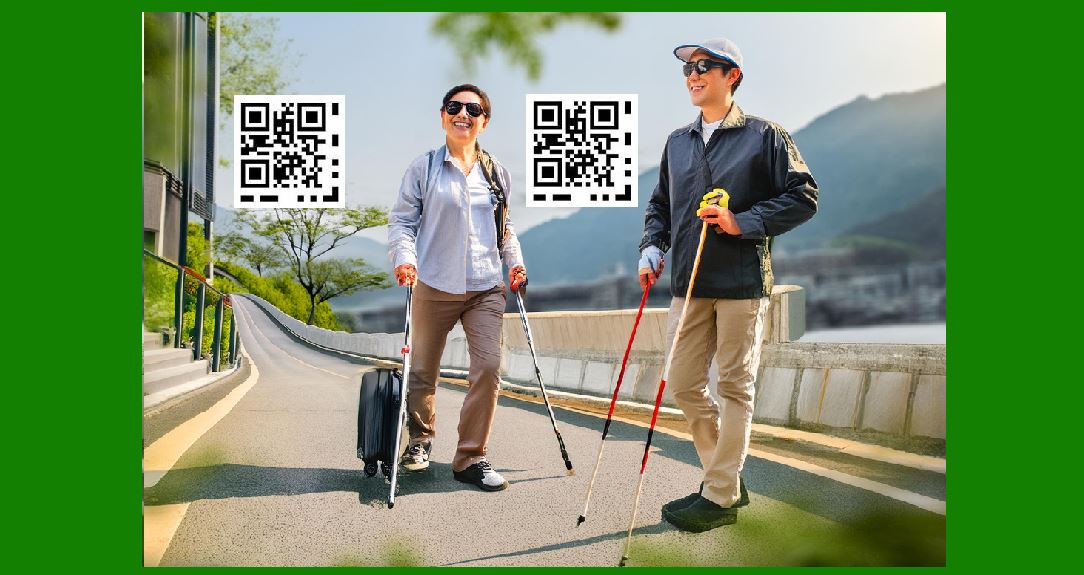
AQR, short for Accessible QR, represents a specialized type of QR code designed to enhance accessibility for individuals who are blind or partially sighted, it combines a standard QR code with a dot-dash pattern positioned around one corner of the code.

The codes, announce product categories and product details such as instructions, ingredients, safety warnings, and recycling information. The data is structured for the needs of users who are blind or partially sighted and offers larger text or audio output. It can read QR codes from a metre away, activating the smartphone's accessibility features like VoiceOver to announce product details.

Here's a detailed description of how AQR works and its purpose:

Design and Functionality

1.Combination of QR Code and Dot-Dash Pattern:

AQR integrates a standard QR code with a dot-dash pattern typically placed around one corner of the code. This pattern serves as a tactile indicator, helping users locate and orient the QR code.

2.Information Accessibility:

The primary goal of AQR is to provide essential product information to users with visual impairments. This includes details such as product categories, instructions, ingredients, safety warnings, and recycling information.

3.Structured Data:

The data embedded within AQR codes is structured to meet the specific needs of blind or partially sighted users. This means the information is formatted in a way that facilitates easy comprehension through assistive technologies like screen readers.

4.Interaction with Smartphones:

AQR codes can be scanned from a distance of up to one meter using a smartphone. Upon scanning, the device activates its accessibility features, such as VoiceOver (on iOS) or TalkBack (on Android), to audibly announce the product details to the user.

5.Output Options:

Users have the flexibility to choose how they access the information. Depending on their preferences, the smartphone can provide larger text displays or convert the text into audio output, making it accessible through spoken feedback.

Implementation and Benefits

Enhanced Independence: AQR codes empower individuals with visual impairments to independently access critical product information without relying on external assistance.

Compliance and Inclusivity: Businesses and manufacturers adopting AQR codes demonstrate their commitment to inclusivity and accessibility, ensuring compliance with accessibility standards and regulations.

User Experience: By leveraging familiar smartphone functionalities, such as QR scanning and accessibility features, AQR codes streamline the process of obtaining essential information for users with visual impairments.

Use Cases

Retail and Consumer Goods: AQR codes are particularly useful in retail settings where product details, usage instructions, and safety warnings are crucial for informed decision-making.

Public Spaces: They can also be implemented in public spaces to provide information about facilities, emergency procedures, or transportation details in a way that is accessible to all individuals, including those with visual impairments.

Conclusion

AQR represents a significant advancement in leveraging technology to enhance accessibility and inclusivity. By combining the convenience of QR codes with tailored data formats and smartphone accessibility features, AQR codes empower individuals with visual impairments to navigate the modern world with greater independence and confidence.


EasierSoft Barcode Label Design & Bulk Printing Software

---- Use Excel Data to Batch Print Barcodes on Label Sheets or Roll Labels  

---- How to use this barcode software

Download:  Free Barcode Software + Barcode Label Designer

Download Free Barcode Software at Softonic

     Download at CNET

Once you obtain a GS1/UPC/EAN barcode, or other barcode type and QR code, you can use our free software to batch print barcode labels onto Roll label paper using a professional label printer, or to batch print barcodes onto Avery 5160 label sheets using a regular laser or inkjet printer. Our software has free and paid versions.

The free version fully meets your needs for batch printing GS1/UPC/EAN barcodes. The paid version can import data from Excel and databases to batch print barcode labels with different values.

How to Start

Input Data

Import Excel Data

Print Barcode

Barcode Format

Label Designer

All Screen Shot

Export Barcode Image

Save Template

Output Word Excel

How to Use & FAQ:

Export barcodes to Word

Add ascii key to barcode

Auto calculate barcode size (Std)

Make barcode by command line

Export barcode image files

Barcode text font setting

Generate ISBN barcode

Predefined label templates

Printing setup

Save settings

Serial number generator

The supported barcode types

Load Excel data (pro)

Manually copy data from Excel files

Filter some data for printing

Edit imported barcode data

Input data (Pro)

Label Designer

Edit data in Label designer

Label Designer - Add new label

Label Designer - Printing

Set the barcode label format to be printed

Other Barcode Label Format Settings

Barcode types supported by this program

Barcode Label Font Settings

Configuring the Barcode Print Rotation

Text Alignment for Barcode Labels

Automatically Adjusting Barcode Width

Text Beneath the Barcode

Configuring Barcode Size

Auto Calculate the Barcode Size

Export Barcode images

Export Barcode Image Format

File Names for Exported Barcode

Resolution of Exported Barcode Images

Fixed Folder for Exporting Barcode

Default Barcode Image Export Format

Print bulk barcodes quickly

Print barcodes to Avery 5160 label

How to bulk Barcode Printing

Sample - Avery 5162 (2x7) Label Sheet

Example: Print barcodes to 5*3cm roll

Example: Print barcodes to 5161 label

Example: Print barcodes to 5162 label

Example: Print barcodes to 5163 label

Example: Print barcodes to 5164 label

Example: Print portrait orientation 5164

Example: Print barcodes to 5167 label

Example: Print barcodes to 5168 label

Example: Print portrait orientation 5168

Highlights

Excel integration: Import data directly from Excel to generate and print barcodes in bulk.

Label designer: Create complex labels with multiple barcodes, text, logos, and shapes.

Batch printing: Print thousands of barcodes at once using standard inkjet/laser printers or professional barcode printers.


Flexible editions:

Standard Edition: Simple batch printing with Excel data.

Professional Edition: Adds command-line automation for workflow integration.

Label Designer Edition: Advanced design features for complex labels.


Why Choose Our Barcode Solutions?

Cost-effective: Free online generator and permanent free desktop version available.

Easy to use: No technical expertise required—just input data and print.

Versatile: Supports nearly all 1D and 2D barcode types, including QR codes.

Trusted: Recommended by CNET and widely downloaded by users worldwide.


Suitable Use Cases

Small businesses and startups needing quick barcode labels for products.

Retailers and online sellers managing inventory with batch barcode printing.

Manufacturers requiring sequential or custom barcode labels for packaging.

Educational and testing environments where barcodes are used for tracking.


CONTACT

cs@easiersoft.com

If you have any question, please feel free to email us.


https://free-barcode.com


<<< Back to Directory <<<     Barcode Generator     Barcode Freeware     Privacy Policy