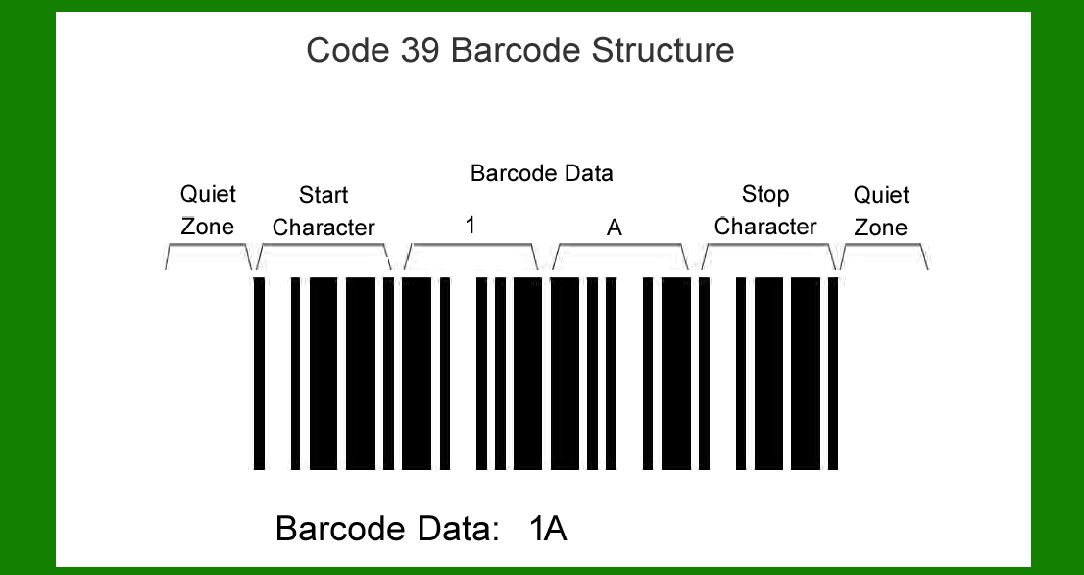
Code 39, also known as USD-3 or 3 of 9 barcode, is a widely used linear barcode symbology. It is characterized by its ability to encode alphanumeric characters and a few special symbols, making it versatile for various applications across industries. In this detailed exploration, we will delve into the applications of Code 39 barcodes, their advantages, limitations, and how they contribute to efficiency and accuracy in different sectors. |
|
1. Retail and Inventory Management |
In the retail sector, Code 39 barcodes are fundamental to inventory management and point-of-sale (POS) operations. Each product can be assigned a unique Code 39 barcode, typically containing product information such as SKU (Stock Keeping Unit), product name, and sometimes pricing information. This allows retailers to efficiently track stock levels, manage replenishments, and conduct quick and accurate checkouts. |
Inventory Control: Warehouses and distribution centers use Code 39 barcodes extensively to keep track of incoming and outgoing inventory. Barcode scanners can rapidly scan items during receiving, picking, and shipping processes, ensuring accurate inventory counts and reducing manual errors. |
Point-of-Sale Systems: At the checkout counter, Code 39 barcodes facilitate rapid scanning of products. This speeds up the transaction process, reduces wait times for customers, and minimizes pricing errors. |

|
2. Healthcare |
In healthcare settings, accurate identification and tracking of patient information, medications, and medical equipment are critical. Code 39 barcodes are widely utilized due to their ability to encode alphanumeric data and withstand various environmental conditions. |
Patient Identification: Hospitals and clinics use wristbands with Code 39 barcodes containing patient information such as name, medical record number, and allergies. This ensures accurate identification and helps prevent medication errors and other potential risks. |
Medication Management: Pharmaceutical manufacturers use Code 39 barcodes on medication packaging to encode information such as drug name, dosage, and expiration date. Healthcare providers can scan these barcodes to ensure correct medication administration and track usage. |

|
3. Manufacturing and Logistics |
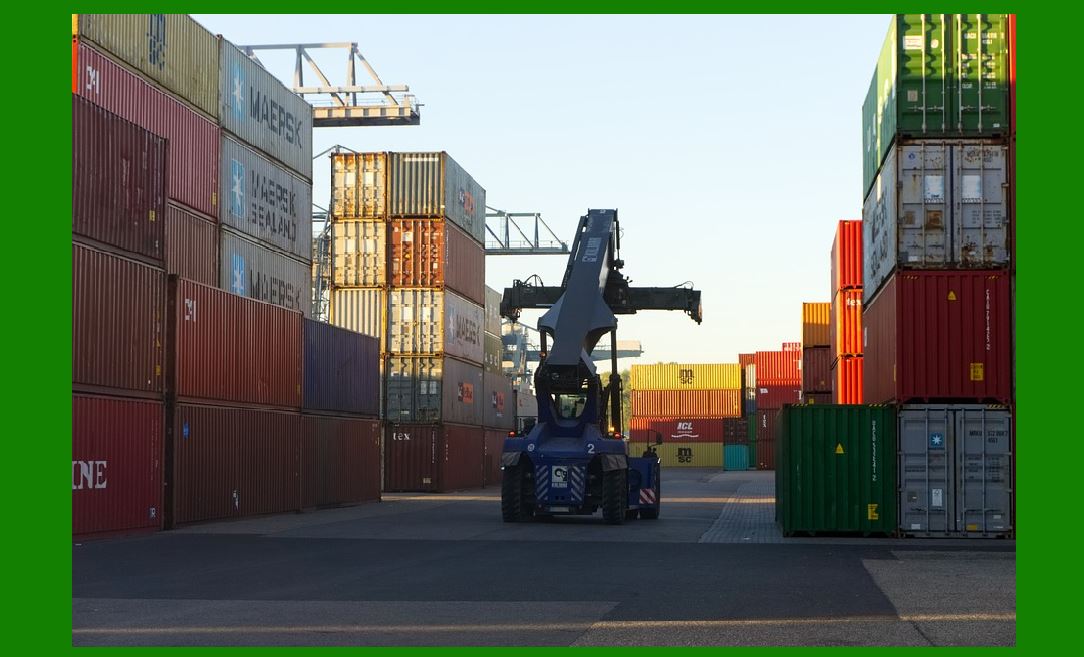
Code 39 barcodes play a crucial role in manufacturing processes and logistics operations, where efficient tracking of raw materials, work-in-progress (WIP), and finished goods is essential. |
Supply Chain Management: Manufacturers use Code 39 barcodes on raw materials and components to track inventory levels and streamline production processes. Barcode scanning helps in managing stock levels, reducing wastage, and optimizing supply chain efficiency. |
Work-in-Progress Tracking: Within manufacturing facilities, Code 39 barcodes are used to track the movement of goods through various production stages. This enables real-time monitoring of production progress, identification of bottlenecks, and timely adjustments to manufacturing schedules. |
|
4. Document Management |
Code 39 barcodes find applications in document management systems to automate and streamline workflows related to document tracking and retrieval. |
Document Tracking: Legal firms, government agencies, and corporate offices use Code 39 barcodes on documents to facilitate quick and accurate tracking. Each document can be assigned a unique barcode, allowing employees to locate and retrieve files efficiently. |
Records Management: Archival facilities leverage Code 39 barcodes to categorize and manage records stored in physical or digital formats. Barcode scanning ensures precise record keeping, simplifies audits, and enhances compliance with regulatory requirements. |

|
5. Asset Tracking and Maintenance |
Various industries utilize Code 39 barcodes for asset tracking and maintenance management purposes to monitor the location, condition, and maintenance history of equipment and facilities. |
Asset Tracking: Organizations affix Code 39 barcodes on equipment, tools, and machinery to maintain an up-to-date inventory and track asset movements across different locations. This improves asset utilization, reduces losses, and facilitates timely maintenance. |
Maintenance Management: Maintenance teams use barcoded equipment tags and maintenance records encoded with Code 39 barcodes. Technicians can scan these barcodes to access equipment specifications, maintenance schedules, and repair histories, ensuring efficient maintenance operations. |

|
Advantages of Code 39 Barcodes: |
Versatile Encoding: Code 39 can encode alphanumeric characters and a few special symbols, offering flexibility in data representation. Ease of Printing: Barcodes can be printed using standard office equipment, reducing operational costs. High Reliability: Code 39 barcodes are readable even when printed poorly or under adverse conditions. Widespread Compatibility: Barcode scanners capable of reading Code 39 barcodes are widely available and affordable. |
Limitations of Code 39 Barcodes: |
Data Density: Compared to 2D barcodes like QR codes, Code 39 has lower data density and may not be suitable for encoding large amounts of data. Error Correction: Code 39 does not have built-in error correction capabilities, making it susceptible to errors if the barcode is damaged or poorly printed. |

|
Future Trends and Innovations: |
As technology advances, the use of barcodes continues to evolve. Integrations with IoT (Internet of Things) devices, advancements in barcode scanning technology (such as mobile scanning apps), and enhanced data analytics capabilities are shaping the future of barcode applications. These developments aim to further improve operational efficiency, data accuracy, and real-time visibility across industries. |

|
Conclusion: |
Code 39 barcodes remain a foundational technology in industries ranging from retail and healthcare to manufacturing and logistics. Their ability to encode alphanumeric data, ease of use, and reliability make them indispensable for automating data capture processes, improving inventory management, enhancing patient safety, and streamlining operational workflows. As businesses continue to adopt digital transformation strategies, Code 39 barcodes are expected to play a key role in driving efficiency, accuracy, and compliance in diverse operational environments. |
 cs@easiersoft.com