Code 93 is a linear barcode symbology designed to encode alphanumeric data efficiently. | It's an extension of the Code 39 barcode, offering higher data density and additional character support. Originally developed by Intermec (now part of Honeywell) in 1982, Code 93 has found applications in various industries due to its versatility and reliability. In this detailed exploration, we will delve into the specific applications of Code 93 barcodes across different sectors and scenarios. | 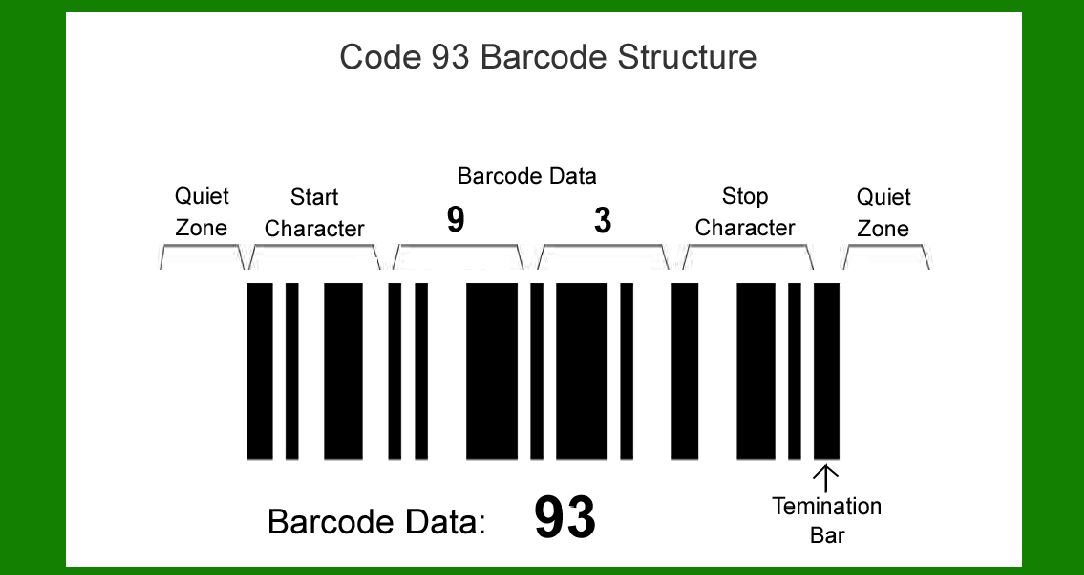
| Logistics and Inventory Management | One of the primary applications of Code 93 barcodes is in logistics and inventory management systems. These barcodes are widely used in warehouses, distribution centers, and retail environments to track inventory movement and ensure accurate stock levels. Here's how Code 93 barcodes are applied: | 1.Product Identification: Each product can be assigned a unique Code 93 barcode that contains essential information such as item number, description, and sometimes pricing details. Scanning these barcodes helps in quickly identifying products and updating inventory databases. 2.Warehouse Management: Barcodes printed on storage bins, shelves, and pallets facilitate efficient storage and retrieval operations. Warehouse staff can scan these barcodes to confirm item locations, pick orders accurately, and update inventory counts in real-time. 3.Shipping and Receiving: Code 93 barcodes are used on shipping labels to encode shipping information, including sender details, recipient address, tracking numbers, and shipment contents. This ensures packages are routed correctly and allows for easy tracking throughout the shipping process. 4.Asset Tracking: Beyond inventory, Code 93 barcodes are employed to track fixed assets such as equipment, machinery, and tools. Each asset can have a unique barcode linked to its maintenance history, location, and other pertinent data, aiding in asset management and maintenance scheduling. | 
| Retail and Point of Sale (POS) Systems | In retail environments, Code 93 barcodes play a crucial role in streamlining operations and enhancing customer service: | 1.Product Labeling: Retailers use Code 93 barcodes on product labels for quick and accurate checkout. These barcodes encode details like product name, price, and SKU, allowing cashiers to scan items efficiently at the POS terminal. 2.Promotions and Discounts: Barcodes can encode promotional offers, discounts, and loyalty program information. When scanned, the POS system automatically applies relevant discounts or updates customer points, enhancing customer experience and promoting sales. 3.Inventory Control: Retailers maintain accurate inventory records by scanning barcodes during stock replenishment, transfers between stores, and periodic stocktaking. This helps prevent stockouts, reduce overstocking, and improve overall inventory management. 4.Return Processing: Barcodes on receipts or product packaging facilitate hassle-free returns and exchanges. By scanning these barcodes, retailers can quickly retrieve transaction details, verify purchase history, and process refunds or replacements efficiently. | 
| Healthcare and Pharmaceuticals | In the healthcare and pharmaceutical sectors, accuracy and traceability are paramount, making Code 93 barcodes invaluable: | 1.Patient Identification: Hospitals and clinics use Code 93 barcodes on patient wristbands or ID cards to accurately identify patients. These barcodes may encode patient demographics, medical record numbers, and allergy information, ensuring proper treatment and medication administration. 2.Medication Management: Barcodes on medication packaging help healthcare providers verify drug identities, dosages, and expiration dates before administration. Scanning ensures patients receive the correct medication and dosage prescribed by healthcare professionals. 3.Inventory and Supply Chain: Pharmaceutical companies and distributors use Code 93 barcodes to track the movement of drugs and medical supplies throughout the supply chain. From manufacturing to distribution to retail pharmacies, barcodes enable efficient inventory management and regulatory compliance. 4.Laboratory Specimen Tracking: Laboratories utilize barcodes to track specimens from collection through analysis and reporting. Each sample container is labeled with a Code 93 barcode linked to patient details and test requisitions, minimizing errors and ensuring traceability. | 
| Document and Asset Management | In corporate settings, Code 93 barcodes facilitate effective document and asset management: | 1.Document Tracking: Law firms, corporate offices, and libraries use barcodes on documents to organize and retrieve information efficiently. Each document can be assigned a unique barcode that links to its metadata, such as author, creation date, and document type. 2.Library Systems: Libraries employ barcodes on book covers to automate borrowing and return processes. Patrons can use self-checkout stations to scan book barcodes, reducing wait times and improving library circulation management. 3.Fixed Asset Inventory: Businesses track fixed assets like computers, furniture, and vehicles using barcoded asset tags. These tags, encoded with asset details and purchase information, simplify asset audits, depreciation calculations, and maintenance scheduling. | 
| Industrial and Manufacturing | In industrial and manufacturing environments, Code 93 barcodes enhance efficiency and traceability across production processes: | 1.Work-in-Progress Tracking: Manufacturers use barcodes to monitor the status of work-in-progress (WIP) items on the production floor. Each component or assembly can be labeled with a barcode that links to its production order, routing information, and quality control checkpoints. 2.Quality Control: Barcodes are applied to finished goods for quality inspection and compliance verification. Quality inspectors scan these barcodes to access product specifications, test results, and manufacturing data, ensuring products meet regulatory standards and customer expectations. 3.Maintenance and Repairs: Industrial equipment and machinery are often tagged with barcodes to track maintenance schedules, repair histories, and spare parts inventory. Maintenance technicians scan these barcodes to access equipment manuals, log maintenance activities, and order replacement parts promptly. | 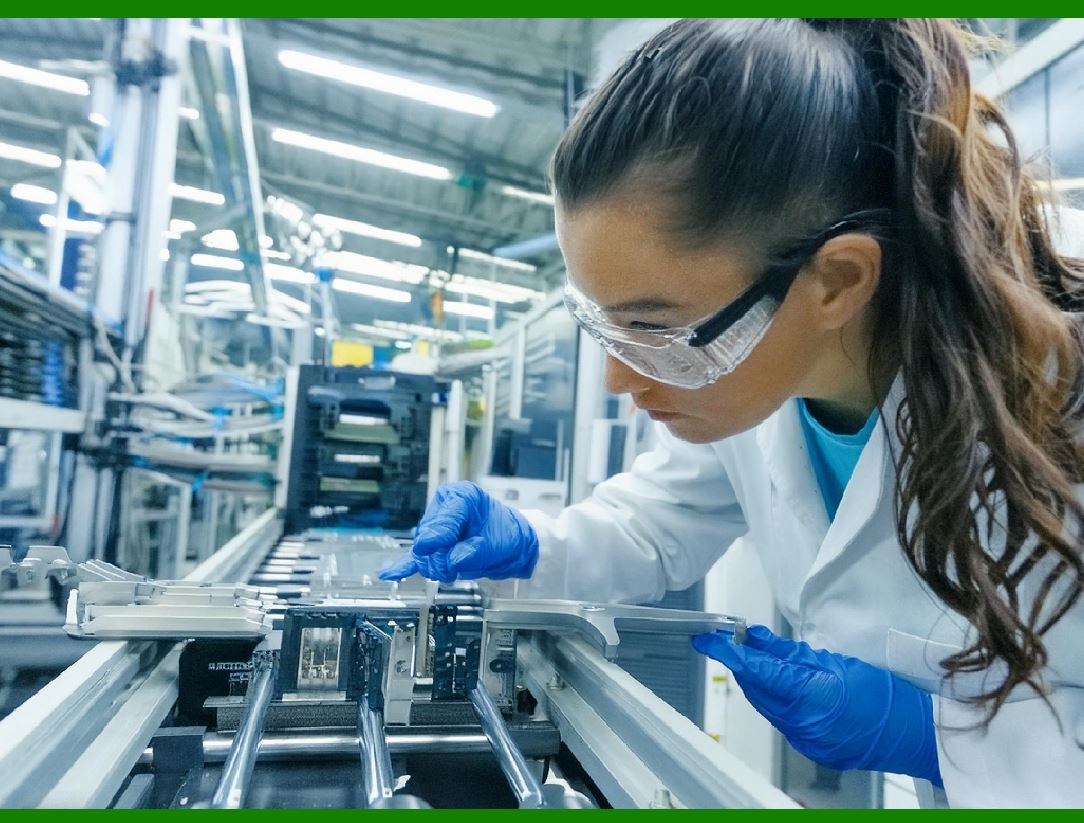
| Food and Beverage Industry | In the food and beverage sector, Code 93 barcodes are utilized for: | 1.Product Traceability: Barcodes on food packaging encode batch numbers, expiration dates, and ingredient information. Food manufacturers and distributors use these barcodes to trace products through the supply chain, enabling swift recalls and ensuring food safety compliance. 2.Inventory Management: Restaurants and grocery stores manage perishable goods by scanning barcodes during stock replenishment and inventory audits. This minimizes food waste, optimizes shelf stocking, and enhances freshness management. | 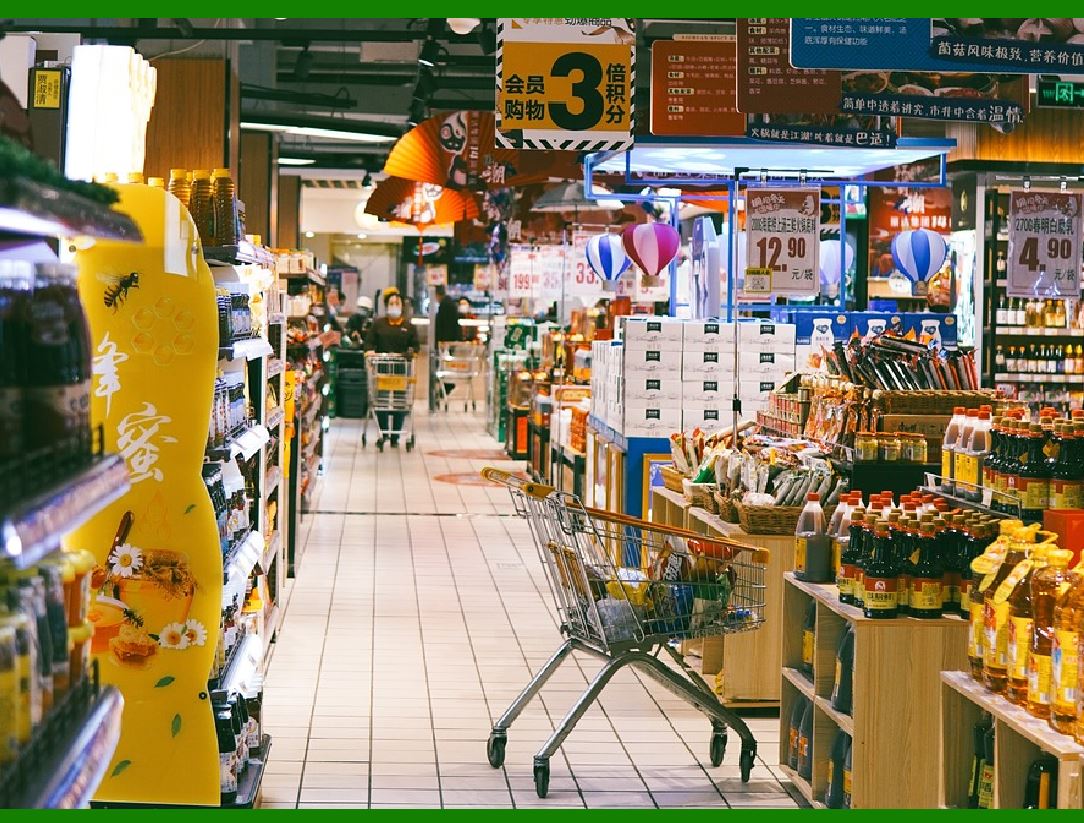
| Security and Access Control | Barcodes, including Code 93, play a role in security and access control systems: | 1.Employee Identification: Companies issue employee ID cards with barcodes for building access and timekeeping purposes. Each barcode contains employee credentials and access permissions, enhancing workplace security and monitoring attendance. 2.Event Management: Barcoded tickets and badges are used at concerts, conferences, and sporting events for entry control and attendee tracking. Event organizers scan these barcodes to validate tickets and manage crowd flow efficiently. | 
| Emerging Applications | As technology evolves, Code 93 barcodes continue to find new applications in diverse industries: | 1.Mobile Payments: Barcodes displayed on smartphones enable mobile payment solutions, allowing consumers to scan and pay for goods or services directly from their mobile devices. 2.Smart Packaging: Barcodes embedded in smart packaging enable consumers to access product information, promotions, and usage instructions using mobile apps or QR code scanners. | 
| Conclusion | Code 93 barcodes have established themselves as a versatile tool across various industries, facilitating automation, enhancing efficiency, and ensuring accuracy in data capture and management. From inventory control in retail to patient safety in healthcare, these barcodes continue to evolve alongside technology, offering reliable solutions to meet the complex needs of modern businesses and consumers alike. As industries innovate and adopt new technologies, Code 93 barcodes remain a fundamental element in the landscape of automated data capture and management systems. |
|
 cs@easiersoft.com