Barcode Technology

Barcode History

Barcode Label Paper

Barcode Printer

Barcode Application

Inventory Management

AI Barcode QRCode

Barcode Scanner

Barcode Software

Barcode Software B

Barcode Software C

Barcode Software D

Barcode Software E

New Technology A

New Technology B

Robot Technology

Barcode Types

Barcode Types B

Barcode Types C

Barcode Types D

Barcode Types E

Barcode Types F

Electronic Technology

Psychology at Work

Barcode Technology and Barcode Software Related   <<< Back to Directory <<<

Data Matrix marked directly onto components

Data Matrix Codes in Industrial Engineering

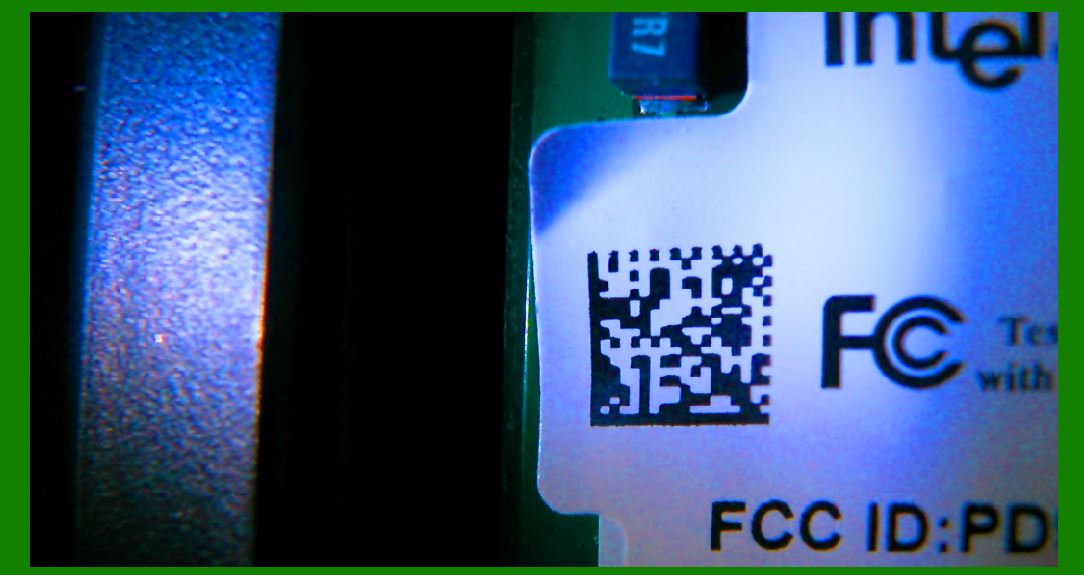
For industrial engineering purposes, Data Matrix codes can be marked directly onto components, ensuring that only the intended component is identified with the data-matrix-encoded data. The codes can be marked onto components with various methods, but within the aerospace industry these are commonly industrial ink-jet, dot-peen marking, laser marking, and electrolytic chemical etching (ECE). These methods give a permanent mark which can last up to the lifetime of the component.

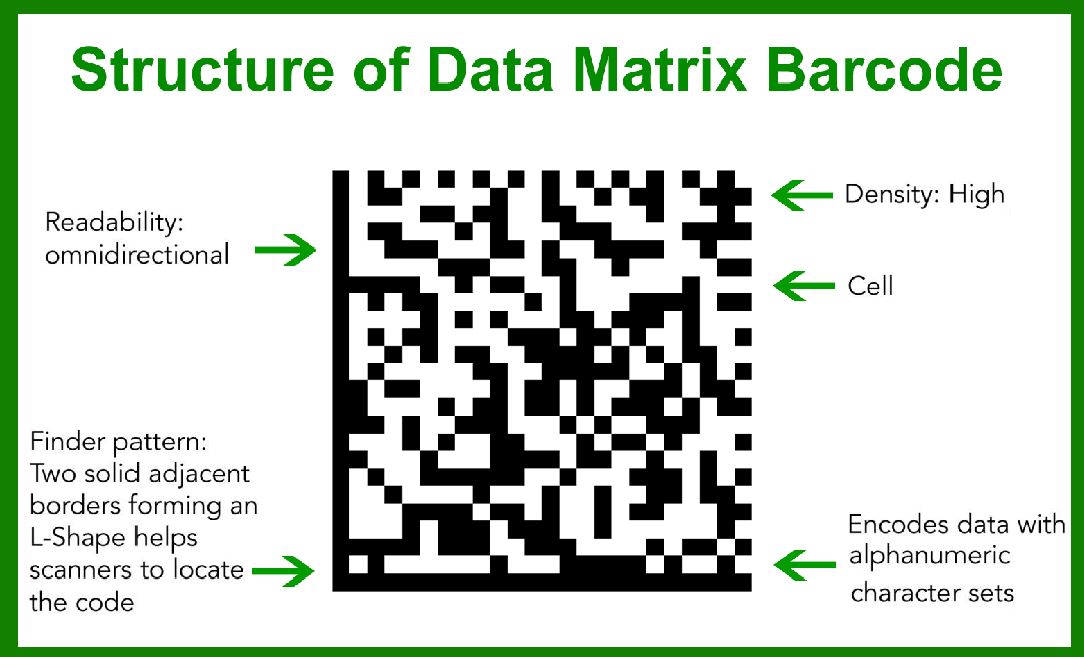
Data Matrix codes are two-dimensional (2D) barcodes consisting of black and white cells arranged in a square or rectangular pattern. These codes are designed to encode large amounts of data in a compact space, making them ideal for various industrial applications. When marked directly onto components, they provide a robust and durable means of identifying and tracking parts throughout their lifecycle. This is especially critical in industries like aerospace, where precise identification and traceability are paramount.

Marking Methods

The primary methods for marking Data Matrix codes onto components in the aerospace industry include:

1.Industrial Ink-Jet Printing:

Description: Industrial ink-jet printers use a stream of ink droplets to create the Data Matrix code on the surface of a component.

Advantages: This method is relatively fast, cost-effective, and versatile, allowing for marking on various materials and shapes.

Considerations: Ink-jet marks are generally not as durable as other methods and may fade over time, particularly in harsh environments.

2.Dot-Peen Marking:

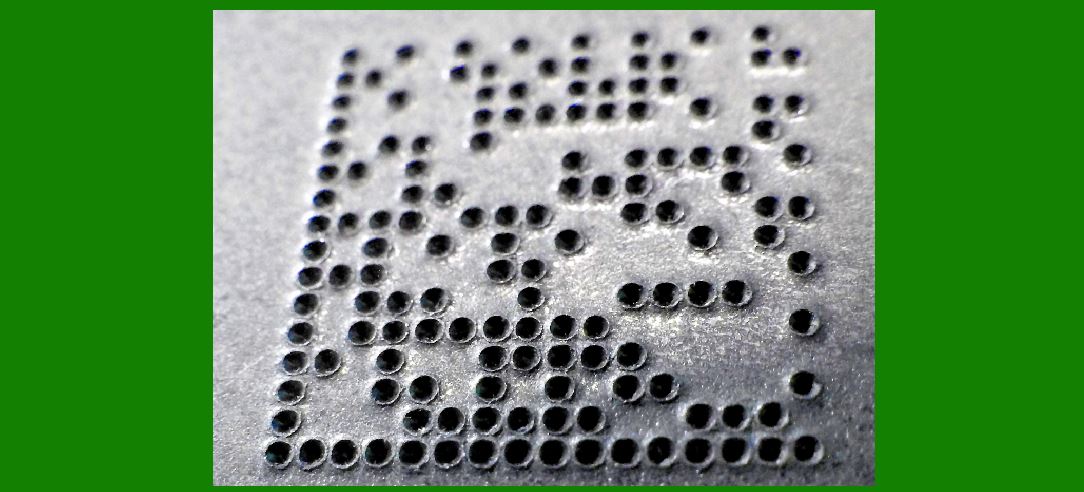
Description: Dot-peen marking involves mechanically indenting the surface of a component with a series of dots to form the Data Matrix code.

Advantages: This method produces a highly durable mark that can withstand extreme conditions and rough handling.

Considerations: The marking process is slower compared to ink-jet printing, and the equipment can be more expensive and complex.

3.Laser Marking:

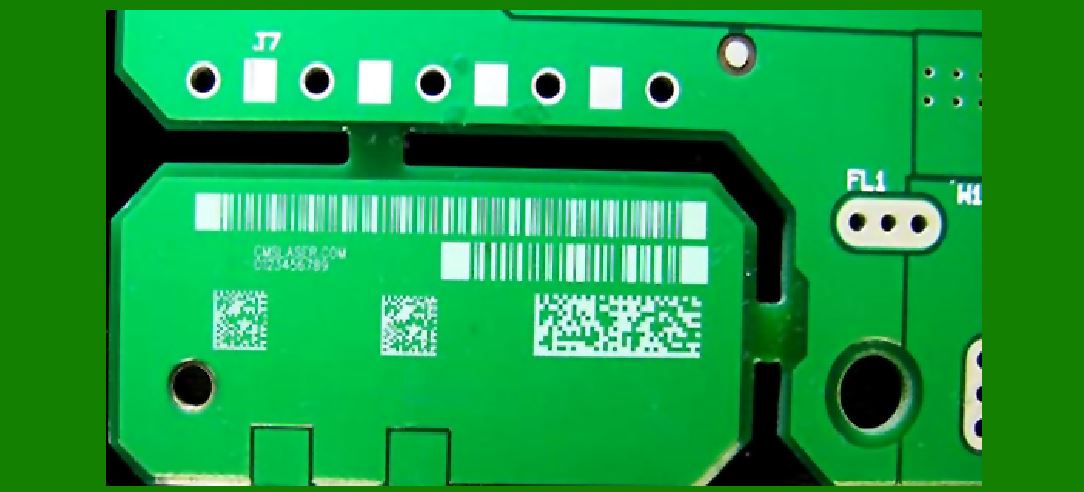
Description: Laser marking uses a focused beam of light to etch the Data Matrix code onto the component surface.

Advantages: Laser marking is precise, permanent, and can produce high-contrast marks that are easy to read. It is also suitable for a wide range of materials, including metals, plastics, and ceramics.

Considerations: The initial investment in laser marking equipment can be high, and the process requires careful control to avoid damaging the component.

4.Electrolytic Chemical Etching (ECE):

Description: ECE involves applying an electrolyte solution and an electric current to etch the Data Matrix code into the surface of the component.

Advantages: This method produces a permanent, high-quality mark that is resistant to wear and corrosion.

Considerations: ECE is generally slower and more labor-intensive than other methods, and it requires handling of chemicals and management of waste products.

Application in the Aerospace Industry

In aerospace, the need for reliable and durable identification marks is crucial due to the extreme operational environments and stringent regulatory requirements. Each marking method is selected based on specific criteria such as the material of the component, the required durability of the mark, and the environmental conditions the component will face.

1.Traceability: Data Matrix codes allow for the precise tracking of components from manufacturing through to end-of-life. This traceability is essential for maintenance, repair, and overhaul (MRO) operations, ensuring that the correct components are used and that their history is accurately documented.

2.Quality Control: Permanent and accurate marking facilitates quality control processes by enabling quick and reliable identification of parts. This helps in detecting and addressing manufacturing defects and ensures compliance with industry standards.

3.Counterfeit Prevention: Unique and permanent Data Matrix codes help in combatting counterfeiting by providing a means to authenticate components. This is particularly important in aerospace, where the use of counterfeit parts can have serious safety implications.

4.Maintenance and Repair: For maintenance personnel, being able to quickly and accurately identify components through Data Matrix codes simplifies inventory management and ensures that the correct parts are used during repairs. This helps in reducing downtime and improving the efficiency of maintenance operations.

Conclusion

Data Matrix codes marked directly onto components provide a robust and reliable means of identification that is essential for various industrial applications, particularly in the aerospace industry. The choice of marking method-industrial ink-jet, dot-peen, laser marking, or electrolytic chemical etching-depends on factors such as material type, required mark durability, and environmental conditions. By ensuring permanent and accurate identification, these methods support traceability, quality control, counterfeit prevention, and efficient maintenance and repair operations.


EasierSoft Barcode Label Design & Bulk Printing Software

---- Use Excel Data to Batch Print Barcodes on Label Sheets or Roll Labels  

---- How to use this barcode software

Download:  Free Barcode Software + Barcode Label Designer

Download Free Barcode Software at Softonic

     Download at CNET

Once you obtain a GS1/UPC/EAN barcode, or other barcode type and QR code, you can use our free software to batch print barcode labels onto Roll label paper using a professional label printer, or to batch print barcodes onto Avery 5160 label sheets using a regular laser or inkjet printer. Our software has free and paid versions.

The free version fully meets your needs for batch printing GS1/UPC/EAN barcodes. The paid version can import data from Excel and databases to batch print barcode labels with different values.

How to Start

Input Data

Import Excel Data

Print Barcode

Barcode Format

Label Designer

All Screen Shot

Export Barcode Image

Save Template

Output Word Excel

How to Use & FAQ:

Label Designer

Edit data in Label designer

Label Designer - Add new label

Label Designer - Printing

Set the barcode label format to be printed

Other Barcode Label Format Settings

Barcode types supported by this program

Barcode Label Font Settings

Configuring the Barcode Print Rotation

Text Alignment for Barcode Labels

Automatically Adjusting Barcode Width

Text Beneath the Barcode

Configuring Barcode Size

Auto Calculate the Barcode Size

Export Barcode images

Export Barcode Image Format

File Names for Exported Barcode

Resolution of Exported Barcode Images

Fixed Folder for Exporting Barcode

Default Barcode Image Export Format

Print bulk barcodes quickly

Print barcodes to Avery 5160 label

How to bulk Barcode Printing

Sample - Avery 5162 (2x7) Label Sheet

Example: Print barcodes to 5*3cm roll

Example: Print barcodes to 5161 label

Example: Print barcodes to 5162 label

Example: Print barcodes to 5163 label

Example: Print barcodes to 5164 label

Example: Print portrait orientation 5164

Example: Print barcodes to 5167 label

Example: Print barcodes to 5168 label

Example: Print portrait orientation 5168

Example: Print barcodes to 5169 label

Example: Print barcodes to 5660 label

Example: Print barcodes to 5661 label

Example: Print barcodes to 5662 label

Example: Print barcodes to 5663 label

Example: Print barcodes to 5664 label

Example: Print portrait orientation 5664

Example: Print barcodes to 5873 label

Example: Print barcodes to 5874 label

Two ways to import Excel data

Import Excel Data - Pro Edition

Import Excel Data - Std Edition

Import Data from Excel - Detail

Load Data From Excel File

Data Editing Table

Copy Data From Excel

Four ways to input barcode data

Highlights

Excel integration: Import data directly from Excel to generate and print barcodes in bulk.

Label designer: Create complex labels with multiple barcodes, text, logos, and shapes.

Batch printing: Print thousands of barcodes at once using standard inkjet/laser printers or professional barcode printers.


Flexible editions:

Standard Edition: Simple batch printing with Excel data.

Professional Edition: Adds command-line automation for workflow integration.

Label Designer Edition: Advanced design features for complex labels.


Why Choose Our Barcode Solutions?

Cost-effective: Free online generator and permanent free desktop version available.

Easy to use: No technical expertise required—just input data and print.

Versatile: Supports nearly all 1D and 2D barcode types, including QR codes.

Trusted: Recommended by CNET and widely downloaded by users worldwide.


Suitable Use Cases

Small businesses and startups needing quick barcode labels for products.

Retailers and online sellers managing inventory with batch barcode printing.

Manufacturers requiring sequential or custom barcode labels for packaging.

Educational and testing environments where barcodes are used for tracking.


CONTACT

cs@easiersoft.com

If you have any question, please feel free to email us.


https://free-barcode.com


<<< Back to Directory <<<     Barcode Generator     Barcode Freeware     Privacy Policy