Data Matrix, a two-dimensional barcode symbology, was invented by International Data Matrix, Inc. (ID Matrix). Over the years, the technology and its stewardship have changed hands several times: ID Matrix merged into RVSI/Acuity CiMatrix, which was later acquired by Siemens AG in October 2005 and subsequently by Microscan Systems in September 2008. Despite these changes, the Data Matrix standard remains robust and widely used, governed by several ISO/IEC standards that ensure its applicability and integration across various industries. |
|
ISO/IEC Standards Governing Data Matrix |
Several ISO/IEC standards govern the use and implementation of Data Matrix. These standards cover the symbology specification, print quality, data format semantics, data carrier identifiers, data syntax for high-capacity ADC media, and unique identifiers. Here is a detailed look at each standard: |
|
1. ISO/IEC 16022:2006-Data Matrix Bar Code Symbology Specification |
ISO/IEC 16022:2006 is the foundational standard for Data Matrix barcodes. This standard specifies the physical characteristics and encoding rules for Data Matrix symbols. Key elements include: |
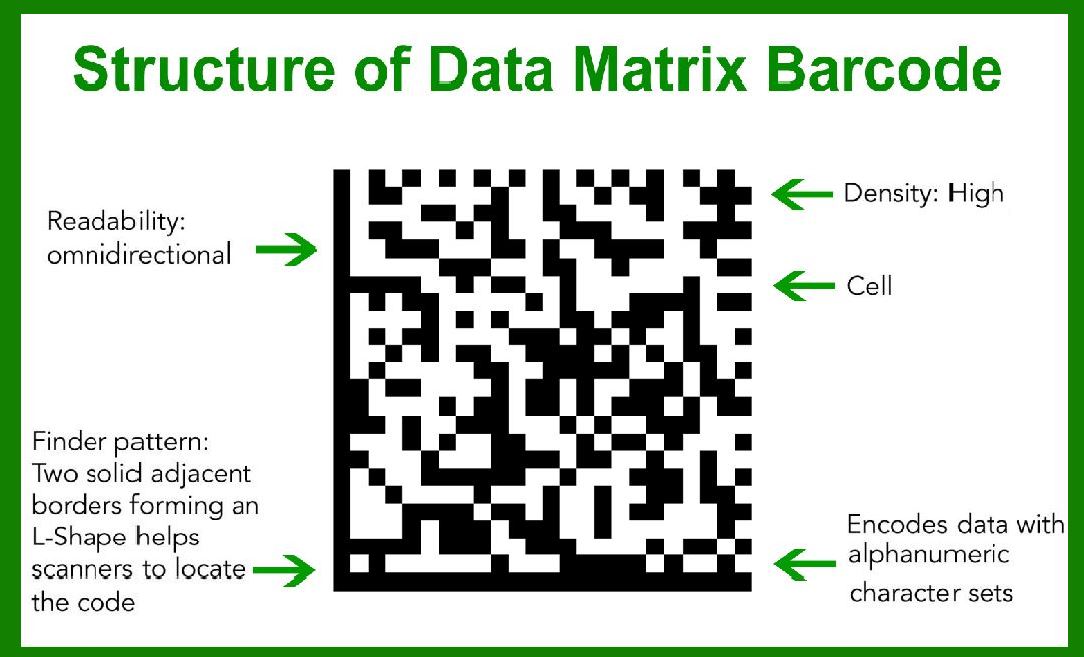
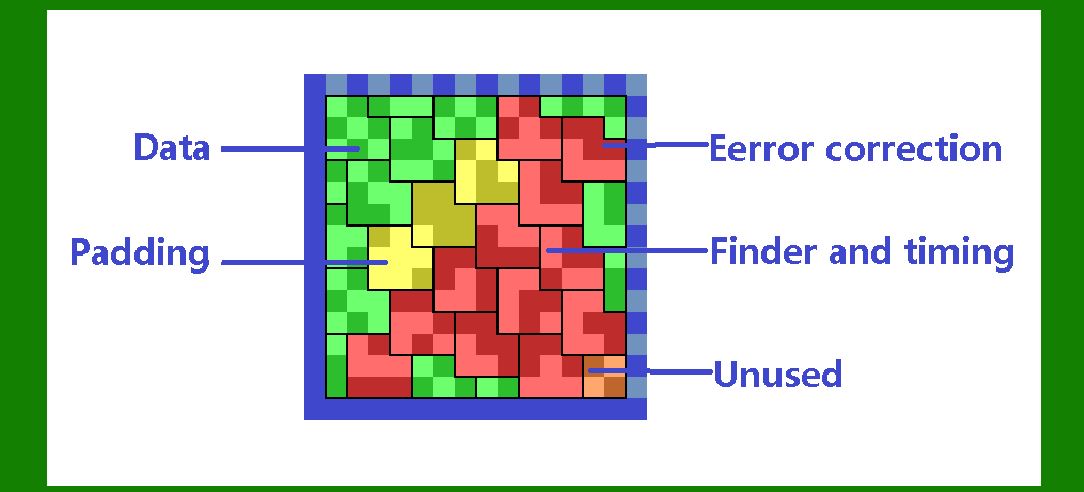
Symbol Shape and Size: Data Matrix symbols are typically square or rectangular. The size of the symbol varies depending on the amount of data encoded and the error correction level. Encoding: The standard outlines how data is encoded within the symbol using a binary code. It includes specifications for encoding alphanumeric, numeric, and binary data. Error Correction: Data Matrix uses Reed-Solomon error correction to ensure data integrity, allowing the symbol to be read even if up to 30% of the symbol is damaged. Finder and Alignment Patterns: The symbol includes finder patterns (solid lines on two adjacent sides) and alignment patterns (alternating black and white cells on the other two sides) to assist in locating and orienting the symbol for decoding. |

|
2. ISO/IEC 15415-2-D Print Quality Standard |
ISO/IEC 15415 focuses on the print quality of 2-D barcodes, including Data Matrix. This standard defines the methods for measuring and evaluating the quality of printed symbols to ensure they are readable by scanners. Important aspects include: |
Quality Parameters: These include symbol contrast, modulation, fixed pattern damage, grid non-uniformity, and axial non-uniformity. Grading: The standard provides a grading system (A to F) to rate the quality of the printed symbol. An 'A' grade represents the highest quality, while an 'F' grade indicates a failure. Inspection Methods: Specific techniques for inspecting and measuring each quality parameter are described, ensuring consistent and accurate evaluation of symbol quality. |

|
3. ISO/IEC 15418:2016-Symbol Data Format Semantics |
ISO/IEC 15418:2016 details the semantics of data formats used in Data Matrix symbols. It specifies: |
Application Identifiers (AIs): Defined by GS1, AIs provide a way to encode various types of data, such as product numbers, serial numbers, and dates, within the barcode. Data Identifiers (DIs): Maintained by ASC MH10, DIs are used to identify the type of data being encoded, ensuring that different systems interpret the data correctly. Maintenance: The standard outlines procedures for maintaining and updating the list of AIs and DIs to accommodate new data types and industry needs. |

|
4. ISO/IEC 15424:2008-Data Carrier Identifiers |
ISO/IEC 15424:2008 specifies Data Carrier Identifiers (DCIs) which are used to distinguish different types of barcode symbologies. For Data Matrix: |
Symbology Identifiers: Each barcode type has a unique identifier that helps scanning systems recognize and correctly interpret the symbol. Usage: DCIs are crucial in environments where multiple barcode types are used, ensuring that the correct decoding algorithm is applied to each symbol. |

|
5. ISO/IEC 15434:2006-Syntax for High-Capacity ADC Media |
ISO/IEC 15434:2006 describes the syntax for data encoded in high-capacity ADC (Automatic Data Capture) media, including Data Matrix. This standard covers: |
Data Format: Specifies the format for encoding data within the symbol, including header, payload, and trailer sections. Transmission: Outlines how data should be transferred from the scanner to the software, ensuring compatibility and correct interpretation of the data. Flexibility: The standard supports various data structures and encoding techniques, accommodating diverse application needs. |

|
6. ISO/IEC 15459-Unique Identifiers |
ISO/IEC 15459 focuses on the use of unique identifiers within Data Matrix symbols. Key aspects include: Global Uniqueness: Ensures that identifiers are unique across the globe, preventing duplication and confusion. Structure: Defines the structure of unique identifiers, including mandatory and optional elements, to provide clear and unambiguous identification. Application: Unique identifiers are used in various industries for tracking and tracing products, assets, and documents. |

|
Practical Applications and Benefits |
The comprehensive standards governing Data Matrix ensure its reliability and versatility in various applications. Some key benefits include: High Data Density: Data Matrix symbols can encode a large amount of data in a small area, making them suitable for small products and components. Error Correction: Robust error correction allows for high readability even when symbols are partially damaged. Versatility: Data Matrix can encode different types of data, including text, numbers, and binary data, making it useful across industries such as healthcare, manufacturing, and logistics. Public Domain: The symbology is in the public domain, meaning it can be used freely without licensing fees or royalties, reducing costs for businesses. |

|
Conclusion |
Data Matrix is a powerful and flexible barcode symbology, supported by a robust framework of ISO/IEC standards. These standards ensure consistent and reliable implementation, high print quality, correct data interpretation, and global uniqueness of identifiers. As a result, Data Matrix is widely adopted in various industries, offering significant benefits in terms of data density, error correction, and versatility, all while being free from licensing constraints. |
 cs@easiersoft.com