Dot Code A, also known as Philips Dot Code, is a 2D barcode technology patented by Philips in 1988. |
Here are the detailed technological aspects of Dot Code A: |
Structure and Design: |
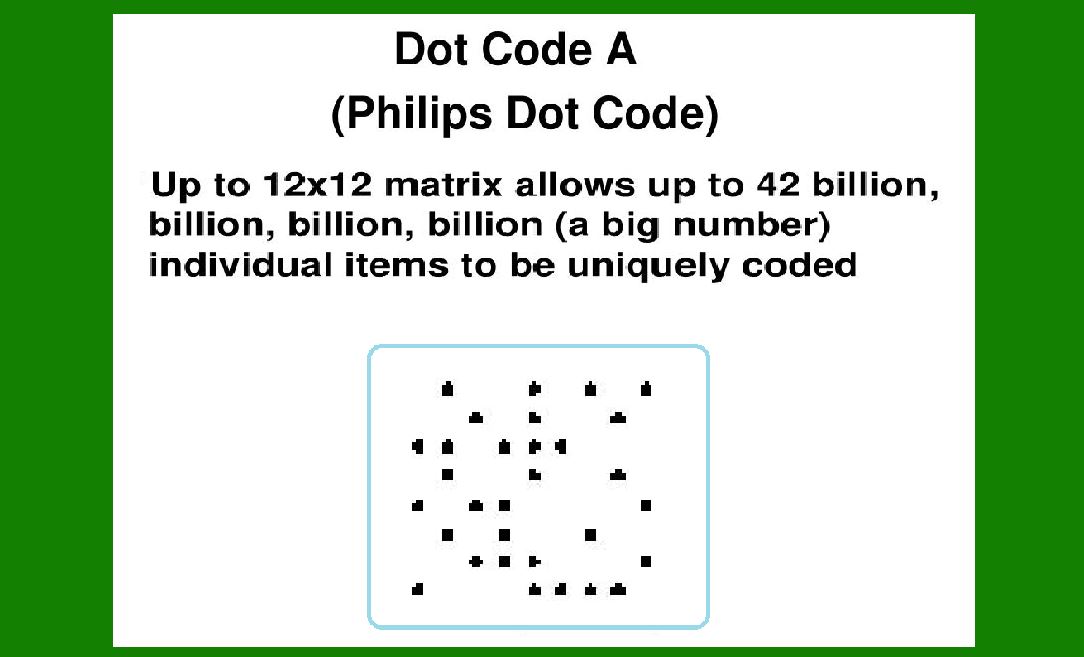
Dot Code A is designed to encode data in a matrix of dots, similar to other 2D barcode technologies. The matrix consists of both dark (typically black) and light (typically white) dots arranged in a grid pattern. This grid allows for encoding a significant amount of data compared to traditional 1D barcodes. |
|
Encoding Method: |
Dot Code A uses a unique encoding method where data is represented by the presence or absence of dots within the matrix. Each dot can be thought of as a binary unit (1 for dot present, 0 for dot absent). This method allows for both high data density and robustness in reading, as the presence of dots can be reliably detected by scanning devices. |
Application Areas: |
Dot Code A was primarily designed for industrial applications where robustness, high data capacity, and efficient scanning are crucial. Some of its key application areas include: |
1.Industrial Automation: Used for tracking components, products, and assemblies in manufacturing and logistics. 2.Retail and Consumer Goods: Implemented in retail for inventory management, product tracking, and point-of-sale (POS) applications. 3.Document Management: Used in document tracking and management systems for secure identification and retrieval. |

|
Features and Benefits: |
High Data Capacity: Dot Code A can encode significantly more data compared to traditional barcodes, making it suitable for applications requiring extensive information storage. Robustness: The matrix structure of Dot Code A allows it to tolerate some damage or distortion, ensuring reliable data capture even in less than ideal conditions. Scanning Flexibility: Dot Code A can be scanned omnidirectionally, meaning it can be read from any orientation, enhancing usability in various scanning environments. |
Technology Evolution: |
Over time, the Dot Code A technology has evolved, potentially leading to improvements in data capacity, error correction capabilities, and readability enhancements. However, specific details about subsequent advancements in Dot Code A beyond its original Philips patent may vary based on further developments in barcode technology. |
Dot Code A, also known as Philips Dot Code, represents a significant advancement in 2D barcode technology, offering enhanced data capacity and robustness suitable for a wide range of industrial and commercial applications. |

|
The Structure and Design of Philips Dot Code |
Grid Matrix Structure: |
Dot Code A is based on a matrix or grid structure composed of square modules arranged in rows and columns. Each module within the matrix can contain either a dot (typically black) or remain blank (white), representing binary data. |
Grid Pattern: The matrix is typically square or rectangular, divided into a precise grid of cells. The size of the grid can vary based on the specific application and required data capacity. Dot Placement: Data is encoded by the presence or absence of dots within each cell of the grid. A dot represents a binary '1', indicating the presence of that data element, while an absence of a dot represents a binary '0'. |
Encoding Method: |
Dot Code A uses a straightforward encoding method where data is directly mapped to the grid of dots: |
Binary Representation: Each dot in the grid corresponds to a binary bit of data. For example, a row or column of dots might encode a specific numeric or alphanumeric character based on its position and arrangement within the matrix. Error Correction: Depending on the implementation, Dot Code A may include error correction techniques to ensure reliable data retrieval, even if parts of the code are damaged or obscured. |

|
Module Size and Data Density: |
Module Size: The size of each module (cell) in the grid determines the overall size of the barcode. Smaller modules allow for higher data density but may require more precise printing and scanning equipment. Data Capacity: Dot Code A can store a significant amount of data compared to traditional 1D barcodes. The exact data capacity depends on factors such as the size of the matrix, the number of rows and columns, and the encoding scheme used. |
Application Flexibility: |
Omnidirectional Scanning: Dot Code A can be scanned from any direction, offering flexibility in scanning orientation compared to linear barcodes. Printing Flexibility: It can be printed using various technologies, including inkjet, laser, and thermal printing methods, on a variety of surfaces such as paper, plastic, and metal. |

|
 cs@easiersoft.com