Using FNC4 to encode high (160-255) characters in Code-128 Barcode. |
Code-128 is a versatile barcode symbology that includes different sets of characters, including alphanumeric characters and control codes. It uses different modes, or 'character sets,' such as Code Set A, Code Set B, and Code Set C, to optimize the encoding of different types of data. |
FNC4 is a special function character in Code-128 that allows for encoding extended ASCII characters (values 128-255). When you need to encode characters in the range of 160-255, which are part of the extended ASCII set, you use the FNC4 character to signal a shift to extended encoding. |
The special symbol FNC4 ('Function 4'), present only in code sets A and B, can be used to encode all the Latin-1 (ISO-8859-1) characters in a Code 128 barcode. |
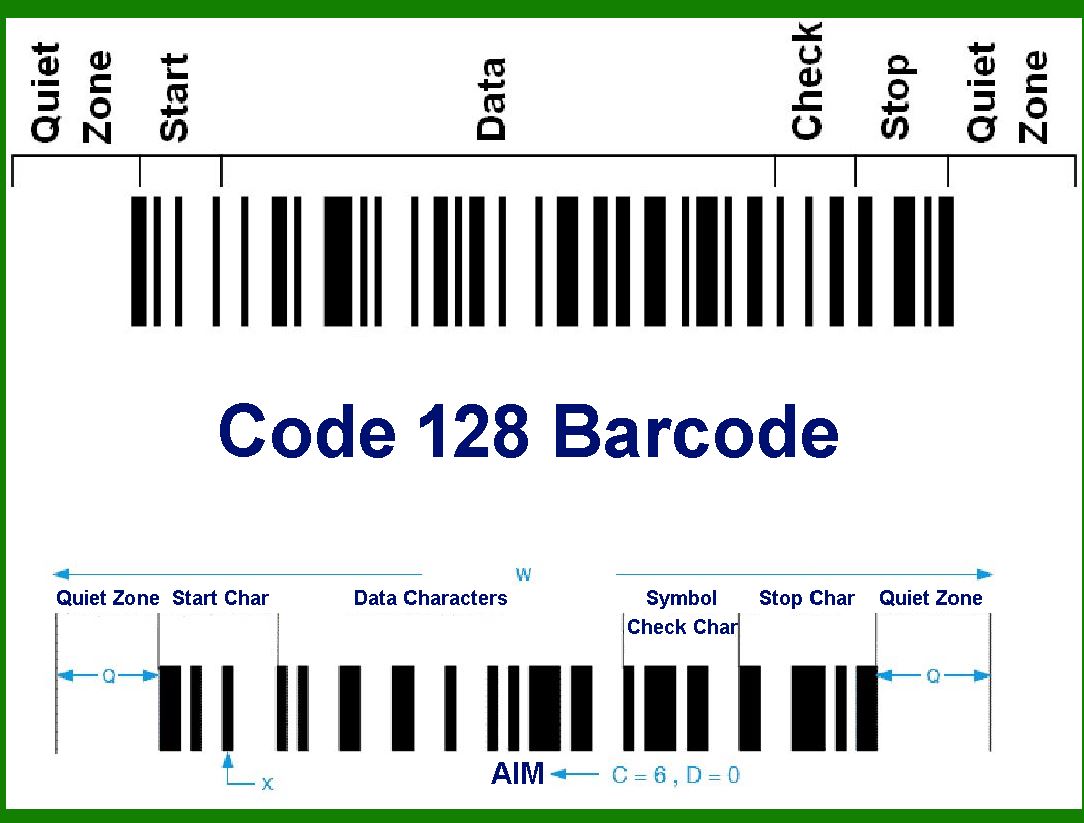
|
When a single 'FNC4' is present in a string, the following symbol is read like ASCII, but the value is incremented by +128, thus taking the higher range of the ISO-8859-1 table. If the following symbol is a 'SHIFT', then a second symbol will be used to obtain the character. |
If two consecutive 'FNC4' characters are used, all following data characters are extended ASCII characters until two further consecutive 'FNC4' characters are encountered or the end of the symbol is reached. If during this sequence of extended encodation a single 'FNC4' character is encountered it is used to revert to standard ASCII encodation for the next data character only. 'SHIFT' and character subset characters shall have their normal effect during such a sequence. |
From Code 128A you can reach Latin-1 special characters from 160 (hex A0, non breaking space) up to 223 (hex DF, ?) via FNC4. The lower case characters from 224 (hex E0, à) to 254 (hex FE, ?) are available by FNC4+SHIFT B. The characters ÷ (247, hex F7) and ? (255, hex FF) are not available. |
The feature is not available for GS1-128. Since the support of Code 128 Type B (and C) is not very common, it might be easier to use a QR Code instead for characters from the ISO-8859-1 code range. |

|
Here's a detailed breakdown of how to use FNC4 to encode high characters (160-255) in a Code-128 barcode: |
Steps for Encoding High Characters (160-255) |
1.Start with Code Set Selection: Code-128 can switch between Code Set A, B, and C. Typically, you start with Code Set B for most alphanumeric data because it covers upper and lower case letters, numbers, and punctuation. If the data starts with an extended ASCII character (160-255), use Code Set B initially. |
2.Insert FNC4 for Extended ASCII: Insert the FNC4 character before each extended ASCII character. This tells the barcode reader to interpret the following character as an extended ASCII character. In Code Set B, FNC4 is represented as ASCII 202. |
3.Calculate the Code 128 Value: To get the Code 128 value for characters 160-255, use the formula: Value=ASCII?128\text{Value} = \text{ASCII} - 128Value=ASCII?128 This will map the high characters to a range of 32-127, which are printable characters in ASCII. |

|
Example |
Let's encode the string containing the high ASCII characters 160 and 255 in Code-128. |
1.Start with Code Set B: Start with the Start Code B (104 in Code-128). |
2.Insert FNC4: Insert FNC4 (202 in ASCII, which is a specific pattern in Code-128). |
3.Encode High Character 160: Insert the FNC4 (202), followed by the character value: 160?128=32160 - 128 = 32160?128=32. In Code Set B, 32 corresponds to the ASCII space character. |
4.Insert FNC4 again: Insert FNC4 (202). |
5.Encode High Character 255: Insert FNC4 (202), followed by the character value: 255?128=127255 - 128 = 127255?128=127. In Code Set B, 127 corresponds to the DEL character. |

|
Example Barcode Data Sequence |
Here's the sequence of values you'd encode in the barcode: Start Code B: 104 FNC4: 202 Character for ASCII 160: 32 (space) FNC4: 202 Character for ASCII 255: 127 (DEL) |

|
Checksum Calculation |
The checksum for Code-128 is calculated by taking the weighted sum of the start code and all data characters, then taking the modulo 103 of the result. |
Final Encoding Steps |
1.Start Code B (104). 2.FNC4 (202). 3.Character for ASCII 160 (32). 4.FNC4 (202). 5.Character for ASCII 255 (127). 6.Calculate Checksum. 7.Append Checksum. 8.Stop Code. |

|
By following these steps and using the FNC4 character appropriately, you can encode high ASCII characters (160-255) in a Code-128 barcode. |
 cs@easiersoft.com