The Qode, developed by NeoMedia Technologies, Inc., represents an important advancement in the field of 2D barcodes. |
Founded in 1989 and headquartered in Atlanta, Georgia, NeoMedia Technologies has been a key player in digital barcode technology, focusing on solutions that bridge physical and digital worlds. The Qode, one of their proprietary developments, has garnered attention for its unique features and applications across various industries. |
|
History and Development |
NeoMedia Technologies, Inc. introduced the Qode as a response to the growing demand for efficient and versatile barcode solutions in the late 20th and early 21st centuries. The development of the Qode was influenced by advancements in digital imaging and data encoding technologies, aiming to overcome limitations of traditional barcodes while enhancing data capacity and readability. |
Founding and Early Innovations |
Founded by Martin A. Copus and Robert R. Hussey, NeoMedia Technologies initially focused on developing technologies that could link physical objects to digital content seamlessly. This vision led to the exploration of 2D barcode technologies, culminating in the creation of the Qode. |

|
Technology Overview |
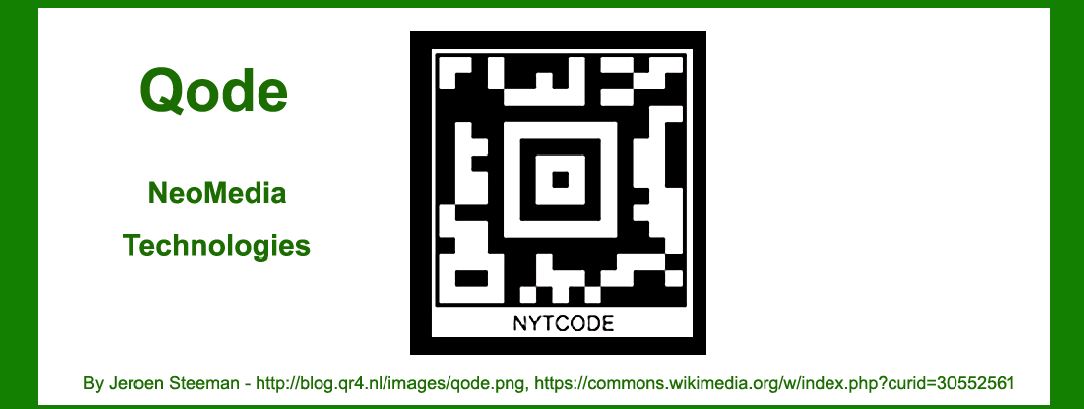
The Qode is a matrix-style 2D barcode designed to store and retrieve substantial amounts of data efficiently. Unlike traditional linear barcodes that encode data in a horizontal manner, the Qode uses a grid of black and white modules arranged in a square or rectangular pattern. This matrix structure allows for both vertical and horizontal data encoding, significantly increasing data capacity compared to 1D barcodes. |
Data Encoding and Structure |
The Qode employs various encoding techniques to maximize data density and reliability. Data is encoded in the form of binary patterns within the matrix modules. These modules can represent alphanumeric characters, symbols, and binary data, offering flexibility in data types that can be stored. The structure of the Qode allows for error correction and data redundancy, ensuring accurate decoding even in cases of partial damage or distortion. |

|
Features and Capabilities |
High Data Capacity |
One of the primary advantages of the Qode is its high data capacity. Depending on the version and configuration, Qode barcodes can store significantly more information than traditional barcodes. This capability is crucial for applications requiring extensive data storage, such as inventory management, document tracking, and multimedia content linkage. |
Versatile Applications |
The versatility of the Qode extends across various industries and use cases: |
Retail and Consumer Goods: Qode barcodes are used for product identification, pricing, and promotional campaigns. They enable consumers to access product information, reviews, and multimedia content directly from packaging. Logistics and Inventory Management: Qode facilitates efficient tracking and management of goods throughout the supply chain. Its high data capacity allows for detailed product information, batch numbers, and expiration dates to be stored and accessed rapidly. Healthcare: In healthcare settings, Qode barcodes are utilized for patient identification, medication tracking, and medical records management. They support accurate data capture and integration with electronic health record (EHR) systems. Marketing and Advertising: Qode enhances interactive marketing initiatives by enabling direct links to digital content, promotional offers, and customer engagement platforms. It serves as a bridge between physical advertisements and online resources. |

|
Technical Specifications |
Structure and Layout |
The Qode barcode consists of a square or rectangular grid of modules arranged in rows and columns. The size and density of modules vary depending on the required data capacity and scanning environment. Common configurations include versions optimized for small packaging labels as well as larger formats for industrial applications. |
Error Correction and Redundancy |
To ensure reliable data retrieval, the Qode incorporates error correction algorithms. These algorithms enable the barcode to withstand partial damage or degradation caused by printing imperfections, environmental factors, or scanning errors. Redundancy in data encoding further enhances resilience against data loss during transmission or decoding processes. |
Printing and Scanning Compatibility |
Qode barcodes are compatible with various printing technologies, including thermal transfer, inkjet, and laser printing. The clarity and contrast of printed barcodes are critical for accurate scanning and data retrieval. NeoMedia Technologies provides guidelines for optimal printing conditions to achieve maximum scanning reliability across different substrates and environmental conditions. |

|
Industry Adoption and Standards |
Global Recognition |
Since its introduction, the Qode has gained recognition as a standardized barcode technology adopted by industries worldwide. Its compatibility with international barcode standards ensures interoperability with scanning equipment and software systems deployed globally. NeoMedia Technologies continues to collaborate with industry stakeholders to promote the adoption of Qode for diverse applications and use cases. |
Regulatory Compliance |
In regulated industries such as pharmaceuticals and healthcare, Qode barcodes comply with industry-specific guidelines and standards for product identification and traceability. These standards ensure adherence to quality control measures, patient safety requirements, and regulatory reporting obligations. |

|
Future Developments and Innovations |
NeoMedia Technologies remains committed to advancing the capabilities of Qode barcodes through ongoing research and development initiatives. Future innovations may focus on enhancing data security, integrating advanced data analytics capabilities, and expanding compatibility with emerging technologies such as augmented reality (AR) and Internet of Things (IoT) platforms. |

|
Conclusion |
The Qode represents a significant advancement in barcode technology, offering enhanced data capacity, reliability, and versatility across diverse industries. Developed by NeoMedia Technologies, Inc., the Qode continues to evolve in response to market demands for efficient data management, consumer engagement, and supply chain optimization. As technology landscapes evolve, Qode barcodes are poised to play a pivotal role in shaping the future of digital connectivity and information exchange on a global scale. |
 cs@easiersoft.com