Barcode Technology

Barcode History

Barcode Label Paper

Barcode Printer

Barcode Application

Inventory Management

AI Barcode QRCode

Barcode Scanner

Barcode Software

Barcode Software B

Barcode Software C

Barcode Software D

Barcode Software E

New Technology A

New Technology B

Robot Technology

Barcode Types

Barcode Types B

Barcode Types C

Barcode Types D

Barcode Types E

Barcode Types F

Electronic Technology

Psychology at Work

Barcode Technology and Barcode Software Related   <<< Back to Directory <<<

QR Code funerary use

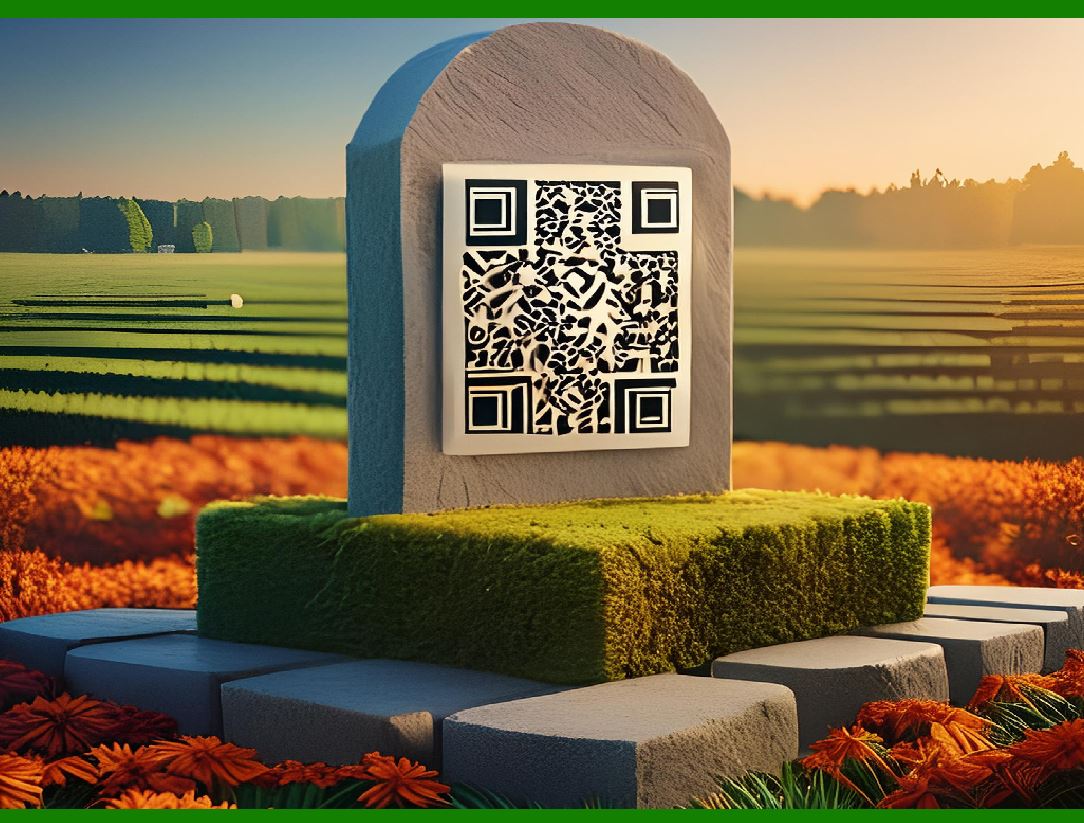
A QR code can link to an obituary and can be placed on a headstone. In 2008, Ishinokoe in Yamanashi Prefecture, Japan began to sell tombstones with QR codes produced by IT DeSign, where the code leads to a virtual grave site of the deceased.

Other companies, such as Wisconsin-based Interactive Headstones, have also begun implementing QR codes into tombstones.

In 2014, the Jewish Cemetery of La Paz in Uruguay began implementing QR codes for tombstones.

Funerary uses of QR codes have evolved to incorporate modern technology into traditional memorial practices, allowing for a deeper and more interactive way to remember and honor the deceased.

Here's a detailed look at these uses:

Funerary Use of QR Codes

Wing Commander Adrian Warburton's Grave

At Durnbach War Cemetery in Gmund am Tegernsee, Germany, a QR code tile is placed next to the grave of Wing Commander Adrian Warburton. This QR code links to his Wikipedia entry, providing visitors with detailed information about his life, career, and achievements. Warburton was a distinguished RAF pilot during World War II, known for his significant contributions to aerial reconnaissance. The QR code serves as a bridge between the physical memorial and the vast information available online, offering a richer and more accessible way for people to learn about his legacy.

Linking to Obituaries

QR codes can be used to link directly to online obituaries. When scanned, these codes can provide instant access to the deceased's life story, photographs, and messages from loved ones. This method extends the traditional obituary by allowing for the inclusion of multimedia elements, which can enhance the memorial experience.

Virtual Grave Sites in Japan

In 2008, the company Ishinokoe in Yamanashi Prefecture, Japan, started selling tombstones with QR codes produced by IT DeSign. These QR codes lead to virtual grave sites, which can include detailed information about the deceased, photographs, and even videos. The virtual grave site serves as an online memorial space where family and friends can visit, leave messages, and share memories, regardless of their physical location.

Interactive Headstones in the United States

Companies like Interactive Headstones, based in Wisconsin, have also adopted the use of QR codes on tombstones. These codes can link to personalized web pages dedicated to the deceased, which might include biographical details, family history, and contributions from visitors. This interactive element allows for a dynamic and evolving memorial, reflecting the ongoing influence of the deceased on their community.

Jewish Cemetery in Uruguay

In 2014, the Jewish Cemetery of La Paz in Uruguay began incorporating QR codes into tombstones. This initiative aimed to modernize the way people remember and interact with the memories of their loved ones. By scanning the QR codes, visitors can access digital content that commemorates the deceased, blending traditional practices with modern technology to preserve and share their legacies.

Conclusion

The integration of QR codes into funerary practices exemplifies how technology can enhance traditional rituals. By providing instant access to rich, multimedia content about the deceased, QR codes help to create a more comprehensive and engaging memorial experience. This innovation allows for a deeper connection to the past and a more meaningful way to honor those who have passed away.


EasierSoft Barcode Label Design & Bulk Printing Software

---- Use Excel Data to Batch Print Barcodes on Label Sheets or Roll Labels  

---- How to use this barcode software

Download:  Free Barcode Software + Barcode Label Designer

Download Free Barcode Software at Softonic

     Download at CNET

Once you obtain a GS1/UPC/EAN barcode, or other barcode type and QR code, you can use our free software to batch print barcode labels onto Roll label paper using a professional label printer, or to batch print barcodes onto Avery 5160 label sheets using a regular laser or inkjet printer. Our software has free and paid versions.

The free version fully meets your needs for batch printing GS1/UPC/EAN barcodes. The paid version can import data from Excel and databases to batch print barcode labels with different values.

How to Start

Input Data

Import Excel Data

Print Barcode

Barcode Format

Label Designer

All Screen Shot

Export Barcode Image

Save Template

Output Word Excel

How to Use & FAQ:

Export barcode image files

Barcode text font setting

Generate ISBN barcode

Predefined label templates

Printing setup

Save settings

Serial number generator

The supported barcode types

Load Excel data (pro)

Manually copy data from Excel files

Filter some data for printing

Edit imported barcode data

Input data (Pro)

Label Designer

Edit data in Label designer

Label Designer - Add new label

Label Designer - Printing

Set the barcode label format to be printed

Other Barcode Label Format Settings

Barcode types supported by this program

Barcode Label Font Settings

Configuring the Barcode Print Rotation

Text Alignment for Barcode Labels

Automatically Adjusting Barcode Width

Text Beneath the Barcode

Configuring Barcode Size

Auto Calculate the Barcode Size

Export Barcode images

Export Barcode Image Format

File Names for Exported Barcode

Resolution of Exported Barcode Images

Fixed Folder for Exporting Barcode

Default Barcode Image Export Format

Print bulk barcodes quickly

Print barcodes to Avery 5160 label

How to bulk Barcode Printing

Sample - Avery 5162 (2x7) Label Sheet

Example: Print barcodes to 5*3cm roll

Example: Print barcodes to 5161 label

Example: Print barcodes to 5162 label

Example: Print barcodes to 5163 label

Example: Print barcodes to 5164 label

Example: Print portrait orientation 5164

Example: Print barcodes to 5167 label

Example: Print barcodes to 5168 label

Example: Print portrait orientation 5168

Example: Print barcodes to 5169 label

Example: Print barcodes to 5660 label

Example: Print barcodes to 5661 label

Example: Print barcodes to 5662 label

Highlights

Excel integration: Import data directly from Excel to generate and print barcodes in bulk.

Label designer: Create complex labels with multiple barcodes, text, logos, and shapes.

Batch printing: Print thousands of barcodes at once using standard inkjet/laser printers or professional barcode printers.


Flexible editions:

Standard Edition: Simple batch printing with Excel data.

Professional Edition: Adds command-line automation for workflow integration.

Label Designer Edition: Advanced design features for complex labels.


Why Choose Our Barcode Solutions?

Cost-effective: Free online generator and permanent free desktop version available.

Easy to use: No technical expertise required—just input data and print.

Versatile: Supports nearly all 1D and 2D barcode types, including QR codes.

Trusted: Recommended by CNET and widely downloaded by users worldwide.


Suitable Use Cases

Small businesses and startups needing quick barcode labels for products.

Retailers and online sellers managing inventory with batch barcode printing.

Manufacturers requiring sequential or custom barcode labels for packaging.

Educational and testing environments where barcodes are used for tracking.


CONTACT

cs@easiersoft.com

If you have any question, please feel free to email us.


https://free-barcode.com


<<< Back to Directory <<<     Barcode Generator     Barcode Freeware     Privacy Policy