Barcode Technology

Barcode History

Barcode Label Paper

Barcode Printer

Barcode Application

Inventory Management

AI Barcode QRCode

Barcode Scanner

Barcode Software

Barcode Software B

Barcode Software C

Barcode Software D

Barcode Software E

New Technology A

New Technology B

Robot Technology

Barcode Types

Barcode Types B

Barcode Types C

Barcode Types D

Barcode Types E

Barcode Types F

Electronic Technology

Psychology at Work

Barcode Technology and Barcode Software Related   <<< Back to Directory <<<

QR codes incorporated into currency

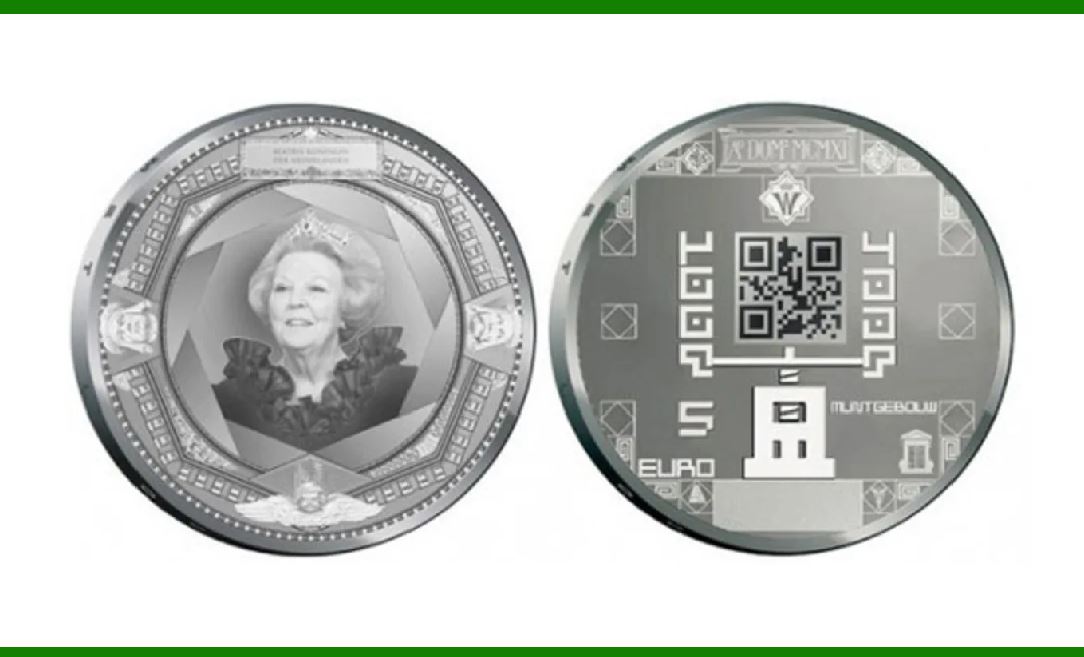
QR codes have been incorporated into currency. In June 2011, The Royal Dutch Mint (Koninklijke Nederlandse Munt) issued the world's first official coin with a QR code to celebrate the centenary of its current building and premises.

The coin can be scanned by a smartphone and originally linked to a special website with contents about the historical event and design of the coin.

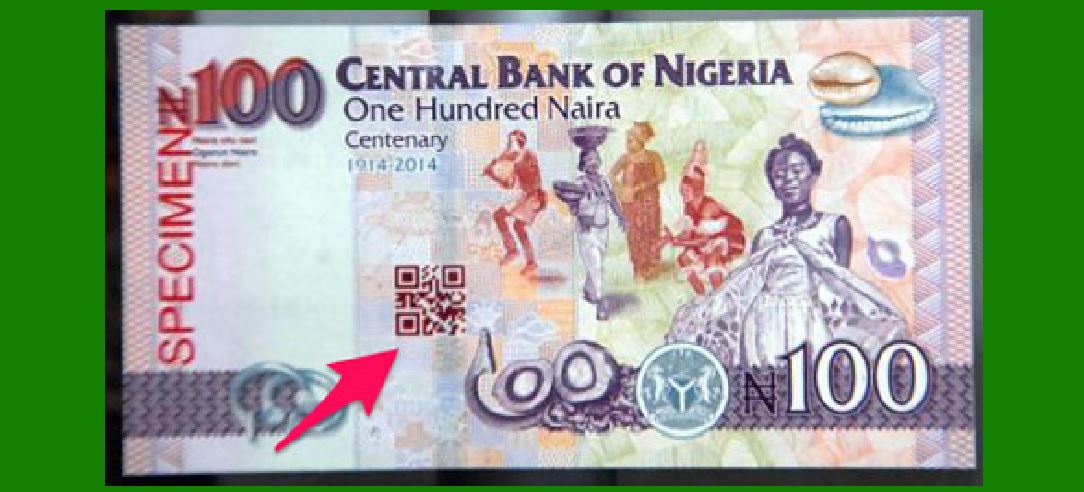
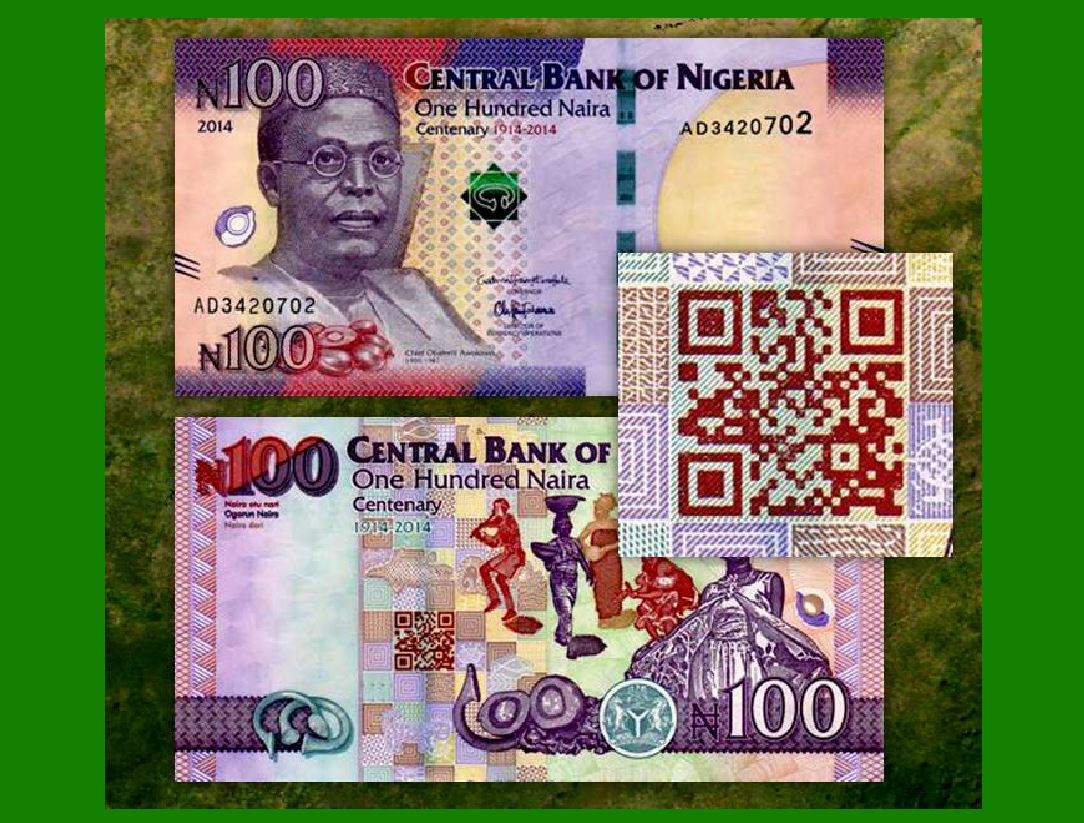
In 2014, the Central Bank of Nigeria issued a 100-naira banknote to commemorate its centennial, the first banknote to incorporate a QR code in its design. When scanned with an internet-enabled mobile device, the code goes to a website that tells the centenary story of Nigeria.

QR codes have been creatively integrated into currency for commemorative purposes, serving as both a historical and technological innovation. Here's a detailed account of how QR codes have been utilized in currency by the Royal Dutch Mint and the Central Bank of Nigeria:

The Royal Dutch Mint's QR Coin (2011)

Historical Context:

Issuance Date: June 2011

Occasion: Centenary of the Royal Dutch Mint's current building and premises.

Significance: This was the world's first official coin to feature a QR code, marking a significant milestone in numismatic history.

Design and Functionality:

Appearance: The coin is crafted with a QR code inscribed on one side.

Technology: The QR code can be scanned using a smartphone or any QR code scanning device.

Purpose: When scanned, the QR code originally linked to a special website. This website provided information about the historical event being commemorated and the design aspects of the coin itself.

User Experience: Collectors and the general public could engage with the coin beyond its physical presence, accessing digital content that enriched their understanding of its significance.

Central Bank of Nigeria's 100-Naira Banknote (2014)

Historical Context:

Issuance Date: 2014

Occasion: Centennial of Nigeria (marking 100 years since the amalgamation of Northern and Southern Nigeria in 1914).

Significance: This was the first banknote to incorporate a QR code into its design, blending modern technology with traditional currency design.

Design and Functionality:

Appearance: The 100-naira banknote includes a visible QR code within its printed design.

Technology: The QR code on the banknote can be scanned using an internet-enabled mobile device.

Purpose: Scanning the QR code redirects the user to a website dedicated to the centenary story of Nigeria. This site provides detailed historical narratives and context about the significance of the centennial celebration.

User Experience: The integration of the QR code enhances the educational value of the banknote, offering an interactive element that brings history to life through digital means.

Significance and Impact

Innovation: Both the Royal Dutch Mint and the Central Bank of Nigeria demonstrated innovative use of QR codes in currency, combining the tangible and digital realms.

Educational Value: The QR codes provide an interactive way for people to learn about historical events and the significance behind these commemorative currencies.

Engagement: These initiatives offer a new level of engagement with currency, turning coins and banknotes into gateways to digital content and historical information.

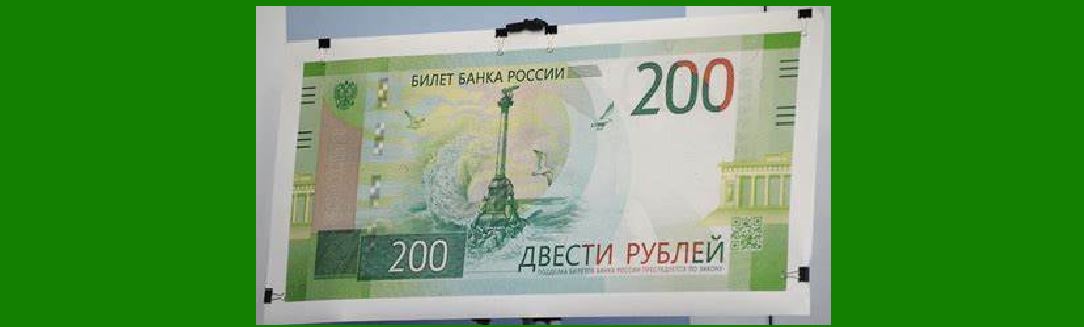
In 2015, the Central Bank of the Russian Federation issued a 100-rubles note to commemorate the annexation of Crimea by the Russian Federation. It contains a QR code into its design, and when scanned with an internet-enabled mobile device, the code goes to a website that details the historical and technical background of the commemorative note.

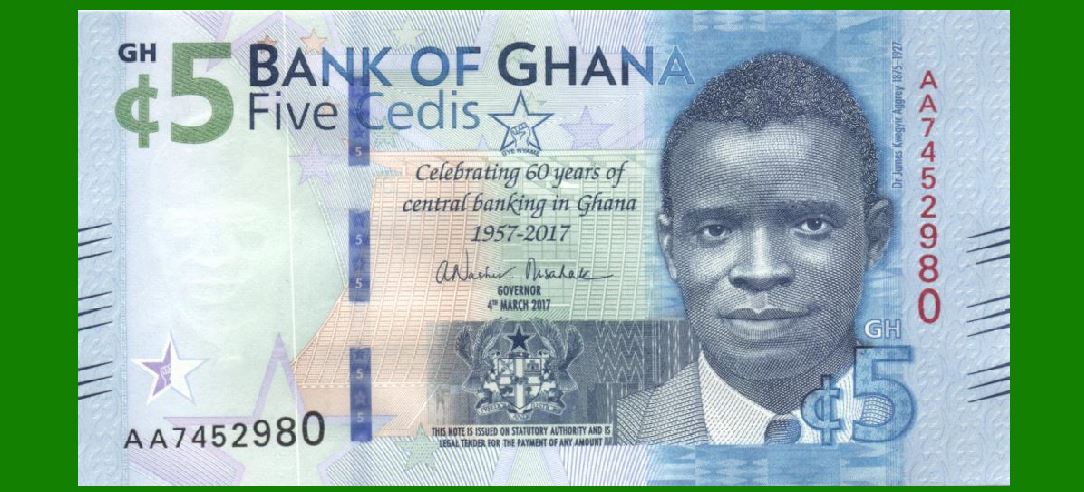
In 2017, the Bank of Ghana issued a 5-cedis banknote to commemorate 60 years of Central Banking in Ghana, and contains a QR code in its design, which when scanned with an internet-enabled mobile device, that code goes to the official Bank of Ghana website.

Broader Implications

The incorporation of QR codes in currency by these institutions highlights the potential for future advancements in numismatics and banknote design. It shows a trend towards integrating technology with traditional financial instruments, enhancing their functionality and educational value. As technology continues to evolve, such innovations may become more widespread, offering richer experiences and deeper connections to the history and culture represented by currency.


EasierSoft Barcode Label Design & Bulk Printing Software

---- Use Excel Data to Batch Print Barcodes on Label Sheets or Roll Labels  

---- How to use this barcode software

Download:  Free Barcode Software + Barcode Label Designer

Download Free Barcode Software at Softonic

     Download at CNET

Once you obtain a GS1/UPC/EAN barcode, or other barcode type and QR code, you can use our free software to batch print barcode labels onto Roll label paper using a professional label printer, or to batch print barcodes onto Avery 5160 label sheets using a regular laser or inkjet printer. Our software has free and paid versions.

The free version fully meets your needs for batch printing GS1/UPC/EAN barcodes. The paid version can import data from Excel and databases to batch print barcode labels with different values.

How to Start

Input Data

Import Excel Data

Print Barcode

Barcode Format

Label Designer

All Screen Shot

Export Barcode Image

Save Template

Output Word Excel

How to Use & FAQ:

Serial number generator

The supported barcode types

Load Excel data (pro)

Manually copy data from Excel files

Filter some data for printing

Edit imported barcode data

Input data (Pro)

Label Designer

Edit data in Label designer

Label Designer - Add new label

Label Designer - Printing

Set the barcode label format to be printed

Other Barcode Label Format Settings

Barcode types supported by this program

Barcode Label Font Settings

Configuring the Barcode Print Rotation

Text Alignment for Barcode Labels

Automatically Adjusting Barcode Width

Text Beneath the Barcode

Configuring Barcode Size

Auto Calculate the Barcode Size

Export Barcode images

Export Barcode Image Format

File Names for Exported Barcode

Resolution of Exported Barcode Images

Fixed Folder for Exporting Barcode

Default Barcode Image Export Format

Print bulk barcodes quickly

Print barcodes to Avery 5160 label

How to bulk Barcode Printing

Sample - Avery 5162 (2x7) Label Sheet

Example: Print barcodes to 5*3cm roll

Example: Print barcodes to 5161 label

Example: Print barcodes to 5162 label

Example: Print barcodes to 5163 label

Example: Print barcodes to 5164 label

Example: Print portrait orientation 5164

Example: Print barcodes to 5167 label

Example: Print barcodes to 5168 label

Example: Print portrait orientation 5168

Example: Print barcodes to 5169 label

Example: Print barcodes to 5660 label

Example: Print barcodes to 5661 label

Example: Print barcodes to 5662 label

Example: Print barcodes to 5663 label

Example: Print barcodes to 5664 label

Example: Print portrait orientation 5664

Example: Print barcodes to 5873 label

Example: Print barcodes to 5874 label

Two ways to import Excel data

Highlights

Excel integration: Import data directly from Excel to generate and print barcodes in bulk.

Label designer: Create complex labels with multiple barcodes, text, logos, and shapes.

Batch printing: Print thousands of barcodes at once using standard inkjet/laser printers or professional barcode printers.


Flexible editions:

Standard Edition: Simple batch printing with Excel data.

Professional Edition: Adds command-line automation for workflow integration.

Label Designer Edition: Advanced design features for complex labels.


Why Choose Our Barcode Solutions?

Cost-effective: Free online generator and permanent free desktop version available.

Easy to use: No technical expertise required—just input data and print.

Versatile: Supports nearly all 1D and 2D barcode types, including QR codes.

Trusted: Recommended by CNET and widely downloaded by users worldwide.


Suitable Use Cases

Small businesses and startups needing quick barcode labels for products.

Retailers and online sellers managing inventory with batch barcode printing.

Manufacturers requiring sequential or custom barcode labels for packaging.

Educational and testing environments where barcodes are used for tracking.


CONTACT

cs@easiersoft.com

If you have any question, please feel free to email us.


https://free-barcode.com


<<< Back to Directory <<<     Barcode Generator     Barcode Freeware     Privacy Policy